Instagram Story is one of the most popular features on IG social networks. This is a place for people to share daily stories. However, Story will disappear after 24 hours. What to do when you want to store pictures, videos of friends, relatives or your favorite influencer? This article will introduce you to 3 tools Download Story Instagram The best free today.
| Join the channel Telegram belong to Anonyviet 👉 Link 👈 |
3 Story Instagram loading tools
Surely you have also tried to save your friends and crush by screenshots. After that, you must continue to edit, eliminate redundant parts. Crop, trim will reduce the quality of photos and videos. Since the examination of specialized tools for downloading photos and videos from Instagram, a new horizon to store the Story opened. We tried and selected 3 tools for the best experience.
Snapinsta
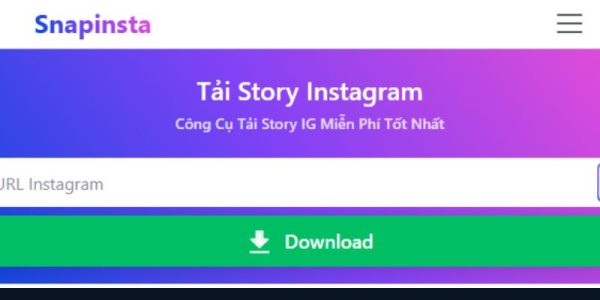
Snapinsta.ai is the first free and most appreciated Story Instagram download tool that we would like to introduce. With a simple interface, easy operation and fast processing speed, Snapinsta .ai has become the first choice of millions of users around the world. If you need a website that supports a variety of videos, REEELS, avatar, Snapinsta is the first choice.
Advantage
- The interface is easy to use: Minimalist design, no complicated ads or pop-ups that disturb users. Everything is clearly arranged and intuitive.
- The most outstanding processing speed: Just a few seconds to download Story Instagram with the highest quality.
- Completely free: No account registration requirements, no hidden fees, completely free use.
- Absolute security: Do not store personal information, do not require Instagram login.
- Multi -format support: Can download both photos and video story with original quality.
- Compatible with all devices: Smooth operation on phones, tablets and desktop.
- How to use Snapinsta.ai:
To download Story on Snapinsta.ai, you need to copy the public link leading to Story. Next, paste the link to the Snapinsta toolbar, press the download button next to it. Snapinsta will export all photos and videos in the link you provide. You can then download each photo and video to your computer.
Disadvantages: Only public account support: Can not download Story from Instagram Private account. There is no mass loading feature: must download each story one.
Storysaver
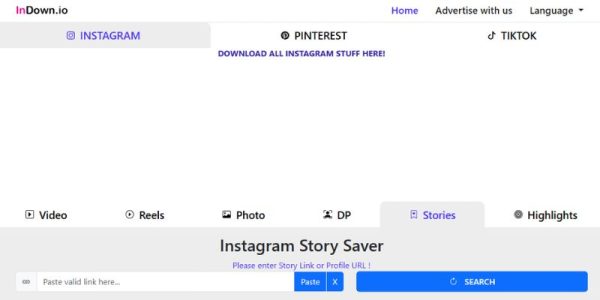
Storysaver is a great choice for those who want a specialized tool to download Instagram Story and Highlight. Storysaver also has a friendly, easy -to -use interface. To download the Story, you only need to take 3 steps: Enter the username of the account you want to download the Story, select the current Story or Story of Highlight section, select Save As to save the Story into the device.
Advantage
- Specialized features: Story and Highlight load support
- High quality: Make sure to download with original resolution, no quality compression.
- Detailed instructions: Provide Tutorial step by step for new users.
- Good compatibility: Stable operation on all browsers and equipment.
- No need to install: Use directly on the web browser.
Disadvantages:
- Extracting Story with the username is sometimes inaccurate, does not display the existing store of users.
- Slower speed: compared to Snapinsta.ai, the processing speed may be slightly slower.
- Captcha verification: Take time to verify the captch when you want to download a new store.
Indown
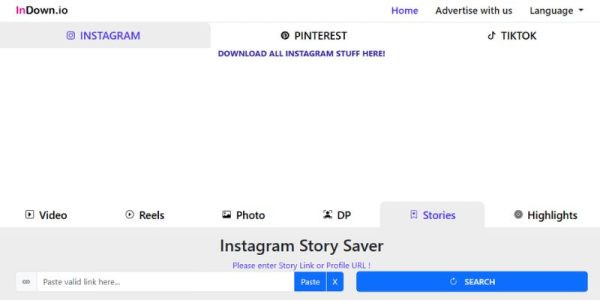
Indown is designed with professional user service orientation, those who need to download Instagram content regularly and need advanced features.
Advantages of Indown:
Professional interface: Clean design, no advertising, creating a sense of trust. Excellent quality: Always make sure to download with the best quality possible. Rich feature: Support many different types of Instagram content. High security: Commitment not to store user data.
Disadvantages:
Free limit: Some advanced features may require payment. Complex for newcomers: It may be difficult to use for those who do not know technology. Do not support the private account: like other tools, only operate with public accounts.
Compare details of 3 tools
| Criterion | Snapinsta.ai | Storysaver | Indown |
|---|---|---|---|
| Price | Completely free | Free of charge | Free limit |
| Quality | Full HD | High | Very high |
| Speed | Fastest | Medium | Fast |
| Interface | The simplest | Simple | Professional |
| Feature | Diverse: photos, videos, REEELS, IGTV, Profile | Basic: Story, Highlight, Video | Diverse: photos, videos, REEELS, IGTV, Profile |
| Advertisement | Minimum, almost no | Reasonable | Minimum |
| Security | Very high | High | High |
| Device support | All | All | All |
Important note when used
Downloading Story Instagram is not contrary to the law but should note some of the following points.
Firstly, morally and legal, you need to respect the copyright of the content creator on Instagram. The download of content is only for personal storage, not commercialized. If you want to share other people’s story, please ask for permission first. Sharing must be a legitimate goal. Do not abuse video download tools to track or harass others.
Secondly, technically: Most of Instagram load support tools do not allow private video download. Make sure the account you want to download the Story must be in public mode. Instagram and tools often change, update news continuously.
Third, to be safe when using a third party tool, avoid clicking on strange links appearing on the website. Only download photos and videos to your computer, do not download and install any other software.
Frequently asked questions (FAQ)
Can you download Story Instagram without logging in?
Absolutely possible. All three tools allowed the Instagram Story Instagram to download the Instagram account. Just enter the username of the account with Story you want to download.
Which tool is best to download high quality Story?
Snapinsta.ai is the best option if you prioritize speed and simplicity. Storysaver is suitable if you need a variety of features. Instadownloader ideal for professional users.
Are these tools safe?
Yes, all 3 tools are safe to use when you access from the official website. They do not require Instagram login information and do not store personal data.
Can you download the story from the private account?
No, due to Instagram’s Privacy limit, these tools only work with Instagram public accounts.
Do you need to install the application?
No need to install any application. All are web-based tools, just browser to use.
Conclude
Of the 3 free Instagram loading tools introduced, Snapinsta.ai stand out as the top choice, thanks to the perfect combination of simplicity, fast speed and high quality. This tool is especially suitable for most users wishing to download Story quickly and conveniently.
Storysaver is a great choice for those who want a specialized tool, which can handle the smooth Instagram Story content.
Indown is suitable for professional users, those who need advanced features and more professional interface.
Regardless of which tools you choose, always remember to use in a responsible way, respect the privacy and copyright of others. Story Instagram storage not only helps you preserve beautiful moments but also facilitates sharing and learning in the social networking community.