

OxionAI is a platform that provides APIs to access multiple artificial intelligence (AI) models through a unified interface. The platform is aimed at programmers, AI application builders, and users of programming tools that support custom API connections. The notable point is that OxionAI is not simply introduced as a chatbot for users to chat with. The main value of the platform lies in allowing applications to connect to multiple AI models using an API compatible with the OpenAI standard, which simplifies the model integration and transformation process.
📢 Join the channel Telegram belong to AnonyViet
Update new articles, cool tools and IT tips fastest
OxionAI operates under the AI API Gateway model – an intermediary gateway that connects your application to third-party AI model providers. According to the terms of service, OxionAI does not itself develop or directly host the platform models but routes requests to the respective provider.
If you are interested in OxionAI, you can check out the subscription program Pro 1 year with promo code DEVWEEK follow the instructions below.

Instructions for registering for OxionAI Pro for 1 year
Step 1: Visit the OxionAI website
Open the browser on your computer or phone, then access the link: Sign up for OxionAI here
Step 2: Register or log in to your account
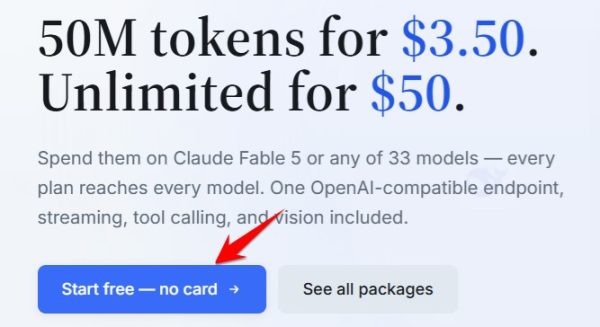
You click on the S buttontart free – no card. Then maybe Sign in with Gmail for quick.
Step 3: Choose the 1-year Pro package
After successfully logging in Upgrade . Next, choose a package Pro and check the annual payment option (Annual or Yearly).
Before continuing, please confirm that the package term is 12 months, and carefully read the included benefits, usage limits and renewal conditions if any.
Step 4: Enter promotional code DEVWEEK
At the checkout page, find a field to enter a discount code with a name like Promo Code:
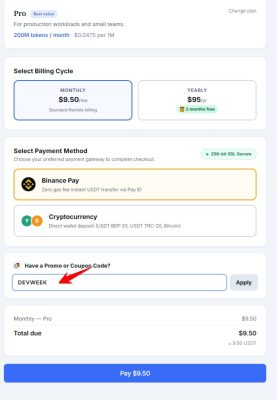
Enter the correct code:
DEVWEEK
Then click Apply
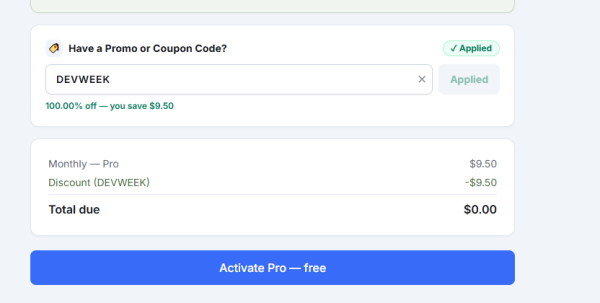
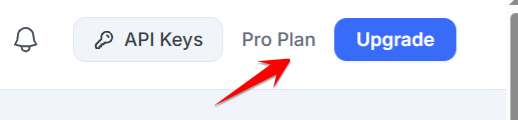
Important: Please check the amount to pay after applying the code to $0. Then click Active Pro – free. The website will redirect you to another page, indicating that the code has been used, just leave it alone. Just check the word Pro in the upper corner of your account and it’s successful.
Summary
To sign up for OxionAI following this guide, simply visit the referral link, register or log in to your account, select the 1-year Pro package and enter the code DEVWEEK at the payment step.
Remember to check the post-offer price and conditions of use before confirming your order to ensure the transaction meets your needs.
Registration link: https://oxionai.com/?ref=CCFH9223
Packages to choose: Pro 1 year
Promotion code: DEVWEEK
Wishing you successful registration and effective use of OxionAI at work!






