How to set ringtones on iOS 26 Now it is much easier! If you have to use the application before Garage Very confused, now no need anymore. Just a few touches and you can turn your favorite song into your own ringtone quickly.
| Join the channel Telegram belong to Anonyviet 👉 Link 👈 |
Set ringtones on iOS 26: How easy?
Apple is famous for its conservative in expanding the customization capabilities for the iPhone. Previously, the change of manual ringtones was often considered complicated, even causing many users to find third -party software like GarageBand. However, with iOS 26, Apple has changed the viewpoint and brings a “Native” experience – directly, without an external app.
This new feature allows you to get any MP3 or M4A music file (with a length of less than 30 seconds) in the file application (Files), whether it is the music you like, a voice recording file of your loved ones, or a funny sound download, all can become your ringtone.
This not only saves time but also ensures safety for the device. Users do not need to worry about strange software, unknown files or the risk of penetration.
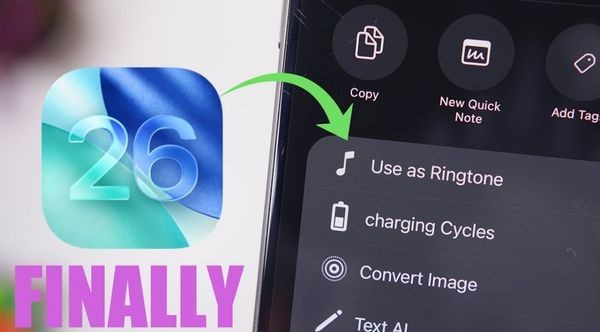
Details how to set ringtones on iOS 26
Just follow the following 4 simple steps to own a unique ringtone:
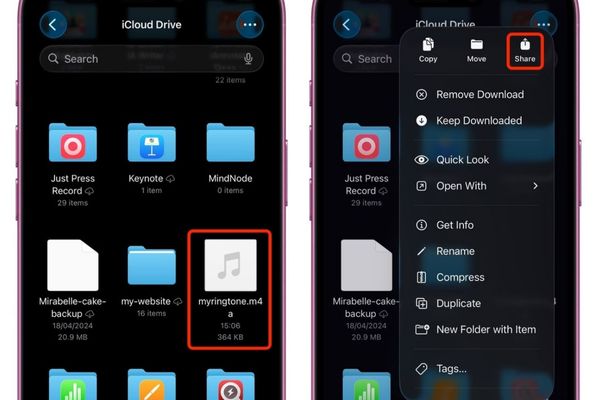
Step 1: First, open the application File (Files) Available on my iPhone.
Step 2: Next, you go to the MP3 or M4A audio file (less than 30 seconds) that you want to use as a ringtone and press to hold on that file.
Step 3: An optional menu will appear, click on the item Share (share).
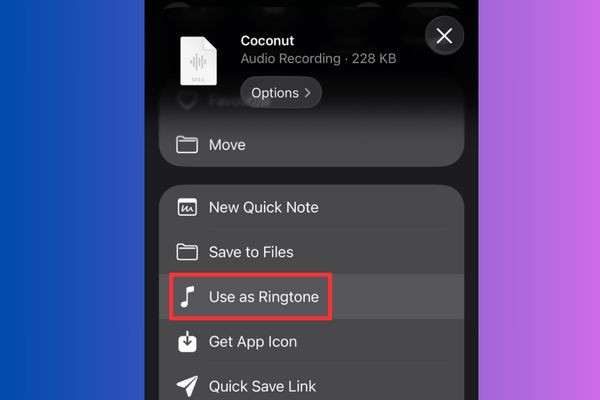
Step 4: Finally, you just need to roll down and select the brand new option called Used as a ringtone (use as ringtone).
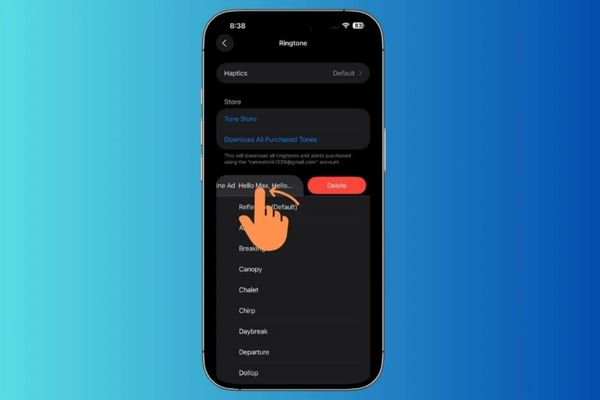
Immediately, the system will automatically set up and take you to the screen Settings ➝ Sound & Touch ➝ Ringtones. Here, you will see your new ringtone has been chosen as the default.
You can also easily delete it by swiping left or selecting other default tunes if desired.
The important things you need to note
For the installation process to go smoothly, remember some of the following important points:
- This feature is not limited to the file application but also works with the recording files in the application Record (Voice Memos).
- This method unpopular For songs from Apple Music, even when you have registered the package.
Conclusion
So, How to set ringtones on iOS 26 It was no longer a challenge. Apple has made the ringtone change extremely simple and interesting. Please open the phone and try to create a true ringtone!