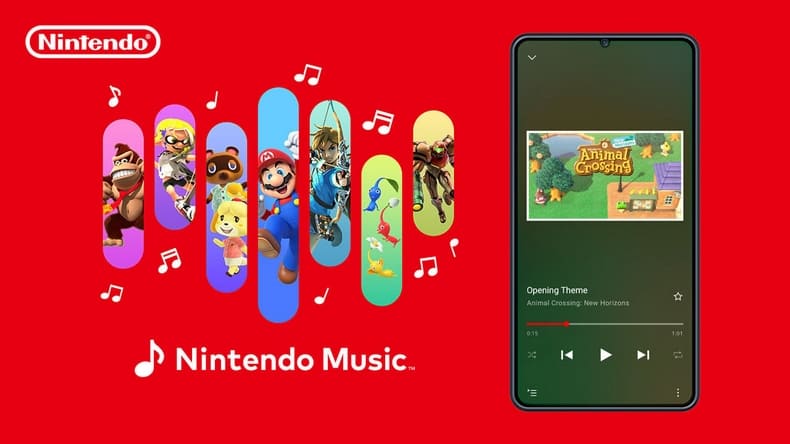
Nintendo always knows how to bring fans interesting surprises, and this time is a great good news for those who love music from video games. With the launch of the application Nintendo Musican exclusive music app for Nintendo Switch Online, now you can enjoy the symbolic melodies from your favorite games anytime, anywhere.
| Join the channel Telegram belong to Anonyviet 👉 Link 👈 |
What is Nintendo Music?
Nintendo Music is a mobile application that allows users to listen to music from famous video games released by Nintendo. The application provides music store from popular games like Super Mario, The Legend of Zelda and Kirby, taking the listener on an emotional sound journey through the games that have been associated with the childhood of so many gamers.
To access Nintendo Music, you only need to have an online Nintendo Switch account and download this application on Android or iOS.
See also: Beat bored with creating transparent widgets on iOS 18
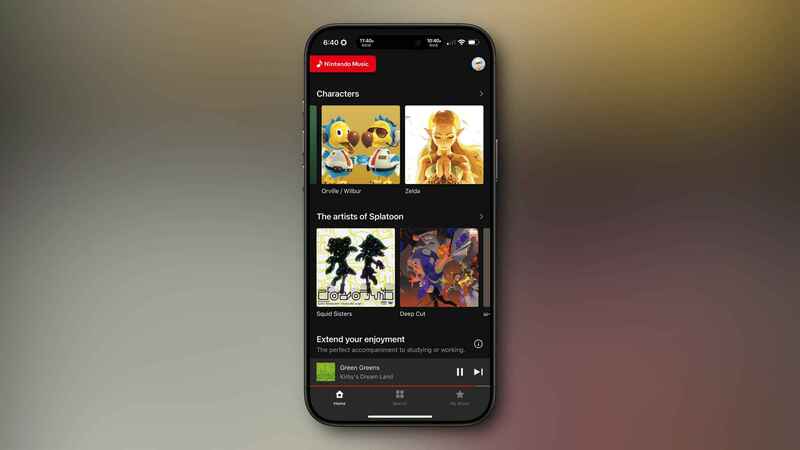
Application interface Nintendo Music
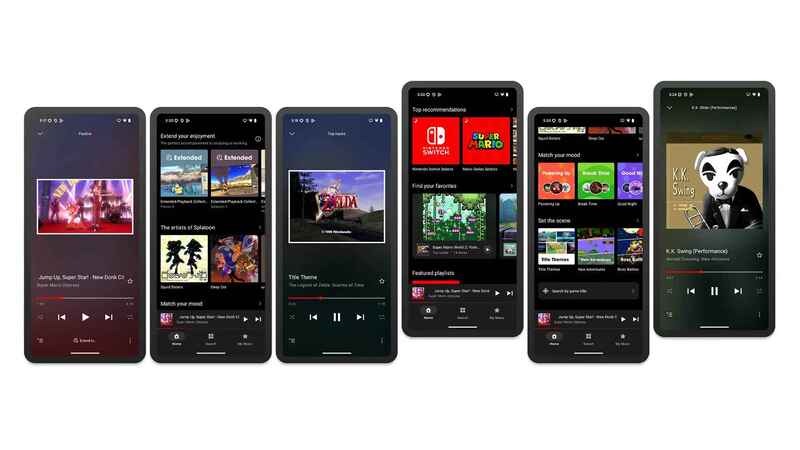
The interface of Nintendo Music is simple but sophisticated, easy to use with all subjects. The main features are visually arranged, helping you quickly find music from your favorite game or explore proposed playlists.
Users can browse via music store names or characters, and the interface also allows to create personalized playlists to suit each preferences and style of listening to music.
The outstanding feature of Nintendo Music
The Nintendo Music application is not only a simple music player but also brings many unique features to optimize the experience. One of the special features of this application is the ability to create playlist according to personal preferences, allowing you to organize music according to characters or memorable moments in the game.
In addition, you can download the song to hear when there is no Internet connection – a very convenient feature when moving. This function makes it easy to relax or entertain without having to worry about the network connection.
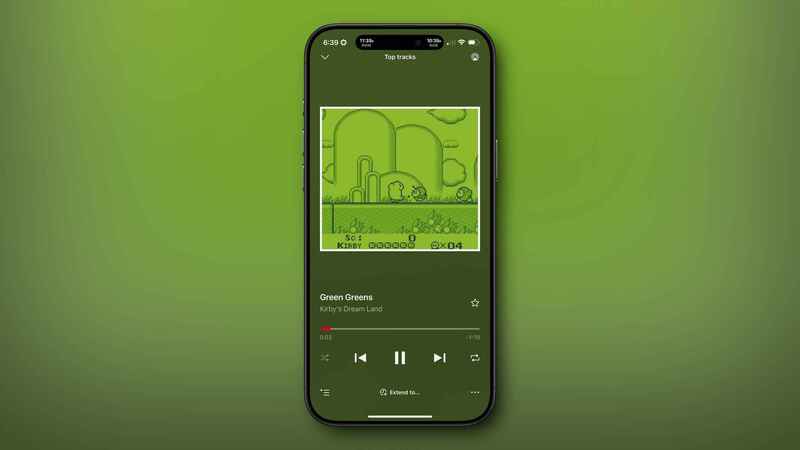
Another interesting feature is the ability to adjust music players, with options from 15, 30 to 60 minutes for a song. This is ideal if you need a smooth background melody to focus on learning or relaxing after a long day.
Nintendo Music also has a special mode to help you remove songs that can reveal important content in the game, so you can enjoy music without fear of being “spoiler”.
Diverse music warehouse of Nintendo Music
Currently, Nintendo Music offers a list of songs from 23 different games, from classic games on NES to outstanding games on Switch. You can find music from:
- Pikmin 4
- Pokémon Scarlet and Violet
- Splatoon 3
- Super Mario Odyssey
- The Legend of Zelda: Breath of the Wild
- Donkey Kong Country
- Animal Crossing: New Horizons
- Metroid Prime
- Fire Emblem: The Blazing Blade
- Super Mario Galaxy
- Kirby Star Allies
Nintendo promised to update more new songs in the future, bringing a richer music store. This is good news for fans who want to enjoy all SoundTrack from their favorite games.
Application for Nintendo Switch Online members
Nintendo Music is a benefit for Nintendo Switch Online members. This application is also synchronized with your gaming activity on the switch, which suggests playlists based on the games you just played. For example, if you have spent many hours playing Zelda, the application will automatically propose music from Zelda’s world to expand your experience.
Another plus point is that you can play music in the background even when turning off the screen or using another application. This is a very convenient feature for those who often work multitasking.
How to download the Nintendo Music app
Nintendo Music is provided for free for Nintendo Switch Online. To take advantage of this application, you just need to perform the following steps:
Step 1: Download the Nintendo Music application on smartphones Android or iPhone.
Step 2: Log in with your Nintendo account.
Step 3: Enjoy the music from your favorite game.
The application is compatible with iOS 16.0 or more and Android 9.0 or more.
https://www.youtube.com/watch?v=dq5eeimwyai
See also: Instructions Activate private space On Android 15
Conclusion
Nintendo Music A wonderful initiative from Nintendo, helping both the nostalgic gamers and players have the opportunity to enjoy the rich music from their favorite games. With an intuitive interface, many utility features and a music store is constantly expanding, this is an additional value for members of Nintendo Switch Online.