Ambient light for YouTube is a pretty hot name recently for those who like to watch videos. In the past, I thought I had to buy a bunch of lights to get the light effect behind the screen. Who cares now just need to install a tiny utility and you’re done. Let’s go together AnonyViet Discover how divine it is.
📢 Join the channel Telegram belong to AnonyViet
Update new articles, cool tools and IT tips fastest
Why should you try Ambient light for YouTube?
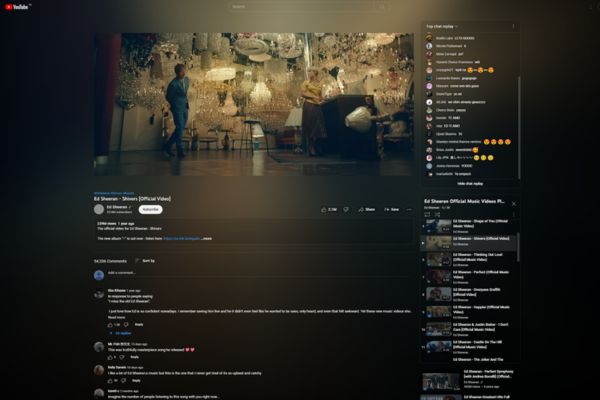
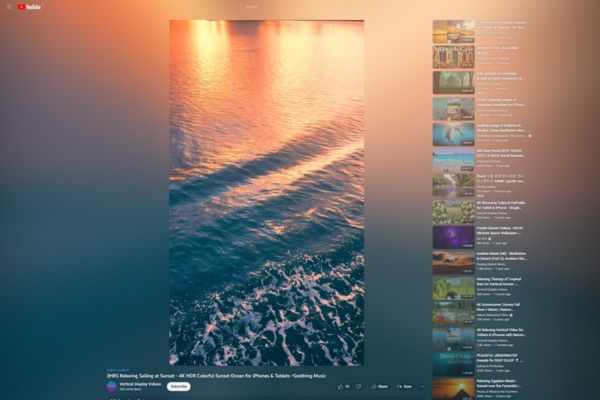
Surely many times you watch videos at night and feel that the black background around the frame is really boring. I used to be like that too until I learned about this utility. Essentially, it takes the colors at the edges of the video and creates a subtle layer of light that bounces around, right inside your browser.
Instead of having to spend millions to buy smart LED strips to stick behind the screen, you can completely get the same effect without spending a penny. Thanks to that, Ambient light for YouTube helps your eyes feel less tired when watching movies in the dark, while creating an extremely immersive viewing space.

Explore key features of Ambient light for YouTube
This utility doesn’t just have a light trick, it also has a bunch of other cool features that I bet you will love.
Customize the background light according to your taste
First is the ability to customize the background light. You can drag the slider to adjust the Blur opacity, Spread spread or Fade in fade effect time. Whether you like harsh or soft light is up to you to decide.
Remove annoying black borders
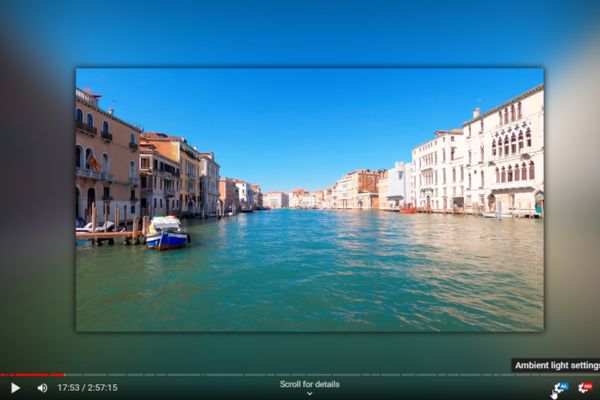
Next is the savior for those who use ultrawide or vertical screens. Usually, when watching videos on these screens, there will be two black borders on the sides or top and bottom. When using Ambient light for YouTube, you can enable the feature to remove black borders and force the video to fill the screen. Looking at the borderless frame, it doesn’t look like anything. It is also so smart that it automatically recognizes and deletes borders of other colors, not just black.
Play colorist with built-in filters
Not only that, you can also play colorist with built-in filters. Seeing that the video is a bit dark, just increase the brightness Brightness go up. If the color is too light, the saturation will increase Saturation or Vibrance. Sometimes just moving these bars a little makes the video look more vivid.
Clean up the interface, focus 100% on video
Regarding the website interface, the utility allows you to dim buttons, dialog boxes or surrounding images to avoid distraction. You can even hide the whiskers when watching in Theater mode. Therefore, your focus will be 100% on the video content.
What are the hardware requirements?
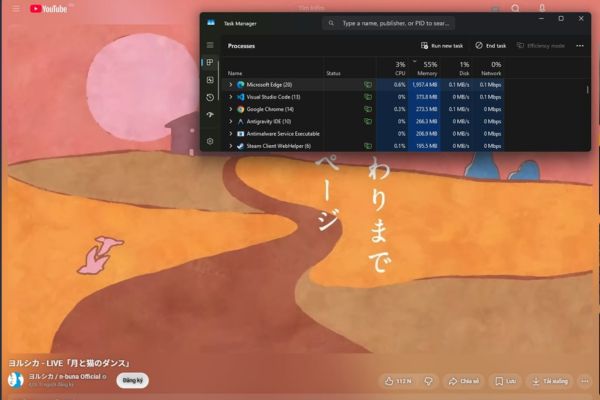
Having said that, because this utility processes images in real time right in the browser, it also requires some power from your computer. For Ambient light for YouTube to work most smoothly, the developer recommends using a benchmarked video card PassMark G3D from 1000 points or more. You can go to the videocardbenchmark website to look up how many points your card has.
In fact, if your device is weaker, with a score below 1000, the utility will still work. But the experience at that time can be a bit bad, like the website responding slowly, the video lagging or the lighting effects not keeping up with the image. I once tried to install it on my younger brother’s second-generation laptop, and the result was that the cooling fan sounded like a tractor and the video was jerky. So you should consider your device configuration before turning on max settings.
Instructions for using Ambient light for YouTube
To start enjoying this new video viewing space, you just need to follow a few extremely simple steps.
Step 1: Install utilities HERE and open any video.

Step 2: Tap the widget’s icon to open the dashboard.
Step 3: Turn on the Enabled switch to activate.
Step 4: Drag the Blur and Spread sliders in the Ambient light section until it’s pleasing to the eye.
Step 5: If the video has a black border, select it Remove black bars and Fill video to screen.
Just a few steps and you’ve completely transformed the familiar video viewing interface. Feel free to drag and drop the sliders to find the formula for the true light of your life.
Conclusion
In short, Ambient light for YouTube It’s really worth the few minutes it takes to install. It is easy to use and provides immediate visual results. Remember to check your device configuration a bit to make sure everything runs as smoothly as possible. Wish you have fun watching the video.
Frequently Asked Questions (Q&A)
1. Does this utility require the purchase of additional external LED lights?
Absolutely no need. This utility creates software-driven lighting effects right inside your web browser.
2. How to remove black borders when watching videos on a wide screen?
You just need to open the utility’s settings panel, find the Remove black & colored bars section, then turn on the Remove bars and Fill video to screen features and you’re done.
3. Can low-end computers use this utility?
It’s still usable, but you may experience lag or slow website response. The best recommendation is to use a video card with a PassMark G3D score of 1000 or higher for a smooth experience.