Norton 360 Deluxe 1 year free is the most sought-after technology bargain today. Instead of having to spend a large amount of money, you can completely own this top anti-virus software without spending a penny. Let’s go together AnonyViet Discover how to get this great deal!
📢 Join the channel Telegram belong to AnonyViet
Update new articles, cool tools and IT tips fastest
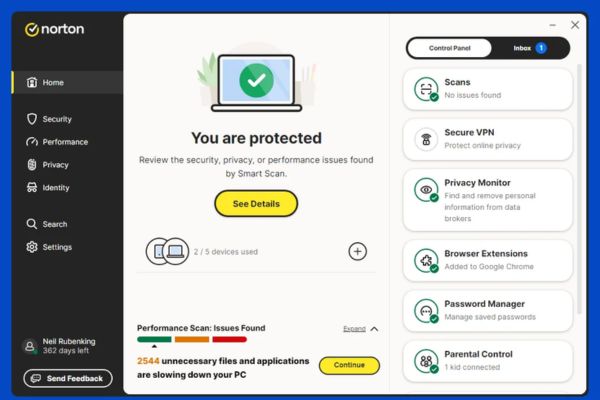
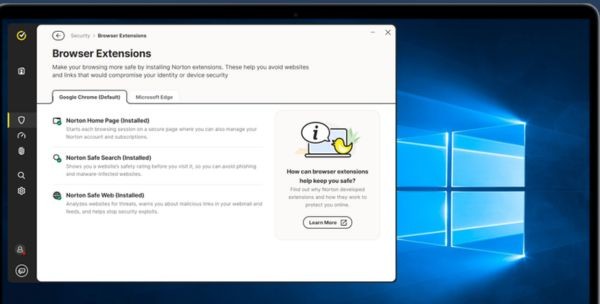
Outstanding features of Norton 360 Deluxe
To help you better visualize the power of this tool, take a look at the summary table below.
| Features | Benefits for users |
| Multi-device protection | Supports 3 devices at the same time (PC, Mac, Smartphone, Tablet). |
| Anti-malware & Ransomware | Prevent virus intrusion in real time, protect data from blackmail. |
| Unlimited VPN | Surf the web anonymously and safely when using public Wi-Fi. |
| Dark Web Monitoring | Instant warnings if your personal information is leaked on the Dark Web. |
| 50GB cloud storage | Back up important documents in case of hard drive failure. |
| Parental control | Manage children’s internet access time and content effectively. |
Steps to get Norton 360 Deluxe 1 year for free
The promotion program from Bol.com is going on very enthusiastically. However, if you don’t know how to operate, you can easily get lost. Don’t worry, just follow the following order and you will immediately own this genuine copyright.
Step 1: First, you need to access the special promotion link of the program HERE. Right on the website interface, you will see a large congratulatory text. Now, click on the yellow button with the text Claim your free year of norton to start the gift receiving process.

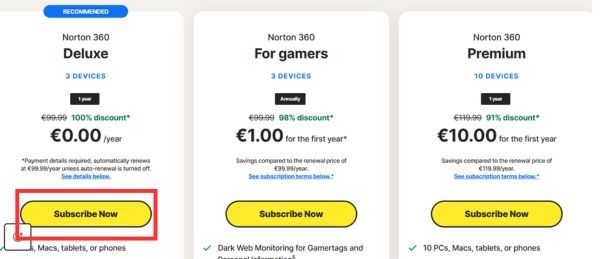
Step 2: The system will redirect you to the product introduction page. In the Deluxe package section for 3 devices, you will see the price has been crossed out and reduced 100% to only €0.00/year. Please feel free to press the button Subscribe Now.
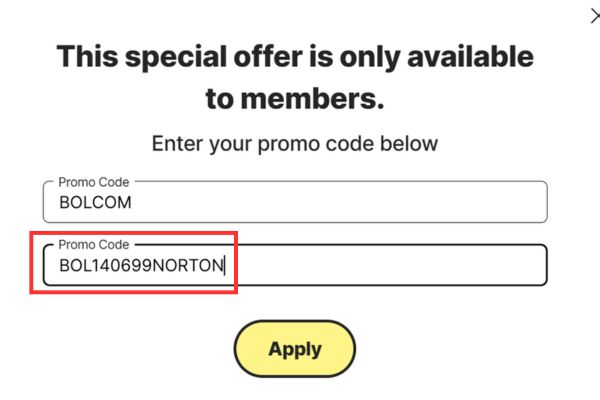
Step 3: At the payment step, if the system requires you to enter a discount code to confirm the offer, please copy and paste this code:
BOL140699NORTON
Thanks to this code, your bill will be brought to 0 VND.
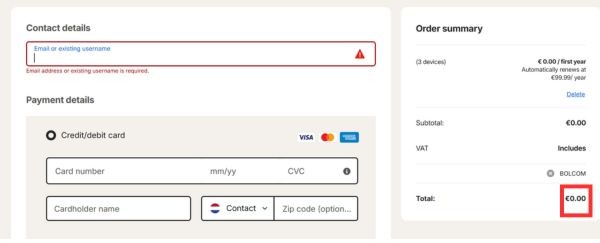
Step 4: Finally, you need to fill in your information and proceed with setting up your payment method. Even though the total amount is 0 VND, the system still requires you to enter card information (Credit/debit card) or link your PayPal wallet to verify the real user. If you choose PayPal, you will be redirected to their site to log in, then automatically returned to the old site to complete the order.
Important note to avoid losing money
It is a fact that most software giveaway programs come with renewal terms. When you signed up for a free 1-year Norton 360 Deluxe subscription, your payment information was saved. Therefore, after the end of the 365-day experience, the package will automatically renew at the original price (about €89.99 or €99.99/year depending on the time).
To avoid having money suddenly deducted from your card next year, you need to be alert. Immediately after successfully registering and activating the software, log in to your management account on the company’s homepage. Go to the billing settings section (Billing) and immediately turn off the auto-renewal feature.
This way, you can enjoy it to the fullest Norton 360 Deluxe 1 year for free without having to worry about any future costs. Isn’t it wonderful?
Conclusion
In short, owning Norton 360 Deluxe for 1 year for free has never been easier with just a few clicks. Thanks to that, your device will always be protected safely at no cost. Wishing you successful operations and the best web surfing experience.
Frequently Asked Questions (Q&A)
1. Will my money be deducted immediately when I enter my card information?
No, your total invoice appears as €0.00. Entering a credit card or PayPal is only for the purpose of verifying the user’s identity according to system regulations.
2. Which devices can this software package be installed on?
This Deluxe package allows you to install and protect up to 3 devices at the same time. You have the flexibility to use it on your Windows computer (PC), Mac, smartphone or tablet.
3. How to cancel automatic renewal after 1 year?
Very simple, after successfully creating an account, you just need to log in to the Norton account management page. Then, go to the Subscriptions/Billing management section and select to turn off the Auto-renew button and you’re done.