How to build your own AI video creation app is a strong trend that helps content creators master technology without needing complex programming skills. Instead of depending on expensive paid platforms, you can completely build your own virtual assistant. Let’s explore the detailed implementation process with AnonyViet in this article.
📢 Join the channel Telegram belong to AnonyViet
Update new articles, cool tools and IT tips fastest
Why should you know how to build AI yourself instead of using external services?
Many people often feel shy when they hear about building software because they think that it is the job of professional programmers. However, the current thinking about how to build AI yourself has changed thanks to the No-code trend (no programming required). Building one yourself AI applications Helps you flexibly change prompts, adjust character style and most importantly, not be dependent on the limits of monthly package accounts.

Below is a comparison table between using a paid service and building an AI application yourself:
| Criteria | Third-party AI services | Build your own AI on Flow |
| Expense | Very high (monthly subscription) | Free or low cost |
| Customization | Very limited | Completely at will |
| Confidentiality | Third party dependency | Self-control of data |
| Efficiency | Medium | Optimized for specific purposes |
Instructions on how to build your own AI video creation app
To start your journey to conquer technology, you need to get familiar with the Flow browser and make the most of resources from the Google ecosystem. How to build your own AI video creation app is done through the specific steps below.
Note: This feature requires a Google AI Plus or Pro account to activate.
Step 1: Proceed to log in Flow home page with your official Google account to ensure complete synchronization of your project data.
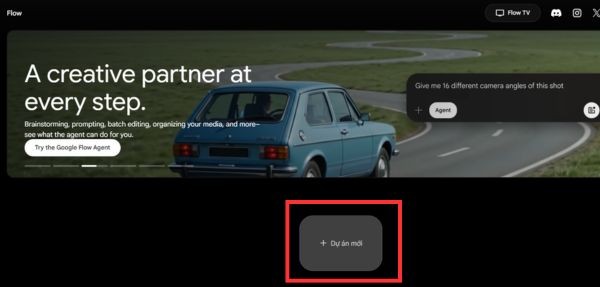
Step 2: Select item New project (New Project). This is your private space for you to set up the entire structure and logic for your AI application.
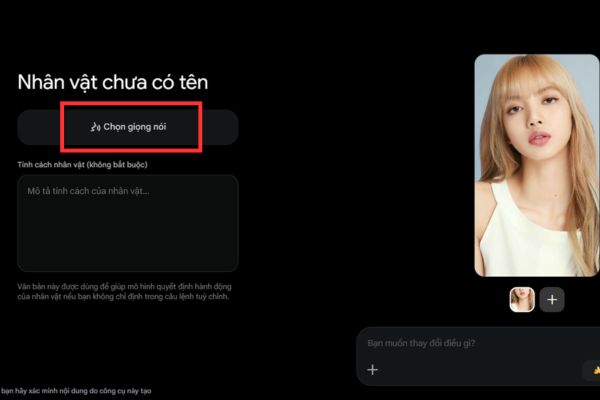
Step 3: Access the item Figure.
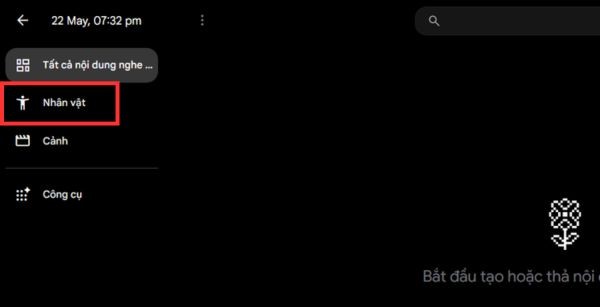
Here, upload the image of the character you want to use as the avatar for future content.
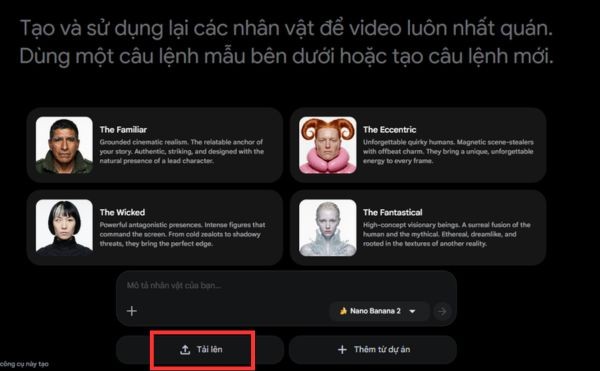
Choose a suitable voice, give it a name, and enter a personality description like energetic or cheerful, then tap Finished to save.
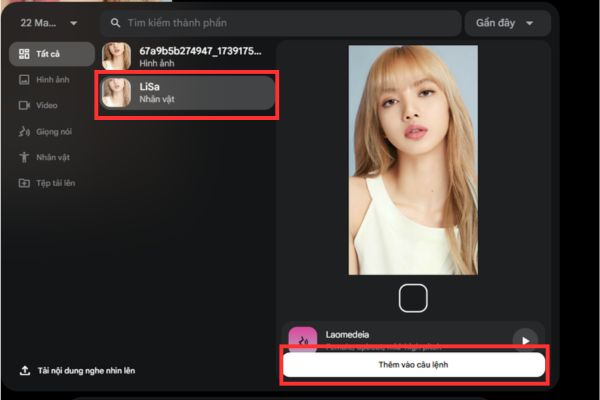
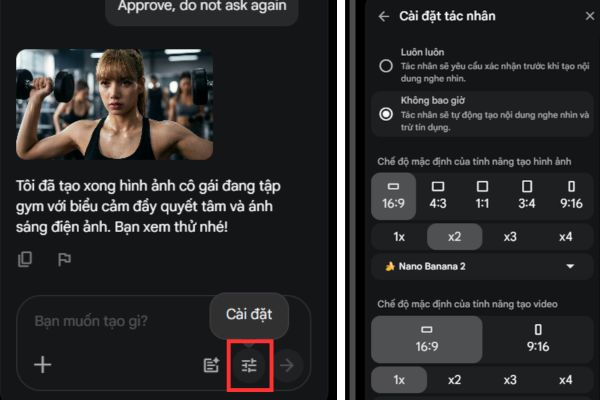
Step 4: Set up the first request. Type a command such as “create an emotional and beautiful image of a girl exercising at the gym”. Then, click on the plus sign, select the created character and press Add to command. Remember to select Approve mode so the system does it automatically without bothering you.
Step 5: Customize specifications. Click on the icon Setting to choose video size, output quantity. Here, you can choose powerful models such as Nano Banana, Imagen 4 for images or models Veo 3.1 Lite, Veo 3.1 Fast, Veo 3.1 Quality for videos.
Step 6: Go to section Toolsselect Create tools.
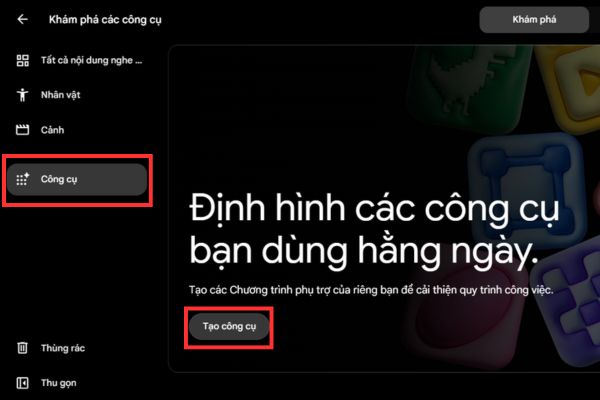
Take a screenshot there and paste it into Claude. Additionally, you can also take a photo of the tool interface you want to learn (e.g. website Higgsfield) and then paste it in Claude always okay.
Then, ask Claude to write a prompt to create an application that supports creating Storyboard videos like that reference image.
For example: “Please help me create a prompt for me to build a Storyboard video creation application, like the image I referenced, because I’m used to using this”
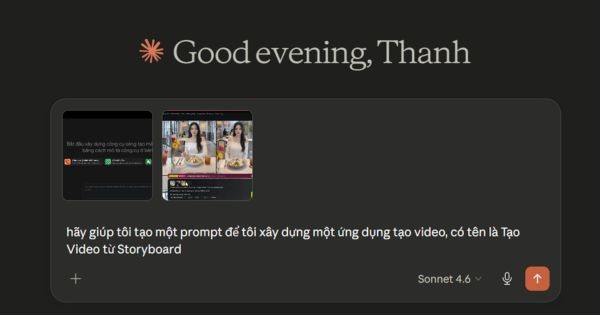
Step 7: Copy the result that Claude just provided, paste it directly into the Flow page in the Tools section and click Enter.
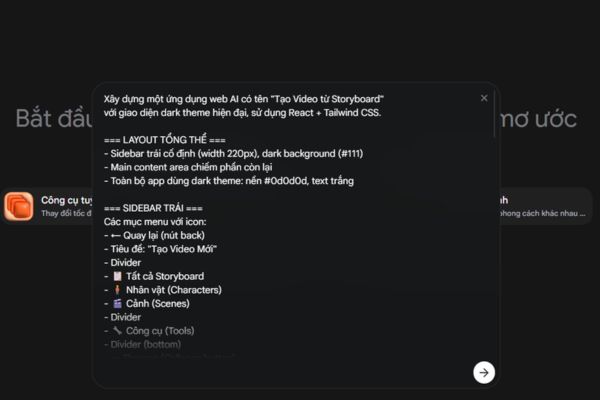
The app demo will appear in a few minutes.
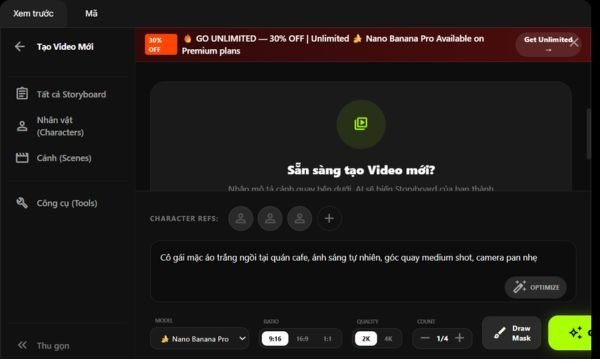
You can test each feature, if you need to adjust it, just type more commands into the empty box for the AI to correct itself. Once done, try loading images and descriptions to create your first actual videos.

Conclusion
Mastery How to build your own AI video creation app opens new horizons in modern digital content production. Hopefully the detailed instructions above have helped you confidently build your own powerful AI assistant without spending a lot of money.
Frequently Asked Questions (Q&A)
1. Do I need to know programming to build my own AI application?
No, this method uses a No-code platform, helping you build applications with just simple commands.
2. Is there a monthly fee to use Flow?
Flow allows you to use a much more optimal fee than professional AI services, depending on the needs of using the specific model.
3. Can I change the AI character after I’ve created it?
Yes, you can update your character’s image, voice, and style in your project’s settings at any time.