Do you own AirPods, iPhone, iPad, Magic Keyboard or Magic Mouse? Are you tired of running out of battery without even realizing it? AirBattery is a completely free solution that helps you easily monitor the battery status of all your Apple devices from your Mac. With this simple and practical utility, you will no longer have to encounter unpleasant situations when your battery suddenly runs out!
| Join the channel Telegram belong to AnonyViet 👉 Link 👈 |
What is AirBattery?
AirBattery is an open source application for macOS that allows you to monitor the battery status of Apple devices connected via Bluetooth or Wi-Fi in real time. The highlight of AirBattery is its ability to operate without requiring jailbreak or any system intervention on your Apple devices.
See more: Instructions Check battery status on laptop
Outstanding features of AirBattery
Intuitive interface, easy to use
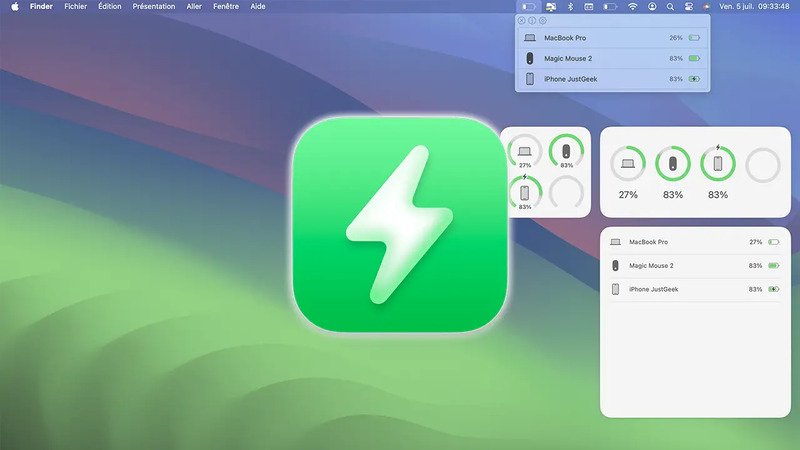
AirBattery comes with a minimalist and intuitive user interface. You can easily see the remaining battery power for each of your devices at a glance, including AirPods, iPhone, iPad, Magic Keyboard, and Magic Mouse. All information is presented clearly, helping you understand the battery status of your devices at a glance.
Simple setup
Setting up the AirBattery is extremely quick and easy. To integrate your iPhone or iPad, you simply connect them once via USB to your Mac while the app is running and enable the connection between devices. This step only needs to be done once. Your other Apple devices will be automatically discovered via Wi-Fi or Bluetooth, saving you setup time.
If you want to track your iPhone or iPad without them being on the same network as your Mac, the app also supports Bluetooth connections. However, you will need to enable this option in the app's settings.
Flexible battery monitoring
AirBattery gives you a variety of ways to monitor the battery health of your Apple devices, ensuring you always have the information you need:
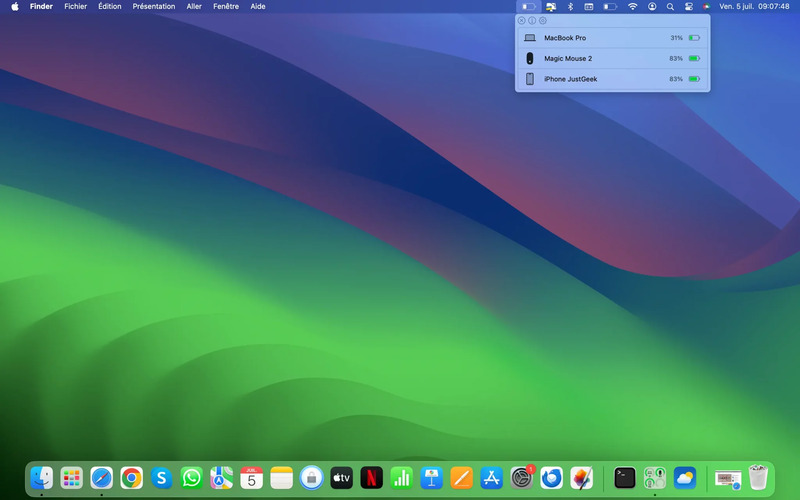
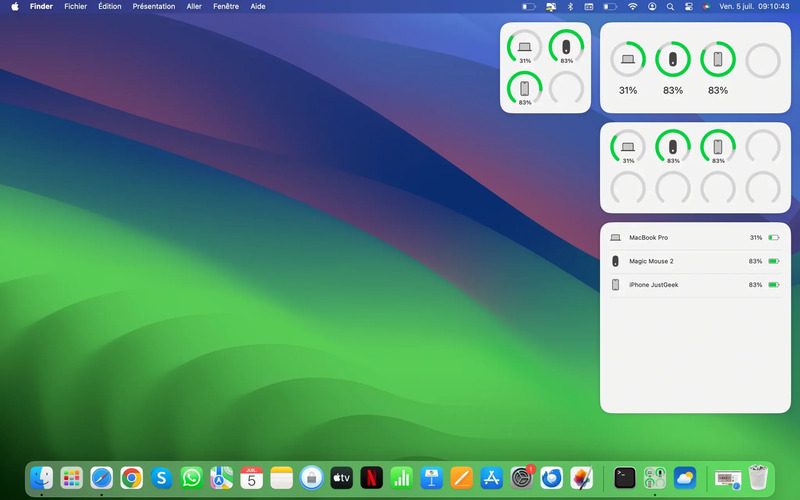
The application icon on the Menu Bar displays the current charge level of all connected devices. This is the most convenient way to quickly check the battery anytime, anywhere.
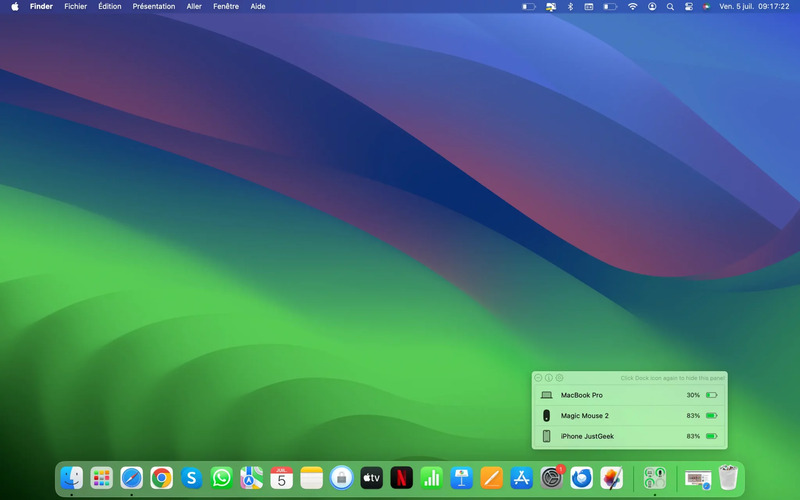
The icon in the Dock also shows battery information and real-time updates.
The application also provides many widgets for you to activate and customize according to your needs. You can add widgets directly to the desktop, helping to directly view battery status even when other windows are open.
Advanced customization
AirBattery offers many options for you to fine-tune your experience according to your preferences such as:
- Update interval
Set the frequency of updating battery information. You can choose to update frequently to get the latest data, or reduce the frequency to save your Mac's battery.
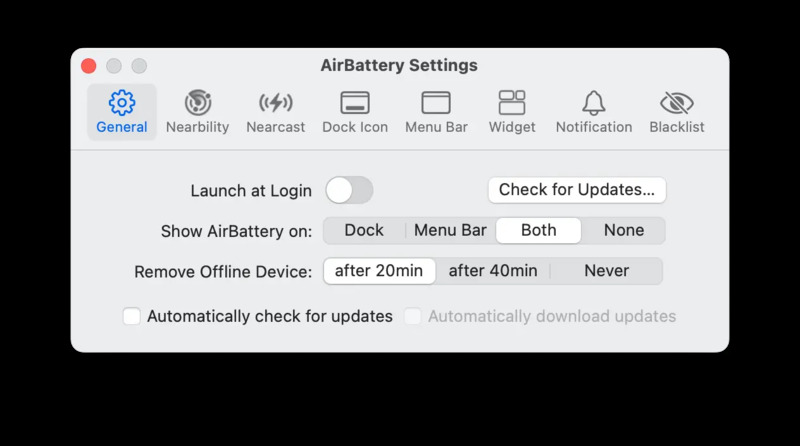
- Hide offline devices
Determine how long offline devices are hidden. Customize this time to avoid information clutter on the interface, helping you focus on active devices.
- Detection method
Choose the device detection method and determine the battery level. AirBattery offers flexible options to ensure compatibility with your Apple devices.
- Sound notification
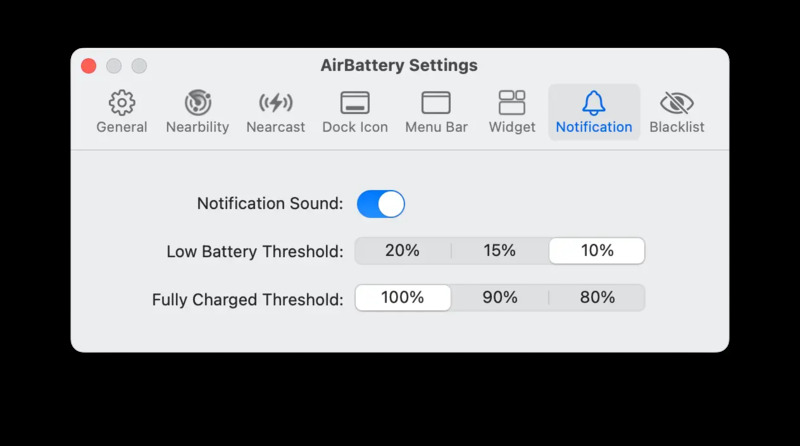
Enable audio notifications when your device's battery falls below or exceeds a certain threshold. This feature is very useful so you receive timely alerts and never miss important charges.
Free and open source
Developed by lihaoyun6, AirBattery has the great advantage of being completely free and open source. You can use it unlimitedly and can even view the app's source code if you're curious about its inner workings. The open source philosophy also ensures transparency and safety for the application, helping you feel secure in using it.
Disadvantages of AirBattery
Limited support
Currently, this app is only for Apple devices and does not support devices from other brands. This may be a minus point for those using Android or Windows devices.
There is no mobile app
AirBattery only works on Macs and has no accompanying mobile app. This means you can't monitor the battery health of your Apple devices on the go without your Mac with you.
See more: Instructions Set up notification when battery is full for iPhone
Conclusion
Overall, AirBattery is an extremely useful and convenient application for Apple users with many outstanding advantages such as free, open source code, intuitive interface, easy to use, many monitoring and installation options,… Thanks to it , you can easily monitor the battery health of all your Apple devices right from your Mac, ensuring you always have enough power for your activities.