Tool to download YouTube videos on macOS Efficiency is what many people are looking for when old solutions gradually become less stable. YouTube’s constant algorithm changes make storing videos offline or retrieving editing materials difficult. In that context, 4K Video Downloader Plus emerges as a bright choice, completely solving these problems in a smooth and professional manner.
📢 Join the channel Telegram belong to AnonyViet
Update new articles, cool tools and IT tips fastest
Why is 4K Video Downloader Plus a choice worth considering?
The biggest plus point when experiencing 4K Video Downloader Plus is simplicity and friendliness. Users do not need to struggle with complicated installation steps. Just copy the link of the video, playlist, or channel you want to download, then press the “Paste Link” in the app, everything will be automatically recognized and processed.
The versatility of this app is not limited to YouTube. It expands its ability to host content from other popular video and audio social networks such as TikTok, Facebook, Vimeo, Twitch and also SoundCloudturning it into a true multimedia download center.
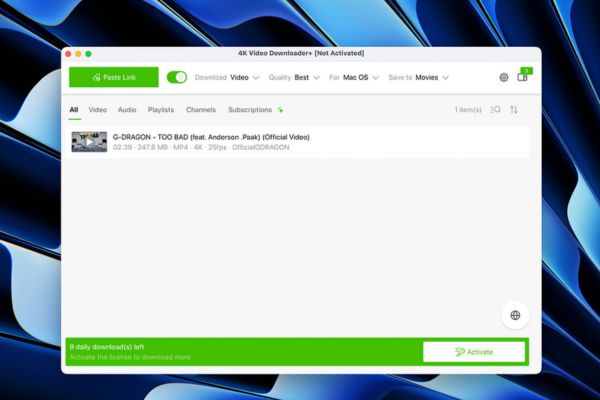
Features of the YouTube video download tool on macOS
Let’s dive into the features that make this software different.
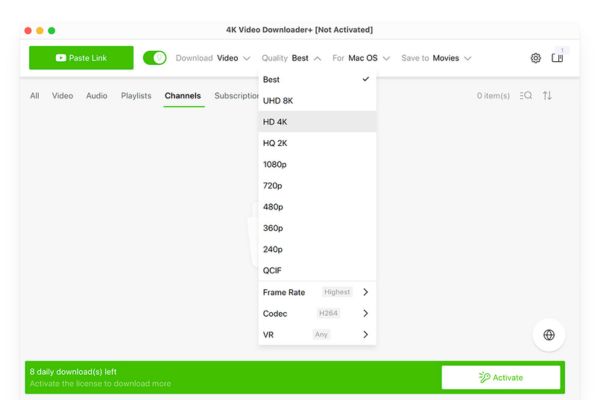
Download top quality videos up to 8K
Image quality is a factor that cannot be ignored, especially for people who do creative work. 4K Video Downloader Plus allows users to download videos in original resolution, including ultra-sharp 8K videos, ensuring you get the best material for work or the most complete movie viewing experience.
Ability to download videos privately and bypass firewalls
A unique feature is the ability to download private videos. Just log in to a YouTube account that has access to that video, and the application will help you store them easily. Furthermore, the built-in Proxy feature also helps overcome network barriers, allowing content to be downloaded even when geo-blocked.
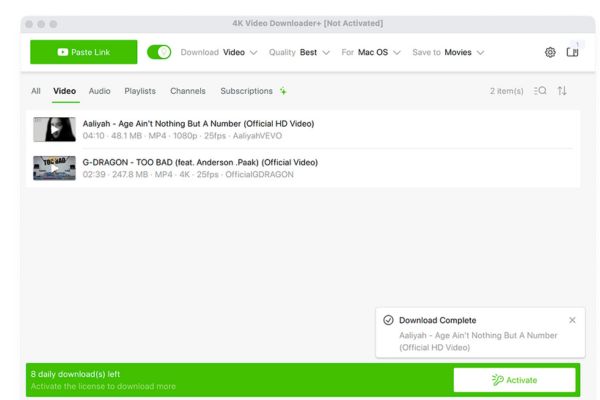
Smart mode saves time
With the Smart Mode feature, you don’t have to repeat choosing the format, quality, and save folder for each download. The application will remember your preferences and automatically apply them to future downloads, making the workflow much faster and more efficient.
Service packages and costs
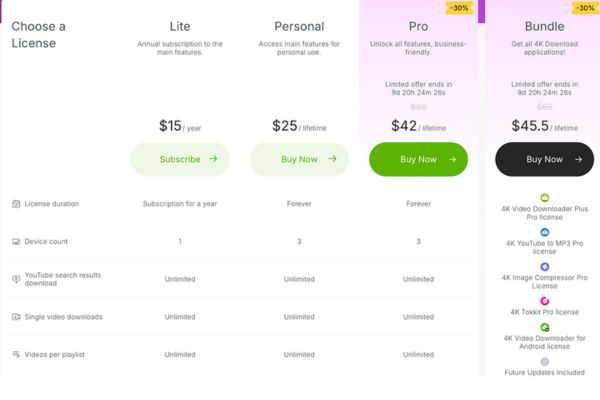
An attractive point is that the free version is quite generous, allowing users to download 10 to 15 videos per day. This number completely meets normal storage needs for offline viewing or taking short clips without spending any money.
If your needs are more advanced, the app offers flexible upgrade options to unlock unlimited downloads:
- 1 year package: 15 USD (about 395,000 VND).
- Lifetime package: 25 USD (about 658,000 VND) for many devices.
- Commercial package: 45 USD (about 1.1 million VND) for business purposes.
Link to download 4K Video Downloader Plus.

Conclusion
In short, 4K Video Downloader Plus proves itself to be a comprehensive and powerful solution. This is truly one YouTube video download tool on macOS trusted, from individual users to content creators. With a balance between a useful free version and reasonable paid plans, this app deserves a place on your Mac.