Do you often watch movie reviews on Tiktok and Youtube? The common feature is that the videos all have the same voice. That’s because the authors use the text-to-speech feature. Just provide the text, FPT.AI’s Voicemaker will create an audio file to read the entire article for you. You just need to combine the audio file into the video to match.
📢 Join the channel Telegram belong to AnonyViet
Update new articles, cool tools and IT tips fastest
Voicemaker is a website that helps you convert text into voice super convenient and fun. This is an effective tool on movie review sites. Voicemaker is a website that uses AI artificial intelligence to convert text into speech by FPT for free use.
How to convert text into speech using FPT.AI to Review movies
Features of FPT.AI Voice Maker
FPT.AI Voice Maker allows personalization and customization of the experience down to the smallest detail. Here are some outstanding editing functions the application offers:
- Automatic content extraction: Users can simply paste a link on the app and Voice Maker can extract the website’s content into speech in just a few seconds;
- Dictionary: The app can be trained to speak other languages when spelling in Vietnamese phonetic;
- Custom pause: Users can also adjust the pause of the output;
- Multiple voices: Output can include various voices and pauses for conversations and quote marking;
- Customize text easily: Find & Replace, Undo & Redo functions allow customization and finishing to suit your needs.
How to use FPT.AI to convert text into audio
With the FPT.AI Voicemaker application, users can easily perform text-to-speech conversion and download it in MP3 format. You can use the conversion for free for the first 100,000/month of characters into audio. If you exceed the number, you can create another account to continue converting.
The app offers a total of 9 voices from different regions, with 7 different speed levels. Therefore, Voice Maker users can produce natural speeches, suitable for various practical applications such as dubbing, audiobooks, etc.
First, you log in this website to register for an FPT.AI account.
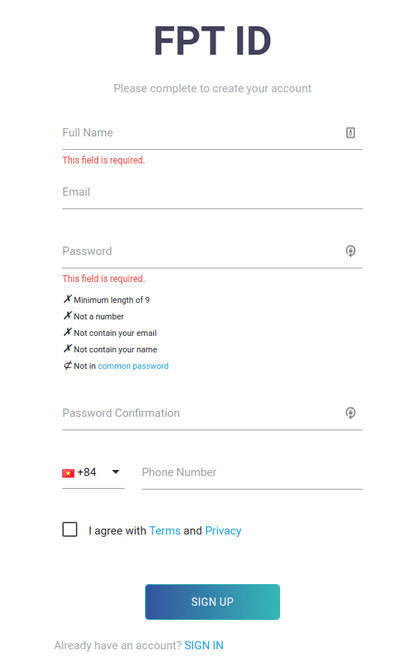
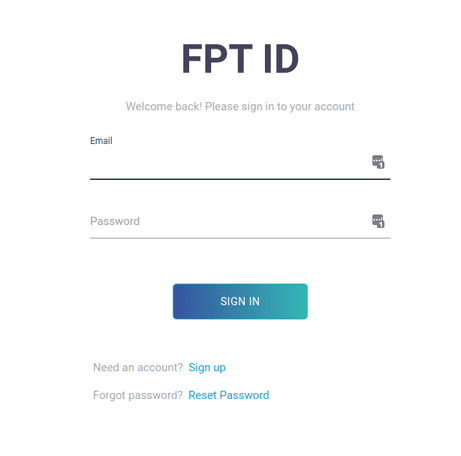
After registering, please log in FPT.AI.
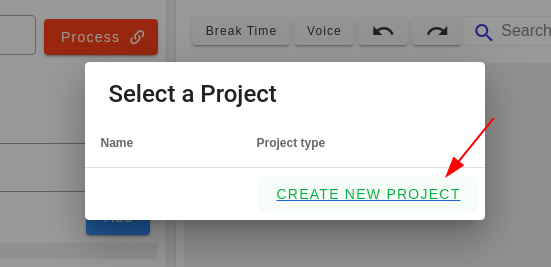
Next, you will be taken to another interface. Here, you click “CREATE NEW PROJECT”.
Then, find the card with the words “Text to Speech” and click on it.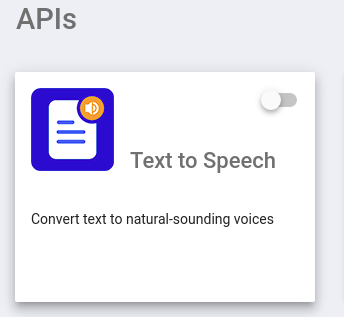
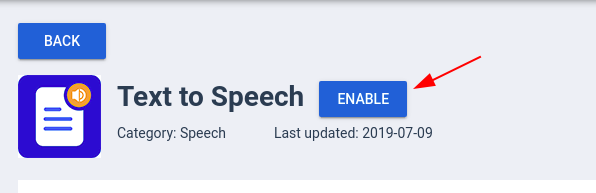
Next click “Enable”.
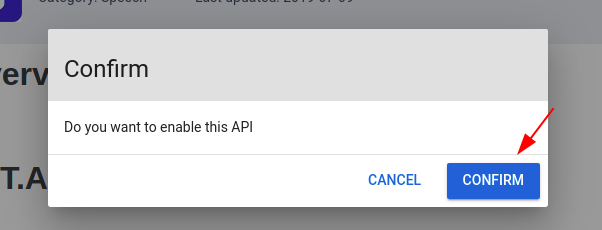
Click “CONFIRM” to confirm the previous operation.
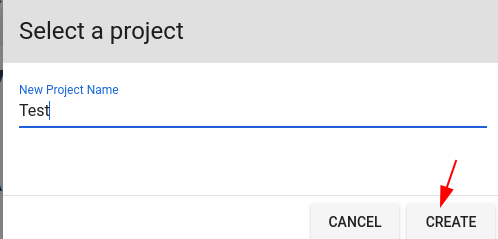
Create a name for the new Project.
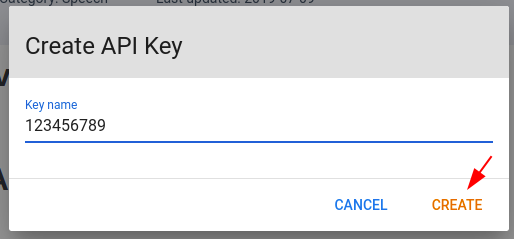
Finally, create an API Key. Note that you may need to use this key, and it’s best not to let anyone know what your key is. I created it here for testing purposes only, so it’s okay.
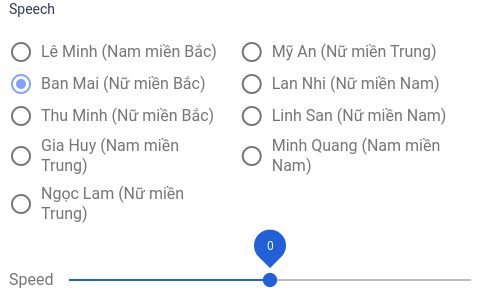
After completing this step, you will be transferred to Voicemaker’s main voice processing interface. Here, you can choose the reading voice, reading speed and download the reading file to your device.
Currently, the website has 9 voices covering all 3 regions: North, Central, and South, including both men and women. You can also adjust the reading speed to post videos quickly like on TikTok. Are you worried about what to do? Increase views on TikTok to enable monetization Then you can read this article.
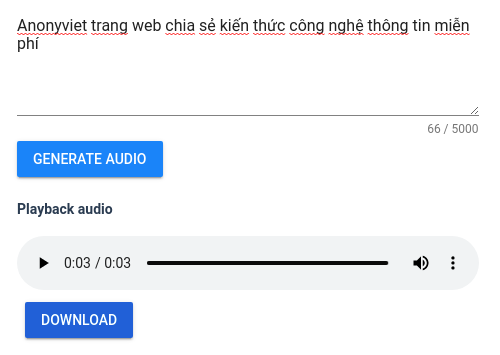
Below is where you enter the text you want to convert into voice, press “GENERATE AUDIO” to hear the voice. Once you are okay with the voice, you can press the “Download” button to download the voice file.
So that’s it. Now you can start your career as a movie reviewer.
Frequently asked questions
Can I use FPT.AI Voicemaker for free?
Yes, your first 100,000 characters per month are free. If you exceed the limit, you can create another account to continue using.
How many voices and speeds does FPT.AI Voicemaker support?
Currently, Voicemaker provides 9 different voices from 3 regions (North, Central, South) with both male and female voices, and 7 customizable speed levels.
What do I need to do to start using FPT.AI Voicemaker?
You need to register for an FPT.AI account, then access Voicemaker, create a new project and generate an API Key to start converting text to speech.