

Avira Prime 3 months free will definitely satisfy those who are looking for a comprehensive anti-virus solution. Instead of using the free version with limited features, why not try the premium version with all the bells and whistles from VPN to system trash cleaning. Let’s go together AnonyViet Learn detailed registration steps in this article.
📢 Join the channel Telegram belong to AnonyViet
Update new articles, cool tools and IT tips fastest
Why should you try Avira Prime for 3 months for free?
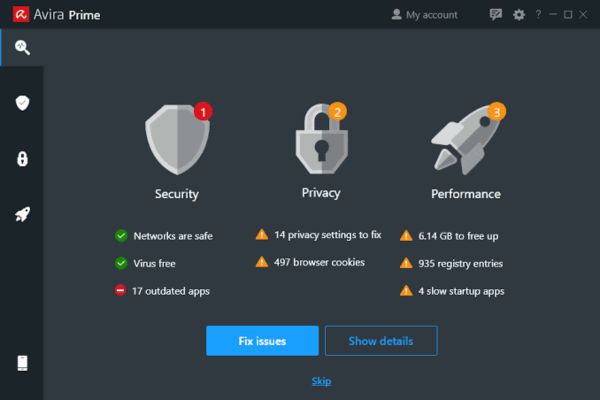
To be honest, I’ve been quite lazy about installing anti-virus software because I’m afraid it will damage my computer. But recently I’ve seen so many account hacks and ransomware cases with malware that I’m a bit worried. Accidentally surfing the web, I saw a famous German security company offering registration Avira Prime 3 months free so I scooped it up. After installing it, I realized it was more than just that kill viruses but like a housekeeper takes care of everything for his computer.
Extremely sensitive virus removal
The most valuable point of this premium package is the real-time protection toolkit Avira Antivirus Pro. It scans the system extremely quickly and stops malware or ransomware as soon as they sneak in. Instead of being afraid every time I plug a strange USB into my computer, I can now just plug it in comfortably because there is protection software.

Surf the web anonymously with unlimited VPN
Besides, this free 3-month Avira Prime package also generously includes an unlimited VPN. I often take my laptop to a coffee shop to work, but using public wifi has a high risk of losing data. Thanks to that, every time I turn on the device, I immediately connect to one of them 1400 servers Theirs span 37 countries. While safely surfing the web anonymously and encrypting all traffic, you feel extremely secure.
Clean up trash and speed up your computer
If a computer is used for a long time, it will inevitably create a pile of junk that slows down the system. Therefore, I really like the feature Avira System Speedup is built in. Just a few mouse clicks will clean up unnecessary files and turn off useless background processes. After cleaning, my computer boots up much faster and runs heavy software more smoothly.
Password management and ad blocking
That’s not all, this package also has more Avira Password Manager Helps manage passwords super conveniently. In the past, I always set the same password for dozens of accounts. Now the software automatically creates difficult passwords and stores them safely. When it’s time to log in, it fills them in for me.
Add one Avira Software Updater Automatically detects and updates old software on your device, patching security holes. When surfing the web, Avira Browser Safety blocks annoying ads and prevents you from accidentally clicking on fraudulent links.
Set up one account, protect up to 5 devices
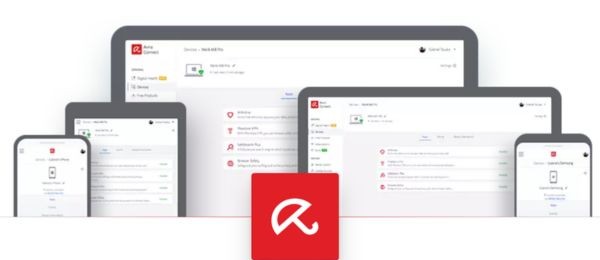
Especially with this free 3-month Avira Prime account, you can install it forever 5 devices different. I installed it for my PC at home, my Macbook to take to work, and conveniently installed it for my parent’s Android phone and iPad. All platforms from Windows, macOS to iOS are protected synchronously, which is a great deal.
Instructions for getting Avira Prime 3 months for free
Many of you have heard about trying foreign software and are afraid of being forced to enter your Visa card and then forget to cancel and it will deduct money. But with this bet, you can rest assured to sleep with your pillow elevated, the company does not require any credit card information. When it expires, it will automatically stop, there’s no way to secretly renew it. Below are the steps I did myself and it was 100% successful.
Step 1: First, open your browser and access the official promotion link HERE.
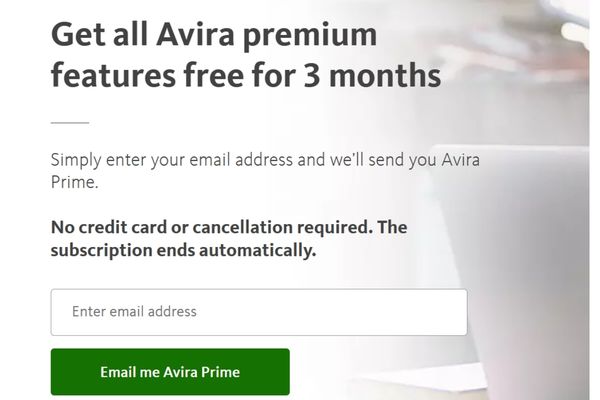
Then enter your personal email address in the blank box and click the button Email me Avira Prime.
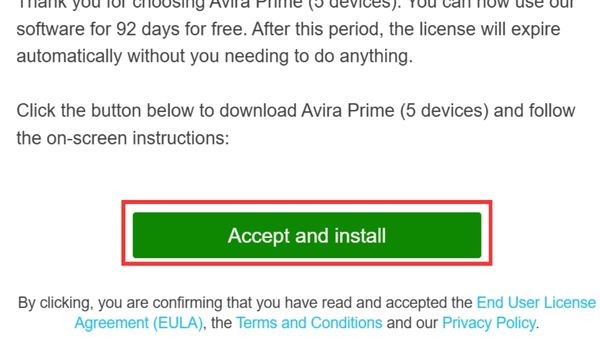
Step 2: Check your email and find the message sent by Avira, open it and click the button Accept and Install inside.
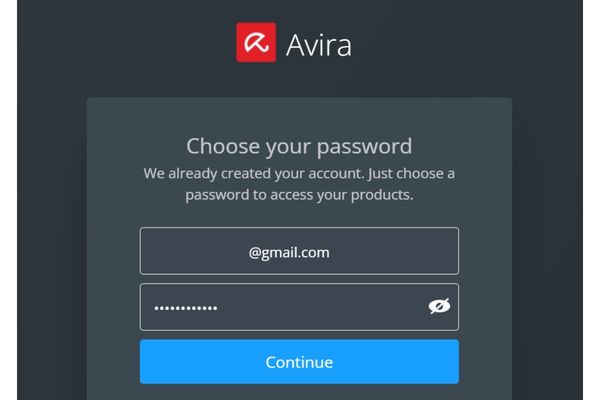
Step 3: The system will now ask you to create a password for your new Avira account. Remember to set a strong password, it must contain uppercase letters, lowercase letters and numbers to ensure safety.
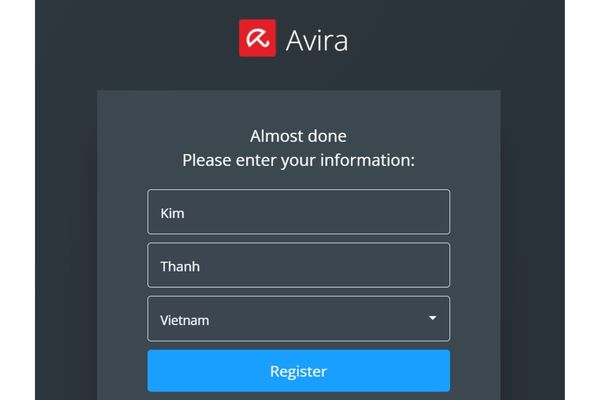
Step 4: Next, enter your name and press the button Register. You will immediately be redirected to the general account management page.
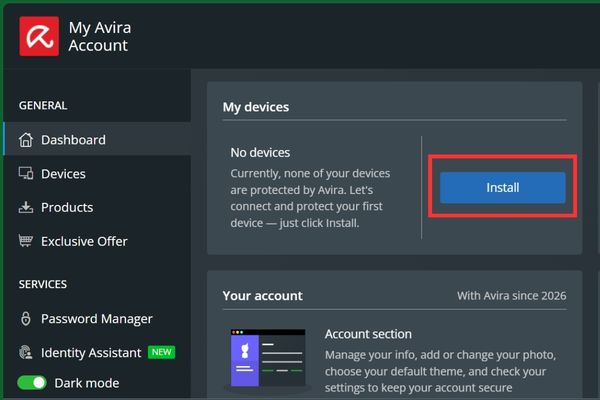
Step 5: On this management page, find and click the button Install.
A menu will appear. Whatever operating system you are using on your computer or phone, select the correct icon for that operating system, Windows, Android, iOS or macOS.
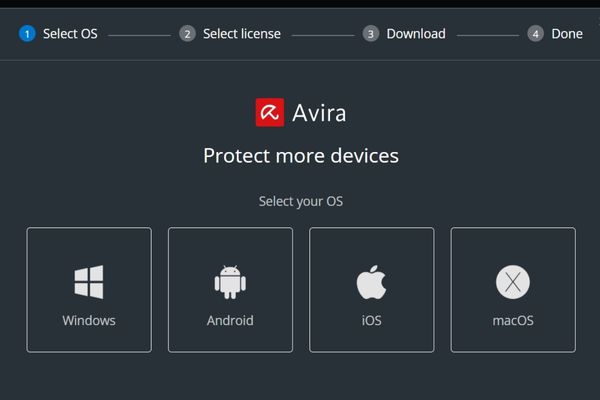
After selecting, press Download to download the installer to your device.
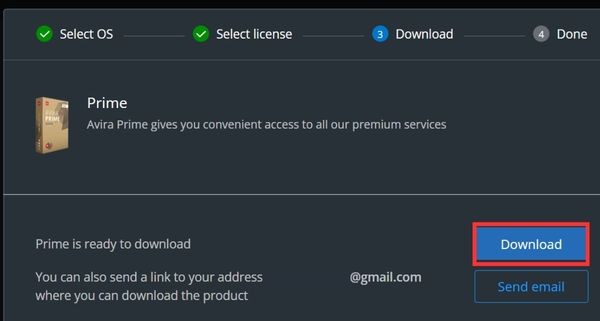
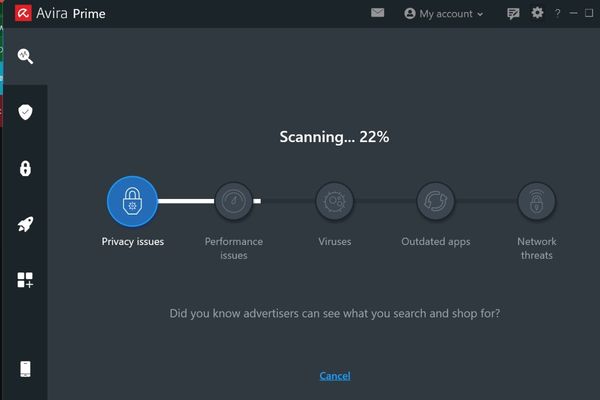
Step 6: After downloading, just double click on the file to install like other normal software. The good thing is that the software will automatically identify the account you just registered and activate full premium features for you to use freely within 90 days.
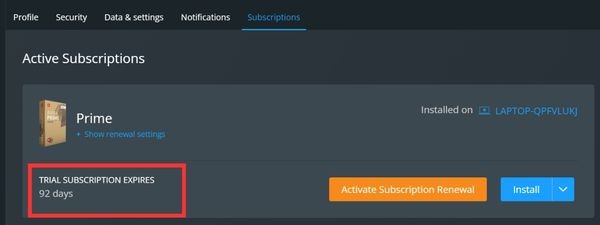
Step 7: To be more sure, you can check the copyright term right on the account management page. You look at the top right corner of the screen, click on the icon personal avatars > Select Subscriptions. Here the system will clearly display service package information with an exact validity period of 3 months.
Conclusion
Having a good anti-virus software is a must in today’s times and packages Avira Prime 3 months free responds so well to that. Thanks to it, I no longer feel afraid every time I download strange files or log in to an account in a public place. So please take advantage of registering now before the promotion ends.
Frequently Asked Questions (Q&A)
1. Do I need to enter a Visa or Mastercard to register for this package?
Absolutely no need. You just need to enter your email to register successfully, without worrying about being unfairly deducted when the trial period ends.
2. How many devices can one account install on?
This package allows you to use premium features on up to 5 different devices, fully supporting both Windows and Mac computers and Android and iOS phones.
3. What happens to the software after the 90-day trial?
The subscription will automatically end. If you want to continue using premium features, you will need to purchase a license, or the software will automatically switch back to the basic free version with limited features.







