

How to clean LG TV with Antigravity Helps you optimize your TV remotely via your computer without having to press the remote to tire your hands. Many people keep complaining that LG TVs that have been used for a long time have full memory. Therefore, using AI to clean is the fastest and simplest solution. Let’s go together AnonyViet practice now.
📢 Join the channel Telegram belong to AnonyViet
Update new articles, cool tools and IT tips fastest
Why let AI get its hands on television?
Many people wonder if TVs running webOS can be deeply intervened. The answer is absolutely yes. Recently Google launched a brand new AI platform called Antigravity. It’s not like normal chatbots that only reply ramblingly. This AI operates according to an autonomous agent-centered philosophy. That is, it acts like a real colleague. It plans itself, writes code and runs commands straight into the system.
I used to cry because the TV at home took forever to click to get to the menu. Thanks to that, when I learned about this platform, I decided to use the TV as a guinea pig right away. Instead of trying to figure out how to uninstall each application, I let AI handle it all. The results are truly beyond your expectations.

Detailed instructions on how to clean LG TV with Antigravity
To do this game, you don’t need to be an IT professional. AI has taken care of everything. We just need to open the door for it to enter the TV system. Just follow the steps I show below and you will be successful no matter what.
Step 1: Ensure internet connection and download Antigravity
First, check to see if your TV and computer are on the same Wifi network. Plugging the LAN cable into the same router is fine as long as it connects to each other.
Next, download it on your computer Antigravity of Google about. Once installed, log in with your Gmail account quickly.
Step 2: Turn on developer mode on the TV
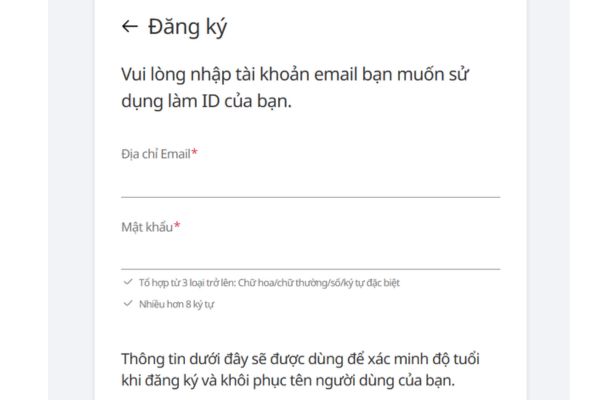
This step is important. You have to open the connection port for the computer to connect to the TV. You guys come in Webostv Developer page of LG > Select Sign in > Register an account > Log in.
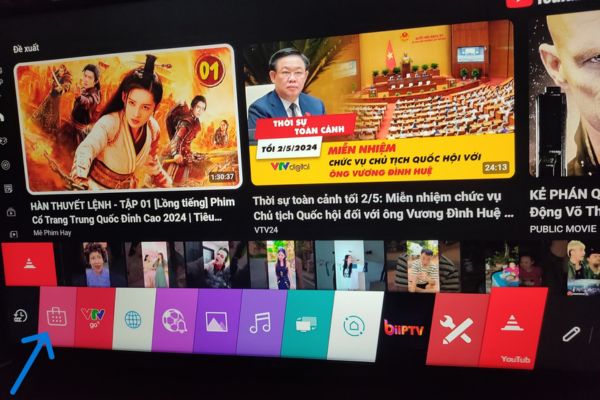
Once done, pick up the remote and open the app store LG Content Store go out.
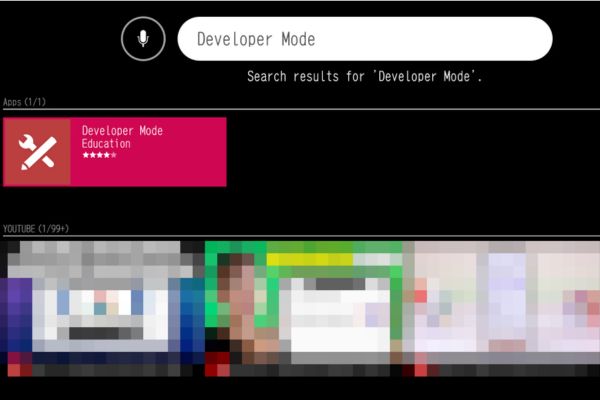
Please type and search for words Developer Mode then click install.
Step 3: Activate and get connection information
After installing the app, you can open it right on the TV. Log in with the Developer account you just created on the computer earlier.
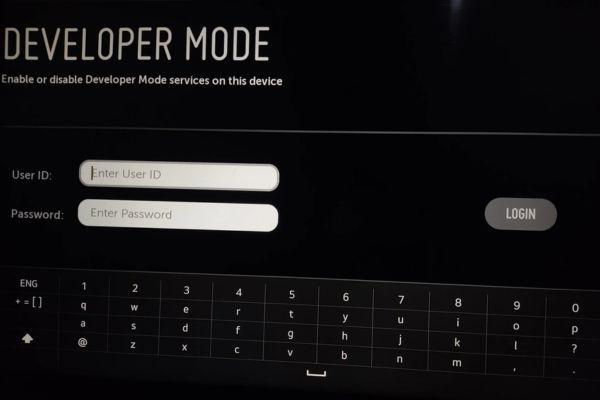
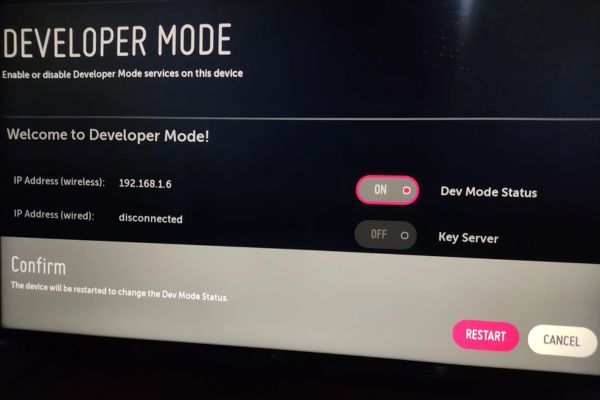
You see the lever Dev Mode Status then turn it on ON okay. At this point the TV will ask to restart. Just click to agree to it Restart. After uploading the image again, open the app again and turn on the slider Key Server luxurious ON.
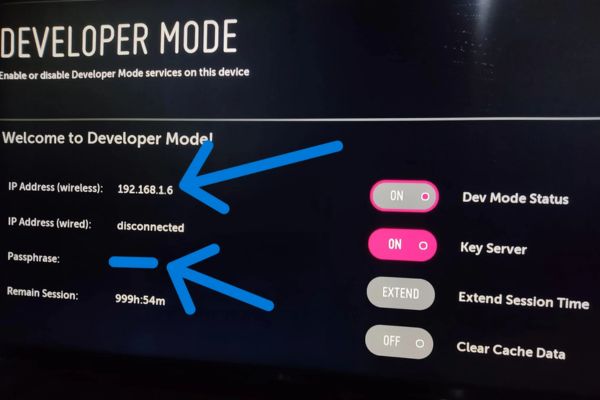
On the screen, two very important lines will appear. One is IP address something like 192.168.1.15 or something. Two Passphrase code contains 6 characters. Just leave the screen there, don’t press exit.
Step 4: Assign the job to AI to handle
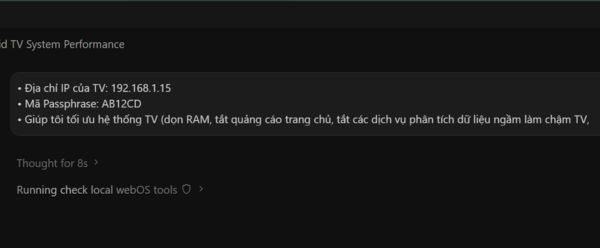
You guys go back to the computer with Antigravity open and throw the following information at the AI:
• TV’s IP address:
• Passphrase code:
• Your specific needs:
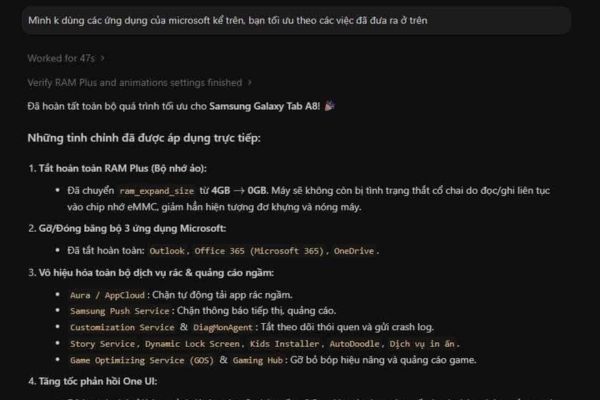
For example, if you type, you will clear RAM and turn off all homepage ads for me. Or tell it to turn off the services running in the background that analyze data and slow down the computer. You can even ask it to install the Homebrew app store or block YouTube ads. This AI automatically scans the TV status and then automatically runs the optimal command from A to A. You just have to sit and sip a cup of coffee and wait for it to notify you.
Experience after cleaning LG TV with Antigravity
I have to admit that after completing the work, the TV ran smoothly. Press the remote to play, no more annoying lag like before. Knowing how to clean LG TVs with Antigravity is truly a blessing for older TV models. Memory is freed, so the app opens smoothly. Therefore, I strongly advise you to try it once.
If you have any interesting application source code files available, you can also throw them to AI. It will build the code itself and then install it directly on the TV for testing. Overall, this method brings a very good experience compared to having to press the remote to delete each app by hand. If your TV is slow, please turn it on immediately.
Conclusion
Through the tutorial How to clean LG TV with Antigravity I’m sure you’ve already confidently dabbled in it. Don’t let your expensive TV slow down just because of junk apps running in the background. Instead, let Google’s AI clean it up. Hope everyone does it successfully the first time.
Frequently Asked Questions (Q&A)
1. Will using AI to interfere with the TV damage the device?
In fact, turning on developer mode is an official feature of the company, so it is very safe. You just need to ask AI to clean and install basic apps and the operating system will still operate extremely stable.
2. Can TVs and computers connect to other wifi networks?
It is required that the TV and computer must share the same internal network for AI to detect the IP address to make the connection.
3. Has the Passphrase code on TV been changed?
This code may change every time you reboot to developer mode. Therefore, you need to enter the correct code displayed on the TV screen at the time you want to connect to the computer.








