

CleanYourTv is an extremely interesting open source tool that I just learned about. Surely anyone with an elderly family member has had a headache because of smart TVs that are not used wisely at all. The interface is confusing, junk apps are rife. Let’s go together AnonyViet Discover the secret to cleaning your TV quickly through this open source application.
📢 Join the channel Telegram belong to AnonyViet
Update new articles, cool tools and IT tips fastest
The suffering when the elderly use Smart TV
My family has a very good TV, but my grandfather has never been able to use it properly. Every few days, he calls out because he accidentally pressed some wrong button and lost the news channel he was watching. The old people are old, their eyes are weak, their hands are shaking, they hold the remote like they are playing a puzzle. The TV interface is just fine, crammed with all kinds of apps in the sky and under the sea.
If you want to watch VTV Go, you have to go through a few complicated steps, choose the app and then choose the channel. Sometimes he was so angry that he had to turn off the TV and go to sleep to feel better. Seeing that, I was determined to find a way to clean up this screen. Accidentally surfing the internet, I discovered a great TV cleaning application that helps reset the entire interface to make it easier to use.
Prepare your tools before using CleanYourTv
First of all, you must have a computer with Claude Code or Codex by ChatGPT. Note carefully that normal web-based chats will not work, because they cannot connect directly to your home network to reach the TV. Therefore, it is mandatory to use the version installed on the device.

Next, the computer and TV must be on the same Wi-Fi network. Another prerequisite is that your home TV must run an operating system Android TV or Google TV. Some TV lines from Samsung or LG run their own operating system, so the method will be completely different, this article does not apply. The main tool we use today is CleanYourTvan extremely powerful open source code.
Instructions for installing and using CleanYourTv
Step 1: Check if the TV is supported
You pick up the remote, click on the gear icon in the right corner of the TV screen to open the part Setting. Then go to the section System > Introduce.
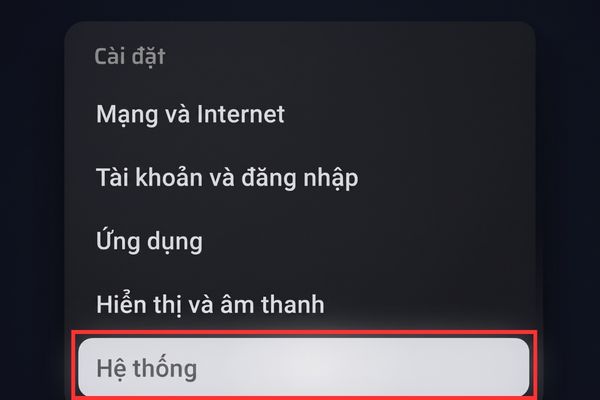
Here you look closely at the line Model See what the TV code name is.
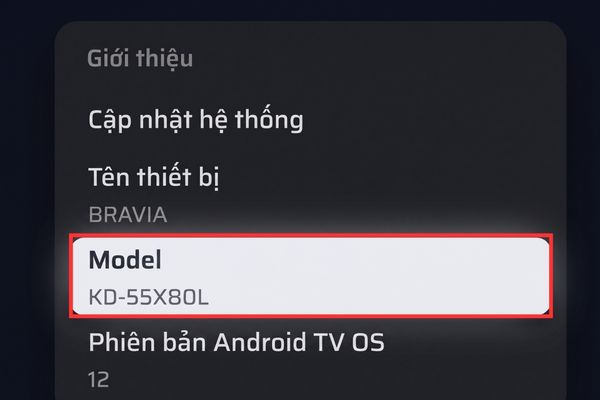
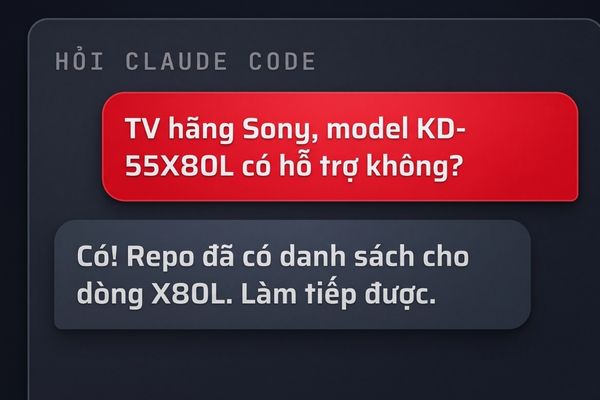
For example, my family uses a Sony model KD-55X80L. Once you have the code, go back to the computer and ask Claude a simple question to see if this TV brand or model is supported. It will automatically look up the list in the CleanYourTv repo. If it says ok, then I can confidently continue.
Step 2: Turn on developer mode
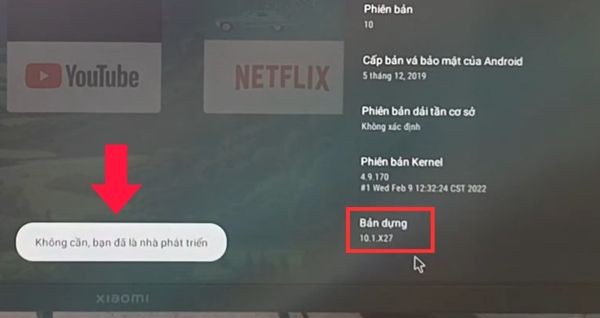
Still on the page Introduce Just now, you scrolled all the way to the bottom to find the item Build. Just take the remote and press it continuously about 7 times. When the screen displays the message that you are now a developer, stop. It’s delicious.
Step 3: Enable debugging
Click the back button to go out of the System section, and you will see a new line appear Developer options.
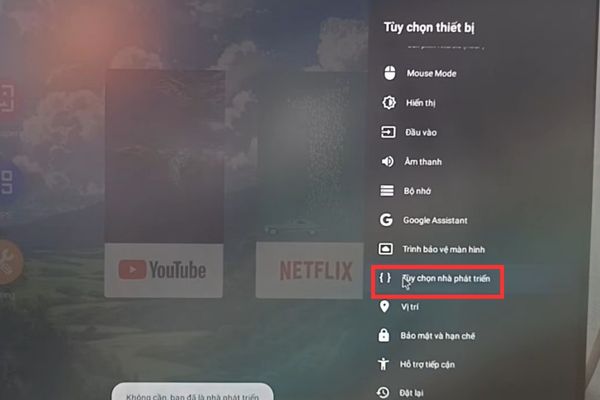
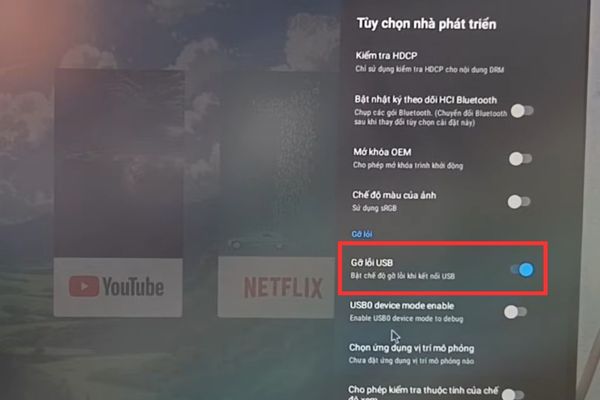
Click on it and find the item USB debugging to flip the switch to turn it on. If any TV has an online debugging line, you can easily turn it on just to be sure.
Step 4: Get the TV’s IP address
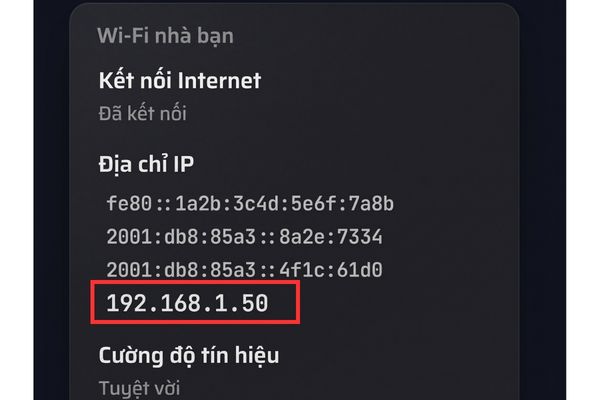
You return to the screen Setting Initially, enter the section Network and Internetchoose the correct name Wi-Fi My house is connected. Scroll down to see the item IP address. It displays a bunch of numbers, but you only need to pay attention to the short line with 4 clusters of numbers separated by dots. For example, 192.168.1.50.
Step 5: Assign the job to AI to handle
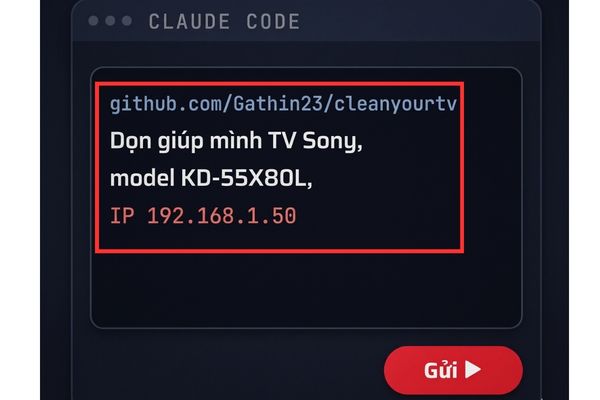
Now put down the remote and go back to the computer. Open Claude Code Up, paste the GitHub link https://github.com/Gathin23/cleanyourtv/ enter. Once done, type in the TV brand, model and IP address you just got earlier. Just give a natural command like asking to help clean this Sony TV model, this IP and it will understand.
Step 6: Grant permissions on TV
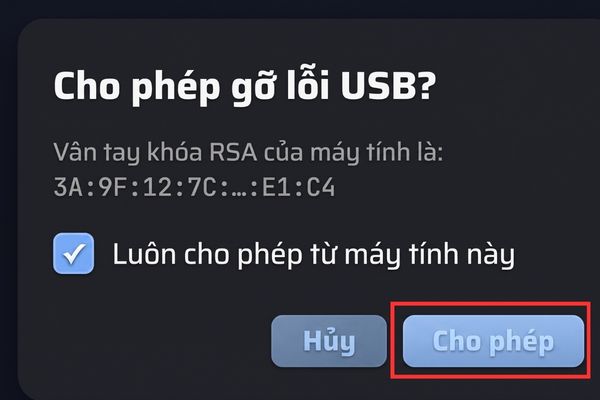
At this time, a panel will suddenly appear on the TV screen asking if USB debugging is allowed. Remember to use the remote to tick the box to always allow from this computer, then click select Allow.
Step 7: Answer AI’s questions
The AI will ask you a few questions to know the path to clear. For example, it asks if you often use voice search, if you use Chromecast, or if there are any apps you never use. Just answer honestly.

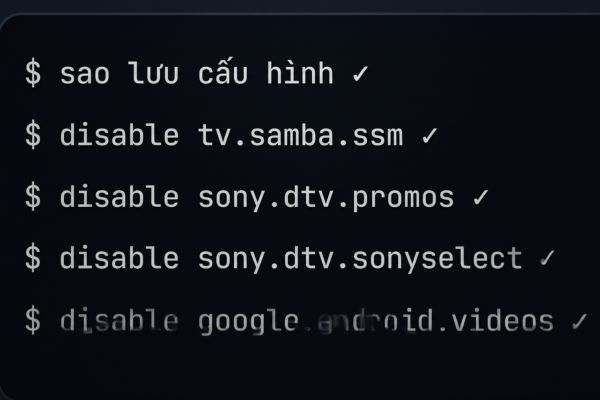
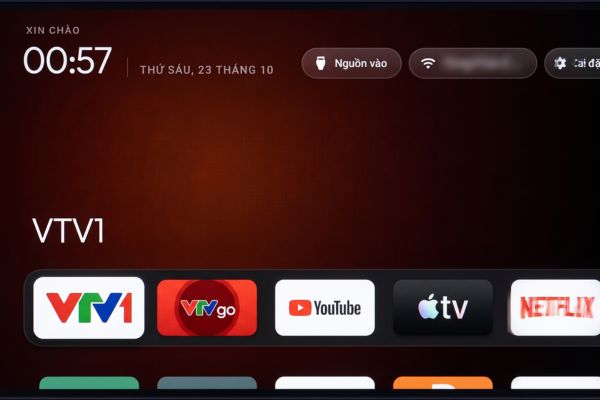
If you’re doing it and it says you forgot your Wi-Fi and tries to reconnect, just calmly follow it. It will then automatically back up the system and start cleaning up each batch of junk apps. Like my home TV, it can turn off more than a dozen redundant apps, from advertising to user tracking. Once finished, it installed a brand new home screen for me.
Tips for adding channels on TV
If you want to add other channels from VTV Go, for example VTV3, then go ahead chat with Claude. Tell him to add the VTV3 channel box from VTV Go to the main screen, and remember to tell him to attach the channel logo to make it beautiful. It will automatically find the path to open the channel directly inside the VTV Go app, create a new box and then reset the main screen for you. Click to try and eat immediately. However, remember to do these channel adding tricks before turning off the USB debugging feature.

Many people are afraid that scratching like this will damage the TV, but don’t worry. How to use CleanYourTv completely no need to root the devicealso did not completely remove any app from the system, it was only temporarily turned off. If one fine day you want the TV to return to the way it was, just type one command and you’re done. Finally, when you’re done, remember to go back to settings turn off USB Debugging Go safely.
Conclusion
Finally CleanYourTv has returned the inherent simplicity to the living room TV. No more eye-catching ads, no more apps you never use. Thanks to that, the entertainment experience of the whole family, especially the elderly, is greatly enhanced. Everyone just do it slowly and follow the instructions.
Frequently Asked Questions (Q&A)
1. Does this method void the TV warranty?
Absolutely not. This process does not root the device or permanently delete system applications, you can restore the original state with just one command.
2. Can Samsung or LG TVs follow these instructions?
Unfortunately no. This guide is only for TV models running Android TV or Google TV operating systems.
3. Why not use ChatGPT on the web to do this?
The web chat cannot connect directly to your home’s internal Wi-Fi network, so it cannot communicate and send commands to the TV.







