Driver Booster 14 license key Truly a savior for computers that are prone to crashing games. After downloading the game, which weighed several tens of GB, I eagerly opened it to play, but it showed an error message that the DLL file was missing. At that moment, I felt like I just wanted to feel depressed. Now you’re fine again because this software has a built-in tool to scan and patch more than 680 missing system files with just one click. Let’s go together AnonyViet Learn how to get this extremely simple 6-month license code.
📢 Join the channel Telegram belong to AnonyViet
Update new articles, cool tools and IT tips fastest
What’s new in Driver Booster 14?
When used for a long time, the computer suddenly goes haywire, sometimes losing sound, sometimes playing games all over the place. Often, the hidden culprit is old or faulty drivers. Instead of having to fumble around and download each one online, IObit created this software to collect everything in one place. Before going into details, I strongly advise you to get the Driver Booster 14 license key right away so you don’t miss out on this free giveaway.
Huge data warehouse
This new version upgrades the database to a higher level 23 million drivers. Truly terrible numbers! Whether you use antique items from ten years ago or newly released components, it will still recognize well. Thanks to that, the situation of plugging in a mouse or headset and leaving the device blank will no longer exist. Everything is perfectly compatible with all generations of Windows.
Most notably, the multi-version scanning feature has just been added by the company. In the past, software only forced me to install the latest version. But now it’s much smarter. It allows me to choose between the latest version to compete for top gaming performance, or the most stable version for secure office work. Therefore, you can completely control your system without fear of being forced to update.

Fix game errors and network support
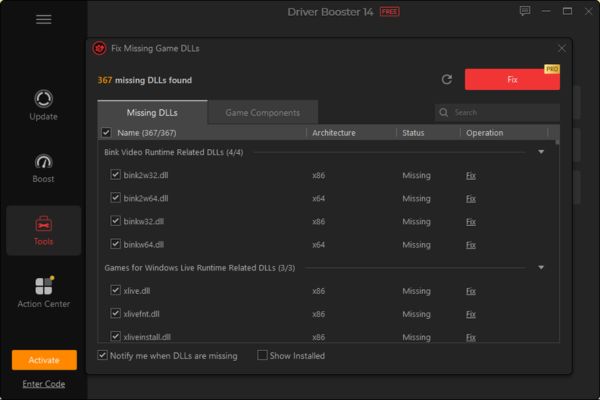
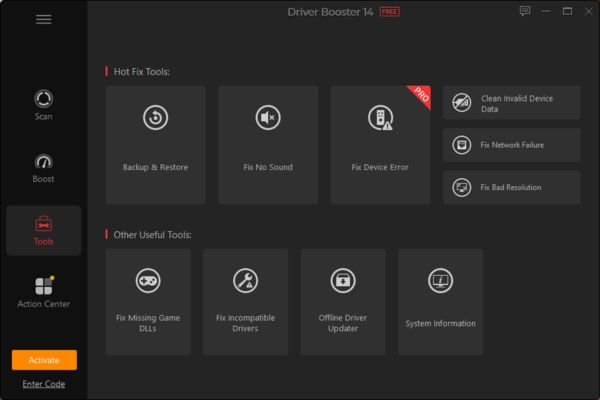
Those of you who play games will definitely enjoy this feature Fix Missing Game DLLs. It scans and repairs more than 60 components game with more than 680 real-time DLL files. While fighting enthusiastically, the game crashes or drops FPS, it’s very frustrating. Installing this will clear up those errors. The gaming experience is much smoother.
Additionally, this release has SOCKS5 proxy support. This feature is extremely useful for those who use a corporate network that is blocked from downloading files or the network is unstable. The interface has been redone to look more modern and smoother. The company is also thoughtful in its support 38 languages So anyone can use it, even if they are not fluent in English, they can still operate freely.
Absolutely safe, no worries about Windows damage
Many people are afraid that after updating the driver, their computer will get a blue screen. I’ve had it too so I understand that heart-wrenching feeling. But this software is sourced directly from Microsoft and the manufacturer, through proper WHQL censorship.
When using the license key driver updater In this case, the automatic backup feature will work at full capacity. Before installing anything, it automatically backs up old drivers and creates a system restore point. If your device fails, just one click will bring it back to normal. So reassuring!
Another good thing about activating Driver Booster 14 license key is that you can use the feature update offline. Just reinstalled Windows but no internet connection, how can I download the driver? Copy this tool to USB and the problem will be solved immediately, the computer will automatically identify the hardware without needing to plug in a network cable.
Instructions for entering Driver Booster 14 license key
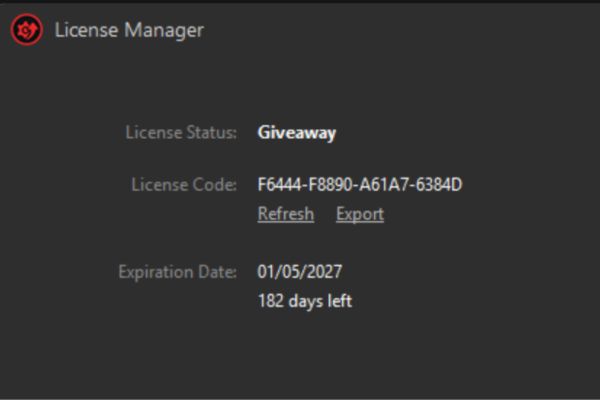
To use full features, you need to enter the Driver Booster 14 license key. This time, the company is giving away a 6-month code, limited to 200 activations, so whoever is quick will get it. The deadline for this code is December 2, 2026.
Step 1: Access the download link Driver Booster then press Free Downloads.
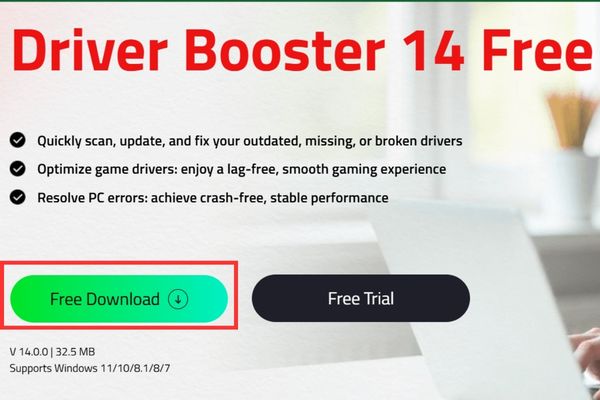
Step 2: Install the software on your computer as usual.
Step 3: Open the software, look at the bottom corner of the screen and you will see the text Enter codeclick on it.
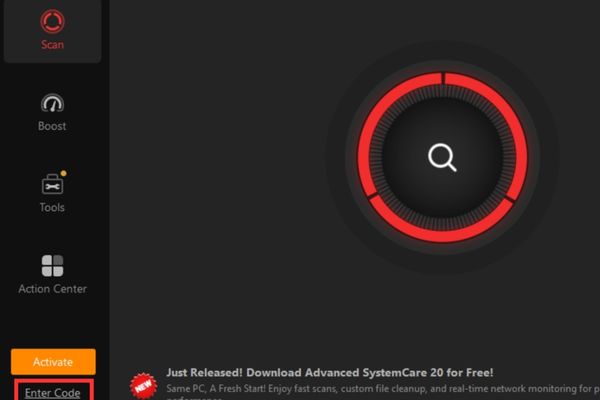
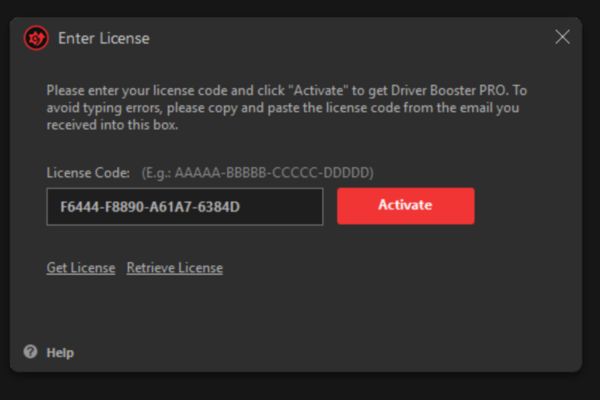
Step 4: Paste the following code and press Activate.
F6444-F8890-A61A7-6384D
That’s it, now press the Scan button and enjoy your computer running as smoothly as new!
Conclusion
If your computer is healthy, you can work or play games happily. With just a few mouse clicks, all hardware problems are almost completely resolved. Remember to take the time to activate Driver Booster 14 license key Hurry before your turn runs out. Thank you everyone for following this article.
Frequently Asked Questions (Q&A)
1. How many devices can this activation code be used on?
This code is limited to 200 fastest activations. Whoever gets in first gets it, so please try to install it early.
2. What if the device fails after updating the driver?
You can rest assured because the software automatically backs up old drivers before installing. Just click Restore and the device will return to its normal state immediately.
3. Does the software support Vietnamese?
Yes. This new version supports up to 38 different languages, the interface is very intuitive and easy to use for beginners.