SuperPaste will definitely change your habit of storing temporary data every day. Thanks to the ability to switch directly from the clipboard, your work will run more smoothly than ever. Let’s go together AnonyViet Learn the details about how it works.
📢 Join the channel Telegram belong to AnonyViet
Update new articles, cool tools and IT tips fastest
Introducing SuperPaste
Have you ever felt frustrated when you just copied a piece of code, an image or a long piece of text and had to open editing software just to save it? This repetitive process really takes a lot of time and reduces your creative flow. Instead, the appearance of this tool has completely solved the cumbersome problem mentioned above.
SuperPaste is an extremely smart web-based utility that allows you to directly convert anything in your clipboard into a complete file. You don’t need to download any heavy software, everything happens right in the browser smoothly and smoothly. Thanks to that, your workspace will become tidier, no more opening dozens of messy windows just to save a screenshot or a short text.
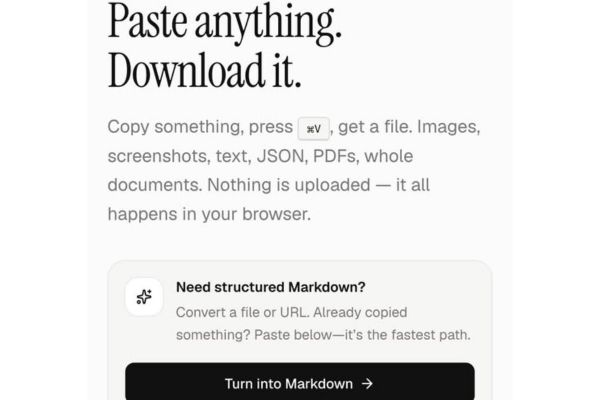
Why should you use SuperPaste?
It is no coincidence that this utility is loved and appreciated by so many people. Below are the main reasons why you should immediately add this website to your favorites list.
Supports countless formats
One of the things that surprises users the most is the ability to recognize extremely intelligent and diverse formats. If you’re someone who often works with images, you’ll be interested to know that it supports exporting to popular files such as PNGJPG, GIF, WEBP, AVIF and even SVG vector formats. Even live screenshots are handled neatly.
Besides, for office workers, familiar document formats such as PDF, DOCX, XLSX or PPTX are fully supported. Not stopping there, structured data files such as JSON, CSV, XML or multimedia files such as MP4, MP3 are also on the list that are processed smoothly by the system.
Direct operation without installation
Normally, to save a screenshot, you have to paste it into a graphics application and then export it. Therefore, your computer is sometimes burdened with additional software that is not really necessary.
With this utility, everything is shortened in just a blink of an eye. You just need to open your web browser and you can use it immediately. The interface is designed to be minimalist, focusing entirely on the main features, so even if you are not familiar with technology, you can get used to it from the first time.
Absolutely safe data security
In an era where personal information is easily leaked, using online tools always comes with worries. However, when using SuperPaste, you can completely throw that worry away. The most notable point and also the core value of this utility is the operating mechanism of not uploading data to the server.
All analysis, identification and file creation processes take place directly on your computer browser. This means that not a single byte of data is pushed onto the internet. Thanks to that, it is extremely suitable when you need to handle sensitive information, internal company documents or highly private personal photos.
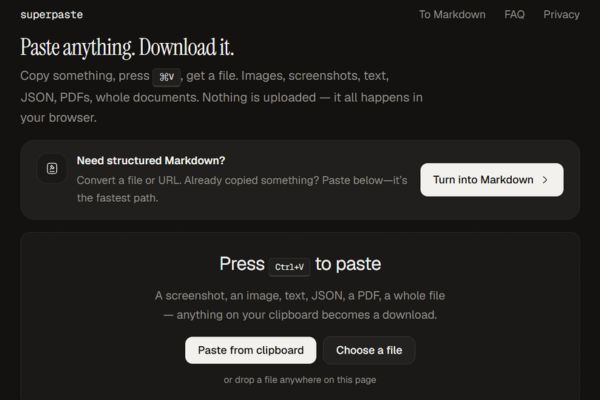
Instructions on how to use SuperPaste
To turn the copied content into a complete file, you just need to follow these extremely simple steps:
Step 1: You can copy whatever content you want, you can highlight the text and press copy, or take a screenshot and save it to your clipboard.
Step 2: You open the website SuperPaste go up.
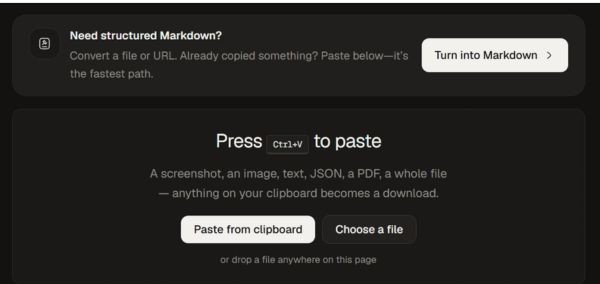
Step 3: You just need to press the button Paste from clipboard to bring content into the system.
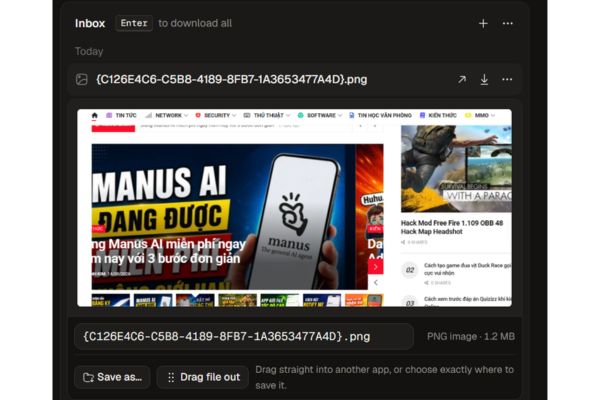
Step 4: Immediately, the website will recognize the format and display a button that allows you to quickly download the corresponding file to your computer.
Who should use SuperPaste?
With the above superior features, this tool is truly a great assistant for many different types of users.
- Programmers who often have to work with long pieces of code, JSON or Data URLs. Instead of opening an editor, they just need to paste it into the web and immediately have the file to check.
- People who work in design or content creation. Collecting image materials from many different sources takes place continuously, copying and pasting directly helps the flow of thoughts not be interrupted.
- Office workers are also huge beneficiaries. When needing to collect a lot of tabular data from different sources, pasting them in and exporting them to an Excel file will save them tons of valuable time.
It can be said that SuperPaste perfectly meets the fast storage needs of anyone who frequently works on computers.
Conclusion
In short, SuperPaste is an indispensable utility for those who love speed and want to optimize work performance. It helps you save countless hours of petty operations every day while still ensuring absolute information security. Try it out today to see how your work becomes easier and smoother.
Frequently Asked Questions (Q&A)
1. Does this tool save my data online?
Absolutely not, all processing takes place directly on your computer browser so it is extremely safe and secure.
2. Do I need to install any software to use it?
You do not need to install any additional software on your computer, just open the website and you can use it immediately.
3. Does the tool support converting code into files?
Yes, the system very well supports text formats, code types and structured data such as JSON or XML.