O An Quan gaming website online has just appeared and has attracted attention thanks to its extremely new 2 to 3-player game mode. Instead of just playing offline alone, you can now invite your friends into the same room to compete. Let’s go together AnonyViet Learn more about this interesting project right here.
📢 Join the channel Telegram belong to AnonyViet
Update new articles, cool tools and IT tips fastest
General introduction to O An Quan online gaming website
In the past, surely all of us used to wander around the brick yard, holding pebbles to play with our friends in the neighborhood. However, as we grow older and technology develops, finding an O An Quan gaming website that supports online battle (PvP) features becomes extremely difficult. Most websites today only allow typing with a computer, which is very boring.
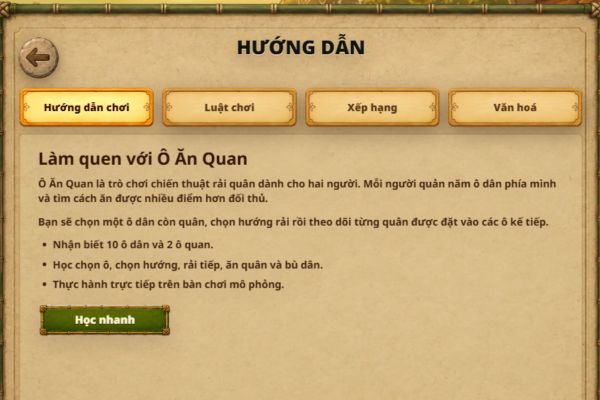
Understanding that shortage, a completely new web game project is at the address www.oanquan.online has been personally developed and released to the community. The goal of the project is to digitize this folk game, bringing a true online entertainment space where you can interact and compete with other players.
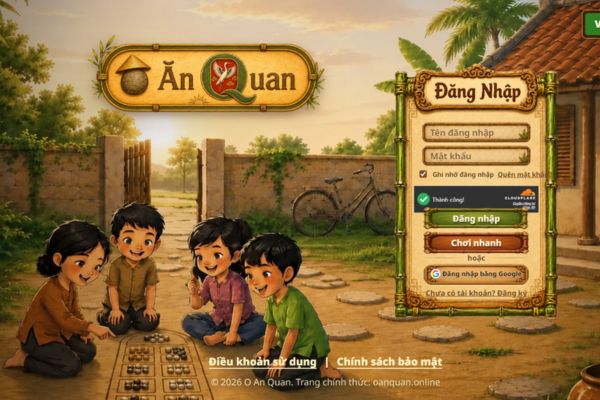
Diverse and attractive feature system
Not simply a virtual chess board, when participating in this O An Quan gaming website, you will be surprised with a series of integrated features that are not inferior to modern eSports games.
First of all Online PvP mode Supports 2 to 3 players. You can absolutely create your own private room, send the code to your friends and “kill” together all night long. If your friends are busy, you can choose Bot mode to practice your calculation skills.
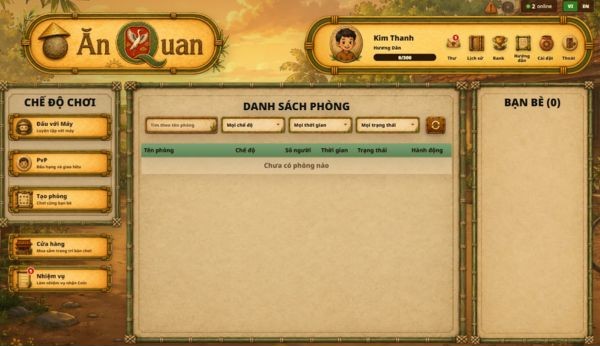
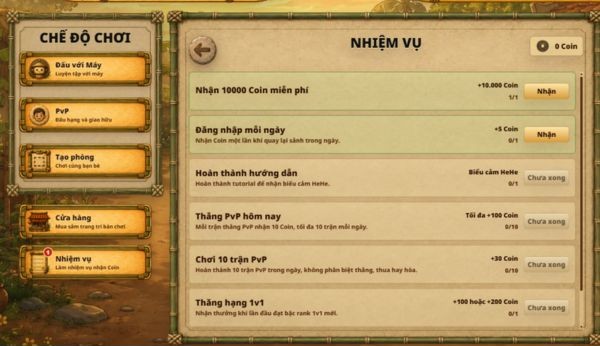
Besides, the game also has a system daily tasks. When completed, you will receive a certain amount of coins. What are these coins used for? You can visit the in-game Shop to shop for decorative items and beautify the interface of your game table. In particular, the ranking system and rankings are a great motivation for players to plow and assert their intelligence compared to other opponents.
AI graphics and things to understand
Because this is a self-developed personal project and is still in the Beta (testing) phase, the images and interface are mainly created using AI technology. Therefore, you will see some details that are not really perfect, some places that are not very beautiful or consistent.
However, the core of the game lies in the rules and interactive features. The developer also frankly shared that the game will definitely still have a few small bugs and need further editing in the future. Instead of being too strict about graphics, let’s focus on gameplay experience and contribute ideas to make the project more and more complete.
Optimal instructions for playing on your phone
To have the smoothest web experience playing O An Quan game on mobile devices, without having your view obscured by browser toolbars, you should follow these simple steps:
Step 1: Open the web browser on your phone (Chrome, Safari…) and access the game’s homepage.
Step 2: Find the browser menu bar, select the “Add to home screen(Add to Home Screen). Thanks to that, the game will appear on your phone as an independent application.
Step 3: Swipe down on the phone’s control center to turn off “mode”.Lock screen rotation“.
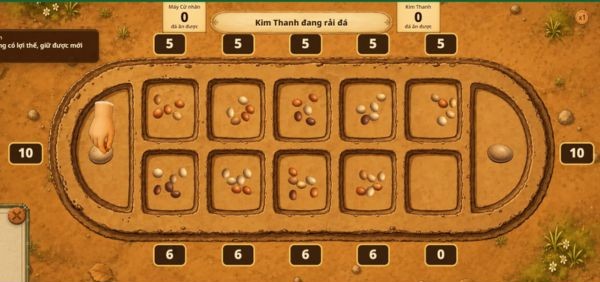
Step 4: Turn your phone sideways. At this time, the game table will be displayed large, clearly and with the most space, making it easy for you to pick up and scatter pieces.
Conclusion
Overall, the project O An Quan gaming website Brings a breath of fresh air to those who love traditional games. Thanks to the PvP mode and rank system, the competitiveness of the game is pushed up quite high. Don’t forget to invite friends to create a room and play some stress-relieving games right away.
Frequently Asked Questions (Q&A)
1. Can this game be played on phones?
Yes, the game works well on phone browsers. You should turn off the rotation lock and rotate the screen horizontally to fully display the game table.
2. How to play with friends?
You just need to use the room creation feature available in the game, then send the room code to your friends so they can participate in the PvP match.
3. Will playing in Guest mode cause data loss?
Yes, guest mode is only for quick experience. To save your rank, number of coins and purchased items, you must log in to your account.