• Home
  • News
  • Software
  • Knowledge
  • MMO
  • Tips
  • Security
  • Network
  • Office
AnonyViet - English Version
  • Home
  • News
  • Software
  • Knowledge
  • MMO
  • Tips
  • Security
  • Network
  • Office
No Result
View All Result
  • Home
  • News
  • Software
  • Knowledge
  • MMO
  • Tips
  • Security
  • Network
  • Office
No Result
View All Result
AnonyViet - English Version
No Result
View All Result

Microsoft explains why Windows 11 is faster than Windows 10

AnonyViet by AnonyViet
January 25, 2023
in Tips
0

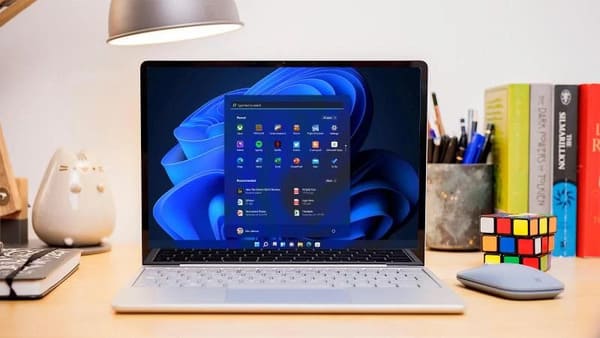
In a 12-minute video, Microsoft details the tweaks and optimizations that make Windows 11 faster than Windows 10 on all compatible hardware.

Join the channel Telegram of the AnonyViet 👉 Link 👈

Microsoft explains why Windows 11 is faster than Windows 10

Microsoft explains why Windows 11 is faster than Windows 10

Windows 11 focuses on three main areas of productivity, creativity and ease of use, but another aspect that is more noticeable is speed. Through a series of performance and optimization improvements, Windows 11 is expected to be significantly faster than Windows 10, even when running on identical hardware.

The main changes are detailed in a 12-minute YouTube video from the channel Microsoft Mechanics official, with Steve Dispensa as the presenter. There is a paragraph mentioned that is quite technical, but can still be understood by others.

These include improved memory management, which allows Windows 11 to prioritize the most frequently used applications and processes. Even if the CPU is occupied by a heavy task, applications can launch quickly and run in the background without any problem. This also works for specific tabs and windows in Microsoft’s Edge browser.

Better memory management also means Windows 11 devices can wake up from sleep much faster. Microsoft says it has optimized the hardware so that only the components necessary to function are activated. Instant booting from sleep is one of the main strengths of Intel’s Evo platform, but that also relies on the latest Intel chips.

In terms of processing power, Windows 11 will also be said to be more efficient than Windows 10. This is aimed at reducing the burden on the CPU.

Calls will go to specific hardware components, ensuring only the necessary ones are started. At the software level, Windows 11 is supposed to be more efficient with the hardware power it uses – this will reduce the load on the CPU and avoid throttling.

Among other improvements, Windows 11’s reduced disk space means that the operating system will take up significantly less space on the device’s hard drive. This is possible by extending the use of compression technologies and using the default state for non-critical applications. Other than a slightly longer load time, there should be no impact on the app’s functionality.

The new Windows 11 hardware requirements are also specifically mentioned. Dispensa says the decision to only allow the latest Intel or AMD chips affects both the performance and security of Windows 11. These newer CPUs are also said to be more reliable, and will keep performance levels high for a long time. long time.

You can check out the full 12-minute video below.

Maximum performance will likely still depend heavily on your Laptop or PC hardware. However, any device that meets those hardware requirements will get the speed boost on Windows 11.

Alternatively, you can also download Windows 11 here.

The article achieved: 5/5 – (100 votes)

Tags: explainsfasterMicrosoftWindows
Previous Post

Lesson 204: How to sum every nth row in Excel

Next Post

How to Hack Azota on the phone when checking Online

AnonyViet

AnonyViet

Related Posts

How to add sliders to Facebook Stories to easily rewind videos
Tips

How to add sliders to Facebook Stories to easily rewind videos

April 21, 2026
How to change the default font on Windows 10
Tips

How to change the default font on Windows 10

April 13, 2026
5 tips for using a Browser to replace an App (helps save RAM, time and money)
Tips

5 tips for using a Browser to replace an App (helps save RAM, time and money)

April 13, 2026
How to make funny MeMe photos without Photoshop within 10 seconds
Tips

How to make funny MeMe photos without Photoshop within 10 seconds

April 11, 2026
How to quickly design your own Logo without Photoshop
Tips

How to quickly design your own Logo without Photoshop

April 10, 2026
How to convert Website into App on Windows
Tips

How to convert Website into App on Windows

April 9, 2026
Next Post
How to Hack Azota on the phone when checking Online

How to Hack Azota on the phone when checking Online

0 0 votes
Article Rating
Subscribe
Login
Notify of
guest

guest

0 Comments
Oldest
Newest Most Voted
Inline Feedbacks
View all comments

Recent News

Instructions for looking up prescriptions on VNeID instead of paper medical books

Instructions for looking up prescriptions on VNeID instead of paper medical books

April 26, 2026
Tips to completely turn off CAPTCHA codes on iPhone and Mac are super simple

Tips to completely turn off CAPTCHA codes on iPhone and Mac are super simple

April 25, 2026
Compare Poco X8 Pro and Poco X7 Pro: A new step for the “king” of mid-range performance

Compare Poco X8 Pro and Poco X7 Pro: A new step for the “king” of mid-range performance

April 24, 2026
How to compress online videos for free without losing quality

How to compress online videos for free without losing quality

April 24, 2026
Instructions for looking up prescriptions on VNeID instead of paper medical books

Instructions for looking up prescriptions on VNeID instead of paper medical books

April 26, 2026
Tips to completely turn off CAPTCHA codes on iPhone and Mac are super simple

Tips to completely turn off CAPTCHA codes on iPhone and Mac are super simple

April 25, 2026
Compare Poco X8 Pro and Poco X7 Pro: A new step for the “king” of mid-range performance

Compare Poco X8 Pro and Poco X7 Pro: A new step for the “king” of mid-range performance

April 24, 2026
AnonyViet - English Version

AnonyViet

AnonyViet is a website share knowledge that you have never learned in school!

We are ready to welcome your comments, as well as your articles sent to AnonyViet.

Follow Us

Contact:

Email: anonyviet.com[@]gmail.com

Main Website: https://anonyviet.com

Recent News

Instructions for looking up prescriptions on VNeID instead of paper medical books

Instructions for looking up prescriptions on VNeID instead of paper medical books

April 26, 2026
Tips to completely turn off CAPTCHA codes on iPhone and Mac are super simple

Tips to completely turn off CAPTCHA codes on iPhone and Mac are super simple

April 25, 2026
No Result
View All Result
  • Home
  • News
  • Software
  • Knowledge
  • MMO
  • Tips
  • Security
  • Network
  • Office

wpDiscuz
0
0
Would love your thoughts, please comment.x
()
x
| Reply