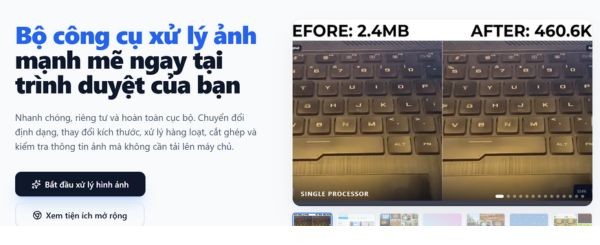
Imify is an extremely interesting open source project that helps you process images quickly without installing heavy software. The entire operation process takes place directly in the browser by taking advantage of the computer’s hardware, thereby helping to keep data absolutely safe. Instead, you no longer have to worry about your personal images being sent to third-party servers. Let’s go together AnonyViet Discover the new features on this tool right here.
📢 Join the channel Telegram belong to AnonyViet
Update new articles, cool tools and IT tips fastest
Introducing the Imify tool
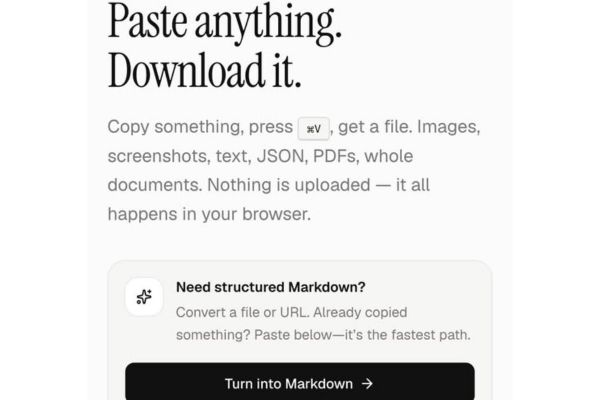
When working with digital documents, the need to edit images, convert extensions or arrange layouts appears almost continuously. However, most online services today require uploading files to a remote server, posing a potential risk of personal information being leaked. To completely solve this concern, Imify has been developed as an independent open source project, focusing on handling all tasks directly in the browser.
Instead, the tool takes advantage of your device’s hardware capabilities to perform graphical tasks. Thanks to that, the conversion process takes place seamlessly, image data is kept completely confidential in the device and is not pushed anywhere. In the new release, the author has focused on improving offline functionality, adding many familiar tools so you do not need to install any additional auxiliary applications.
Imify’s brilliant features
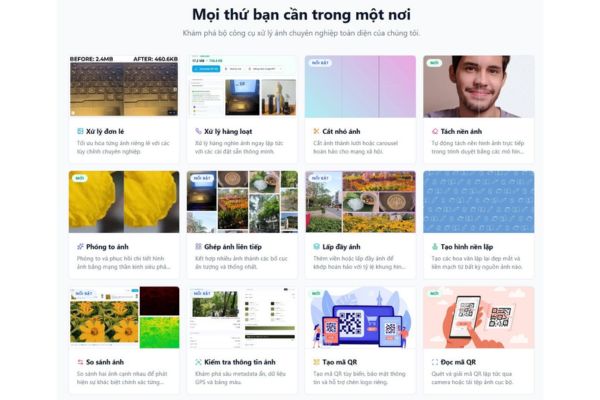
The update brings a series of practical utilities, fully meeting basic daily image manipulation needs.
Versatile QR toolkit
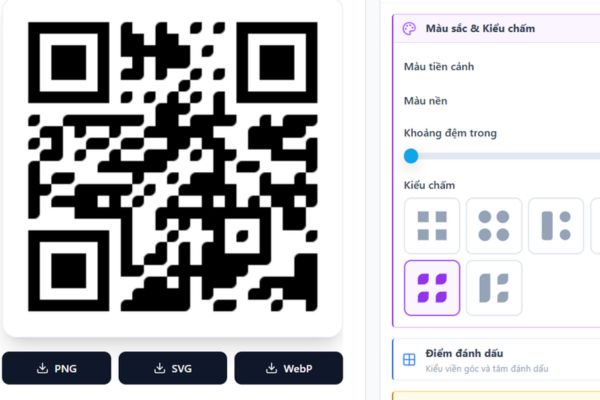
Quick response codes are increasingly being used everywhere. With the new toolkit, you can easily create many types of QR codes with a moderate level of customization, suitable for quick work.
In addition, the code scanning feature has also been significantly upgraded to support reading data from many different sources. You can use the shortcut Ctrl V to paste images directly, download files from your device, scan via the device camera or grab them right from other open browser tabs.
Automatic background separation using AI
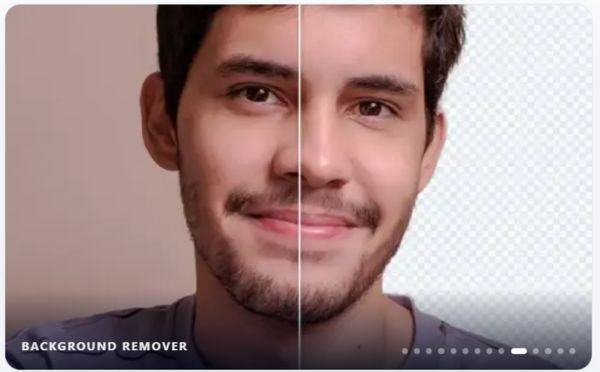
Downloading photos with fake checkered backgrounds in transparent PNG happens very often. To overcome this inconvenience, Imify has a built-in tool to automatically separate objects from the background.
Thanks to using the ONNX standard artificial intelligence model running directly on the web, this feature works very smoothly for simple photos. You don’t need to open bulky professional graphics software just to remove background a basic photo.
Upgrade photo resolution
Besides the ability to remove fonts, the application also supports image enlargement (upscale) using AI models directly on the device. Therefore, if you own a small, blurry photo, the tool will help increase the sharpness at a basic level to serve the needs of quick posting.
Supports multiple languages and runs offline
To better serve the community, the tool now supports bilingual English and Vietnamese, automatically detecting based on the computer’s language setting. Although the translated sentences are still being gradually perfected by the author, this feature still makes accessing the interface much easier.
Furthermore, converting the entire system to the PWA progressive web application standard is a worthwhile step forward. Thanks to that, users can access and use normally even when the device completely loses internet connection.
Compare photos and manage resources
Image comparison tool DiffChecker on Imify has now increased the comparison limit to 4 photos at a time, although the best recommendation for looking at details is still to compare 2 photos.
In addition, the image export process is also clearly standardized in the processing area, allowing you to pre-set the desired format or zoom ratio. All editing resources such as watermarks, fonts and AI models are gathered into a centralized management section on the navigation bar, helping you control everything neatly.
Instructions on how to use the Imify tool
To start experiencing and editing photos quickly on Imify, you just need to follow these simple steps:
Step 1: Open a web browser and access LINK HERE.
Step 2: Scroll down and select the feature you want to operate on the main menu bar, such as creating QR codes, separating AI background, increasing sharpness, etc.
Step 3: Import images into the system by uploading files from memory, taking photos from the camera, or pressing the key combination to paste images directly from the cache.
Step 4: Adjust the necessary image export parameters in the configuration section, including choosing the output file format and size according to your needs.
Step 5: Click the finish button to save the processed image to the device immediately without having to wait for it to be uploaded to the server.
Conclusion
Overall, Imify is an extremely bright choice for those who value data security and want a compact graphics processing tool. Features such as AI background separation or QR code generation all work very stably for daily needs. Therefore, you can absolutely save this website to use whenever necessary.
Frequently Asked Questions (Q&A)
1. Does this app upload my photos to the server?
No, the entire process of processing images and running AI models takes place directly in the browser using your device’s hardware, ensuring 100% privacy.
2. Can I use the tool without internet access?
Yes, thanks to being built according to PWA standards, the application supports offline operation very well after the first download.
3. How many images does the photo comparison feature support at the same time?
The current DiffChecker tool allows you to import and compare up to 4 photos at a time.