Do you want to experience the power of Elon Musk’s Grok artificial intelligence but are afraid of the cost of subscribing to X Premium? Currently, users in Nepal are enjoying the privilege of trying Grok for free for 7 days. This article will show you how to use a VPN to connect to Nepal To activate the Grok trial package quickly and simply.
| Join the channel Telegram belong to AnonyViet 👉 Link 👈 |
Why choose Elon Musk’s Grok AI?
Grok is not just an ordinary chatbot. With the ability to access real-time data from the X (Twitter) platform, Grok outperforms other AI competitors thanks to:
- Updated information: Catch trends and hot news as soon as they appear globally.
- Distinctive personality: “Fun Mode” brings funny, sharp and personality-filled answers.
- X ecosystem integration: Supports post data analysis, live interactions, and deep understanding of social media context.
Instructions on how to get 7 days of free Grok via VPN Nepal
To successfully perform this trick, you need to prepare a software VPN has Nepal server and an account X.com or Grok.com.
Step 1: Roaming (VPN) to Nepal
Currently, the 7-day free trial program is being prioritized for display in the region Nepal. This is the location with the highest successful activation rate.
- Open your VPN app (Prefer apps like NordVPN, Surfshark, or free VPN apps with servers in Nepal).
- Search and select server at Nepalthen press connect.
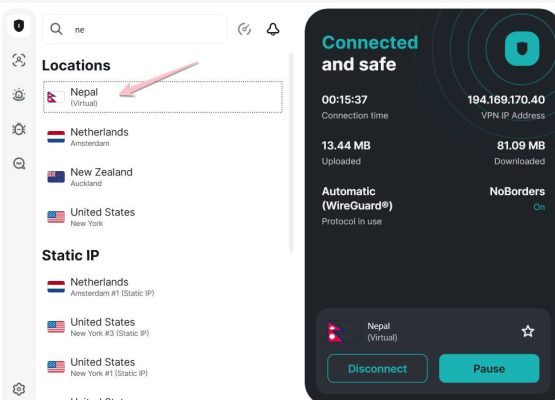
Step 2: Visit Grok.com and select the Upgrade package
Once the system has recorded your IP in Nepal, perform the next steps in the browser:
- Go directly to the homepage https://grok.com/ and log in to your account.
- Find and select the button Upgrade (Upgrade).
- At this time, the system will automatically display the message: “Start your 7-day free trial” (Interface can display in Nepali). Click this button to get started.
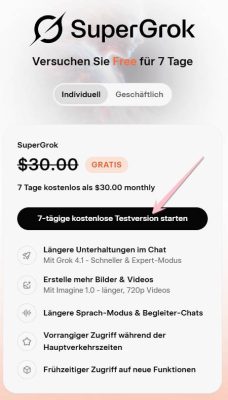
Step 3: Confirm payment information (Credit card)
To pass the authentication step, you can use the virtual VISA card creation method according to the instructions below:
- Visit website: Namso Gen to create tags.
- Enter BIN code: 5598880398xxxxxx and press the button Generate.
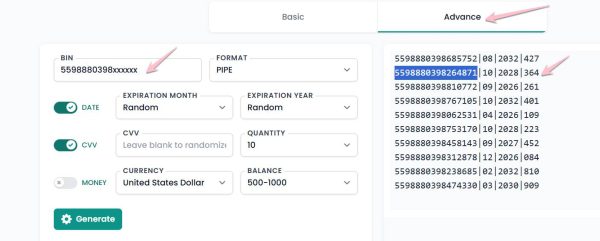
Copy the information including: Card number, expiration date and security code (CCV), then paste it into the payment box on the Grok site.
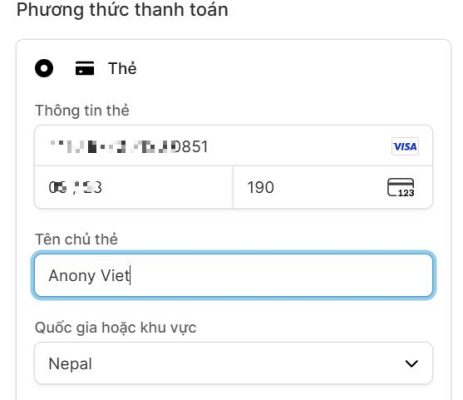
Press Pay to complete. If successful, you will be redirected to the interface Grok Premium as shown below.
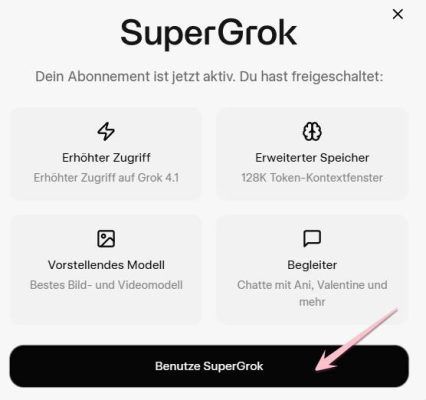
How to change language to Vietnamese on Grok
Since we are using VPN Nepal, the interface can display the local language. To change to Vietnamese, do the following:
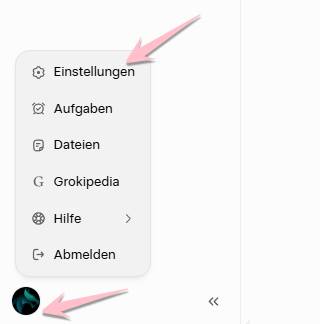
- Go to section Profile (in the lower left corner of the screen).
- Select line Einstellungen (Setting).
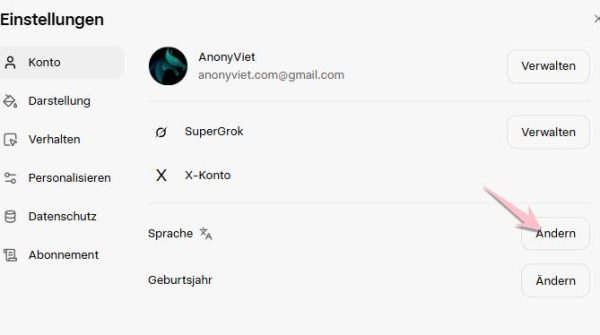
Continue choosing the route: Sprache -> Ändern -> Find and select Vietnamese.
Congratulation! So you have successfully activated your account Grok 7 days free extremely simple. Experience the smartest features of this AI chatbot now!