How to change iPhone wallpaper to plain color This is a simple trick but few people know about it. People often go online to download photos. Reality, Apple This built-in tool helps you create any desired color. This is both quick and does not take up memory space.
| Join the channel Telegram belong to AnonyViet 👉 Link 👈 |
Why should you use monochrome wallpaper?
Before going into details, using one-color wallpaper brings many practical benefits beyond just decoration:
- The use of pure black wallpaper on the lines iPhone The OLED screen turns the pixels off completely to save significant battery life.
- The device interface will become neater, helping application icons and widgets stand out on a plain background.
- Screenshot files will have a much lighter capacity because the background is less detailed, making data sharing faster.
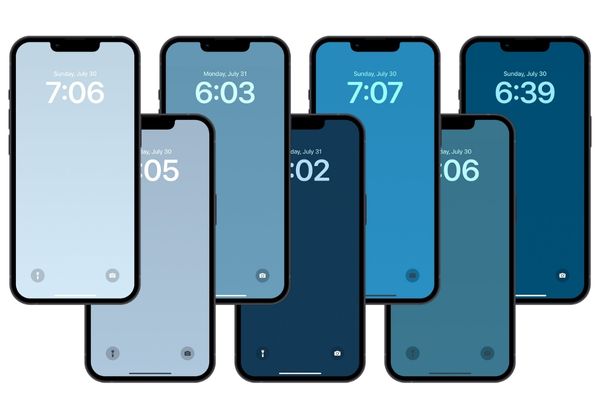
How to change iPhone wallpaper to plain color
To do this, users do not need to download images from the internet but will use the color mixing tool available in the Settings section. Here are the detailed steps to set up:
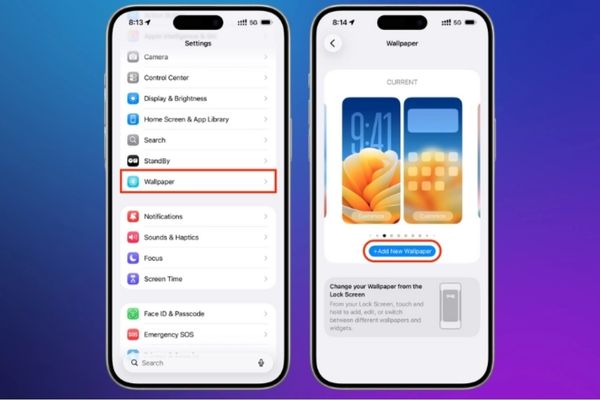
Step 1: Open the wallpaper installer
First, access the application Setting on your phone to start the setup process. Next, find and select Wallpaper, then click the button Add new wallpaper to open the options gallery.
Step 2: Select color tool
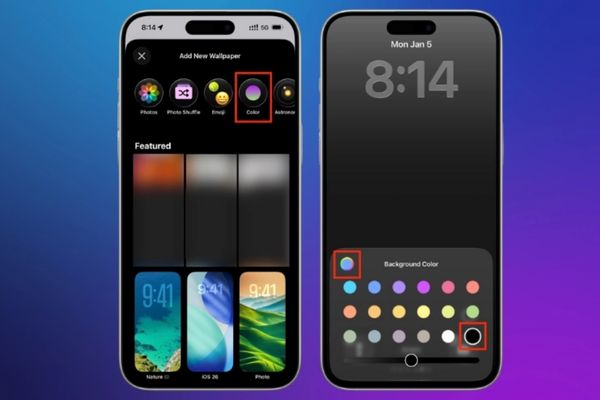
In the toolbar located at the top of the screen, click on the item Color. The system will display a default color palette, you can quickly select or click on the rainbow icon in the left corner to mix colors yourself from millions of different shades.
Step 3: Switch to the uniform filter
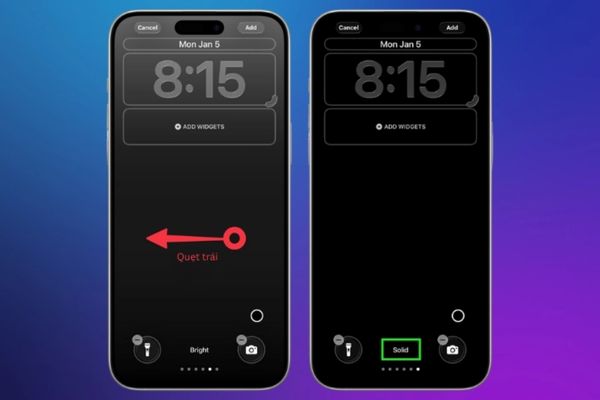
This is the most important step because by default the iPhone will apply a fading gradient effect. You need to swipe the screen left several times until you see the option Solid appears at the bottom. At this point, the background color will become completely flat, rich and no longer has a faded effect.
Step 4: Save and apply
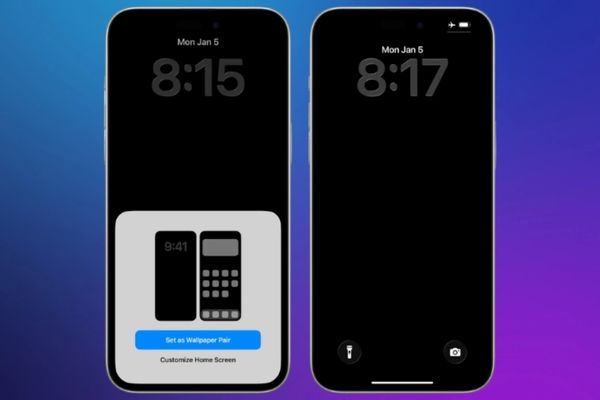
Once you are satisfied with the color you just created, press the button More located in the upper right corner of the screen. Finally, you choose Set to Wallpaper Pair to apply to both screens or select Customize your Home screen If you want to set it up separately.
Conclusion
In short, How to change iPhone wallpaper to plain color Not only does it help the machine run smoother, but it also shows a minimalist aesthetic. Eliminating excess details on the background image helps the eye focus better on the main content. Don’t forget to share this tip with your friends if you find it useful!