In the era of developed internet technology, buying Vietlott lottery tickets has become easier than ever online. Participants do not need to wait in line at traditional ticket sales points, players can still participate in this lucky game with just a few simple steps on their smartphones.
| Join the channel Telegram belong to AnonyViet 👉 Link 👈 |
Is buying vietlott online via the app safe?
Vietlott is a computer lottery issued by Vietnam Computer Lottery Company that appeared on July 18, 2016. Users can choose to buy lottery tickets, numbers or specific numbers to participate in the prize. With the increasing demand for buying Vietlott, traditional buying methods are not convenient enough. Form Buy Vietlott Online via App was born to help optimize the process, allowing players to buy Vietlott tickets anytime, anywhere without having to go directly to agents. So, is buying vietlott online really safe? This depends on where the user chooses to buy tickets. If you choose reputable and committed purchasing channels, it is a safe choice. With just a few simple steps on your phone, you can easily buy tickets.
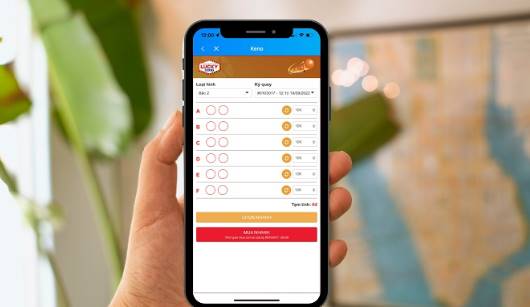
How to buy Vietlott online on https://muavietlottonline.com/
Instructions on how to buy Vietlott online on https://muavietlottonline.com/:
Step 1: Visit https://muavietlottonline.com/, register an account, log in and click on the 3 dashes icon in the left corner of the screen.
Step 2: A new page appears, the user chooses to deposit money.
Step 3: Choose the appropriate deposit method and make payment
Step 4: Once you have successfully deposited money, select return and choose the type of lottery you want to participate in.
Step 5: Select tier, purchase period and number set then click buy now, check information and make payment.
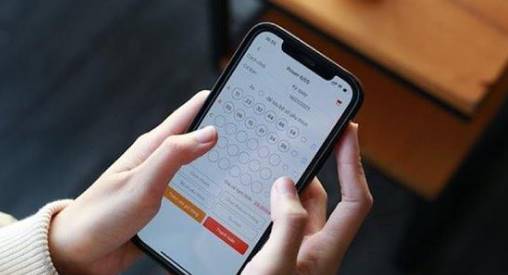
Simple steps to create an account to buy Vietlott online
The need to buy vietlott online is increasing, so many people are learning how to buy vietlott via phone simply and safely. The following are specific steps to help users create a successful ticket purchase account:
Step 1: Enter personal information
First, users access the online vietlott application. Then, take a photo of your ID card and CCCD and fill in all personal information according to the instructions.
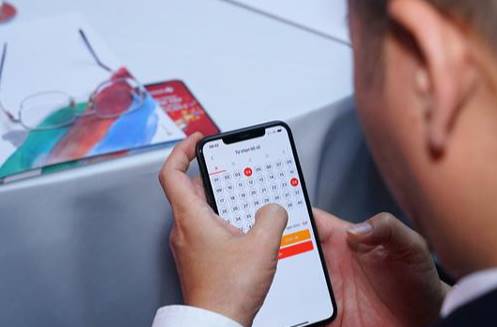
Step 2: Enter the account you want to receive the reward: Please enter all the information you want to receive the reward. Then, log in and change the password for the first time to use the Vietlott SMS lottery ticket purchase application.
Step 3: Enter payment account into the system: Users deposit money directly into the account with bonus limit or link personal account. At the same time, add a payment account to continue buying vietlott via phone.
The easiest guide to buying Vietlott online via Viettel phone
Now, users can easily participate in buying vietlott without spending time and effort going to direct agents. Below is the simplest way to buy Vietlott online via phone that users can refer to:
Method 1: Use the Vietlott SMS application quickly and conveniently
For this method of participation, users can rest assured because everything is displayed for you to choose the most suitable ticket type. The steps are as follows:
Step 1: Choose number:
Users choose the product they want to play or select the number sequence supported by the computer. Then, select the product you want to join. Customers should note that they will be able to buy a maximum of 5 tickets per game/day if they buy Vietlott online.
Step 2: Pay and book tickets
Players choose the payment methods offered by the system. After selecting, the application will automatically provide the ticket booking syntax and send a message to switchboard number 9969. You complete the payment process and receive a confirmation message from the system that you have successfully purchased the ticket.
Method 2: Message directly to buy vietlott
One of the popular ways to buy vietlott on the phone today is texting. Participants can use direct messaging with extremely simple syntax. Below are the steps users should refer to when participating in Vietlott lottery tickets.
Step 1: Compose a ticket booking message according to the syntax and send to switchboard number 9969.
Step 2: Pay with a linked bank account or through e-wallets. Then, receive a message from the system confirming successful online ticket purchase.
Above is the most detailed way to buy Vietlott online over the phone. Hopefully, this information will be more useful for you in the process of learning about Vietlott as well as how to buy Vietlott online safely and quickly. If you want to try your luck, join vietlott now keno lotterymega, power,…now to not miss your chance to win!