• Home
  • News
  • Software
  • Knowledge
  • MMO
  • Tips
  • Security
  • Network
  • Office
AnonyViet - English Version
  • Home
  • News
  • Software
  • Knowledge
  • MMO
  • Tips
  • Security
  • Network
  • Office
No Result
View All Result
  • Home
  • News
  • Software
  • Knowledge
  • MMO
  • Tips
  • Security
  • Network
  • Office
No Result
View All Result
AnonyViet - English Version
No Result
View All Result

Flickr Images Downloader – Tool Download all images from Flickr

AnonyViet by AnonyViet
February 3, 2023
in Software
0

Flickr is a high-quality online photo storage service. Flickr’s feature allows you to keep your images uncompressed, so you can keep the same quality as the original. Previously, Flickr allowed users to store and share for free with unlimited storage. Most Photographers save photos here to save space on the computer. But Flickr’s recent policy no longer offers free hosting. Users are only allowed to save 1000 photos or have to buy the Pro package for $ 50 to upgrade their account. You can use Flickr Images Downloader to download all the images from Flickr to your computer.

Join the channel Telegram belong to AnonyViet 👉 Link 👈

Before March 12, 2019, a user must make a decision for his or her account. If you have more than 1,000 photos, you will not be able to upload new photos. All redundant images will be deleted from the database starting with the oldest image.

Flickr Images Downloader – Tool Download all images from Flickr to your computer

To avoid losing precious photos that you have accidentally stored on Flickr, you need to download all the photos to your computer. Or you see a beautiful Album on Flickr and want to download it to your computer to view gradually. But Flickr does not have a mode to download many photos to your computer. You can use Extension Flickr Photos Download but a bit inconvenient for the browser.

The solution to download all photos from Flickr is download using Flickr Images Downloader.

Flickr Images Downloader

The main function of the Tool is to download all images and videos from Flickr.

  • Download all photos and videos from Flickr privately or publicly.
  • Automatically find User ID from Flickr link
  • Option image size to Download
  • Automatically Download the highest size image (optional).
  • Download and download multiple photos at the same time
  • You can customize the image name when you download it.

Tip: choose image size as Original and allow auto-download then Flickr Images Downloader will download all Flickr photos with the best quality.

Functional Accessory:

  • Auto Update when new version is available
  • Flickr Images Downloader will automatically re-download images that have not been downloaded in the previous exit.


The article achieved: 5/5 – (100 votes)

Tags: DownloadDownloaderFlickrimagestool
Previous Post

Recover deleted data on MacBook with EaseUS Data Recovery Wizard for MacBook

Next Post

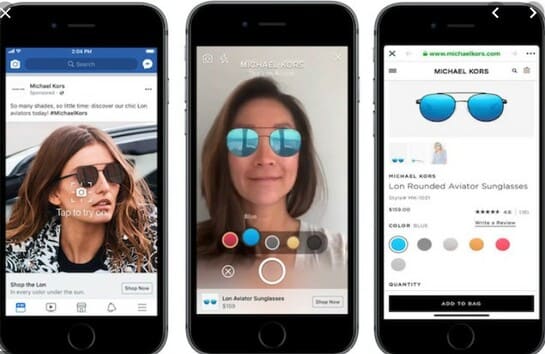
How to use AR technology to try lipstick and glasses on Facebook

AnonyViet

AnonyViet

Related Posts

Christmas Advent Calendar Giveaway: Daily software hunt worth ,095
Software

Christmas Advent Calendar Giveaway: Daily software hunt worth $1,095

December 4, 2025
How to update residential address on VNeID, avoid fines from December 15
Software

How to update residential address on VNeID, avoid fines from December 15

December 3, 2025
AOMEI Christmas Carnival Giveaway 2025: Receive 21 free copyrighted software
Software

AOMEI Christmas Carnival Giveaway 2025: Receive 21 free copyrighted software

November 29, 2025
Instructions for editing photos on Google Photos by voice
Software

Instructions for editing photos on Google Photos by voice

November 23, 2025
Instructions for sending a help signal using Zalo when stuck in a flood area
Software

Instructions for sending a help signal using Zalo when stuck in a flood area

November 22, 2025
Quickly “unbox” iPhone 17 Pro Max
Software

Quickly “unbox” iPhone 17 Pro Max

November 21, 2025
Next Post
How to use AR technology to try lipstick and glasses on Facebook

How to use AR technology to try lipstick and glasses on Facebook

0 0 votes
Article Rating
Subscribe
Login
Notify of
guest

guest

0 Comments
Oldest
Newest Most Voted
Inline Feedbacks
View all comments

Recent News

How to create Mind Map and Flowchart using ChatGPT is super simple

How to create Mind Map and Flowchart using ChatGPT is super simple

December 7, 2025
Free Gemini Google certification exam guide and Answers

Free Gemini Google certification exam guide and Answers

December 6, 2025
How to write Shell Script in Linux/Unix

How to write Shell Script in Linux/Unix

December 6, 2025
How to completely uninstall WSL on Windows 11?

How to completely uninstall WSL on Windows 11?

December 6, 2025
How to create Mind Map and Flowchart using ChatGPT is super simple

How to create Mind Map and Flowchart using ChatGPT is super simple

December 7, 2025
Free Gemini Google certification exam guide and Answers

Free Gemini Google certification exam guide and Answers

December 6, 2025
How to write Shell Script in Linux/Unix

How to write Shell Script in Linux/Unix

December 6, 2025
AnonyViet - English Version

AnonyViet

AnonyViet is a website share knowledge that you have never learned in school!

We are ready to welcome your comments, as well as your articles sent to AnonyViet.

Follow Us

Contact:

Email: anonyviet.com[@]gmail.com

Main Website: https://anonyviet.com

Recent News

How to create Mind Map and Flowchart using ChatGPT is super simple

How to create Mind Map and Flowchart using ChatGPT is super simple

December 7, 2025
Free Gemini Google certification exam guide and Answers

Free Gemini Google certification exam guide and Answers

December 6, 2025
  • Home
  • Home 2
  • Home 3
  • Home 4
  • Home 5
  • Home 6
  • Next Dest Page
  • Sample Page

trang chủ f168 nhà cái 78win https://www.qq8827.com/

No Result
View All Result
  • Home
  • News
  • Software
  • Knowledge
  • MMO
  • Tips
  • Security
  • Network
  • Office

trang chủ f168 nhà cái 78win https://www.qq8827.com/

wpDiscuz
0
0
Would love your thoughts, please comment.x
()
x
| Reply