The technology world is always exciting with new updates and features, and Apple once again makes the iPhone user community stir. One of the most interesting highlights on the iOS 18 version is The glowing effect is next to the screen iPhone. This is not only a mere aesthetic change, but also a sign that the deep integration of AI in the user experience. Let’s find out details about this unique feature!
| Join the channel Telegram belong to Anonyviet 👉 Link 👈 |
What is the glowing effect next to the iPhone screen?
Surely many users will be surprised to see their iPhone suddenly shining from the edges. This is the glowing effect on the edge of the screen iPhone – A new visual feature, designed to provide a more intuitive and vivid interaction experience with Siri virtual assistant.
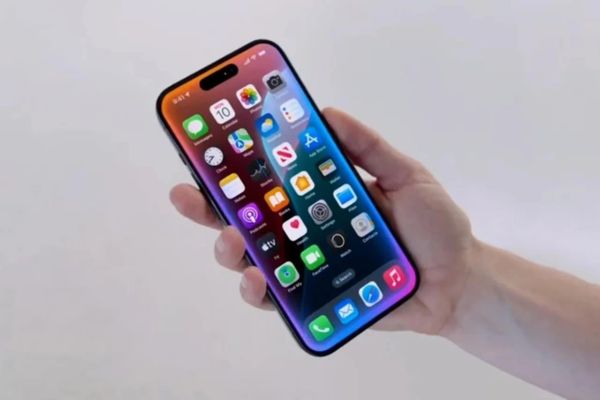
This effect does not appear randomly. It is activated when users interact with Siri, specifically:
- When pressing and holding the rib button (side button): If you activate Siri By holding the familiar button, a soft light strip will spread from the edge of the screen where the button has that button. This feels like Siri is “waking up” and responding directly from the position you interact.
- When using the “Hey Siri” command: In case you call Siri by voice, the light effect will appear from the bottom edge of the screen, slowly spreading to the top. This is a smart way to signal that Siri has heard and is ready to receive orders from you.
This light is not merely a notice, but also part of the experience Apple Intelligencehelp users feel more clearly the presence and feedback of whom. It turns Siri from an invisible voice into an entity that has a more intuitive “shape” on the device.
Which iPhone lines are equipped with this unique feature?
It is important to note that not all iPhone models can experience the glowing effect next to the iPhone screen. This feature is part of Apple Intelligence, Apple’s new AI toolkit, requiring significant handling power.
Therefore, at present, this glowing effect is only confirmed to appear on:
- iPhone 15 Pro and iPhone 15 Pro Max
- IPhone 16 series series
This means that users of older iPhone lines, even updated to iOS 18, will not see this effect. This is an Apple’s familiar strategy, to encourage users to upgrade to newer devices to experience the most advanced technologies.
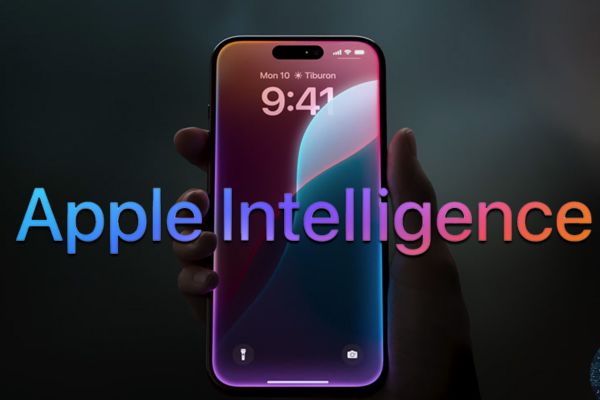
Apple Intelligence: “brain” behind the miraculous glowing effect
Apple Intelligence not only brings light effects. It also offers a series of other smart tools such as:
- Help draft, summarize, and edit text more effectively.
- Summary of smart notifications, helping you to quickly grasp important information from countless daily notifications.
- Siri is smarter with better context understanding, performing more complex tasks and integrating chatGPT to answer diverse questions.
The glowing effect is one of the ways Apple Intelligence “communicates” visually with users, signaling that who is working and supporting you. It makes the interaction with technology more natural and interesting.
How to turn off the glowing effect next to the iPhone screen
Whether the glowing effect next to the iPhone screen brings newness, not everyone feels interested or needs it. Some users may see it distracts or simply prefer a minimalist interface.
The good news is that you can turn off this effect. However, it is important to note: turning off the glowing effect means that you must Disable all Apple Intelligence. This means that you will lose access to all the useful AI features mentioned above.
If you still decide to turn off, follow these steps:
- Open application Settings (Settings) On your iPhone.
- Roll down and find items Apple Intelligence & Siri.
- Find options Apple Intelligence and switch the switch to the state Turn off (grey).
- A confirmation notice will appear, select “Turn off Apple Intelligence”(Turn off Apple Intelligence) to complete.
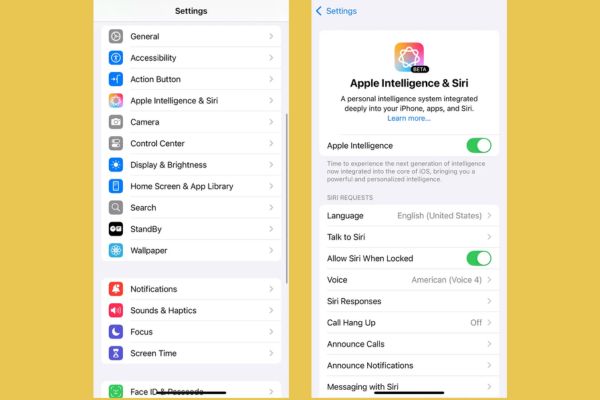
After turning off Apple Intelligence, the glowing effect will disappear. Siri will still work, but will return to the traditional voice interaction as on the previous iOS versions, no more support of advanced AI features.
Conclusion
The glowing effect is next to the screen iPhone on iOS 18 is a clear testament to the direction focusing on Apple’s artificial intelligence. The choice of turning on or turning off the effect completely depends on personal preferences, but it is undeniable that this is one of the notable highlights, promising to bring many interesting things for iPhone users in the near future.