

If you have a Google Drive account, you can turn it into a File Manager page to store data and directly download data on Google Drive to your computer without having to wait or manipulate. many steps. By using Workers CloudFlare in combination with goindex, you will create a Google Drive File management page and with just one click you can download any file from Google Drive to your computer quickly.
| Join the channel Telegram of the AnonyViet 👉 Link 👈 |
Create a Get Link Google Drive page using goindex and Workers CloudFlare
If you want to automate the data synchronization process, you can use the tool https://goindex.glitch.me/ to get the code
Step 1: Visit page https://goindex.glitch.me/
Step 2: Select Click me -> sign in with your Google account have the Drive you want to create Get link page
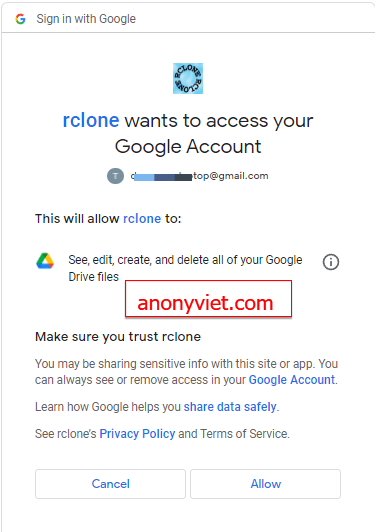
Step 3: Once logged in, grant Rclone access to your Google Drive, select Allow – Allow
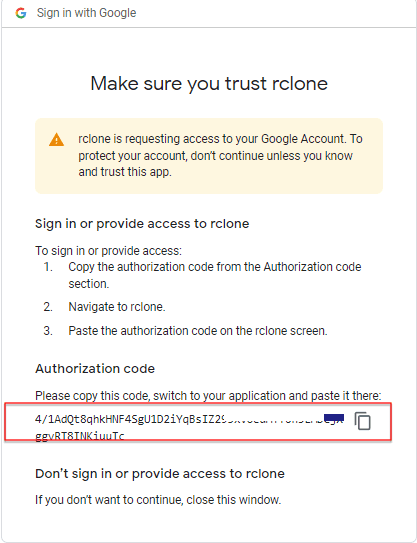
Then you copy Google’s Authorization code back to the page goindex.glitch.me
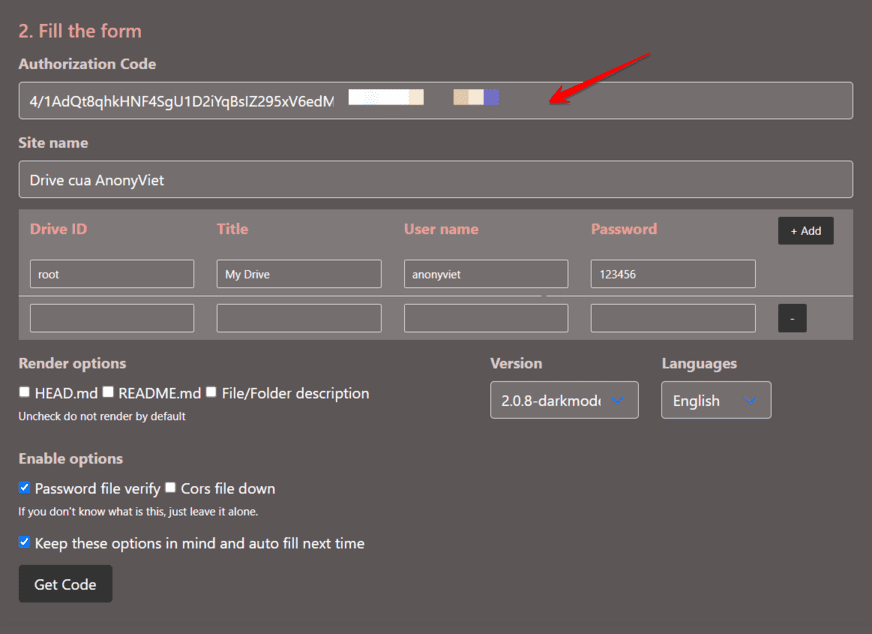
We will get the following:
Authorization Code: enter the Code Google provided in the step above
Site Name: give your Google Drive Management page a name
- Drive ID: root
- Title: Name it arbitrarily
- User name: set Username to login to the management page
- Password: set password
If Google Drive is a personal site and only you manage it, you need to set Username and Password. If Google Drive shares FIle for many downloaders, there is no need to set Username Password.
Once done, press Get Code
You will receive a piece of Code used to run Workers Cloudflare.
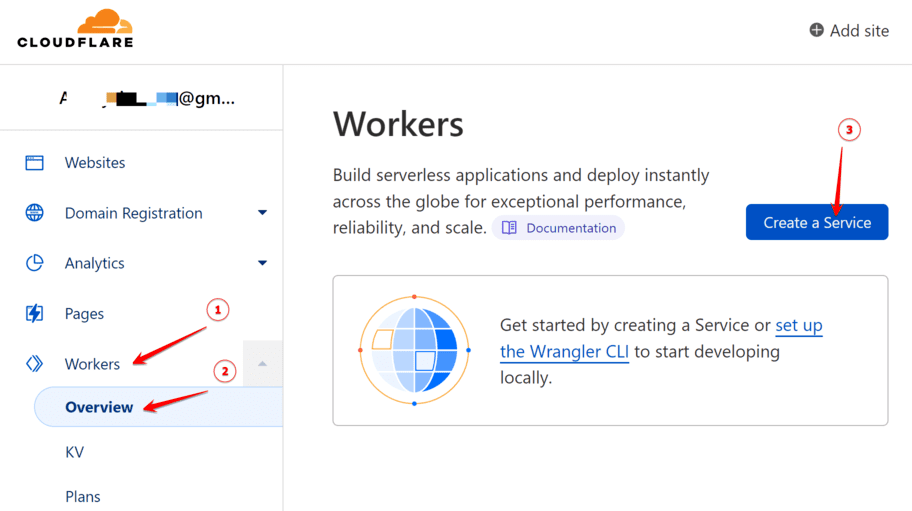
Now you log in Cloudflare If you don’t have one, create an account. Access Menu Workers -> Overview -> Create a Service
Section:
- Service name: enter an arbitrary name, this will be the subdomain for your Drive management page
- Select a starter: HTTP handler
- Select Create a service

Next page:
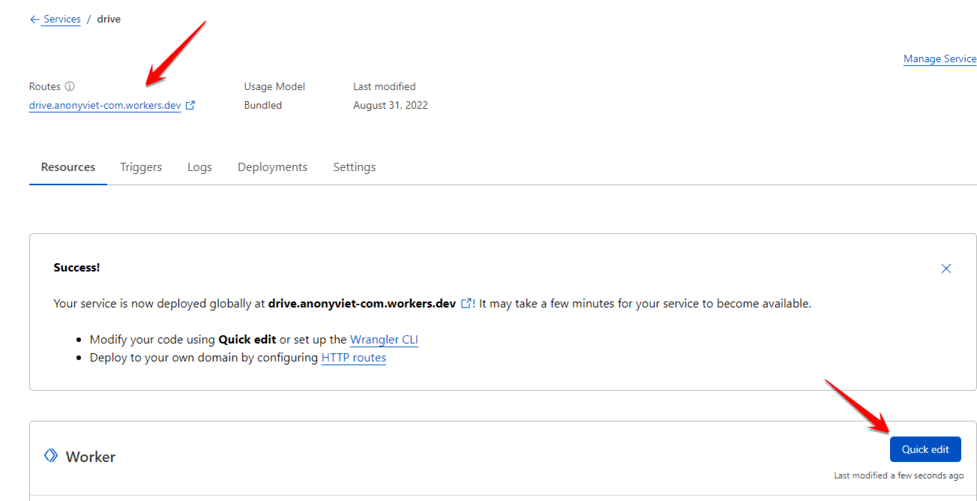
Routes: is the address for you to get your Google Drive link
Press Quick edit
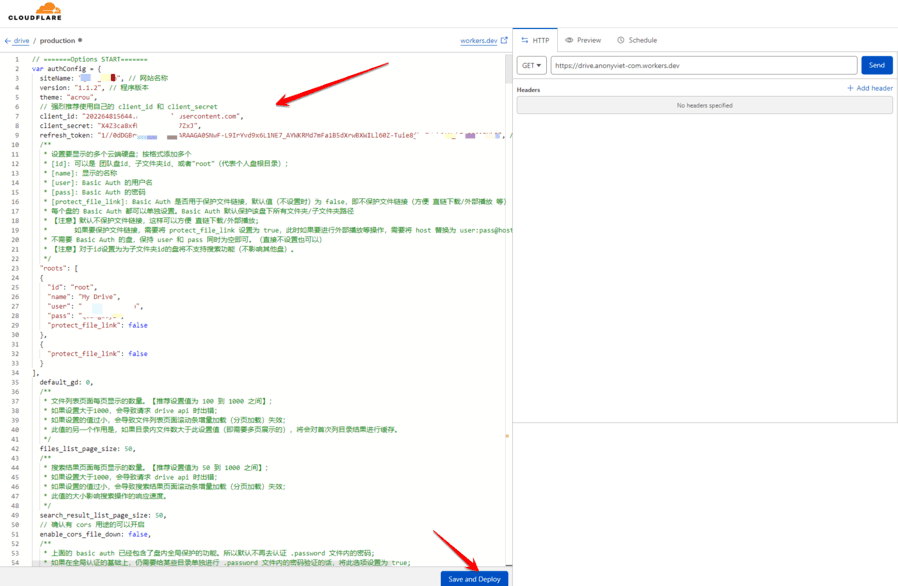
In the left pane, delete all existing Codes, and paste the Code generated from the page goindex.glitch.me into the. Then press Save and Deploy
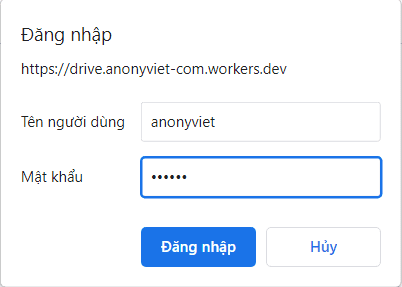
Now you access the page https://drive.anonyviet-com.workers.dev/ created for you by Cloudflare,
Log in with the account declared on the page goindex.glitch.me
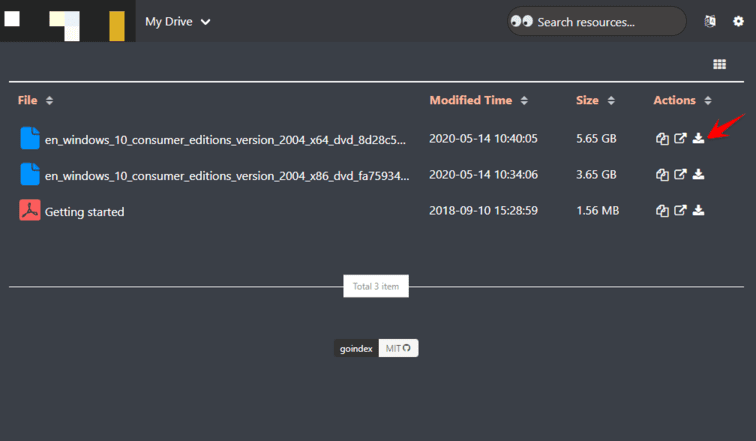
You will be able to access your Google Drive management page, if you want to get the link, just click on the arrow and you will directly download the File without any further action.
Create your own Web Get link Google Drive with source code goindex
If you don’t trust https://goindex.glitch.me/, they also provide goindex source code for you to build your own Get link Google Drive page.
However, you need to manually configure Rclone and Google Drive and then tweak some requirements for the Web to work. The steps are as follows:
- Install Rclone on Server
- Connect Rclone to Google Drive
- Open the file rclone.conf and enter information
root_folder_idandrefresh_token - Download the index.js file in https://github.com/donwa/goindex and fill in the information
rootandrefresh_token - Enter the Code into Cloudflare Workers
The detailed instructions are in the github link for your reference.









