ONLYOFFICE brings a breath of fresh air to individual and business users when looking for an office solution to replace MS Office. Not only is it compatible with popular document formats, it also strongly supports modern AI technologies. Users will experience a secure working environment without third-party tracking.
📢 Join the channel Telegram belong to AnonyViet
Update new articles, cool tools and IT tips fastest
Introducing ONLYOFFICE
In the era of digital transformation, choosing an office platform not only requires flexibility but also requires strict data security. ONLYOFFICE has emerged as a leading open source solution, developed to break the dominance of traditional paid software.
In particular, in the context that the government is strictly controlling software copyright issues, the use of pirated “keys” or cracked versions for Microsoft Office is putting many businesses at great legal risk. Switching to this solution not only helps you comply with the law, but also has a powerful set of tools, combining all the functions from text editing, spreadsheets to professional presentations.

Outstanding features of ONLYOFFICE
This toolkit is more than just a document editor, it is equipped with classy features that completely change the way you work with documents every day.
Compatible with all document formats
The software’s strongest point is its ability to handle international standard formats such as DOCX, XLSX, PPTX, ODT. You will never encounter font errors or formatting errors when opening files edited from other applications. This stability helps maintain consistency for important legal documents, contracts or financial reports within the business.
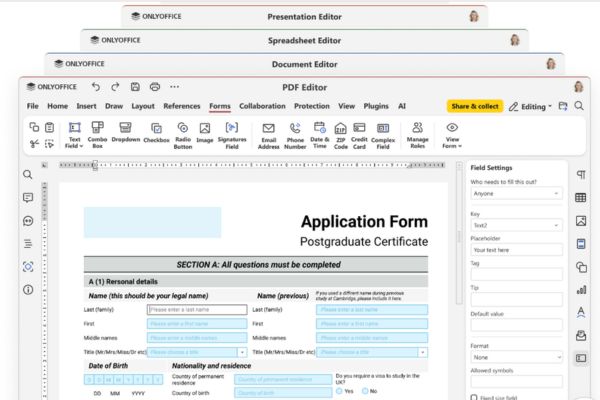
Professional customization and editing
With this toolkit, users are free to choose from a variety of formatting tools. You can insert and edit complex objects such as charts, images, or tables to make content stand out. User experience is significantly optimized through the installation of additional useful plugins, helping to expand document processing capabilities depending on specific work needs.

Real-time online team collaboration
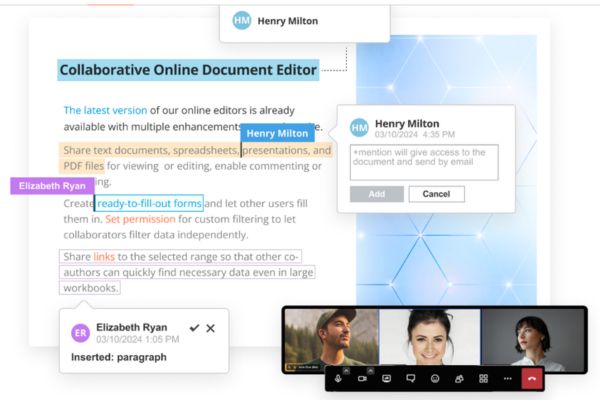
Teamwork becomes smoother than ever with co-editing. Multiple users can work on the same file at the same time, viewing each other’s changes through real-time monitoring. Commenting systems, live chat, and integration with messaging apps like Telegram create a distance-free work environment.
Smart AI assistant
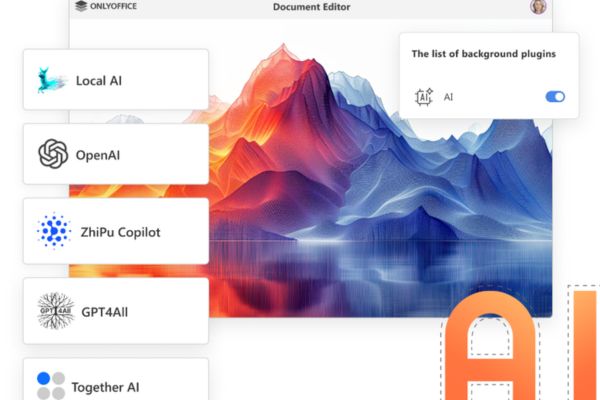
Built-in AI features let you create documents, spreadsheets, slideshows, and forms in seconds. The system supports creating text, images, writing code, answering questions and searching for information instantly. You can easily translate, summarize or rewrite content, check spelling and grammar errors. In particular, AI technology also supports text extraction from scanned PDF documents, allowing connection of any AI model (even local models) and assigning specific tasks to achieve maximum performance.
Security is a top priority
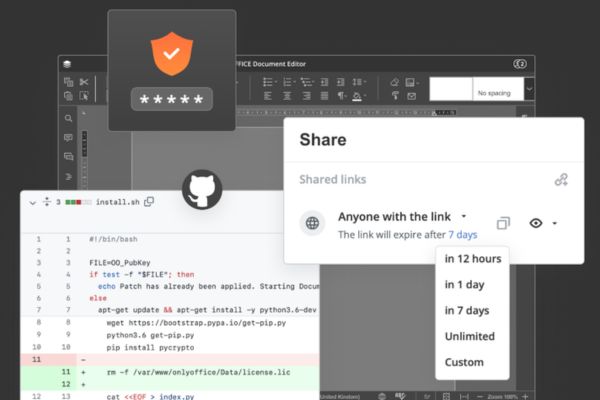
The system’s source code is completely public GitHubensuring transparency and compliance with international security standards. Data is protected with three layers of encryption: at rest, in transit, and end-to-end. In addition, users have tight control through monitoring tools, advanced file permission management, and support for highly secure local AI models.
Can ONLYOFFICE completely replace Microsoft Office?
Replacing a legacy application like Microsoft Office is entirely possible if you focus on the need for teamwork and security. With almost absolute format compatibility and a user-friendly interface, this conversion does not cause any difficulties during use.
Businesses have begun to take advantage of the software’s extensibility through APIs and SDKs to deeply integrate into internal management systems, thereby creating a closed and extremely safe operating process.
Instructions for installing ONLYOFFICE
To start your smart working journey, follow the basic process below:
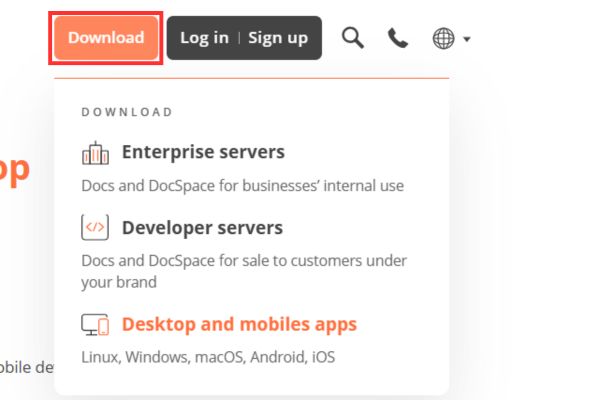
Step 1: Access home page ONLYOFFICEclick the button Download on the menu bar, then select one of three items depending on your needs (such as Enterprise servers, Developer servers, or Desktop and mobiles apps).
For example, if you download on a Windows computer, select the item Desktop and mobiles appS.
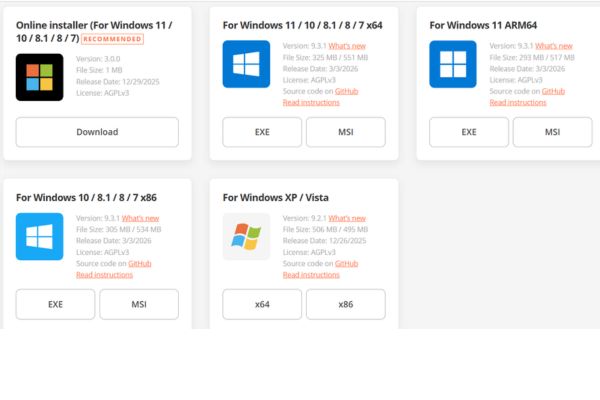
Step 2: Select the version compatible with your computer operating system (Windows 7/8/10/11 or x86/ARM64 architectures).
Step 3: After downloading, double-click on the installation file you just received and follow the on-screen instructions to complete the software installation process.
Conclusion
With continuous development, this solution will certainly bring even more value to the open source community. Switching to a comprehensive office suite is a necessary step forward for professionalism. You can completely believe in the power of ONLYOFFICE in future projects.
Frequently Asked Questions (Q&A)
1. Is the software free for individual users?
Yes, the desktop version and basic online services are provided completely free of charge for individual users.
2. How to ensure security when using?
You can deploy a self-hosted solution on a private server to control all data instead of storing it on a public cloud.
3. Can the toolkit open files from Microsoft Office?
Yes, the software fully supports formats such as DOCX, XLSX, PPTX with extremely high compatibility, helping you avoid font or format errors when opening files.