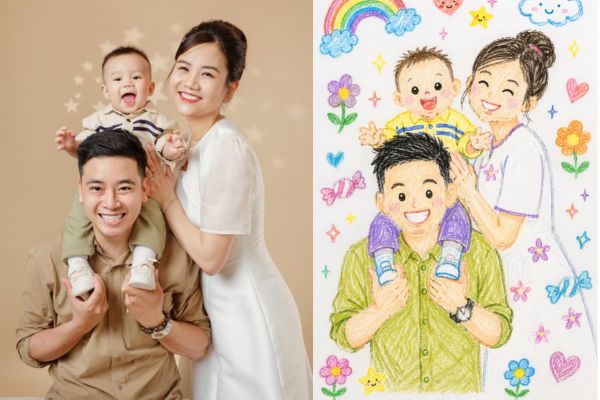
Have you ever thought about what you would look like if drawn with the colored pencils of a 10-year-old child? Use prompt converts photos into children’s drawings is the fastest way to realize this lovely idea on personal photos. Let’s learn with AnonyViet how to transform extremely well right here.
📢 Join the channel Telegram belong to AnonyViet
Update new articles, cool tools and IT tips fastest
The strange attraction of the naive painting trend
In the digital era, when over-edited photo filters gradually become boring, users tend to look for something original and close. The trend of turning photos into paintings like children’s pen strokes is creating a huge craze. The main reason lies in the harmonious combination of modern technology and the breath of childhood memories. The squiggly lines, bright irregular colors and innocence in perspective make the photo much more “soulful”.
Applying the prompt to convert a photo into a child’s drawing is not only a way to change the photo’s appearance but also a way to express your own personality. When looking at a photo converted by AI, viewers do not see tension but see comfort and closeness. Therefore, this trend is especially suitable for travel photos, family photos or emotional everyday moments.
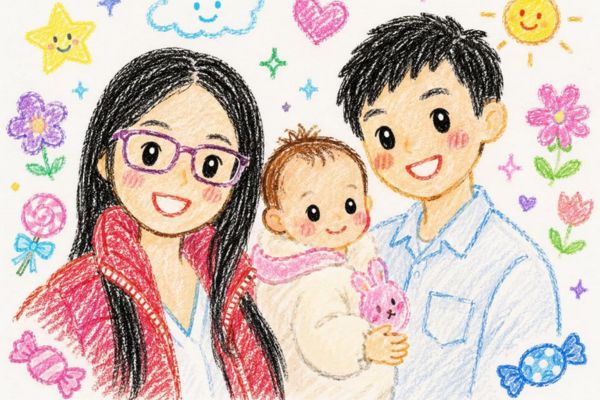
Reveal the prompt to convert photos into children’s drawings
To own satisfactory works of art from personal photos, using command lines correctly is a key factor. Below is the simplest procedure for beginners:
Step 1: Access the application that integrates AI to create images such as ChatGPT (DALL-E version) or similar tools.
Step 2: Upload the portrait or landscape photo you want to convert.
Step 3: Enter the command prompt to convert the photo into a child’s drawing as follows:
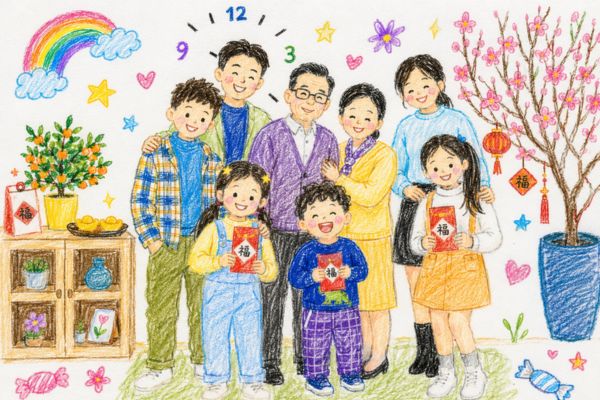
Transform the entire image into a cute crayon-style illustration that looks hand-drawn by a child around 10 years old. Keep the composition simple with soft, imperfect lines and playful coloring. Avoid using the original photo colors and replace them with brighter, more imaginative tones. Make the background look like plain white drawing paper with visible crayon texture. Add charming doodle-style decorations such as flowers, hearts, stars, candies, clouds, rainbows, or sparkles to create a sweet, innocent, and cheerful childhood vibe.
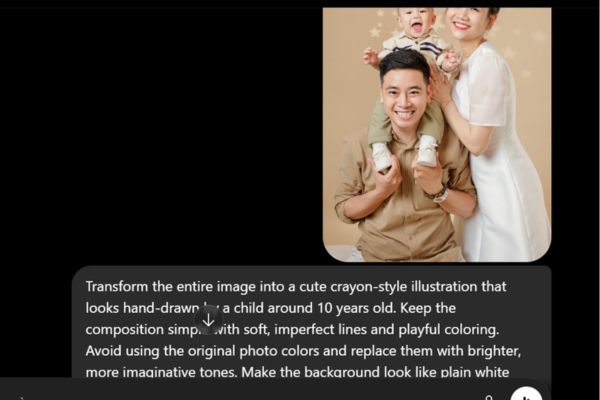
Step 4: Press the send button and wait for AI to process it for a few seconds.
Step 5: Check the results and ask the AI to refine the colors or details if you’re not satisfied.
The secret to improving photo quality
To make your painting truly look like a finished hand-drawn work, you need to pay attention to the layout and color scheme of the prompt. Below is a comparison table of different hand-drawn styles for you to choose from:
| Style | Outstanding features | Fits |
| Color pencil drawing | Bold, slightly blurred, waxy drawing | Family photo |
| Watercolor painting | Soft, dreamy, colorful | Landscape photo |
| Draw black pencil lines | Minimalist, elegant, sophisticated | Portrait selfies |
Conclusion
Turning photos into hand-drawn paintings has never been so simple and fun thanks to smart command prompts. Please apply now prompt converts photos into children’s drawings to discover the lovely, nostalgic side of yourself. Wish you have satisfactory and colorful works.
Frequently Asked Questions (Q&A)
1. Can a clear-face portrait photo be used for conversion?
Yes, AI will convert best if the photo is well-lit and facial expressions are not too obscured.
2. What tools do I need to execute this prompt?
You can use ChatGPT, Midjourney or Gemini to run these commands.
3. Is the resulting photo changed too much compared to the original?
This style prioritizes abstraction and cuteness, so details will be minimalist like children’s hand drawings.