• Home
  • News
  • Software
  • Knowledge
  • MMO
  • Tips
  • Security
  • Network
  • Office
AnonyViet - English Version
  • Home
  • News
  • Software
  • Knowledge
  • MMO
  • Tips
  • Security
  • Network
  • Office
No Result
View All Result
  • Home
  • News
  • Software
  • Knowledge
  • MMO
  • Tips
  • Security
  • Network
  • Office
No Result
View All Result
AnonyViet - English Version
No Result
View All Result

Instructions for registering for free Google AI Ultra + Youtube Premium

AnonyViet by AnonyViet
November 18, 2026
in Tips
0

Google AI Ultra is free is an extremely good deal that is taking the online community by storm as it allows you to use this privilege for 12 months. Not only that, this offer also comes with 1 month of Youtube Premium to help you watch videos freely without worrying about ads. A once-in-a-lifetime opportunity has come, let’s join AnonyViet Discover how to receive this great gift right away!

📢 Join the channel Telegram belong to AnonyViet


👉 Go to Telegram AnonyViet

Update new articles, cool tools and IT tips fastest

Instructions for registering for the free Google AI Ultra package

Step 1: First, open VPN and select a server in the US. If you don’t have it, you can use it Browsec VPN on Chrome Web Store.
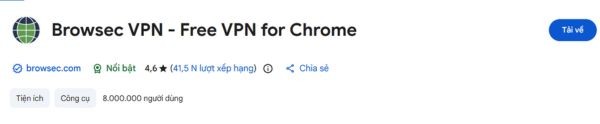
Instructions for registering for free Google AI Ultra + Youtube Premium
Switch VPN to US

Step 2: Access the utility package download link HERE. Then unzip it.
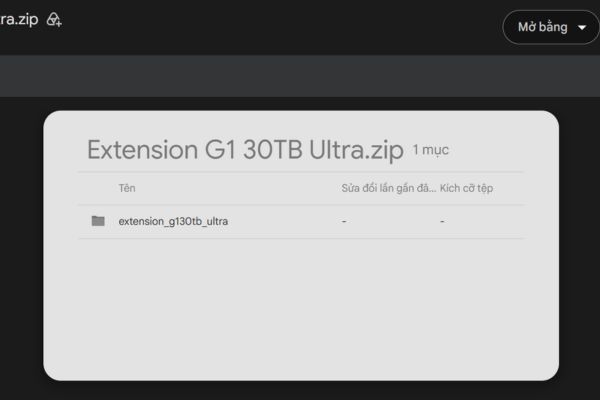
Download the utility package

Step 3: Enter chrome://extensions/ then turn it on Developer mode in the upper right corner.
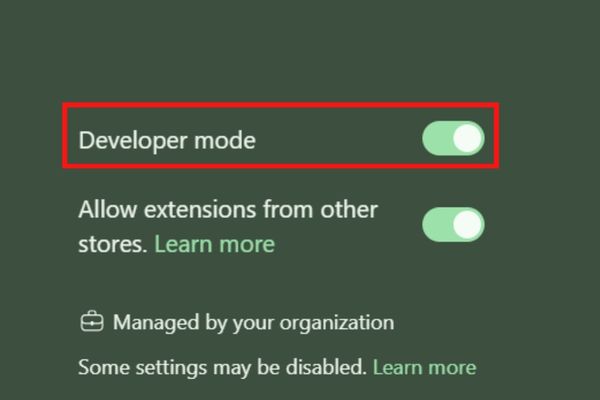
Turn on Developer mode

Press Load unpacked. Find the folder you just extracted.

Open the Extension G1 30TB Ultra folder and select the subfolder extension_g130tb_ultra.
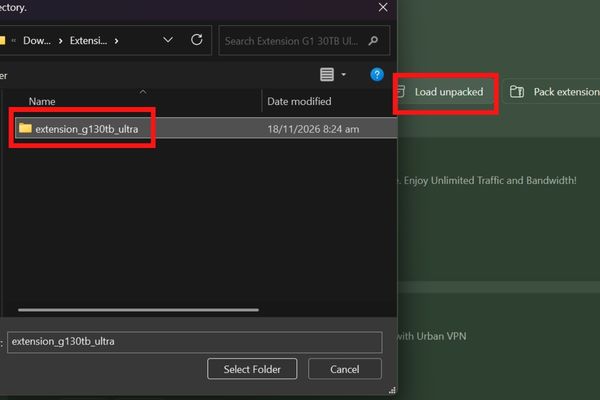
Select the extension_g130tb_ultra subfolder

Note this: You need to select a subfolder, not an external folder immediately to avoid Manifest errors.

After successfully adding the extension, open the Extensions section on the Chrome toolbar and select the newly installed extension. In the options panel, select item 12 as shown.
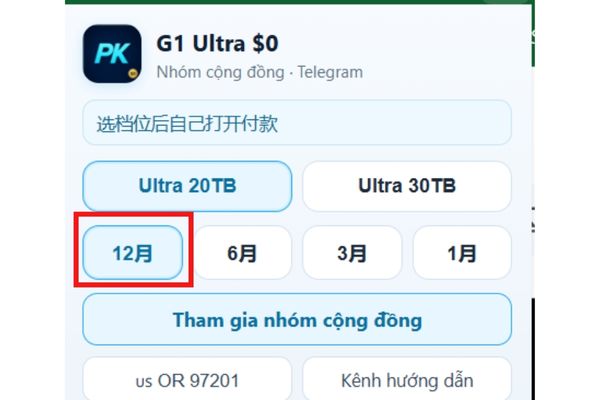
Select item 12 as shown

Step 3: Access Google One plans page. As soon as the page opens, look up at your profile picture in the upper right corner to check your account. If the email you want to register with is not correct, please switch to another account.

Then, press F5 to reload the page and wait for the content to fully display.
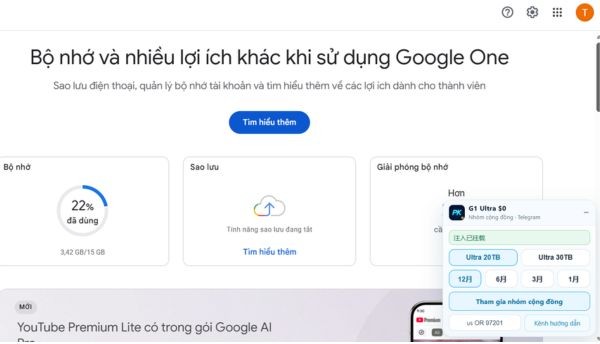
Tools are displayed at the bottom of the screen

Step 4: Scroll down and find the View storage plans section. Open the package list, then select Google AI Ultra.

You will now see the fee to pay today 0 USD. Check the package name and amount on the screen again, then press Register to continue.
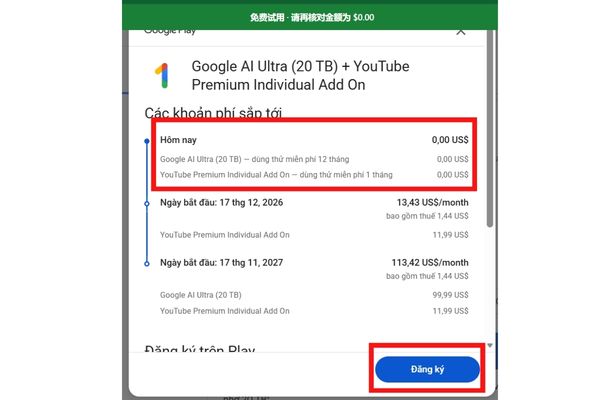
Check 0 USD then click Register

Step 5: When the payment form appears, add your VISA or Mastercard according to the required fields. You can consider virtual or low-balance cards to proactively manage your payment methods.

Step 6: At the ZIP Code, enter it 99950. Then wait for the system to process and display the results. That’s it! You have been upgraded to Google AI Ultra with 30TB capacity and one month YouTube Premium benefits.
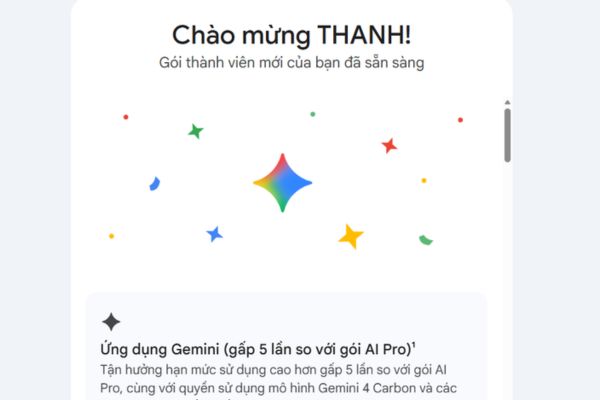
Instructions for registering for Google AI Ultra for free

Step 7: Open Google Play subscription management page. Find the package you just registered and select Managethen press Cancel subscription package to avoid automatic deduction of Youtube Premium money next month.
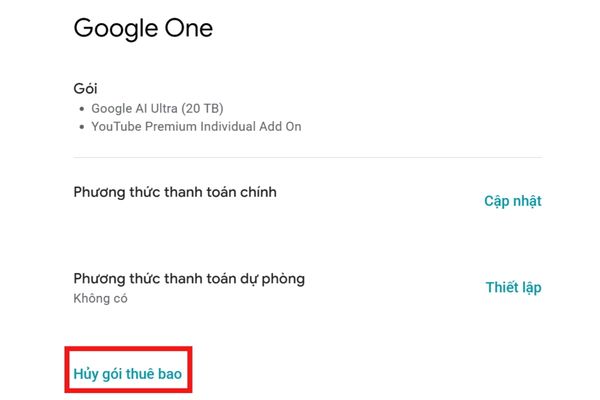
Cancel the subscription package to avoid being charged

Conclusion

Owning 30TB of storage and plans Google AI Ultra is free 1 year has never been easier, right? Take full advantage of the power of AI and this storage space, along with moments of complete relaxation with Youtube Premium. Wishing you guys success in your bidding!

Frequently Asked Questions (Q&A)

​1. What benefits does Google AI Ultra free include?

In this situation, the subscription includes 12 months, 30TB of storage, and one month of YouTube Premium.

​2. Chrome reports Manifest error, what should I check?

Please check the selected folder when clicking Load unpacked. You need to select the extension_g130tb_ultra subfolder, instead of the external folder.

​3. Where to cancel the subscription package after registering?

Visit the Google Play subscription management page, find the corresponding package, select it Manage then click Cancel subscription package.

Tags: freeGoogleInstructionsPremiumregisteringUltraYoutube
Previous Post

How to create a virtual Android phone with US IP for free forever

AnonyViet

AnonyViet

Related Posts

How to create a virtual Android phone with US IP for free forever
Tips

How to create a virtual Android phone with US IP for free forever

November 17, 2026
Instructions for buying a free .com domain name on Checkdomain
Tips

Instructions for buying a free .com domain name on Checkdomain

November 16, 2026
Test how well ChatGPT understands you with the box
Tips

Test how well ChatGPT understands you with the box

November 15, 2026
Grand Valley – Website to watch trains run, listen to relaxing lofi music
Tips

Grand Valley – Website to watch trains run, listen to relaxing lofi music

November 14, 2026
Instructions on how to turn off the blue dot on the MacBook screen
Tips

Instructions on how to turn off the blue dot on the MacBook screen

November 13, 2026
Instructions to follow the trend to fill the room with ChatGPT
Tips

Instructions to follow the trend to fill the room with ChatGPT

November 12, 2026
0 0 votes
Article Rating
Subscribe
Login
Notify of
guest

guest

0 Comments
Oldest
Newest Most Voted

Recent News

Instructions for registering for free Google AI Ultra + Youtube Premium

Instructions for registering for free Google AI Ultra + Youtube Premium

November 18, 2026
How to create a virtual Android phone with US IP for free forever

How to create a virtual Android phone with US IP for free forever

November 17, 2026
Instructions for buying a free .com domain name on Checkdomain

Instructions for buying a free .com domain name on Checkdomain

November 16, 2026
Instructions on how to restore Word files that were accidentally turned off without being saved

Instructions on how to restore Word files that were accidentally turned off without being saved

November 16, 2026
Instructions for registering for free Google AI Ultra + Youtube Premium

Instructions for registering for free Google AI Ultra + Youtube Premium

November 18, 2026
How to create a virtual Android phone with US IP for free forever

How to create a virtual Android phone with US IP for free forever

November 17, 2026
Instructions for buying a free .com domain name on Checkdomain

Instructions for buying a free .com domain name on Checkdomain

November 16, 2026
AnonyViet - English Version

AnonyViet

AnonyViet is a website share knowledge that you have never learned in school!

We are ready to welcome your comments, as well as your articles sent to AnonyViet.

Follow Us

Contact:

Email: anonyviet.com[@]gmail.com

Main Website: https://anonyviet.com

Recent News

Instructions for registering for free Google AI Ultra + Youtube Premium

Instructions for registering for free Google AI Ultra + Youtube Premium

November 18, 2026
How to create a virtual Android phone with US IP for free forever

How to create a virtual Android phone with US IP for free forever

November 17, 2026
  • Home
  • Home 2
  • Home 3
  • Home 4
  • Home 5
  • Home 6
  • Next Dest Page
  • Sample Page

say88 tỷ lệ kèo nhà cái kèo nhà cái 5 febet

No Result
View All Result
  • Home
  • News
  • Software
  • Knowledge
  • MMO
  • Tips
  • Security
  • Network
  • Office

say88 tỷ lệ kèo nhà cái kèo nhà cái 5 febet

wpDiscuz
0
0
Would love your thoughts, please comment.x
()
x
| Reply