• Home
  • News
  • Software
  • Knowledge
  • MMO
  • Tips
  • Security
  • Network
  • Office
AnonyViet - English Version
  • Home
  • News
  • Software
  • Knowledge
  • MMO
  • Tips
  • Security
  • Network
  • Office
No Result
View All Result
  • Home
  • News
  • Software
  • Knowledge
  • MMO
  • Tips
  • Security
  • Network
  • Office
No Result
View All Result
AnonyViet - English Version
No Result
View All Result

How to quickly design your own Logo without Photoshop

AnonyViet by AnonyViet
April 10, 2026
in Tips
0

In this era of technology 4.0 when businesses move to online business, what they need is a Logo. Logos represent their organization/company and each logo carries a unique meaning that only those with high enlightenment can comprehend. If you have no artistic skills, you can still quickly design your own Logo with your name.

📢 Join the channel Telegram belong to AnonyViet


👉 Go to Telegram AnonyViet

Update new articles, cool tools and IT tips fastest

To be able to make a Logo for you, instead of thinking about how to do it, I will guide you to make a logo quickly in just 30 seconds.

What is a logo?

A logo is a brand, symbol, symbol, etc. Used to identify a company, organization, product or brand. It can be in the form of an abstract or symbolic design, or it can be an image, text, shape, or a combination of all three.

How to design a Logo quickly without Photoshop

We will use a tool called Placeit. This is a tool that you can use to design your own logo in minutes. Highlights are: You don’t need any software or design knowledge to create your logo. All you need to do is add your brand name in the area that says “Enter your brand name.”

Instead of trying to come up with a design from scratch or spending tons of money hiring logo designers, you can simply use this tool to create one for your brand.

There are over 8,000 potential designs you can apply to your logo.

So next, let’s come to the exclusive quick Logo design that only you have.

First you access the website Placeit so you can proceed with creating a logo to your liking
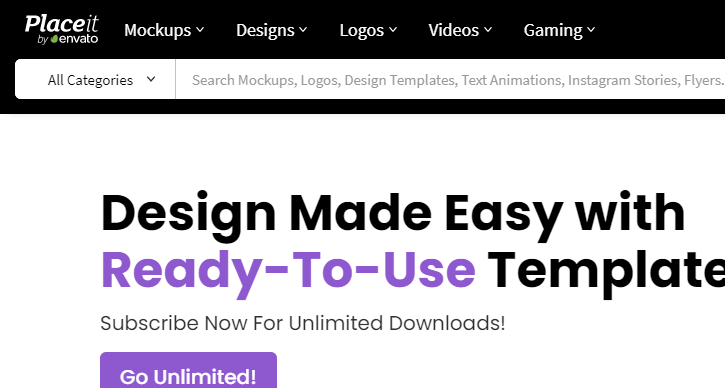
How to quickly design your own Logo without Photoshop

Then you enter Logos -> find and choose for yourself Logo Maker
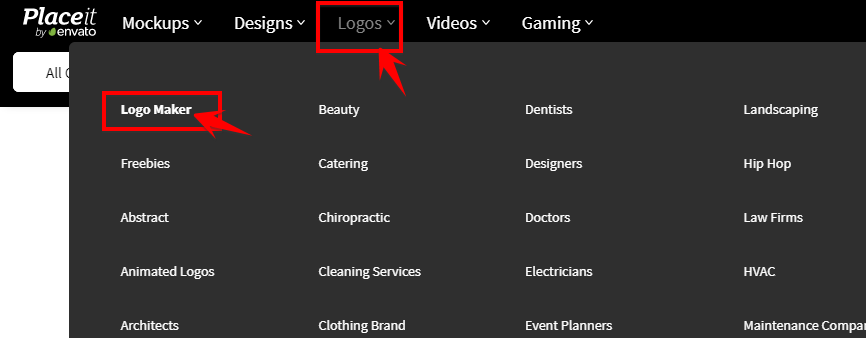
Logo Maker

Here you will enter your brand name, it can be an organization name or individual name, nickname or slogan that you like. This page will quickly design the Logo itself according to the data you provide.
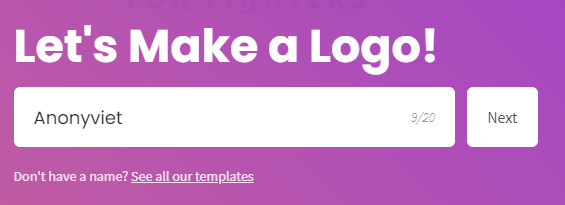
Enter brand name

Next, it will let you choose a Logo according to an industry or field you are working in. The website will have templates suitable for the industry you choose, avoiding selling cars but creating a logo selling clothes.
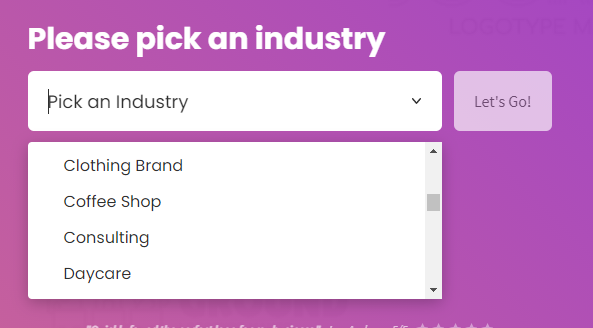
Choose a Logo according to an industry

Because AnonyViet is a technology site, I will choose Technology.
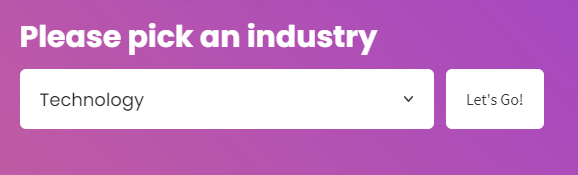
create logo quickly online

Wait a moment, the website will create many Logo templates for you, choose the Logo you like best from the list below.

Choose a logo template

You can change the colors and adjust the patterns according to the Logo’s available templates in the right and left bars.

Quickly edit logo design online

After completing editing, just click Download to download the logo and use it.
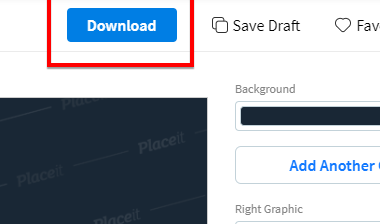
Download the designed logo

Summary

So I’ve guided you to quickly design a logo without having to think about designs, color mixing… Here’s how to create the fastest and most beautiful instant noodle logo I’ve ever known. Hope you will find a logo you love.

Frequently asked questions

Do I need design skills to use Placeit?

No need! Placeit is designed so that users with no design experience can create professional logos in just minutes.

How many logo designs does Placeit offer?

There are over 8,000 potential designs for you to choose from and customize.

Can I customize the logo after it is created?

Yes, you can customize the colors, textures, and other elements of your logo based on templates available on Placeit.

Previous Post

JOPDF: Versatile PDF editing software for Windows and Mac

Next Post

4 ways to protect private photos on Mac to help you avoid information leaks

AnonyViet

AnonyViet

Related Posts

How to change the default font on Windows 10
Tips

How to change the default font on Windows 10

April 13, 2026
5 tips for using a Browser to replace an App (helps save RAM, time and money)
Tips

5 tips for using a Browser to replace an App (helps save RAM, time and money)

April 13, 2026
How to make funny MeMe photos without Photoshop within 10 seconds
Tips

How to make funny MeMe photos without Photoshop within 10 seconds

April 11, 2026
How to convert Website into App on Windows
Tips

How to convert Website into App on Windows

April 9, 2026
Instructions for getting 3 months of Adobe Express Pro for free
Tips

Instructions for getting 3 months of Adobe Express Pro for free

April 9, 2026
How to Copy multiple times without overwriting old data on Windows 10
Tips

How to Copy multiple times without overwriting old data on Windows 10

April 8, 2026
Next Post
4 ways to protect private photos on Mac to help you avoid information leaks

4 ways to protect private photos on Mac to help you avoid information leaks

0 0 votes
Article Rating
Subscribe
Login
Notify of
guest

guest

0 Comments
Oldest
Newest Most Voted
Inline Feedbacks
View all comments

Recent News

How to avoid Adblock detection on Youtube with 4 good tips

How to avoid Adblock detection on Youtube with 4 good tips

April 17, 2026
How to transfer ChatGPT data to Claude is extremely simple

How to transfer ChatGPT data to Claude is extremely simple

April 16, 2026
How to authenticate the owner’s SIM on VNeID from April 15

How to authenticate the owner’s SIM on VNeID from April 15

April 15, 2026
Speak Cells: Excel tool to read spreadsheets by voice very well

Speak Cells: Excel tool to read spreadsheets by voice very well

April 15, 2026
How to avoid Adblock detection on Youtube with 4 good tips

How to avoid Adblock detection on Youtube with 4 good tips

April 17, 2026
How to transfer ChatGPT data to Claude is extremely simple

How to transfer ChatGPT data to Claude is extremely simple

April 16, 2026
How to authenticate the owner’s SIM on VNeID from April 15

How to authenticate the owner’s SIM on VNeID from April 15

April 15, 2026
AnonyViet - English Version

AnonyViet

AnonyViet is a website share knowledge that you have never learned in school!

We are ready to welcome your comments, as well as your articles sent to AnonyViet.

Follow Us

Contact:

Email: anonyviet.com[@]gmail.com

Main Website: https://anonyviet.com

Recent News

How to avoid Adblock detection on Youtube with 4 good tips

How to avoid Adblock detection on Youtube with 4 good tips

April 17, 2026
How to transfer ChatGPT data to Claude is extremely simple

How to transfer ChatGPT data to Claude is extremely simple

April 16, 2026
No Result
View All Result
  • Home
  • News
  • Software
  • Knowledge
  • MMO
  • Tips
  • Security
  • Network
  • Office

wpDiscuz
0
0
Would love your thoughts, please comment.x
()
x
| Reply