During the June 24 event, Microsoft announced that Windows 11 will require a TPM (Trusted Platform Module) chip to operate. This is a significant hardware change that has been years in the making, but the way Microsoft announced it has left many people wondering whether their hardware is compatible with Windows or not. What is TPM and why do you need TPM to install Windows 11?
📢 Join the channel Telegram belong to AnonyViet
Update new articles, cool tools and IT tips fastest
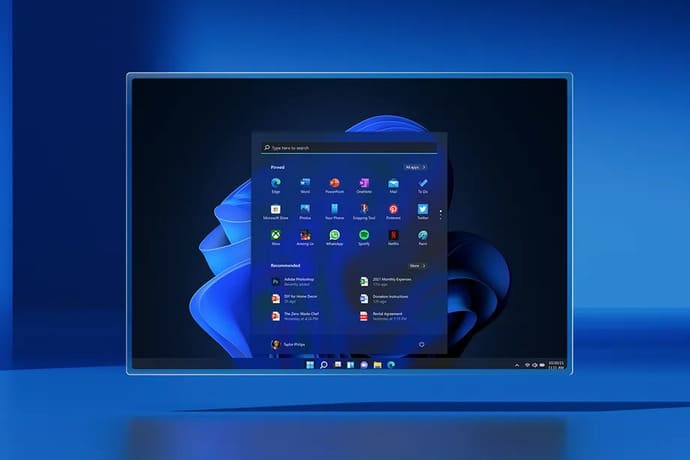
Why Windows 11 forces everyone to use TPM 2.0 chip
“Trusted Platform Modules (TPM) is a chip that is built into a PC’s motherboard or added separately to the CPU,” explains David Weston, director of enterprise security and operating systems at Microsoft. “Its purpose is to protect encryption keys, user credentials, and other sensitive data behind hardware barriers so that malware and attackers cannot access or tamper with that data.”
TPM works by providing protection at the hardware level instead of just software. It can be used to encrypt hard drives using Windows features like BitLocker or to prevent dictionary attacks on passwords. TPM 1.2 chips have existed since 2011, but they were generally only widely used in desktops and laptops managed by IT businesses. Microsoft wants to bring the highest level of protection to everyone who uses Windows, even if it’s not always perfect.
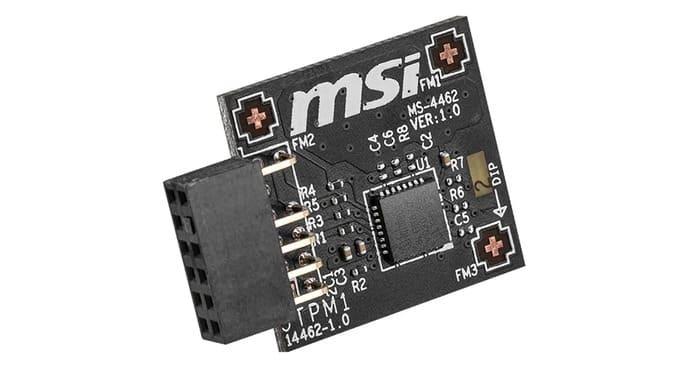
Over the past several months, Microsoft has continuously warned about the increase in firmware attacks. “Microsoft’s own security report shows that 83% of businesses experience firmware attacks, but only 29% of resources are allocated to protecting this critical layer of security,” said Weston.
That 83% number sounds huge, but when you consider phishing attacks, ransomware, and the various IoT vulnerabilities that exist, the scope of the attacks becomes much clearer. Ransomware attacks are in the news every day and ransomware is increasing, so this is a difficult problem to solve. So TPM will certainly help defend against some of these attacks, but Microsoft is combining modern CPUs, Secure Boot, and virtualization protection to fight ransomware.
Microsoft is trying to do its part, especially since Windows is the platform most often affected by these attacks. Windows is widely used by businesses around the world and there are more than 1.3 billion Windows 10 machines in use today. Microsoft software is at the core of global attacks, such as the Russian SolarWinds hack and the Hafnium hack on Microsoft Exchange Server. And while Microsoft is not responsible for customers updating their software, they are trying to be more proactive in protecting users.
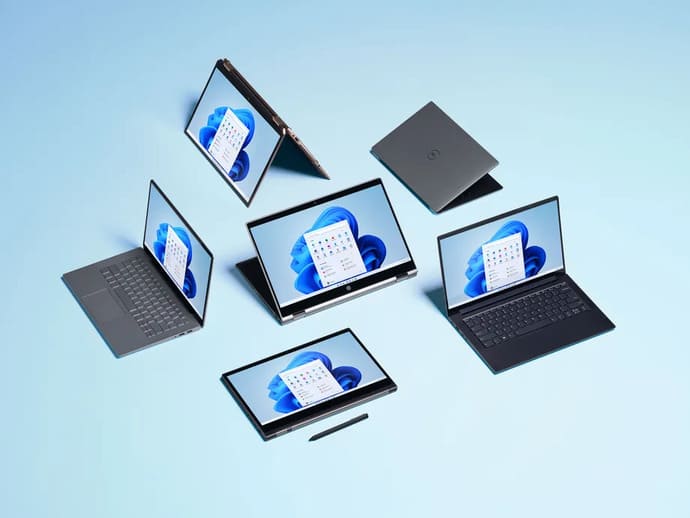
Microsoft is struggling to develop Windows in both hardware and software. Although Microsoft has required OEMs to offer devices that support TPM chips since the Windows 10 era, the company has not required users or many of its device partners to enable these chips for Windows to work. So this caused a lot of confusion among users when Microsoft announced the minimum configuration for Windows 11 combined with Microsoft’s Windows 11 upgrade checker.
Microsoft’s Windows 11 website lists minimum system requirements, with compatible CPUs, and explicitly mentions that the system must have TPM 2.0 at minimum. Microsoft also requires users to download PC Health Check software to check whether their computer can run Windows 11 or not.
| Minimum system requirements | |
| Processor | 1 gigahertz (GHz) or faster with 2 or more coresCompatible 64-bit processor or System on Chip (SoC) |
| RAM | RAM 4 GB |
| Storage | 64 GB or larger storage device |
| System software | UEFI, capable of secure boot |
| TPM | Trusted Platform Module (TPM) version 2.0 |
| Graphics card | DirectX 12 / WDDM 2.x compatible graphics |
| Screen | > 9” with HD resolution (720p) |
| Internet connection | A Microsoft account and Internet connection are required to set up Windows 11 Home |
This causes many users to try to find out if their device supports TPM or not, and people even rush to buy unnecessary TPM chips. Causes TPM chips to increase in price by 3 to 4 times normal.
Thanks to Windows 11, people are scalping TPM2.0 modules as well now.
$24.90 ➡ $99.90 in just 12 hours pic.twitter.com/9TTHC2c47w
— Shen Ye (@shen) June 25, 2021
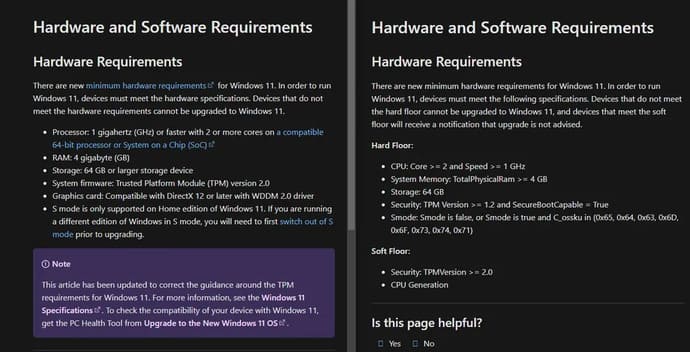
Making users even more confused is that Microsoft also has another website with different content than the above website. Originally, Microsoft’s minimum requirements were TPM 1.2 and a 64-bit dual-core CPU of 1GHz or higher, but this page changes the content to TPM 2.0 and lists compatible CPUs. It also means that any generation before Intel 8th and AMD Ryzen 2000 will not work.
I’m still waiting for clear confirmation from Microsoft about CPU requirements, but a representative confirmed that TPM 2.0 will be required and that the initial information on that page was wrong. “The above documentation page was corrupted and has been corrected,” an MS representative told The Verge.
If you qualify for Windows 11 but Microsoft’s test results are the opposite, it’s likely that the tool is faulty. Unless your CPU is very old, it probably already has built-in TPM 2.0 support.
If you are having problems with the PC Health software, make sure you have enabled “PTT” on Intel systems in the BIOS or “PSP fTPM” on AMD. PC Health software will also show more specifically why your PC cannot be upgraded to Windows 11.
What Microsoft is trying to do will benefit the Windows ecosystem in the coming years, along with their new efforts at Xbox-like security on Windows. So, I think this will be a new era of Windows. Alternatively, you can download Windows 11 here.
Frequently asked questions
What is TPM 2.0 and why is it necessary for Windows 11?
TPM 2.0 (Trusted Platform Module) is a security chip integrated into the motherboard or CPU. It helps protect sensitive data like passwords and encryption keys from malware and attacks. Windows 11 requires TPM 2.0 for enhanced system security.
How do I know if my computer has TPM 2.0?
You can check with Microsoft’s PC Health Check tool or access your computer’s BIOS/UEFI to search for information about TPM. If your computer supports TPM 2.0 but PC Health Check says it doesn’t, check to see if TPM is enabled in BIOS/UEFI (for example, enable PTT on Intel or PSP fTPM on AMD).
What if my computer doesn’t have TPM 2.0?
If your computer does not have TPM 2.0, you will not be able to install Windows 11. However, you can still continue using Windows 10.