Smart Game Booster VIP brings extremely powerful hardware optimization solutions with just a simple mouse click. Instead of having to manually turn off each application running in the background, the software will automatically free up RAM and overclock the graphics card to push FPS to the maximum level. Thanks to that, computers with moderate configuration can still play heavy games smoothly without worrying about lag.
📢 Join the channel Telegram belong to AnonyViet
Update new articles, cool tools and IT tips fastest
Introducing Smart Game Booster
For those who are passionate about playing games on PC, the computer lags FPSlag or high ping is always a terrifying obsession. To completely solve this problem, a system optimization tool was born and quickly won the hearts of the gaming community. Basically, this is a utility software specifically designed to clean up junk, tweak the system, and increase network connection speed.
Instead of having to manually turn off each application running in the background or fumbling around editing complex network settings, you just need to entrust everything to this software. It will automatically clean up resources and optimize the gaming environment to bring you the smoothest, most stable and safe experience. The software interface has also been completely redesigned, with a strong e-sports style, extremely intuitive and easy to use even for those who are not tech-savvy.
Features of Smart Game Booster VIP
It is no coincidence that this software is considered a “must-have” tool for every gamer. Below are the core features that make its name.
Overcome network barriers and reduce ping
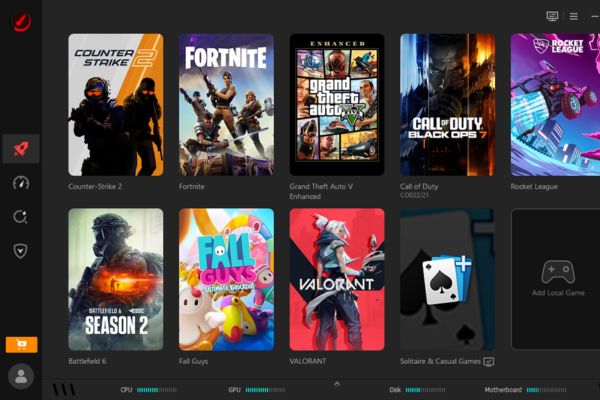
Surely you have ever been annoyed because while in combat, the character stopped dead due to death. Thanks to that, features Network Acceleration Completely new has been integrated to save you. With a system of more than 500 dedicated servers located in many countries, the software helps you easily overcome network barriers and regional restrictions.
Therefore, you can freely interact and compete with gamers around the world without worrying about geographical barriers. Game-specific lines will help minimize latency (ping), limit packet loss and especially avoid network congestion during peak evening hours. The list of games that support acceleration is also continuously updated via the cloud system.
Overclock your hardware and free up resources
Sometimes your computer still has hidden potential that hasn’t been fully exploited. When activating Smart Game Booster VIP, feature Super Boost will intervene and overclock the graphics card (GPU) and video memory (VRAM), helping push PC performance up to 30%. Thanks to that, the images in the game will be sharper and the frames will be much smoother, even with heavy games.
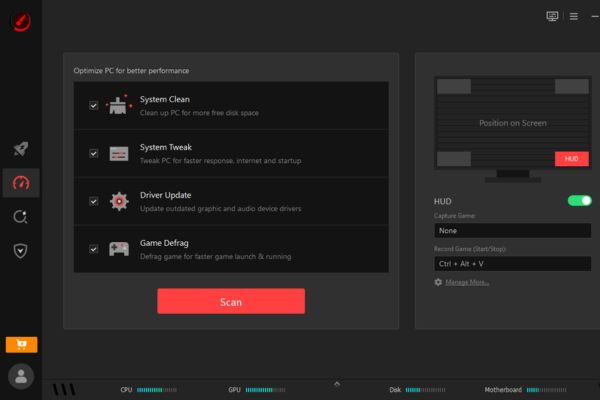
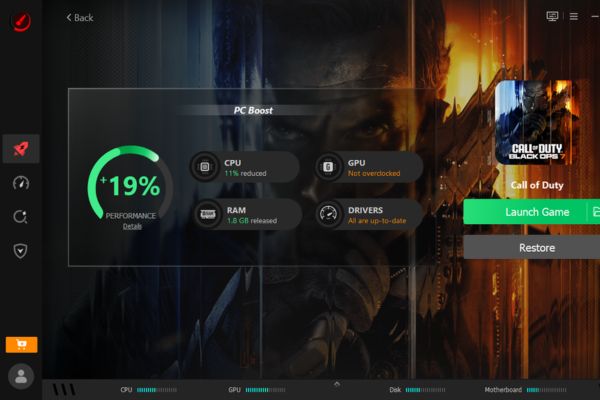
Besides, features PC Boost allows you to clean your system with just one mouse click. It will automatically turn off unnecessary background services and applications, returning free space to CPU and RAM. Instead of struggling to open Task Manager, now Auto Boost will automatically detect when you open the game and immediately activate the most optimal gaming mode. The software also comes with extremely convenient junk cleaning, driver updating and game defragmentation tools.
Check game compatibility super fast
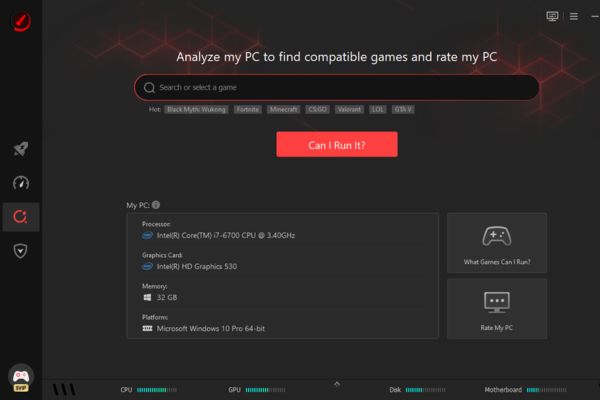
You see a new game with great graphics but don’t know if your computer can download it? Don’t worry, feature “Can I Run It” has been completely upgraded. With a huge data warehouse containing more than 160,000 game titles, 3,000 graphics card models and 9,000 CPU models, the software will quickly scan your computer configuration. Then, it will compare and let you know exactly whether your device can play that game smoothly or not, helping you save time downloading useless games.
Temperature monitoring and safety protection
Playing games for a long time can easily cause your computer to overheat, reducing component life. Hence, the feature Real-time Monitor will continuously monitor hardware temperature and resource usage in real time. If the machine overheats, it will send a warning immediately.
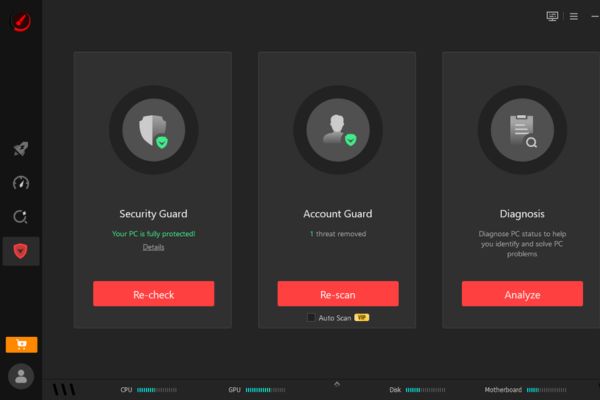
At the same time, features Monitor Tune helps you quickly switch screen display modes (such as Game Mode, Movie Mode) in just a few seconds. Finally, the system Guard will diagnose your PC’s health, creating a solid shield that protects your game accounts and digital assets from security risks.
Instructions to receive Smart Game Booster VIP for free
Currently, the publisher is having a program to thank users with gifts of 6 months Use the premium version completely for free. However, this program is limited to only 200 activations The first and activation deadline is August 1, 2026.
To upgrade your account to Smart Game Booster VIP, you just need to follow the extremely simple steps below:
Step 1: Access the promotional link Smart Game Booster.
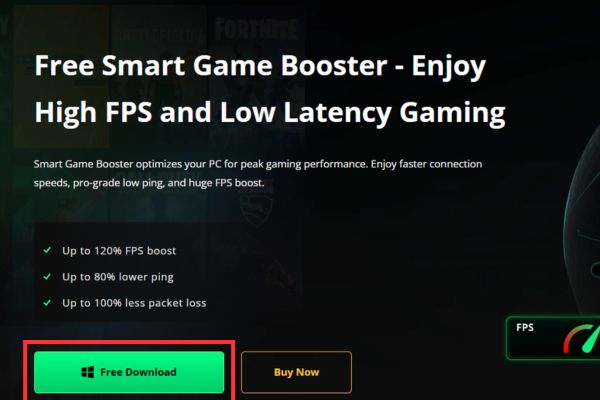
Step 2: Click the button Free Downloads on the screen to download the software installer to your computer.
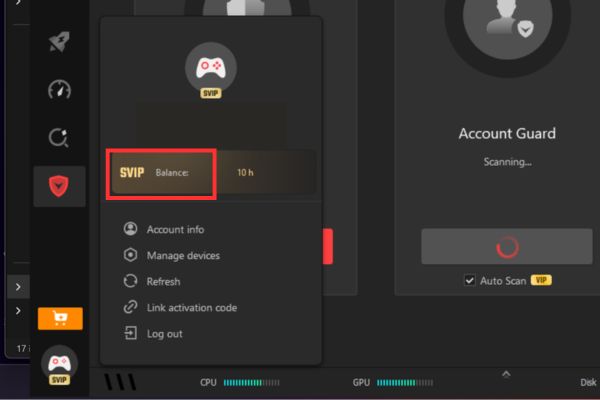
Step 3: After the installation process is complete, open the software. Click the account icon located in the bottom left corner of the screen, then select sign in with your Google account.
Immediately after successfully logging in, the system will automatically recognize and upgrade your account to status VIP. Now you can fully enjoy all the most advanced features!
Frequently Asked Questions (Q&A)
1. Is there any limit to the Smart Game Booster VIP copyright giveaway program?
This program gives you 6 months of free use, but only applies to the first 200 people to activate. You should try to do it early!
2. Will Super Boost damage my graphics card?
Not at all. The software is designed to overclock within the safety threshold allowed by the manufacturer. It helps increase performance up to 30% but still ensures the hardware operates stably and does not cause short circuits.
3. Does this software turn on automatically when I play a game?
Yes, thanks to the Auto Boost feature, the software will automatically recognize when you launch any game. After that, it will automatically clean up RAM and switch the device to Gaming Mode without you having to operate it manually.