• Home
  • News
  • Software
  • Knowledge
  • MMO
  • Tips
  • Security
  • Network
  • Office
AnonyViet - English Version
  • Home
  • News
  • Software
  • Knowledge
  • MMO
  • Tips
  • Security
  • Network
  • Office
No Result
View All Result
  • Home
  • News
  • Software
  • Knowledge
  • MMO
  • Tips
  • Security
  • Network
  • Office
No Result
View All Result
AnonyViet - English Version
No Result
View All Result

Use all AI Chatbots in just 1 Tool with MaxAI.me

AnonyViet by AnonyViet
October 21, 2023
in Software
0

Are you looking for a tool that helps you use artificial intelligence (AI) quickly and easily on any website? Want to leverage the power of ChatGPT, Bard, Bing AI, and Claude to solve everyday tasks? If the answer is yes, then you have come to the right place. Let AnonyViet introduce it to you MaxAI.me – a great Chrome app that lets you conveniently use AI anywhere.

Join the channel Telegram belong to AnonyViet 👉 Link 👈

What is MaxAI.me?

MaxAI.me is a Chrome extension developed by MaxAI – a company specializing in artificial intelligence and chatbots. MaxAI.me lets you use ChatGPT artificial intelligence anywhere on the web, including local PDF files.
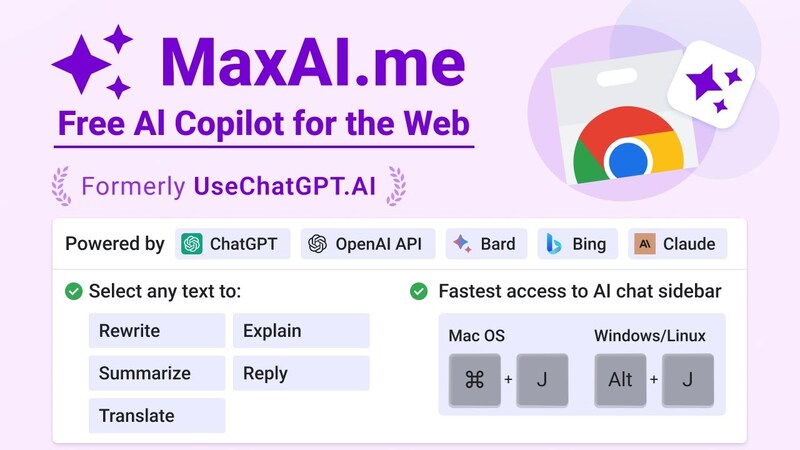
MaxAI.me
MaxAI.me is an extension

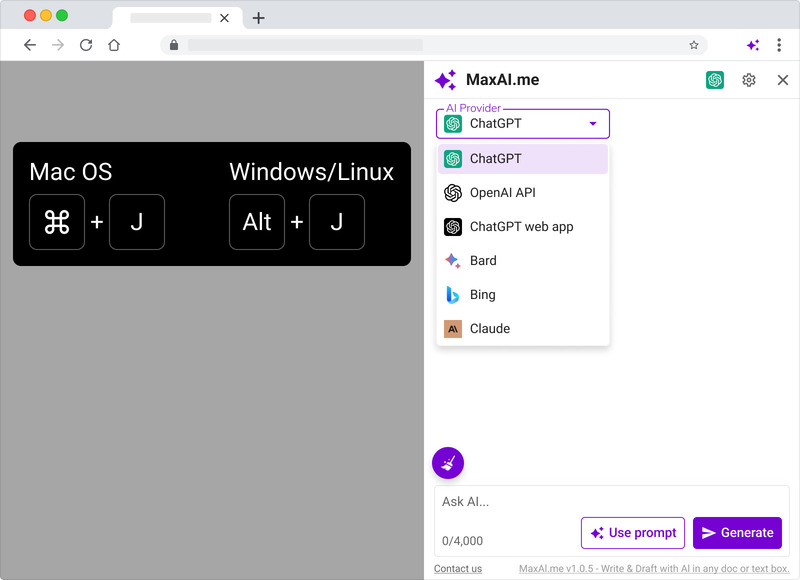
You just need to press ⌘/Alt+J to open the chat bar with artificial intelligence in the right corner of the screen and enter your request into the chat box. You will receive results from AI in seconds.

You can chat with AI to ask anything, compose with AI any text or document, and reply to any text in seconds. MaxAI.me supports all languages ​​and respects user privacy.

How to install MaxAI.me

Step 1: Visit the page MaxAI.me

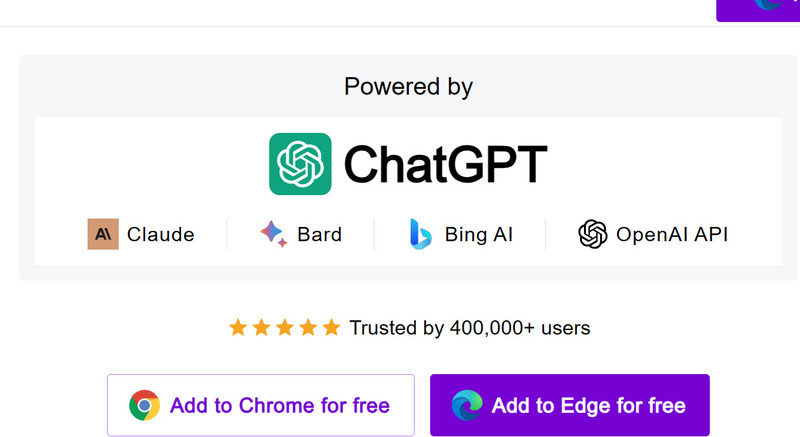
Step 2: Click “Add to Chrome” or “Add to Edge” depending on the browser you are using.
MaxAI.me
Click “Add to Chrome” or “Add to Edge”

Step 3: Click “Download”

MaxAI.me
Click “Download”

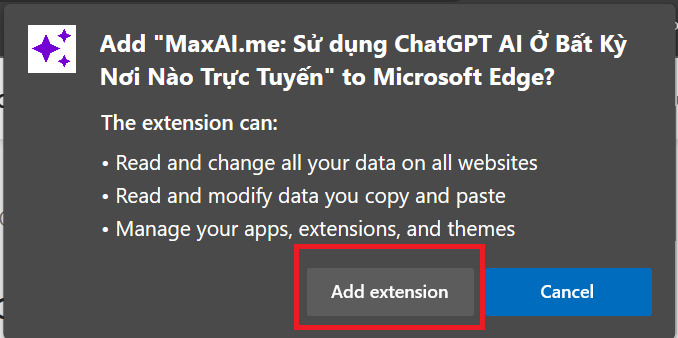
Step 4: Select “Add to extension”
MaxAI.me
Select “Add to extension”

Step 5: Log in to your account using Google or Mail

MaxAI.me
Log in to your account using Google or Mail

How to use MaxAI.me

To quickly summon MaxAI.me, press ⌘/Alt+J anywhere to open the chat bar in the right corner of the screen.

Then, you just need to enter the request into the chat box and receive results from AI tools (ChatGPT, Bing, Claude, Bard)
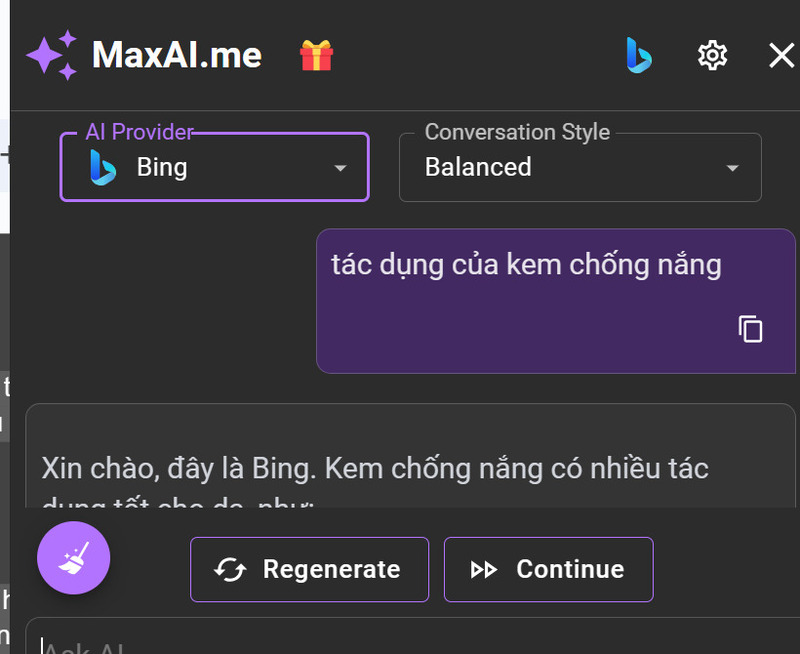
MaxAI.me
Enter your request in the chat box

In addition, you can highlight any text, right-click and select the desired function.
MaxAI.me
Highlight any text, right-click and select function

MaxAI.me can help you:

  • Write content as required
  • Improve articles
  • Text summary
  • Text explanation
  • Translation
MaxAI.me
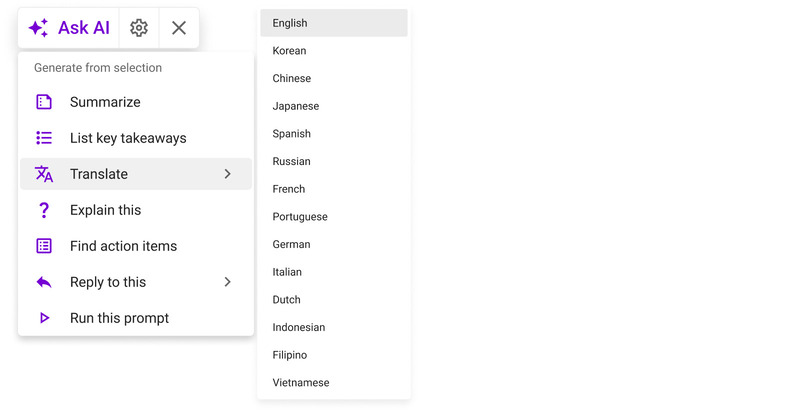
Translation function

Please watch the following video to better visualize the benefits that MaxAI.me brings:

What AI tools does MaxAI.me have?

MaxAI.me supports today’s leading AI vendors, including:

  • ChatGPT
  • Google Bard
  • Bing AI
  • Claude

Benefits of MaxAI.me

When using MaxAI.me, you will get many of the following benefits:

Save time and effort

You don’t have to spend a lot of time writing, editing, proofreading, formatting or searching for content. Just enter your request and let the AI ​​do it for you.

Increase efficiency and quality of articles

With the help of AI, you will get articles that are natural, attractive, rich and accurate. You can also adjust the results to your liking, for example changing the length, difficulty, creativity or expertise of the article.

Harness the potential of today’s leading AI models

You will have the opportunity to experience and use the most advanced AI technologies, developed by large companies such as Google, Microsoft or OpenAI. You can also choose an AI provider that suits your needs and purposes.

Use anywhere on the web, including PDF files.

You don’t need to open separate apps or websites to use AI. You just need to open the MaxAI.me extension and chat with artificial intelligence wherever you want.

Supports all languages

You can use AI to generate content in any language you want. You also don’t need to worry about your personal information or content being exposed. MaxAI.me does not store or share any of your data.

Epilogue

That’s what you need to know about MaxAI.me – an extension that helps you use ChatGPT, Claude,… anywhere on the web. How do you like this utility? Let’s share below in the comments section!


Rate this post

Tags: ChatbotsMaxAI.metool
Previous Post

How to post Pictures and Videos to Facebook without blurring or losing quality

Next Post

8 completely new changes on YouTube – What’s special?

AnonyViet

AnonyViet

Related Posts

Christmas Advent Calendar Giveaway: Daily software hunt worth ,095
Software

Christmas Advent Calendar Giveaway: Daily software hunt worth $1,095

December 4, 2025
How to update residential address on VNeID, avoid fines from December 15
Software

How to update residential address on VNeID, avoid fines from December 15

December 3, 2025
AOMEI Christmas Carnival Giveaway 2025: Receive 21 free copyrighted software
Software

AOMEI Christmas Carnival Giveaway 2025: Receive 21 free copyrighted software

November 29, 2025
Instructions for editing photos on Google Photos by voice
Software

Instructions for editing photos on Google Photos by voice

November 23, 2025
Instructions for sending a help signal using Zalo when stuck in a flood area
Software

Instructions for sending a help signal using Zalo when stuck in a flood area

November 22, 2025
Quickly “unbox” iPhone 17 Pro Max
Software

Quickly “unbox” iPhone 17 Pro Max

November 21, 2025
Next Post
8 completely new changes on YouTube – What’s special?

8 completely new changes on YouTube - What's special?

0 0 votes
Article Rating
Subscribe
Login
Notify of
guest

guest

0 Comments
Oldest
Newest Most Voted
Inline Feedbacks
View all comments

Recent News

How to create Mind Map and Flowchart using ChatGPT is super simple

How to create Mind Map and Flowchart using ChatGPT is super simple

December 7, 2025
Free Gemini Google certification exam guide and Answers

Free Gemini Google certification exam guide and Answers

December 6, 2025
How to write Shell Script in Linux/Unix

How to write Shell Script in Linux/Unix

December 6, 2025
How to completely uninstall WSL on Windows 11?

How to completely uninstall WSL on Windows 11?

December 6, 2025
How to create Mind Map and Flowchart using ChatGPT is super simple

How to create Mind Map and Flowchart using ChatGPT is super simple

December 7, 2025
Free Gemini Google certification exam guide and Answers

Free Gemini Google certification exam guide and Answers

December 6, 2025
How to write Shell Script in Linux/Unix

How to write Shell Script in Linux/Unix

December 6, 2025
AnonyViet - English Version

AnonyViet

AnonyViet is a website share knowledge that you have never learned in school!

We are ready to welcome your comments, as well as your articles sent to AnonyViet.

Follow Us

Contact:

Email: anonyviet.com[@]gmail.com

Main Website: https://anonyviet.com

Recent News

How to create Mind Map and Flowchart using ChatGPT is super simple

How to create Mind Map and Flowchart using ChatGPT is super simple

December 7, 2025
Free Gemini Google certification exam guide and Answers

Free Gemini Google certification exam guide and Answers

December 6, 2025
  • Home
  • Home 2
  • Home 3
  • Home 4
  • Home 5
  • Home 6
  • Next Dest Page
  • Sample Page

trang chủ f168 nhà cái 78win https://www.qq8827.com/

No Result
View All Result
  • Home
  • News
  • Software
  • Knowledge
  • MMO
  • Tips
  • Security
  • Network
  • Office

trang chủ f168 nhà cái 78win https://www.qq8827.com/

wpDiscuz
0
0
Would love your thoughts, please comment.x
()
x
| Reply