Have you ever surfed Instagram and admired the personal pages with seamless images, forming an impressive large picture? Or do you want to post a super long Panorama photo on social networks without wanting it to be shrunk? That is the time App cut photos into many small photos Become a savior.
| Join the channel Telegram belong to Anonyviet 👉 Link 👈 |
Why should you try cutting an image into many parts?
The division of a single photo into pieces is not just a trend. It brings practical and inspiring benefits that you may never think of:
Create a mark on social networks
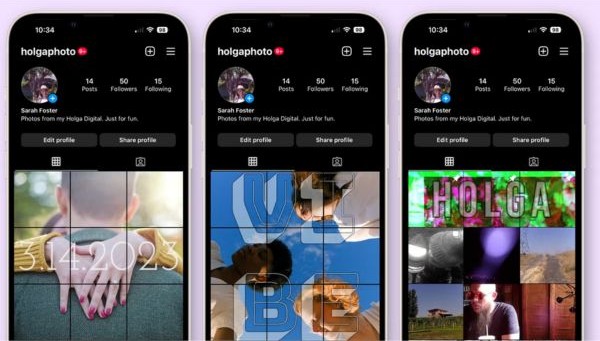
Instead of posting a monotonous photo, you can create a “Grid Photo” art. Instagrammaking your personal page stand out and more professional.
Storytelling with pictures
Each piece is part of the story. You can lead viewers to gradually explore the overall photo, create curiosity and increase interaction.
High quality printing
Do you want a large wall picture? Divide the original image into parts, print each partially and pair them. This way to ensure sharp image quality to every detail.
Video applications and presentations
The individual pieces of photos can be used to create a unique animation effect in the keynote or iMovie, making your presentation or video more vivid.
Whether you are using iPhoneiPad or computer, always have great solutions for you to implement your ideas.
Website sharing online photos
If you don’t want to install any additional applications, online websites are the perfect choice. The way is very simple: upload the image, select the number of goods and the column you want to divide, then the website will process and allow you to download a Zip file containing all small images.
Safeimagekit: The tool allows you to divide a picture into thousands of pieces and download it with just one click.
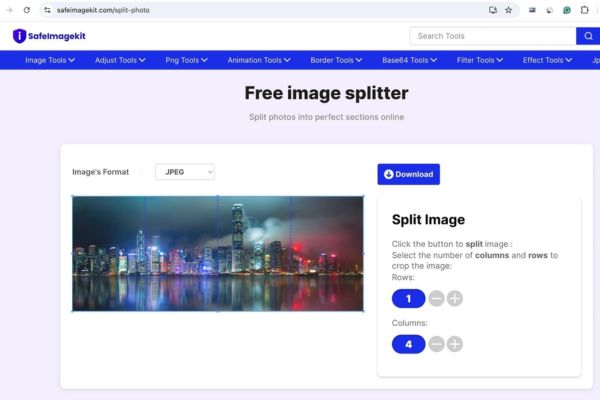
Imagy: Similar to Safeimagekit, Imagy also prioritizes privacy when handling local photos. You can optional to cut photos horizontally, vertically, or both flexibly.
Imgonline: A “giant” in the online photo editing village. Imgonline offers countless tools, supports multiple image formats (TIFF, BMP, GIF) and has deep custom options for you to cut the image accurately.
Pinetools: In addition to downloading Zip file, Pinetools also allows you to save each piece. However, a small drawback is that the interface does not show the cuts when you adjust.
Use shortcuts on iPhone to divide photos
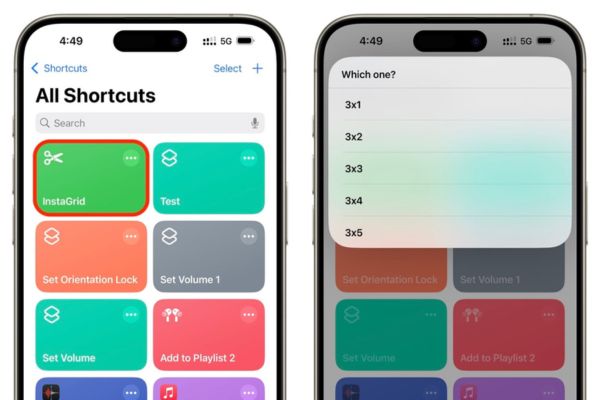
For users of Apple ecosystem, application Shortcut (Shortcuts) is a treasure. Shortcut Instagrid Can help you divide the image in layouts from 3 × 1 to 3 × 5. After adding shortcuts, you just need to run it, select the image and select the desired ratio. Small images will be automatically saved to the photo application. The only minus point is that it does not display the preview of the cuts.
The photo -cutting apps into many small photos on iPhone and iPad
The convenience and visual interface are the strengths of the original applications. Most come with additional features such as filters, border frames, and many different cutting rates.
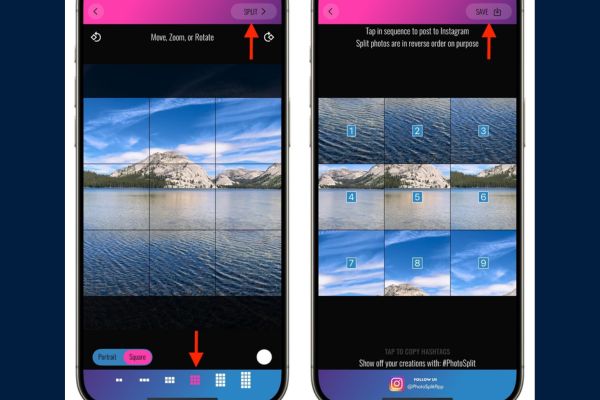
Photosplit: Although simple but extremely effective. Photosplit’s “money” point is that it saves pieces of photos in the order, helping you post on Instagram easily without fear of being in the wrong order.
Perfectcrop: “Chan Ai” for those who want to cut photos vertically. This application allows you to divide a picture into a maximum of 10 vertical strips evenly, perfect to create a unique effect.
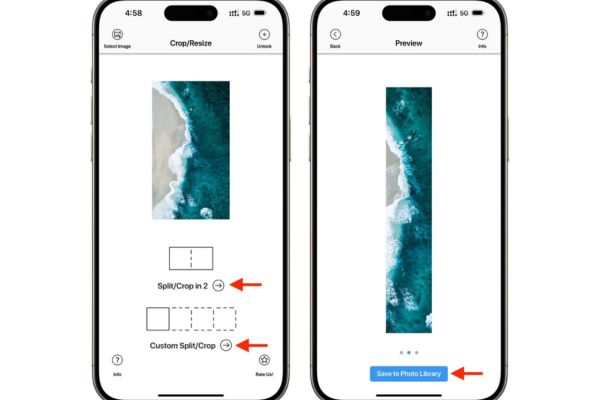
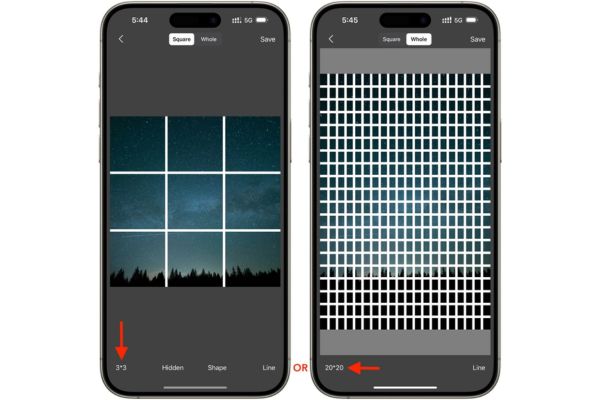
Picsplit: If you want to challenge the limit, Picsplit can divide a picture into a 20 × 20 net, ie 400 micro pieces! However, to produce photos without logo, you will need to view ads or upgrade to the paid version.
Mixoo: One of the best applications if you only need popular layouts. Mixoo provides pre -cut samples for 3, 6, 9, or 12 photos. This simplicity is also a drawback because you cannot customize the layout as you like.
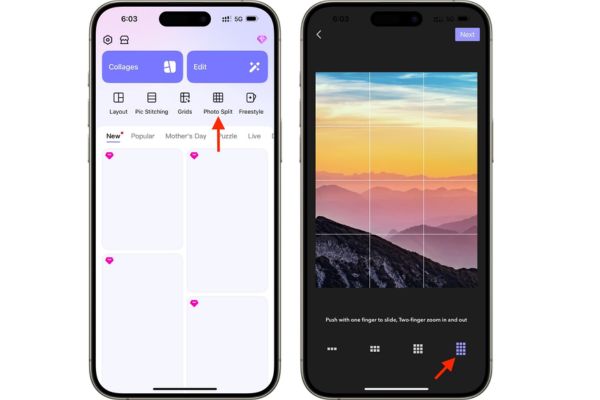
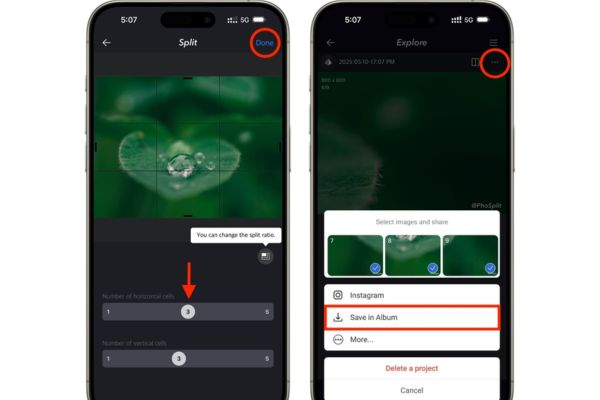
Phosplit: This application allows you to divide the image into a maximum of 5 × 5 (25 pieces) and provide many common frame ratios (1: 1, 9:16, 16: 9, …). The free version will have a small logo in the corner, you need to register to remove it.
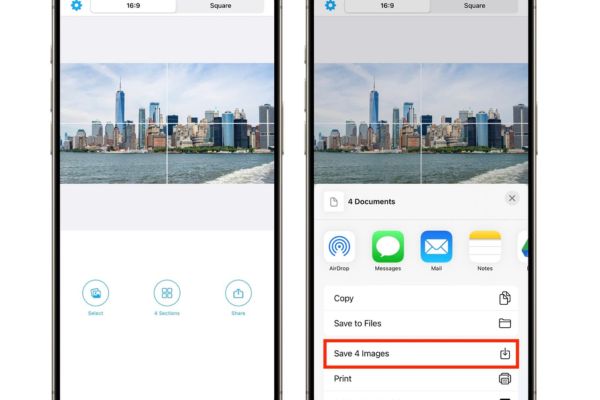
Four Cropper: The name says it all. This is the perfect application to divide the landscape photos into 2, 3, or 4 parts to post to x (Twitter), ensuring the most beautiful display image on the time line.
Conclusion
Now, turning a single picture into a multi -piece art work is no longer complicated. From convenient websites, smart shortcuts to these App cut photos into many small photos Specialized, you have countless options at hand.