TikTok application is becoming more and more popular and more and more people have a need to use it. Users, including you, are free to upload, edit and share creative videos through the app. Or if you are a passive user, TikTok can be used to find the latest and hottest content.
| Join the channel Telegram of the AnonyViet 👉 Link 👈 |
The Tik Tok app itself has a friendly sharing feature just like other social media. However, the downloaded video contains a copyright watermark or a TikTok tone icon. Furthermore, TikTok does not support the direct audio download feature.
Therefore, for those of you who want save tik tok video without the copyright watermark or just download its audio, you must use an all-in-one downloader like SnapTikVideo.
Here are the steps you need to follow.
Instructions to download TikTok MP4 or MP3 with SnapTikVideo
Step 1: Find out your favorite TikTok videos
Open the TikTok app or website and explore your homepage to find interesting videos or music.
Step 2: Copy the URL of the video
Find the button Share placed around the video if you’re using the website, or in the bottom right corner if you’re using the app.
Tap the button and find the Copy Link menu.
Step 3: Go to SnapTikVideo.com on your browser
Now, open the browser on your device and navigate to the official SnapTikVideo website: snaptikvideo.com.
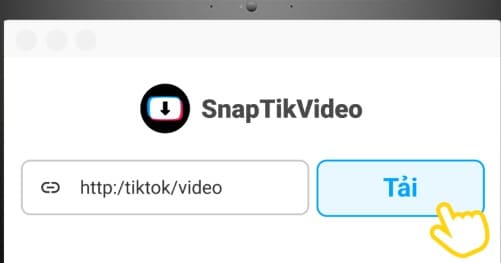
Step 4: Paste the link in the search box
When you go to the pages, you will see a search box in the middle of the page with a button Download right side.
Paste the copied link into this box and press the . button Download .
Step 5: Choose your preferred format
Once the page loads, you’ll be greeted with a preview of the video, followed by various formats, including Video is not available copyright watermark, MP4, MP3, HD video and profile picture.
Choose which one suits your taste.
Step 6: Click the Download button again
Finally, just tap the Download button to download videos from tik tok with MP4 option or convert music from tiktok to mp3 with MP3 option about your device.
Pros and cons of SnapTikVideo
SnapTikVideo itself is an all-in-one TikTok downloader website that can be used on various devices, including computers and mobile phones. Specifically, it is a TikTok video downloader: (1) without copyright watermark; (2) in basic MP4 format; (3) in MP3 format; and (4) in HD or original quality. It also allows you to download the profile pictures of the videos you want to download.
Here are the advantages of using SnapTikVideo:
- 100% free
- Although it has premium features, SnapTikVideo does not require you to pay any subscription fee before using it.
- Unlimited Downloads
- Not only is it free, but you can also use it to download any video or audio without limitation.
- No registration required
- No need for personal information like email or phone number.
- Has a high download speed
- Free doesn’t mean you’ll have to spend more time on it. SnapTikVideo is compatible with high download speed. If you have a fast server, you can also save video or audio in seconds.
- No pop-up ads are displayed
- Yes, you heard that right, no more annoying ads ruining your download experience, SnapTikVideo is ad-free, so it’s safe from any malware or viruses.
- Direct conversion from video to MP3
- No more trouble saving videos before converting them to MP3. With SnapTikVideo, you can convert videos to MP3 instantly.
Of course, everything has its pros and cons, so does SnapTikVideo. The downside of SnapTikVideo is that it doesn’t have a built-in player, so you still have to copy and paste the links to use them. In addition, you may experience errors if the internet connection is unstable, so you have to refresh the page many times.
In short, by reading the above article, you know that SnapTikVideo is the best all-in-one downloader available today. Not only can it download TikTok without the copyright watermark, but it can also convert videos to MP3 and/or download videos in HD quality.
Go to snaptikvideo.com and try it out now!