Hello friends! Welcome back to the basic Excel tutorial for beginners. With today’s post, I would like to introduce another feature of Excel: Discount
| Join the channel Telegram of the AnonyViet 👉 Link 👈 |
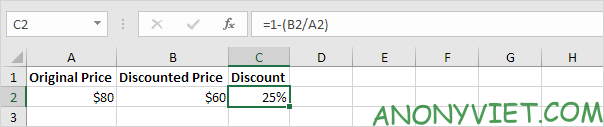
Calculate the percentage discount
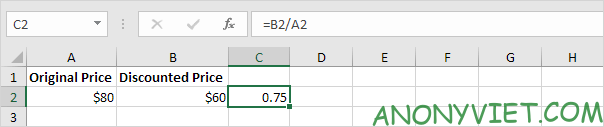
Step 1: Divide the discounted price with the original price
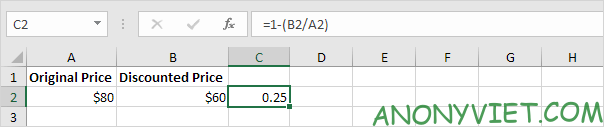
Step 2: subtract 1 from the calculation just calculated
Step 3: In the Home Tab, Select the Percent Symbol
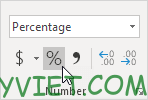
Result
Calculate discounted price
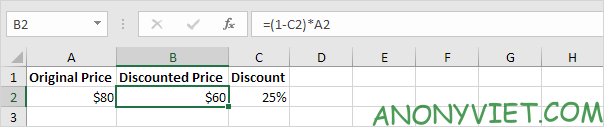
Step 1: Subtract 1 from the reduced percentage
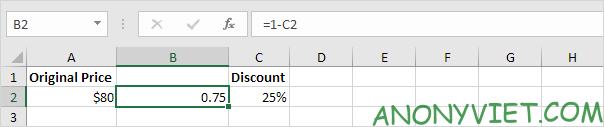
Step 2: multiply it by the original price
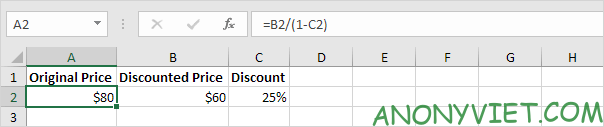
Calculation of Original Price
Step 1: Subtract 1 from the reduced percentage
Step 2: Divide the reduced price by the above calculation
So I just finished showing you how to use discount, also known as discount in Excel. Please leave a comment so I know where you guys still have problems!