Are you looking to watch blockbuster movies on Netflix but are hesitant about the monthly subscription fee? Recently, the movie nerd community is spreading a trick to Get Netflix 30 Days Free to Watch Movies that gives you the opportunity to experience this platform completely free of charge for up to a month. This article will guide you step by step on how to use the incognito feature on your browser and MoMo wallet to immediately receive an experience account without worrying about money being unfairly deducted.
📢 Join the channel Telegram belong to AnonyViet
Update new articles, cool tools and IT tips fastest
Instructions for Getting Netflix 30 Days Free to Watch Movies
Netflix’s system will sometimes display different levels of incentives based on the user’s random session. To activate the longest trial package, please follow these steps:
Step 1: Open your web browser on your computer.
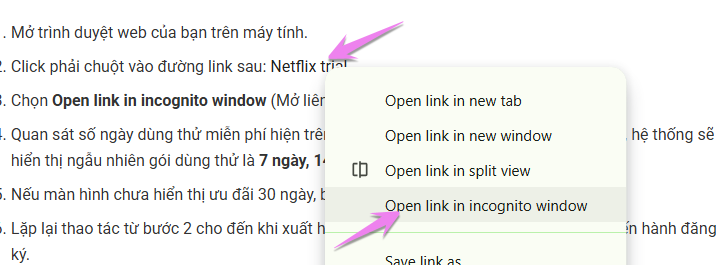
Step 2: Right click on the following link: Netflix trial. Select Open link in incognito window (Open link in incognito window).
 Step 3: Look at the number of free trial days displayed on the screen. Every time you open a link this way, the system will randomly display a trial package 7 days, 14 days or 30 days.
If screen Not yet shows a 30-day offer, immediately turn off that incognito window. Repeat the operation from step 2 until the donation notification appears 30 days free Then proceed with registration.
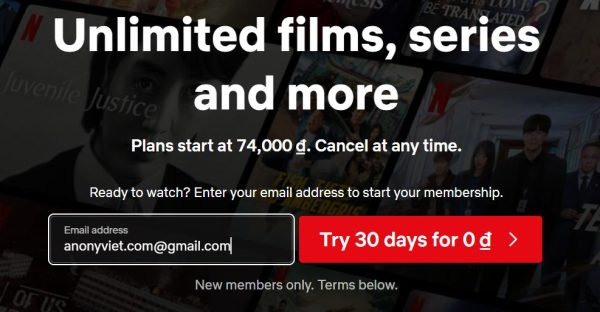
Experience: Those who are lucky will get 30 days the first time, and me Click about 20 times Just released Netflix for 30 days for free, don’t hesitate to just do it and you will succeed.
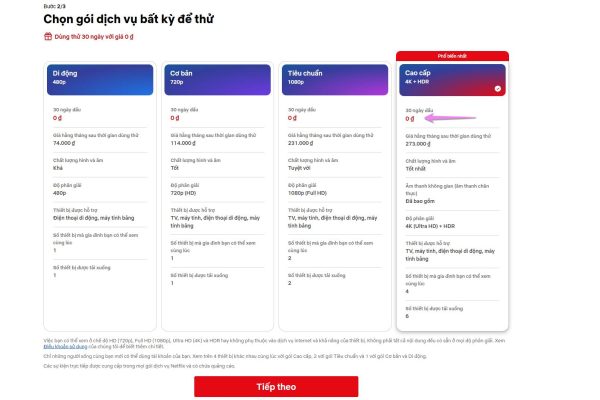
Step 4: Click next and apply for the highest package, because every package is free for 30 days, so choose the highest Netflix package to see if you’re happy.
Register an Account and Set Up Payment with MoMo
Proceed to register with a new Email, this program is for use only new account okay. When the system moves to the step of choosing a payment method, choose it MoMo e-wallet.
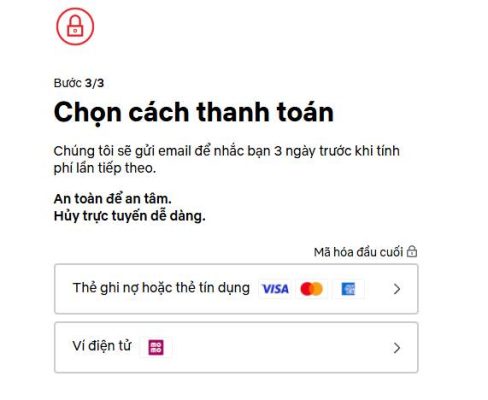
Enter the MoMo registered phone number to link with Netflix
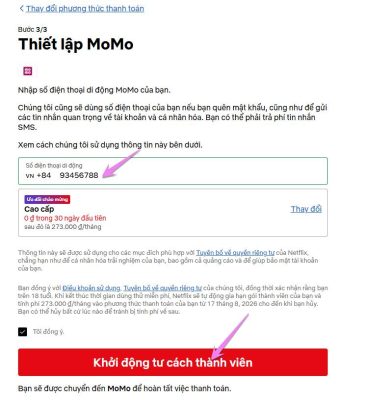
Scan the QR code on your computer screen or log in directly on your phone to confirm the link.
Note: At this step, the MoMo linking operation is only to help Netflix verify that you are a real user. Your account will No amount will be deducted for the first month of trial.
How to Cancel Automatic Payment on MoMo
This is the most important step to ensure you do not lose the renewal fee after your 30-day free Netflix period ends. You need to do it immediately after successfully registering for Netflix for 30 free days:
- Open the application MoMo on mobile phone.
- Select icon My wallet in the bottom right corner of the screen.
- Find and tap the item Payment Management / Affiliate Services.
- Select the service icon Netflix showing link status.
- Press off button Payment authorization (or Unlink) and confirm.
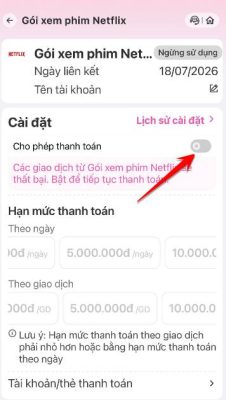
So after 30 days of free Netflix, you will not be charged a renewal fee. Wishing you successful operations and the most relaxing and fulfilling movie watching hours! If you find this article useful, don’t forget to share it with your friends.