Install Dynamic Island for the old iPhone It is no longer impossible or requires complicated jailbreak. By taking advantage of a smart tool, you can activate this feature on iOS 16, 17 and 18. Follow the simple steps below to “molt” your iPhone!
|
Join the channel Telegram belong to Anonyviet 👉 Link 👈 |
Why install Dynamic Island for the old iPhone?
The “notch” part of the old machine has become a symbol, but also a limit that many users desire the flexibility of Dynamic Island. If you are trying to install Dynamic Island for your old iPhone to “transform” the interface, bringing a modern interaction experience like iPhone 15 Pro series, this article is for you.
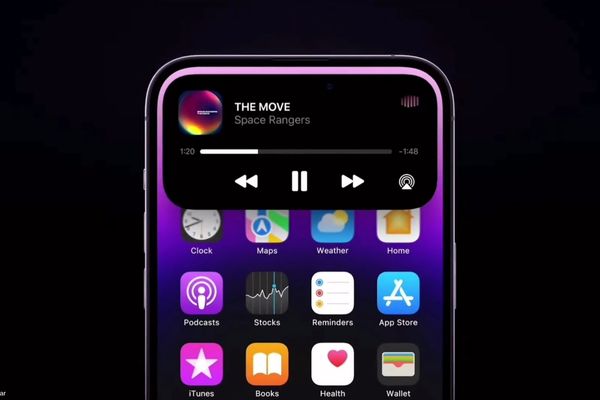
Dynamic Island is not only a aesthetic change, it is a revolution about user experience. Instead of a static part, it turns into a vivid, capable notification center:
- Get and manage calls without leaving the current application.
- Easily see the song being played, pause, or transfer the song quickly.
- Visual display of countdown clock, Airdrop connection state, map line, …
- Bring a new, high -end feeling and catch up with Apple’s latest technology trends.
This is like you are carrying the soul of an iPhone Pro into the body of an old device, a software upgrade worth not to spend a penny.
Misakax – “key” to install Dynamic Island for the old iPhone
Misakax is not a jailbreak tool, it is a customized application that works by taking advantage of a hole related to the system file Mobilegestalt On iOS. This allows it to change the interface attribute without intervention deeply in the operating system.
Thanks to this smart mechanism, Misakax became a safe solution to install Dynamic Island for the old iPhone, compatible with a wide range of versions from iOS 16 to iOS 18.
Prepare what before starting?
To make the process successful, make sure you have all the following tools and conditions:
- Computer: A computer running Windows or MacOS.
- Compatible iPhone: The iPhone line has “rabbit ears” (iPhone X, 11, 12, 13 …) are running iOS 16, 17, or 18.
- Connection cable: Use good quality Lightning cable to ensure a stable connection.
- Data backup: Backup all your iPhone data via iTunes/Finder or iCloud to prevent incidents in case a problem occurs.
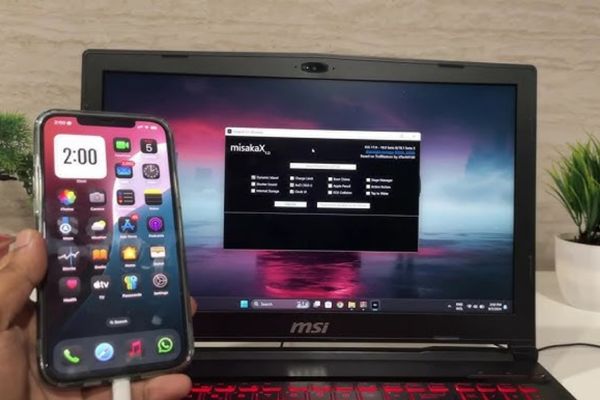
Steps to install Dynamic Island for the old iPhone
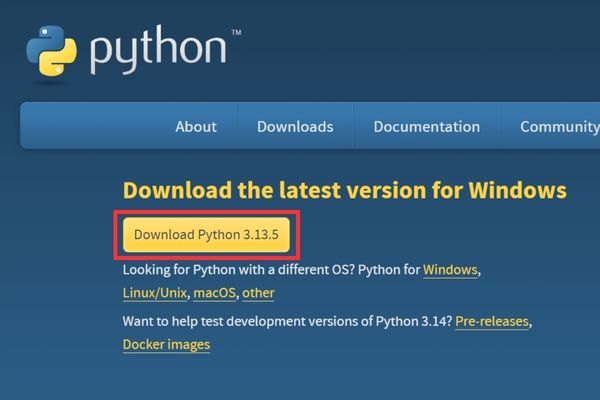
Step 1: Open the browser, search for “Python Download” and access the first link. Or you can click quickly HERE. Then download the latest Python version.
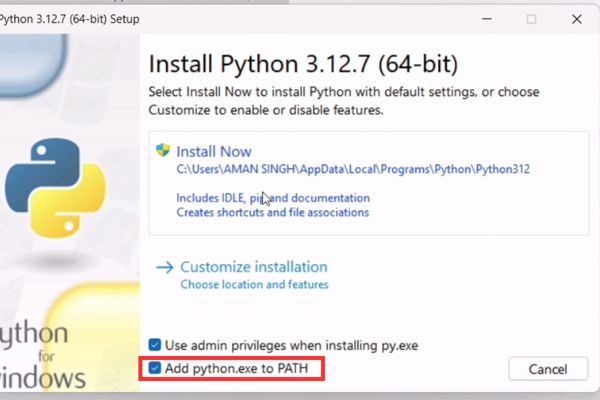
- Run the installation file. In the first window, find and accumulate in the box “Add python.exe to path“.
- Press Install Now And wait for the installation process to complete.
Step 2: Access page github And download the latest version of Misakax.
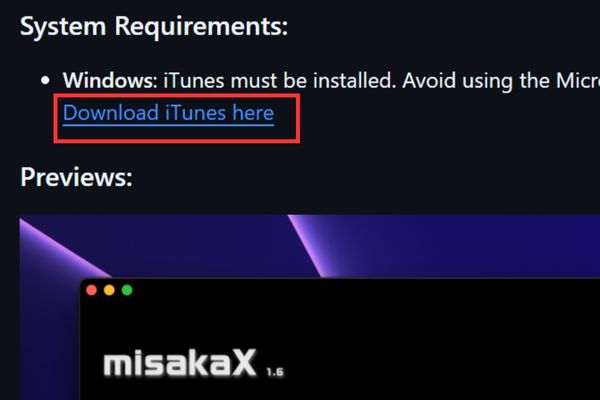
Misakax requires iTunes to download directly from Apple, not from Microsoft Store. On the github page, find items System Requirements and click the link Download iTunes Here To download the standard settings. Then log in your Apple ID into iTunes.
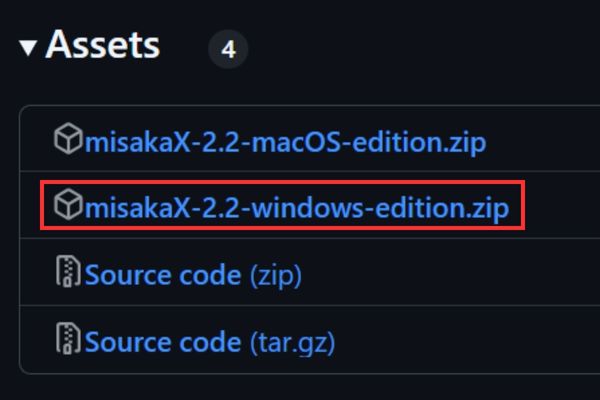
In the Assets section, download the zip file for Windows: Misakax-XX-Windows-Edition.zip. Then extract.
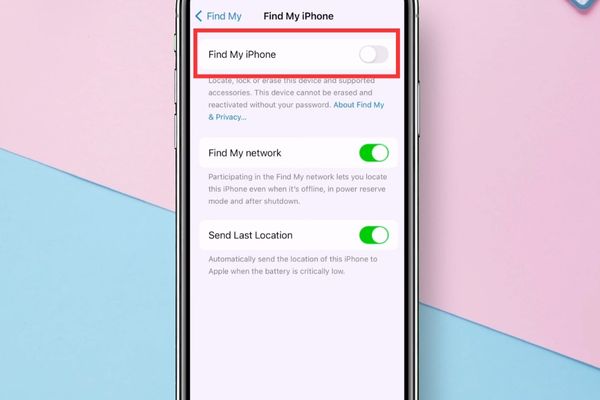
Step 3: On the phone, you enter Settings> [Tên của bạn] > Find> find iPhone And turn off this feature.
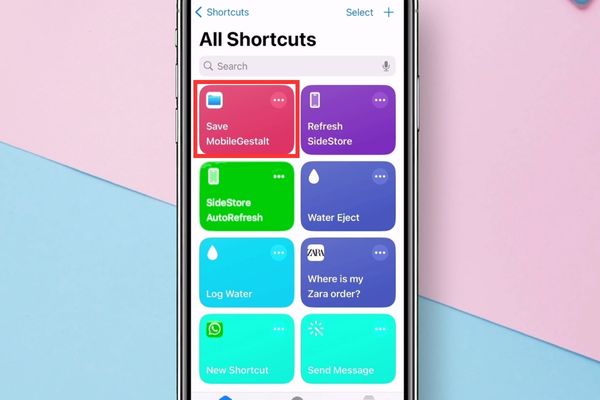
- Install Shortcuts Save Mobilegestalt HERE > Press Add shortcut.
- Run the Shortcut just added> click “Allow“When asked to ask the right.
- Open the file application, find the newly saved.Share“To send it via your computer (via email, airdrop …).
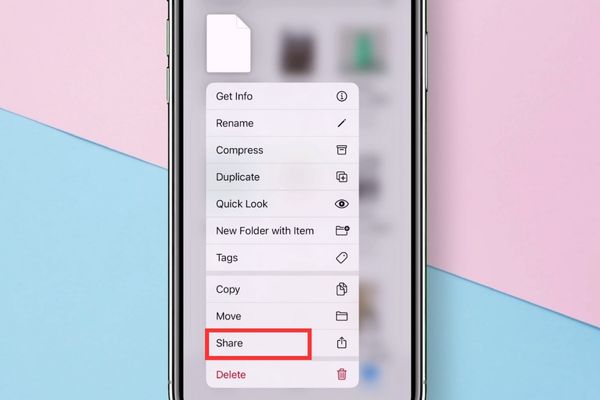
Step 4: Connect your iPhone to the computer via cable. On the Misakax interface, press the button Select MobileGestalt File > Find and select the .plist file you have sent from iPhone to.
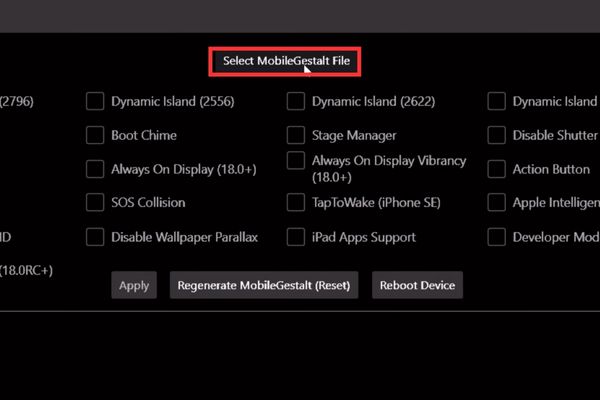
- Misakax will identify your device. Now, please accumulate in the box Dynamic Island > Press the button Apply.
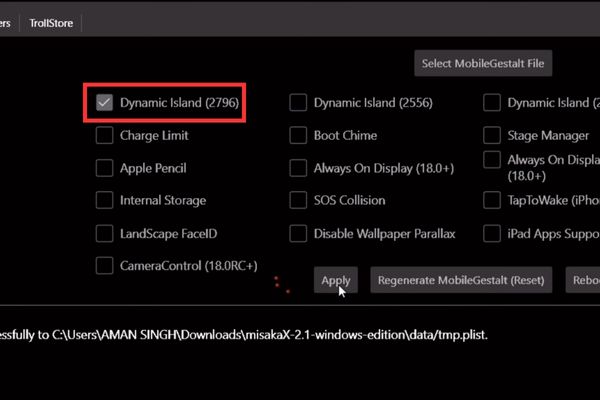
- After clicking Apply, the tool will make changes and your iPhone will automatically restart.
- When the iPhone turns on, unlock and enjoy the results! The rabbit ears have now turned into a lively Dynamic Island. Try turning on a song on Spotify or placing the countdown, you will see it works smoothly and extremely intuitive.
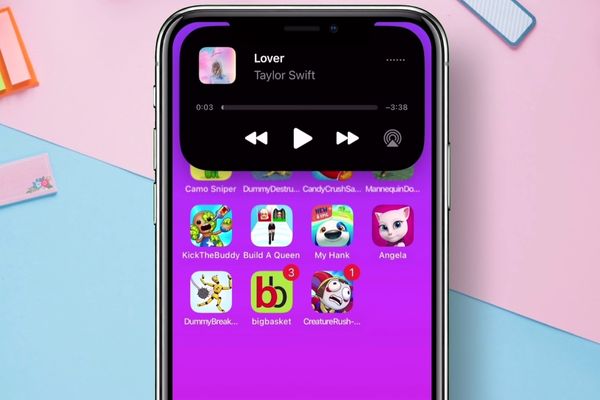
Note: This change is permanently until you do it yourself or update a new iOS version.
How to do it: If you want to return to the original interface, you just need to reconnect the iPhone to the computer, open Misakax and press the “Regenerate MobileGestalt (Reset)“.
Conclusion
Job Install Dynamic Island for the old iPhone Now is no longer a distant dream. With Misakax and a little patience, you can upgrade your own experience for your device, bringing a new interesting wind. Wish you successful!