Dual Capture A revolutionary video feature that appears on the entire iPhone 17 line. Instead of having to choose between shooting yourself or the surrounding scenery, you can now record both in the same moment. This feature promises to open an endless creative space for mobile filmmakers, vlogger and daily users.
| Join the channel Telegram belong to Anonyviet 👉 Link 👈 |
What is Dual Capture? How does it work?
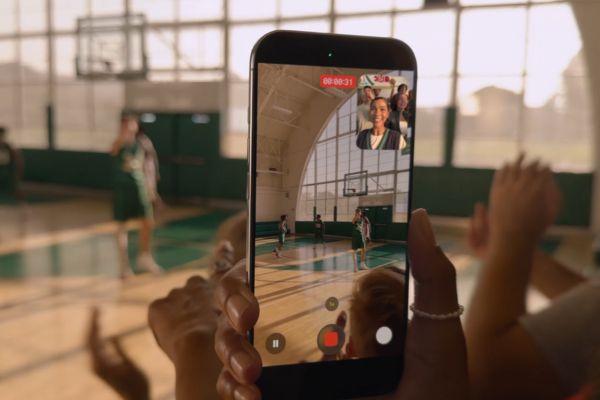
This is a completely new video recording mode, allowing iPhone 17 Simultaneous recording from both front and rear camera systems. The result is a single video with the main frame from the rear camera, and a smaller window displays images from the front camera (similar to the “picture in the picture” mode).
This feature is the perfect tool to record true video Reaction, visual guidelines, or simply to share the most complete travel experience, where viewers can see the beautiful scenery and see the emotions of the rotating person.
Instructions on how to enable Dual Capture feature on iPhone 17
You just need to follow these steps:
- First, open the application Camera and slide the toolbar to switch to the mode Video.
- Next, look to the advanced option icon (with multiple dots) in the upper right corner of the screen.
- A menu will appear, you just need to choose Dual Capture And click on the viewfinder to confirm the selection.
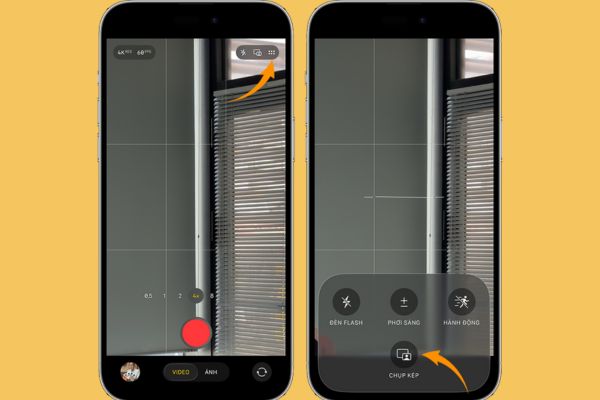
- Finally, press Red rotation button To start recording the moment from both sides.
A convenient point is that after the first use, a quick and turning icon in the Dual Capture mode will appear right on the video recording interface, helping you access faster in the next time.
Master video with unique custom customs
While filming, Apple also provides a few useful customization for you to get the most satisfactory movie.
Flexible conversion of lenses
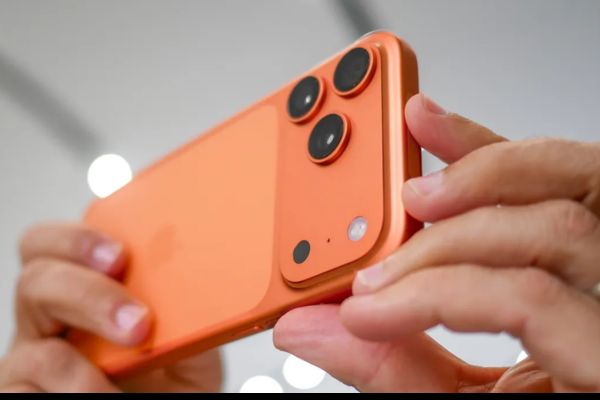
For those who own the iPhone 17 Pro or Pro Max version, you can freely switch between rear camera lenses (48MP, 48MP super wide, 48MP telephoto) even while filming. This allows you to flexibly change your view from panoramic to close -up without interrupting the video.
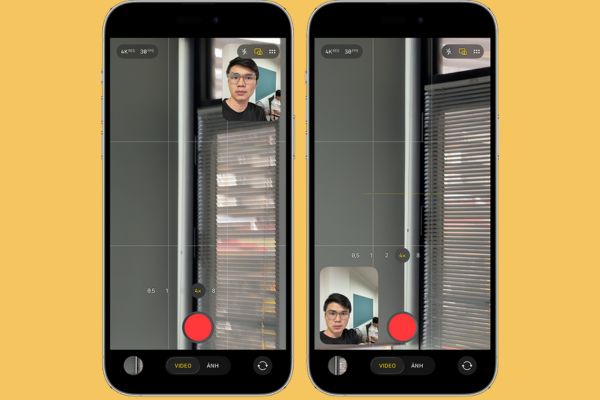
Customize the position of the front camera window
You can completely use your finger and move the front camera window to any position on the screen. This operation is very helpful to ensure the small window does not cover important details in the main frame. However, remember that all changes in this position will be recorded in the final video.
Things to know about quality and limits
To bring the best experience, the Dual Capture feature comes with parameters and certain limits.
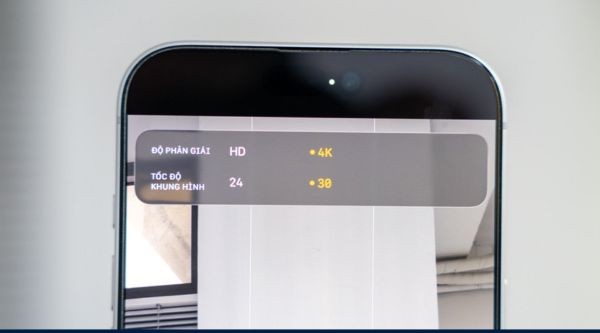
Image quality: This feature supports rotation at a high resolution of 1080p or 4K, with two frame speed options of 24 or 30 FPS. In it, setup 4K in 30 fps Considered to be the ideal choice to balance the sharp quality and smoothness, while providing the highest flexibility for post -production.
The limits to note:
- Currently, users will only have a single layout option, which is “picture in the picture” designed by Apple, cannot swap the main camera position or select the screen division layout as some other devices.
- The whole scene from both cameras will be combined and saved into A video file Only, instead of exporting two separate files. This helps save capacity but can also reduce the flexibility in the intensive editing process.
Conclusion
Although there are still a few small limits, features Dual Capture On the iPhone 17 will definitely be a big step, giving users a powerful tool to tell stories with images. The ability to record two seamless perspectives promises to inspire countless creative content.