To learn on LinkedIn Learning, you need to pay a monthly or annual fee, depending on the service plan you choose. This can make many people shy away from learning on LinkedIn Learning, especially those with limited budgets. So is there any way to learn for free for life? The answer is yes.
| Join the channel Telegram belong to AnonyViet 👉 Link 👈 |
What is LinkedIn Learning?
LinkedIn Learning is a MOOC (Massive Open Online Courses) platform under LinkedIn, providing more than 16,000 online courses in 3 main areas of Business, Creative and Technology.
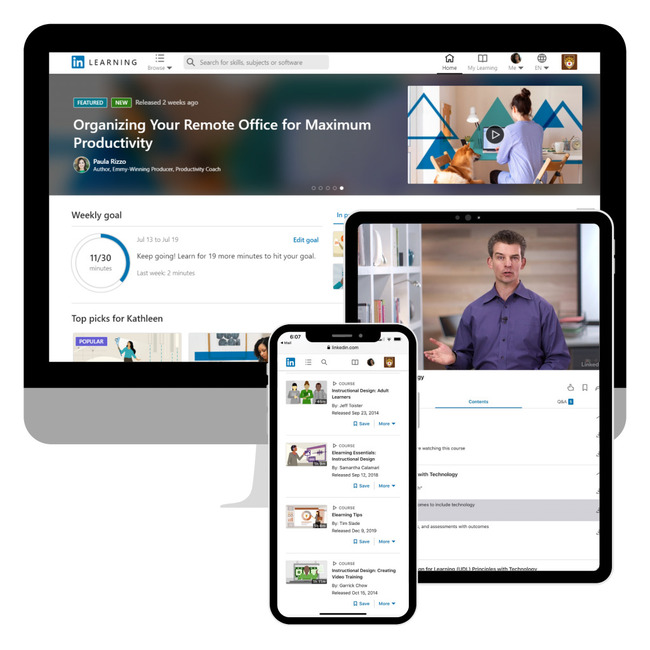
You can use your Linkedin Learning Account on your computer using a web browser or using the LinkedIn Learning Android or iOS app.

LinkedIn Learning Developed from Lynda.com – a website that provides online courses with rich resources, mainly focusing on soft skills and graphic design. In 2015, Lynda was acquired by LinkedIn and renamed LinkedIn Learning.
Currently, high-quality courses from Lynda.com have been transferred to the LinkedIn Learning platform and added some new features such as Q&A and Learning Groups to help users interact with experts. and other students in the same field of study.
What is special about LinkedIn Learning?
Smart and minimalist interface
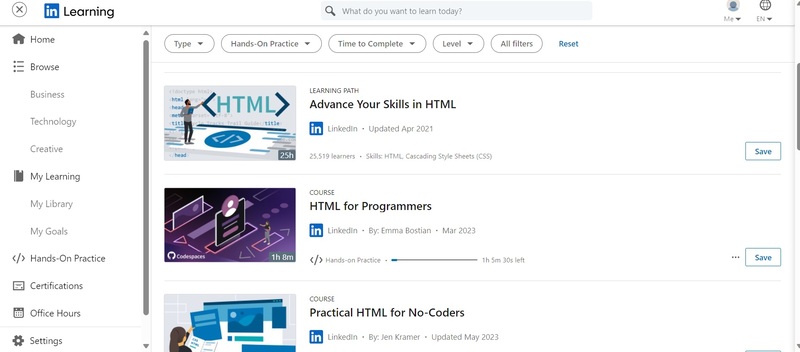
LinkedIn Learning has a website and mobile application design that is easy to use and professional. The courses displayed are based on general ranking criteria such as popularity, newest courses, etc. and match the user's personal profile.
Since there are so many courses, finding one that meets a user's needs can be quite difficult and time-consuming. However, LinkedIn Learning has created a good search and filter tool for students. You can even use the filters on LinkedIn Learning to find the important video or piece of content you want to learn (no need to study the entire course).
Extensive course library
LinkedIn Learning currently has more than 16,900 courses in many different fields from Business, Technology to Creativity, etc. However, the courses are mainly aimed at training practical skills to meet more employment needs. is in-depth knowledge training.
Simply put, LinkedIn Learning courses are not too academic and are suitable for students who want to learn and improve their skills at work (the knowledge learned can be applied in practice immediately after completing the course). .
Convenient learning path
Learning Path is a collection of courses in a certain field to provide specific instructions and precise directions to help students become familiar with and master their expertise. in that field after completing all the courses suggested in this roadmap.
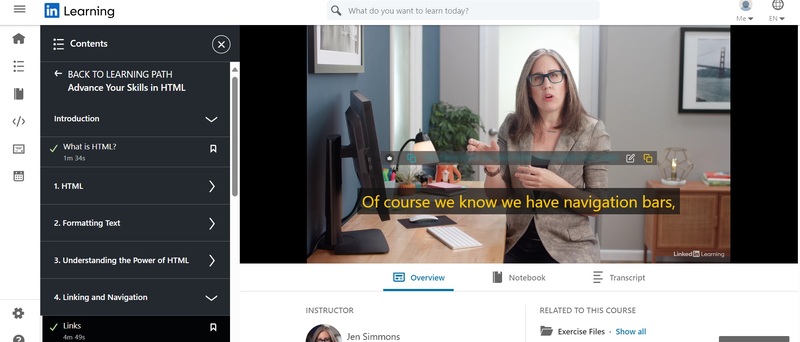
Information about the learning path will be presented in detail in the introduction so that users know clearly what they are learning and what they will get after completing the course.
Q&A with experts
LinkedIn Learning also gives users the opportunity to learn and exchange with experts in the field in which they specialize. In addition, LinkedIn Learning also has some new features such as Q&A (Q&A) and Learning Groups to interact with experts and other practitioners in the field the user is studying.
Mobile application
LinkedIn Learning not only has a website platform but also has mobile applications for both iOS and Android operating systems. Therefore, students can access courses more proactively and conveniently. You can also download course videos to study offline or to review anytime.
How to learn on LinkedIn Learning for free for life
Step 1: Visit the Library Card page HERE > Click 'Get Started'

Step 2: Use one of the ID Cards and Pin codes below > Click 'Continue'
- Card ID: 21901805614397 – Pin Code: ADMQRKZE
- Card ID: 21901805614405 – Pin Code: IJGNCKHU
- Card ID: 21901805614421 – Pin Code: SUERZDNB
- Card ID: 21901805614447 – Pin Code: VDKIPPBN
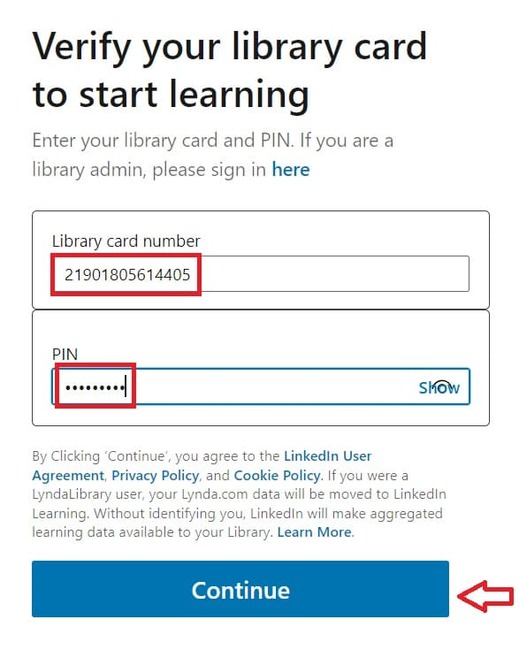
Step 3: Search for a course and start learning!
Epilogue
LinkedIn Learning is a world-leading online learning platform, offering thousands of courses in different fields, from business, technology, creativity, to personal development. You can learn anytime, anywhere, and on any device. This is a great opportunity for you to learn and improve your skills on LinkedIn Learning without having to worry about costs. Wishing you a happy and successful study!