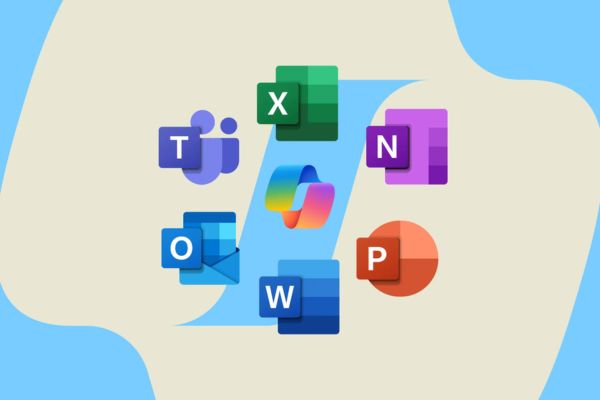
Did you know that college students can absolutely get 12 months of Microsoft 365 free Are not? This is an extremely attractive offer from Microsoft, giving you a full suite of copyrighted Office tools, 1TB of OneDrive storage and the smart AI Copilot assistant. Don’t miss this golden opportunity to improve your study and work performance!
| Join the channel Telegram belong to AnonyViet 👉 Link 👈 |
Exclusive offer: 12 months of free Microsoft 365 for students
Microsoft is launching a special program exclusively for the university student community, allowing you to fully experience it Microsoft 365 Personal for 12 months completely free.
After this time, you will also enjoy a 50% discount when renewing, helping to save significant costs. Please note that this offer is for a limited time and has limited slots, ending on the date October 31 or when registration runs out.
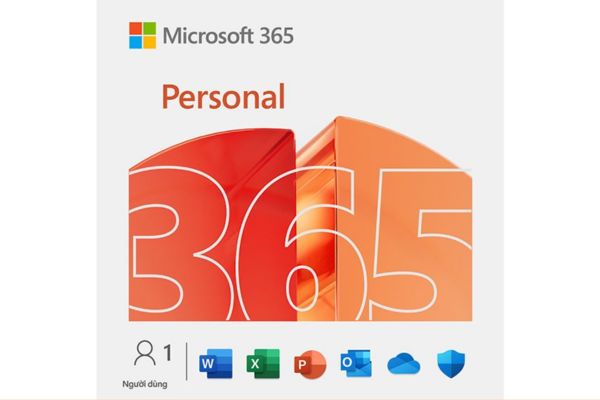
Requirements to enjoy this offer
To qualify for the 12-month free Microsoft 365 program, you need to meet some of the following basic criteria:
- You must be a current university student and have a valid student status.
- You need an email address issued by your university, usually in the form @.edu.vn or an email domain managed by the school.
- Your personal Microsoft account has never received the “12 months free Microsoft 365 Personal” offer before.
Additionally, if your school has joined the Microsoft 365 Education program, you can still use Office web apps and education services for free through your school email. This is a great side-by-side option if you don’t qualify for the Personal offer.

What to prepare before registering?
To make the registration process go smoothly and quickly, you should have the following ready:
- A personal Microsoft account (for example, @outlook.com, @hotmail.com). If you don’t have one, you can easily create a new one.
- Use a valid student email address issued by the school.
- A payment card (Visa/MasterCard) or PayPal account. This card may be required to set up automatic renewal after the 12-month free period ends, however you can turn this feature off once activated.
Steps to get 12 months of Microsoft 365 for free
Signing up for this offer is quite simple and only takes a few minutes. Please follow the steps below:
Step 1: Visit the offer page: Open your browser and access the address HERE (version for Vietnam).
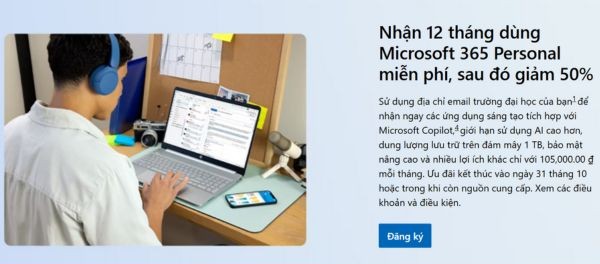
Step 2: Then, click the button Register to get started.
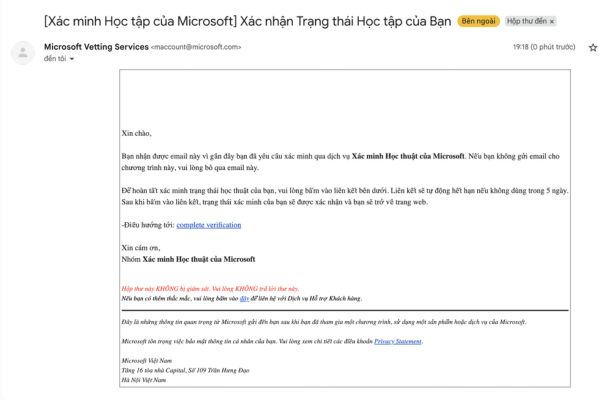
Step 3: Enter your student email address in the request box. Microsoft will send you a confirmation code or link to verify your student status.
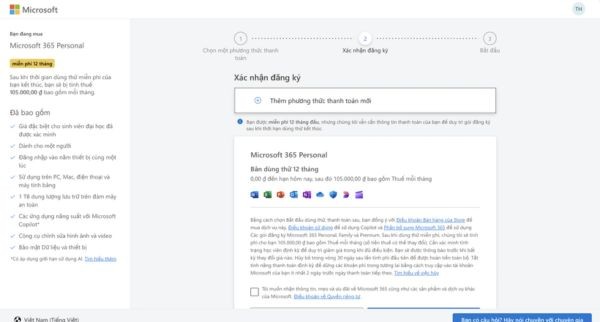
Step 4: Use the personal Microsoft account you want to associate with this offer to sign in. Carefully read and accept the terms of service. If the system asks for a payment method, add your card or PayPal information to turn on automatic renewal (you can turn it off later).
Step 5: After completing the steps, you will see the package Microsoft 365 Personal – 12 months trial for students” appears in the “Services & subscriptions” (Services & subscriptions) of your Microsoft account.
Step 6: Access account.microsoft.com > Services & subscriptions > Install to download and install Office applications on your Windows or macOS computer. Sign in with the Microsoft account that registered for the offer to activate.
Tip: If you just need a quick use on a public computer, take advantage of the completely free Microsoft 365 web version (Word/Excel/PowerPoint online).
Manage incentives and avoid additional costs
To check your expiry date and avoid being charged after your 12 free months, you should take the following steps:
- Access account.microsoft.com > Services & subscriptions to see the exact expiration date of the offer.
- If you don’t want to continue after the 12 free months, click Manage and choose Turn off recurring billing (Turn off recurring renewal). You’ll still get the full 12 months free until the expiration date.

How to handle some common problems
When registering, sometimes you will encounter some small problems such as:
- Unable to verify student email: Make sure you’re using your school-issued email, not your personal email. Try opening the offer page in incognito mode or switching the display area to test.
- Just show “50% off” instead of “12 months free”: This may be because Microsoft limits offers by region or batch. Try visiting the “Try Microsoft 365” page or plan comparison page to find the “12 months free” banner. If you still don’t see it, you might consider using the free Microsoft 365 Education plan through your school.
- Being asked to add a payment card: This is required to activate automatic renewal. You can turn off this feature immediately after successful registration to avoid being charged.
- Copilot not found in the app: The Copilot AI feature is being rolled out gradually by Microsoft and may vary across plans and regions. Please check your app and account again.
Conclusion
With the program 12 months of Microsoft 365 free Today, university students can access the most powerful tools to study, research and work effectively. Don’t hesitate, sign up today to take advantage of this great offer before it ends.