How to get Chatgpt Plus 12 months for free Through the program for US soldiers is a method that has recently been widely shared by the community. No need for advanced technical knowledge, just a smartphone and the patience to follow the instructions is enough. Let’s start going into detail about the necessary operations.
| Join the channel Telegram belong to AnonyViet 👉 Link 👈 |
How to get ChatGPT Plus 12 months for free
Step 1: Since this promotion is often targeted specifically at the United States, changing the IP address is a mandatory step that cannot be skipped.
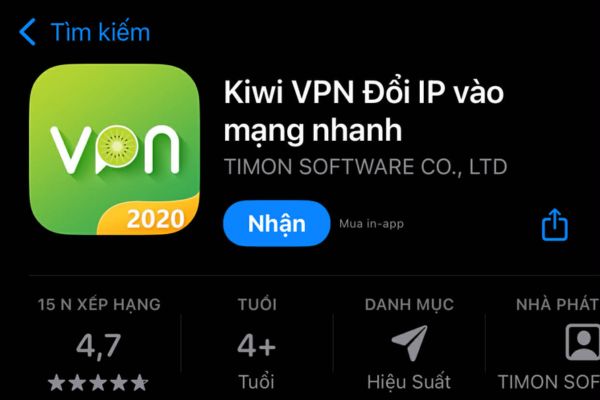
You need to download and install the application Kiwi VPN or any other reputable VPN software available on the app store. After installation is complete, open the application and select the server to connect to America (USA) to “fake” the device’s IP address to this area.
Step 2: On your phone, create an account ChatGPT Brand new with Gmail.
You should choose the year of birth from 1980-1989 to increase the success rate
Creating a new account helps ensure the profile has never been associated with old invalid payment methods or IP addresses.
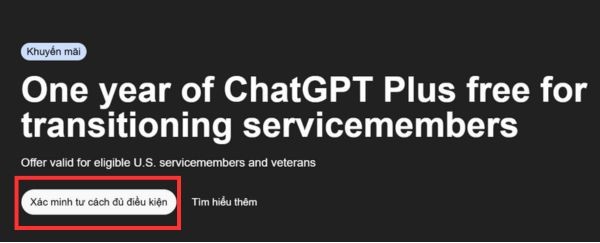
Step 3: Go directly to OpenAI’s military link HERE.
At the website interface, find and click the button “Verify eligibility”.
The website will automatically redirect to the SheerID verification platform, where you need to copy it again SheerID link there.
Step 4: Access the verification support tool on Telegram via the link:
https://t.me/Veriyferbot?start=ref_737700161
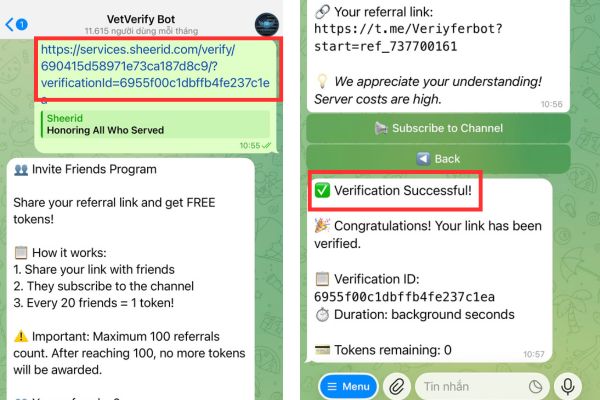
At the chat interface with the bot, paste the SheerID link that you copied in the previous step directly into the chat box and send it.
The bot system will automatically process, you need to wait patiently for a moment until you receive the verification success message.
After the bot reports success, return to your browser and reopen the old SheerID link to see the updated status.
Step 5: The interface will switch to the payment section, where you need to enter full credit card information (Visa or Mastercard) or a valid international debit card.
If you don’t receive your card, turn off the VPN and re-enter your VN card
An extremely important note is that if the system rejects the card or reports an error while the VPN is on, try turning off the VPN connection, leaving the network normal and then pressing pay again. When the card information is accepted, the system will activate the package Plus 12 months free and you can start using it immediately.
Conclusion
Hopefully with the above instructions, you have a clear understanding How to get ChatGPT Plus 12 months for free to apply to yourself. Hope you soon own a premium account and fully exploit the power of AI!