Do you want to create a Q&A chat bot on internal files without programming? AnonyViet will guide you through how to do that Coze AI – the latest AI product of ByteDance, China's leading technology corporation.
Join the channel Telegram belong to AnonyViet 👉 Link 👈
What is Coze?
Coze is a building platform WHO Bot (a new product of ByteDance) was recently introduced, allowing users to access OpenAI models for free, combining many Plugins such as ChatGPT Plus Web Search, Image generator.
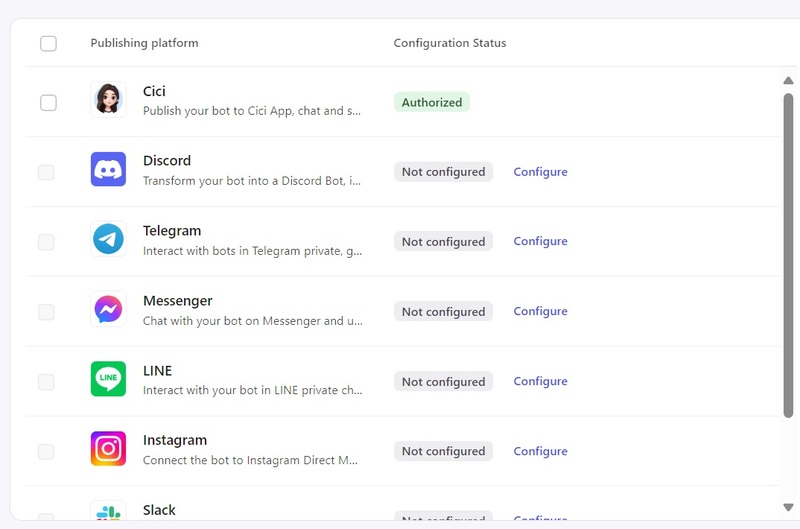
Coze now allows linking platforms like Messenger and Telegram, Discord so you can quickly create your own chatbot.
Besides, Coze also supports retrieving available data through Knowledge more easily than building it manually like before, along with many other plugins suitable for businesses that want to build a versatile LLM-chatbot to customer support or accessing information in data files.
How to create a chat bot to ask and answer internal files using Coze AI
Important note: Coze can collect chats, data, files, and datasets that you upload. Therefore, you should not upload important, sensitive information such as company data, customer data, personal information, financial information, etc. to avoid leaks!
Instructions for creating Chatbot using Coze
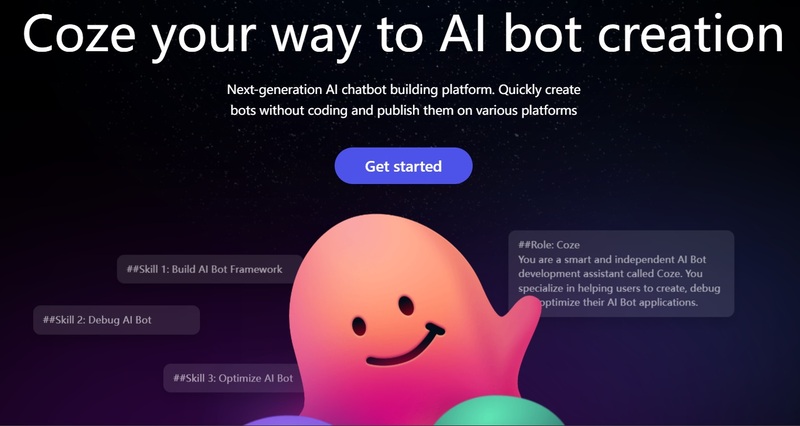
Step 1: Access Coze home page > Click 'Get Started' > Select 'Continue with Google'
Click 'Get Started'
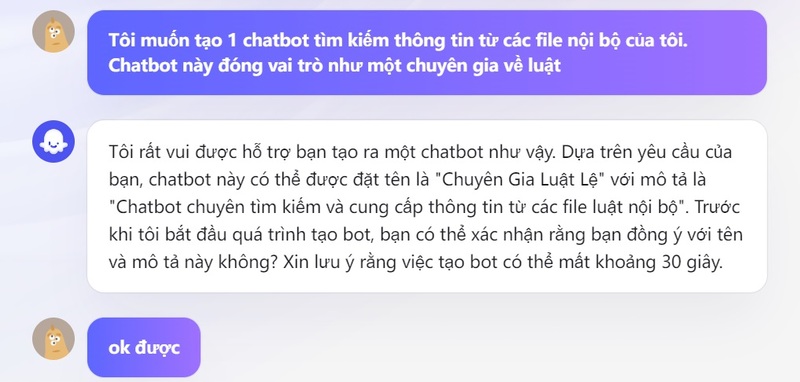
Step 2: Type a request to create a chatbot as follows in the text box:
I want to create a chatbot that searches for information from my internal files. This chatbot acts as an expert on…
Type request to create chatbot n
Step 3: Confirm your agreement or change the chatbot name if you are not satisfied with the proposal that Coze offers.
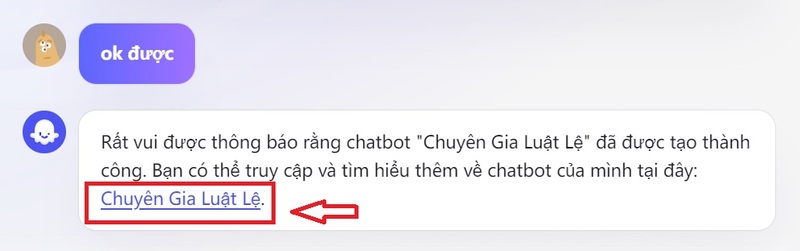
Step 4: After the chatbot is completed, click on the link of the Bot name to begin accessing.
Click on the link of the Bot name
Instructions for adding internal files for Chatbot
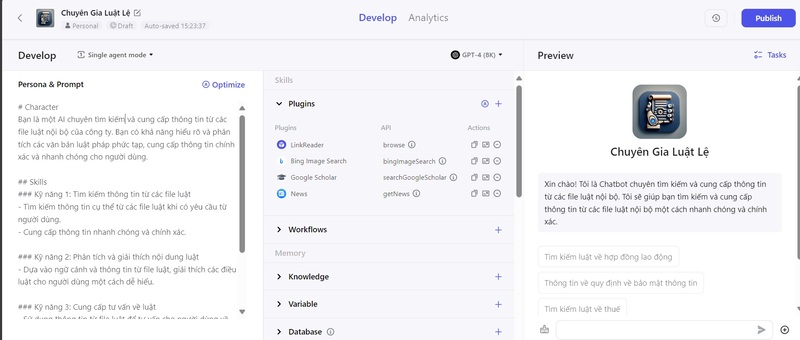
Step 1: In the interface of the newly created Chatbot, you will see 3 columns as follows:
Interface of Chatbot
Persona & Prompt: You can fill in the personality, role, skills and behavior of the Bot you want it to have here.
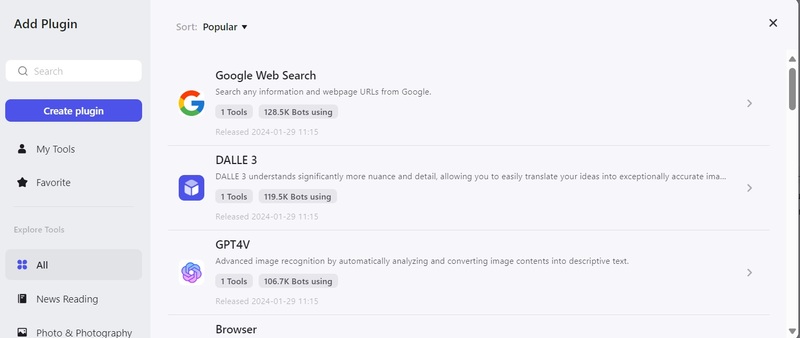
Plugins: Additional tools and features that you can add to the Bot, such as finding information on Google, creating photos, finding videos on Youtube,…
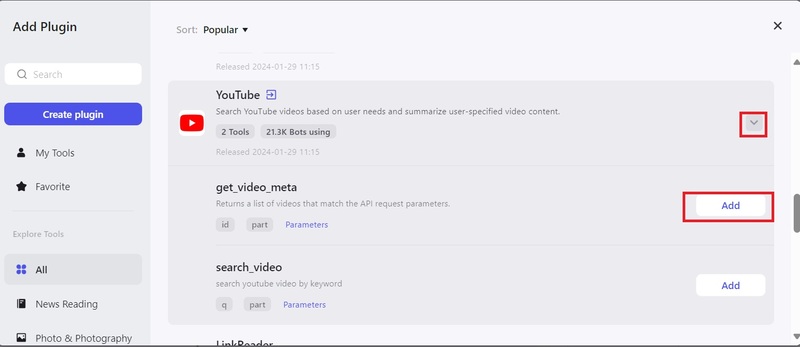
Coze has also added some plugins based on my previous request. If you want to add it, just click on the + sign (Add plugin) > Click on the arrow next to the plugin > Add.
PluginsClick Add to add the plugin
Preview: Where you can chat test with the bot to see how it works.
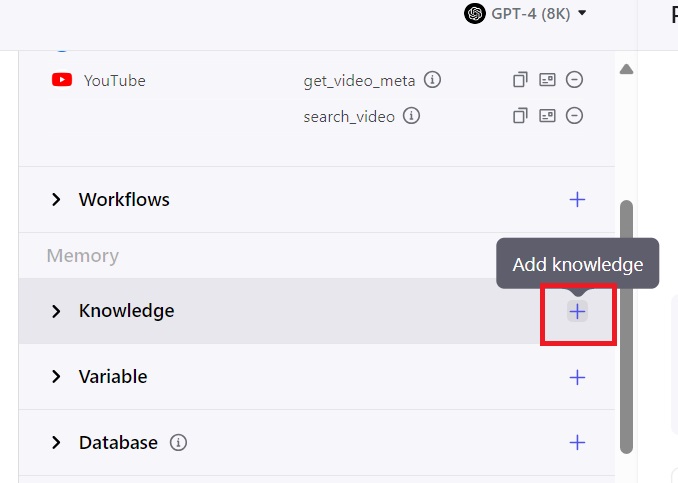
Step 2: Click the + sign in the Knowledge section
Knowledge is basically a knowledge repository for bots (taken from files, web, notions, self-entered,…)
Click the + sign in the Knowledge section
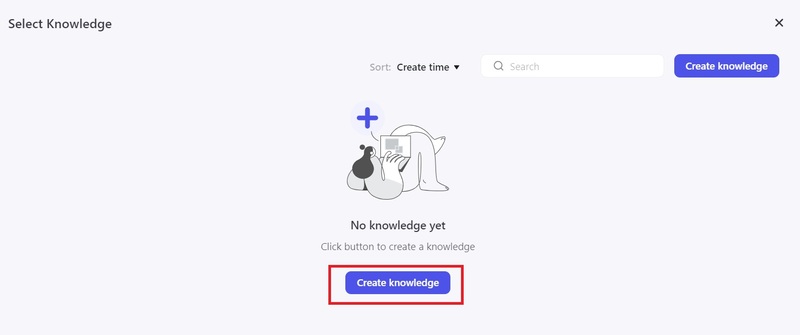
Step 3: Click 'Create knowledge' > Select 'Create knowledge' again
Click 'Create knowledge'
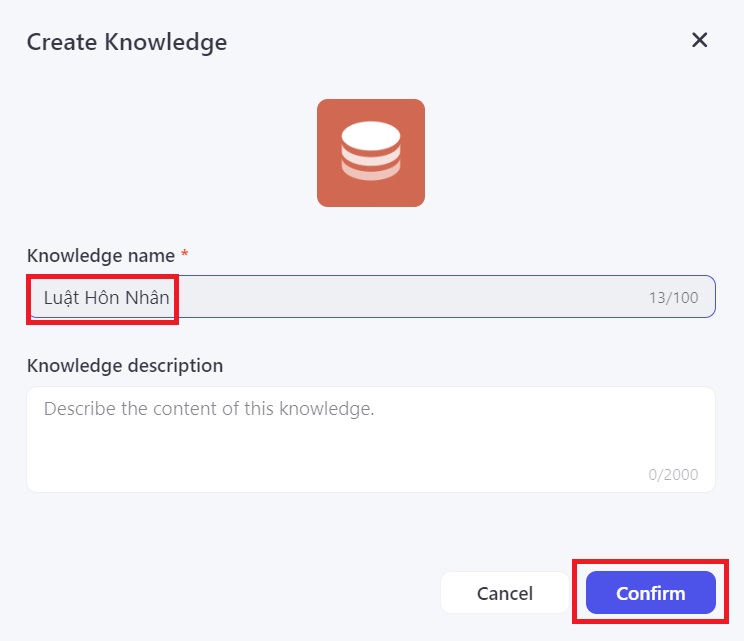
Step 4: Name Knowledge > Confirm
Name Knowledge
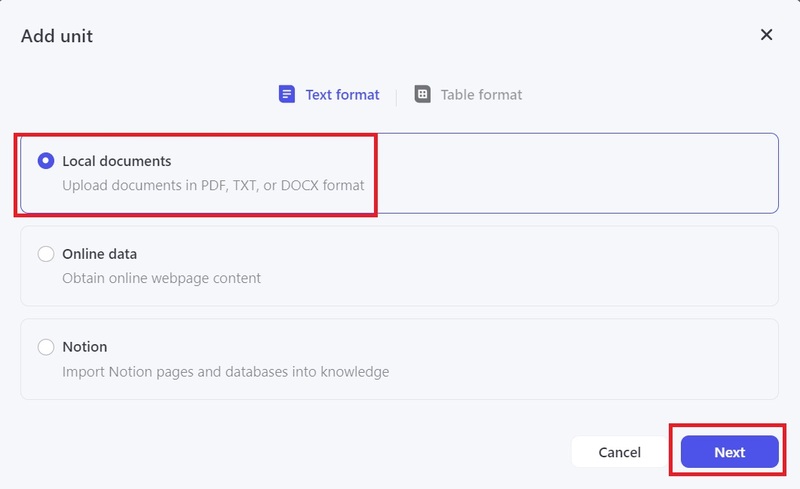
Step 5: Select 'Add unit' > Select the type of information you want the Bot to possess, here are:
Local Document: Get information from local files available on your computer that you can upload (supports PDF, DOCX, TXT)
Online Data: Get information from a website
Notion: Get data from Notion
Customization: Enter data manually
Here I will choose Local Document > Next
Select Local Document > Next
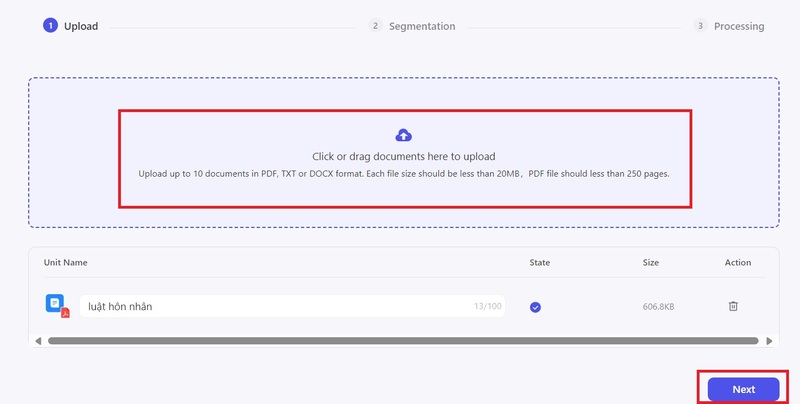
Step 6: Then you upload the internal file, wait for the file to complete, then select Next to continue
Download internal files
Step 7: In the Segmentation section > Select 'Automatic' > Next
Wait 1-2 minutes for the system to analyze, store and divide the file into small segments for easy data retrieval later.
Just keep pressing 'Confirm'
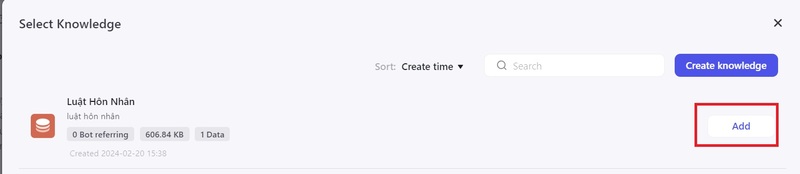
Step 8: Click on the arrow in the Knowledge section > Click Add
Click Add
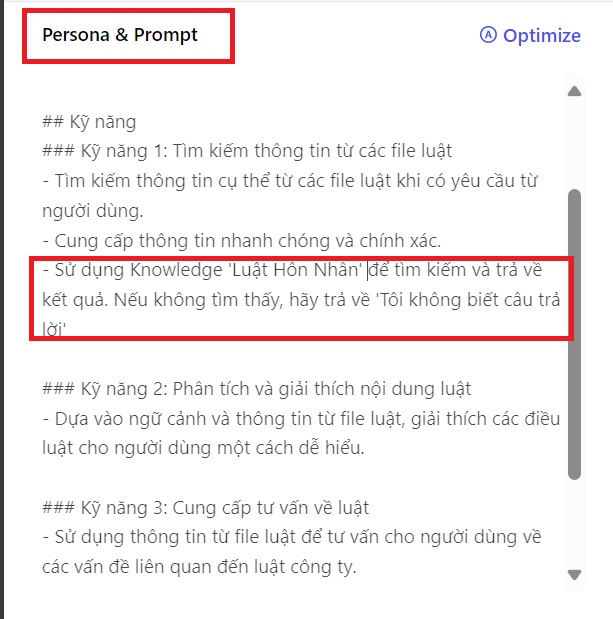
Note: In the Persona & Prompt section, remember to add the following sentence to the Skills section to instruct the Chatbot to get information from Knowledge and not give it the opportunity to 'chat' when it cannot find the answer:
Use Knowledge 'Marriage Law' to search and return results. If not found, return 'I don't know the answer'.
Remember to replace the Knowledge name above with the file name you uploaded!
Add the following sentence to the Skills section
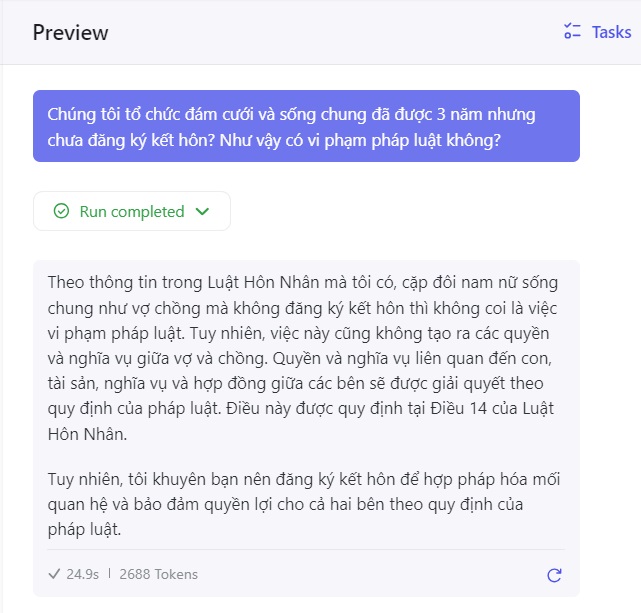
Step 9: Now you can try asking the chatbot in the Preview section.
Ask the chatbot in the Preview section
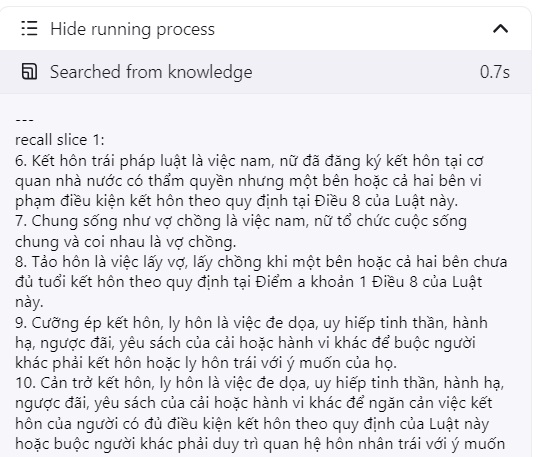
The 'Searched from knowledge' section is the information that the Bot discovers in the file to give you an answer.
'Searched from knowledge' section
Instructions for adding Chatbots on Discord, Messenger, Telegram,…
To use the Chatbot you created on another platform (Telegram, Discord, Messenger,…), you just need to click Publish in the upper right corner of the screen > Select the platform you want to connect to and you're done.
Click PublishChoose platform
Epilogue
Coze AI is an application that helps you create Q&A chat bots on internal files quickly and easily. Thanks to that, you can retrieve data without worrying about whether the answer is reliable or not. Wishing you a successful application!