IP address (or Internet protocol address) used to identify computers on a network and devices on a network. When computers communicate with each other on the Internet or an intranet, they send information to each other IP address each other’s. If you do not know how to find the IP address on your computer. The following article Network Administrator will introduce and guide you how to find and check IP address fastest on your computer.
| Join the channel Telegram of the AnonyViet 👉 Link 👈 |
Method 1: Find the Public IP address using a search engine
Step 1: Open Bing or Google

Bing and Google are 2 search engines that allow you to search IP address, IP address external (external IP address) or IP Public quick and easy. AddressRouter or address Modem Yours is also displayed here.
Step 2: Type IP Address in the search bar
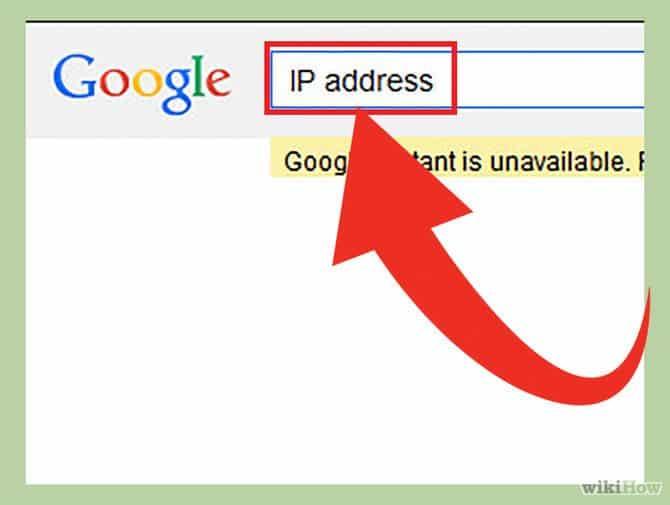
Type IP address in the search bar then press Enter to find. With this method only applied on Google, Bing, Ask, DuckDuckGo and several other search engines. Note that this method does not apply on Yahoo!.
Step 3: Search for your IP address
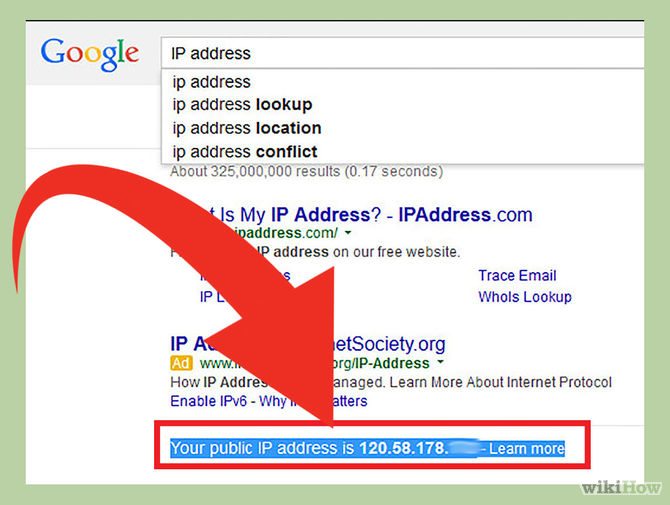
Address IP Public Yours will show up on the first search results. If you are using Ask, Public IP address Yours will show up at the top of the section More Answers (Other questions).
Public IP address Yours is a sequence of 4 integers separated by a dot. For example 199.27.79.192.
If you don’t know how to see the IP address on your computer, phone or tablet, refer here.
Method 2: Find your Public IP address on Router settings
Step 1: Open your Router configuration page
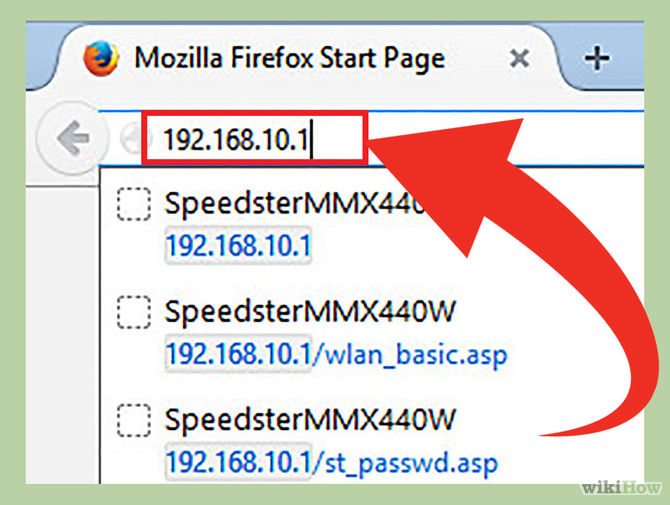
Most of all Router Yours are all accessible via Web Interface. When accessing this Web site you can adjust the configuration Router yours here.
Open Web Interface by entering the address IP Router your browserWeb. Then check Router IP address your. Usually there are some addressIP Router is as popular as:
- 192.168.1.1
- 192.168.0.1
- 192.168.2.1
Step 2: Open Router Status, Internet or WAN page
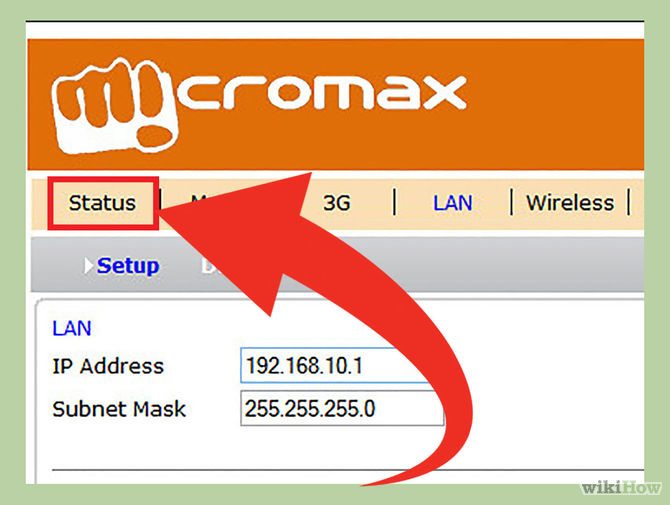
Open page Router Status, Internet or WAN to find address External IP (external IP address) available of Router. You can search address External IP (external IP address) on sites like Internet, Router Status or WAN (Wide Area Network) Status.
Step 3: Find your IP address
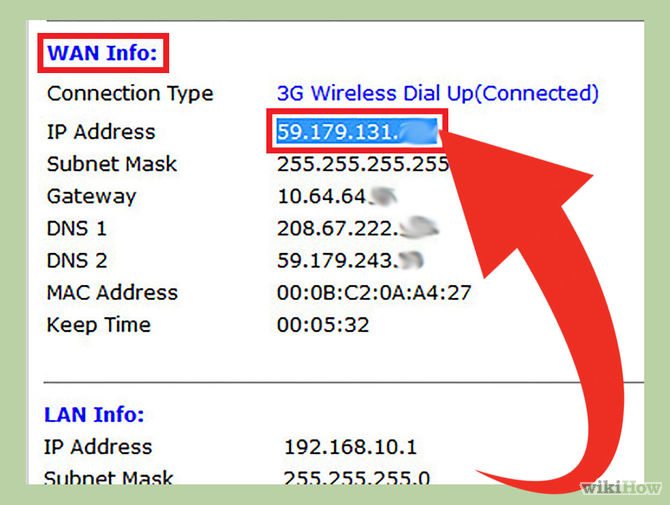
On the pages Router Status, Internet or WAN that you just opened, you will see IP address yours is at the bottom “Internet Port” (Internet gateway) or“Internet IP Address” (Internet IP address).
IP address Yours is a sequence of 4 integers separated by a dot. Eg 199.2.7.79.192.
Method 3: Find Private IP address on Windows using Command Prompt
Step 1: Open Command Prompt
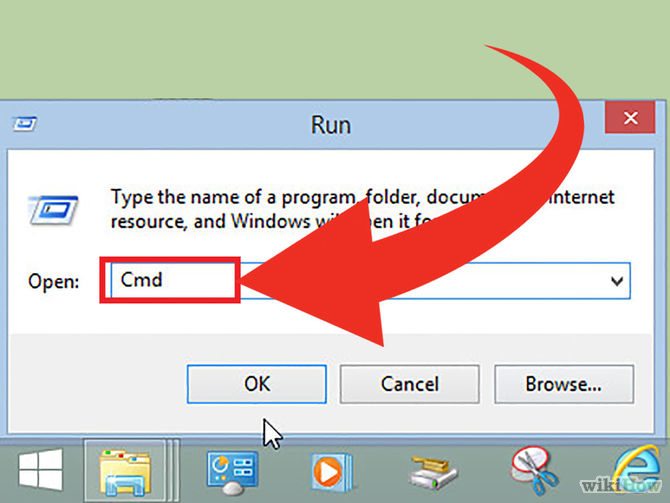
Press key combination Windows + CHEAP and type cmd into the frame Search. Then press Enter to open Command Prompt.
For Windows 8/10, you press the key combination Windows + X and choose Command Prompt above Menu.
Step 2: Run the command “ipconfig”
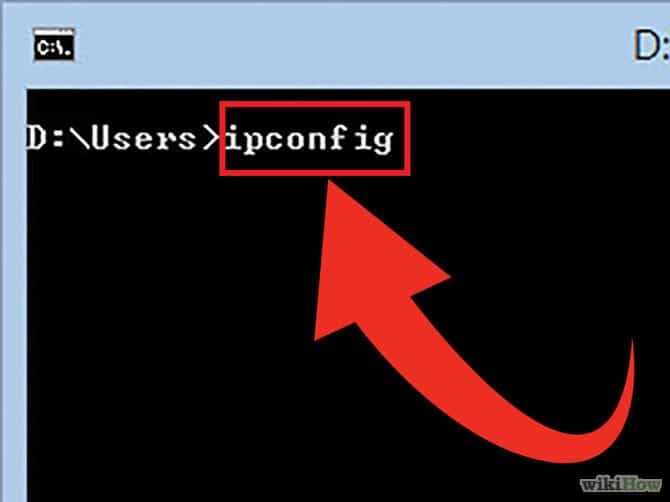
Type “ipconfig” then press Enter. On the screen you will see a list of network connection information. All networks connected to your computer will be displayed here.
Step 3: Find your IP address
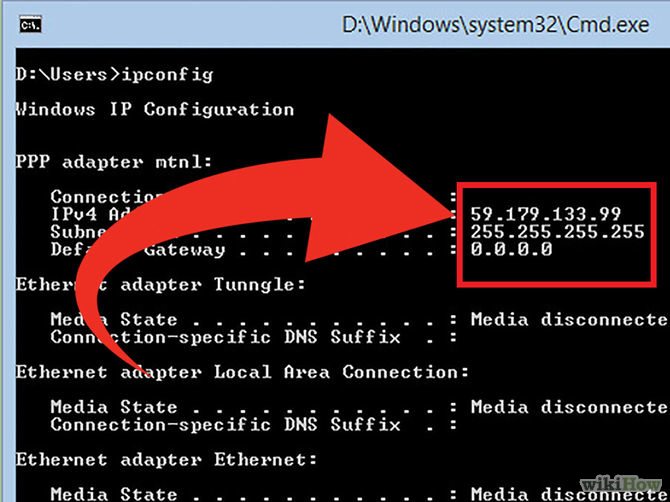
You will see IP address your in line IPv4 Address below the connection type name.
IP address Yours is a sequence of 4 integers separated by a dot, for example192.168.1.4.
Method 4: Find a Private IP address on Windows using Network Connections
Step 1: Open Network Connections
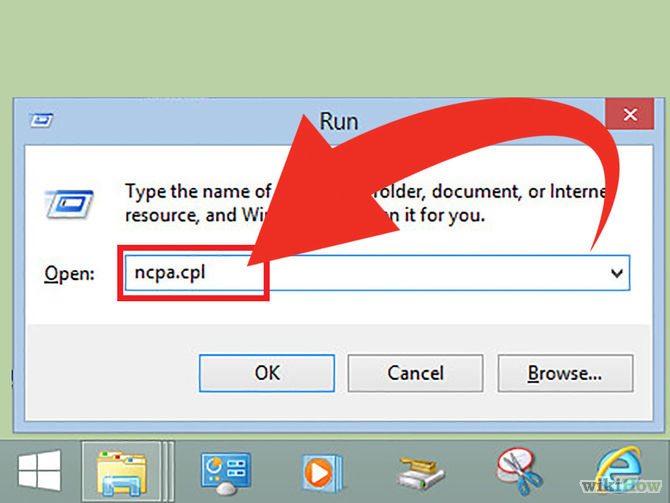
The fastest way is to press the key combination Windows + CHEAP and type ncpa.cpl. Then pressEnter to open the Network Connections window.
Step 2:
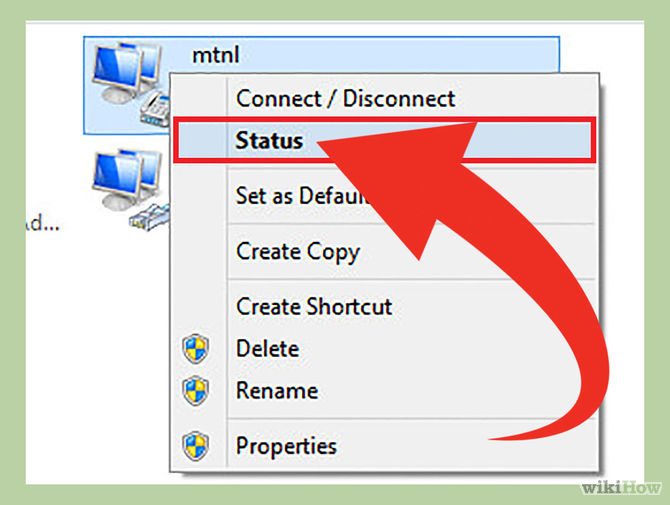
Right click on Active connection (the connection is active). Then chooseStatus. A Status window showing your current configuration and network connection status appears. If you are using Windows XPclick on tab support.
Step 3: Open the Network Connection Details window
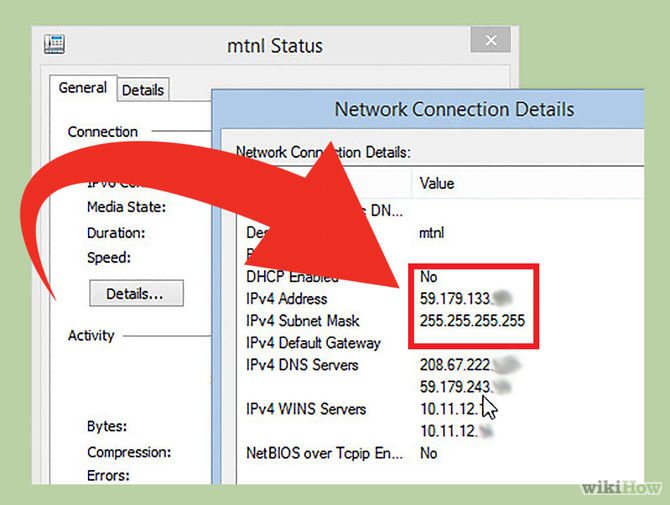
Click select Details. A window Network Connection Details appear. Internal IP address your (inernal IP address) will be displayed in “IP Address”(IP address) or “IPv4 Address”.
Method 5: Find Private IP Address on Linux
Step 1: Open Terminal
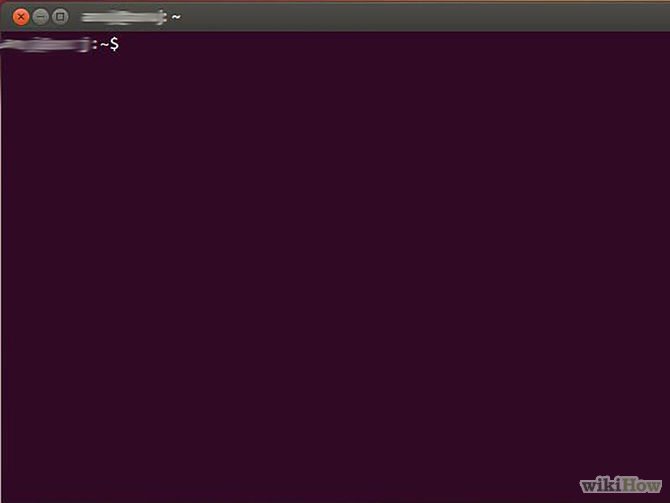
You can check internal IP address (internal IP address) on Linux by commandTerminal. Access Terminal by pressing the key combination Ctrl+Alt+T.
Step 2: Enter one of the IP configuration commands
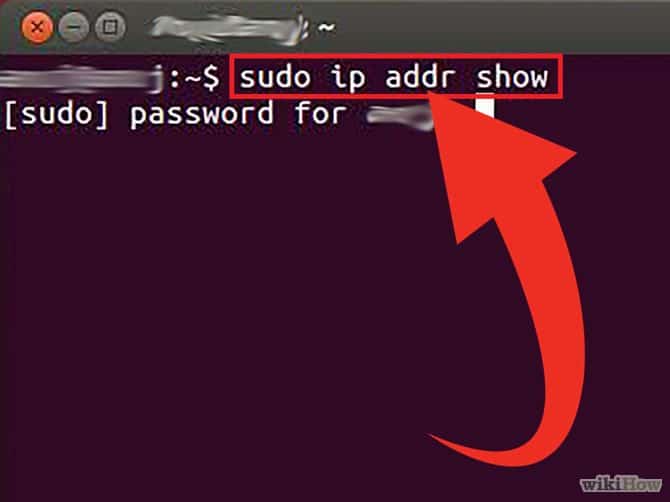
To display IP address your can use 2 different statements.
- sudo ip addr show: For this command you need to enter the password Admin Only then can this command be used.
- /sbin/ifconfig: For this command you will get a message saying you do not have permission Admin. Then you type sudo /sbin/ifconfig and enter the password.
Step 3: Find your IP address
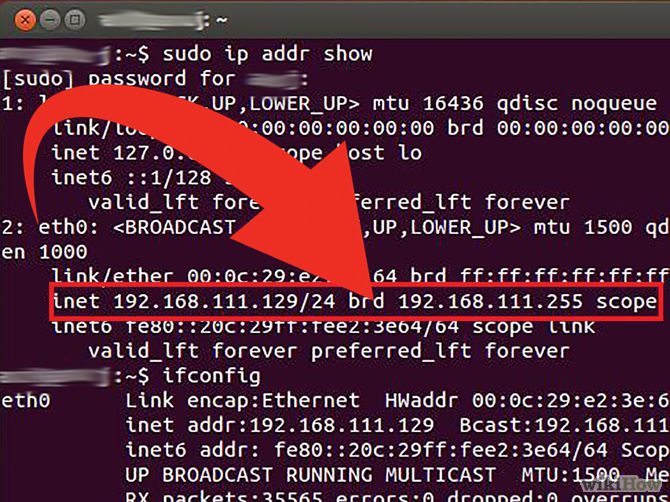
Each command will display detailed information about all the connections installed on your computer. Your task is to proceed to find the connection you are using.
Address Internal IP Your (internal IP address) is a sequence of 4 integers separated by dots. For example 192.168.1.4.
Method 6: Find your IP address on Websites IP
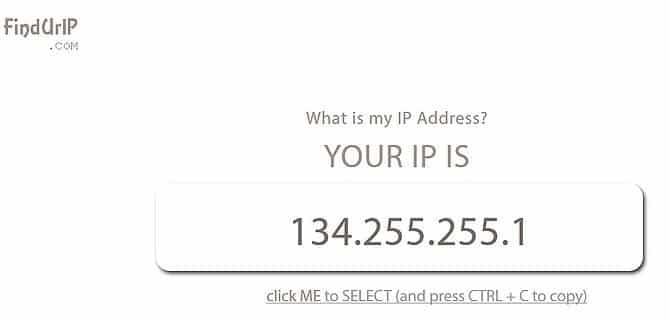
You can visit one of the links below to search IP addressyour computer.