Save image as Type contains malicious code This is information that shocked the global Chrome user community. A familiar utility with more than one million downloads was suddenly removed from the online store by Google. Let’s find out the truth behind this serious incident with AnonyViet.
📢 Join the channel Telegram belong to AnonyViet
Update new articles, cool tools and IT tips fastest
The million-user utility disappeared without a trace
Recently, the technology community, especially on the Reddit forum, has been buzzing about the extension information “Save image as Type” was suddenly disabled in the browser Chrome. Not only did it stop working, this utility was also completely removed from the Chrome Web Store, and the introduction page is no longer accessible.
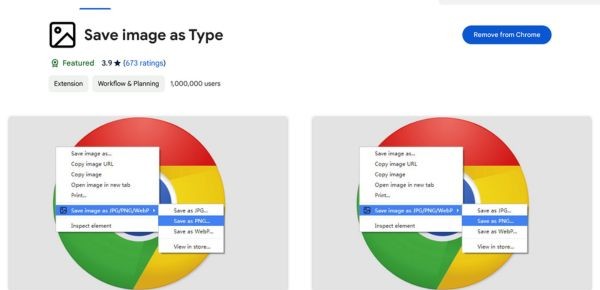
The reason given by Google is because this tool contains malware. This is a strong blow to people’s trust 1,000,000 users installed and trusted it. Previously, “Save image as Type” was very popular because of its outstanding feature: allowing users to download images in popular formats such as JPG or PNG, even when the website administrator has deliberately blocked this feature from the regular right-click menu.

How does Save image as Type contain malicious code?
According to analysis from security experts from AnTuTu and XDA, the malicious code is not located in the main function of the utility but is hidden in a file called inject.js. Its mechanism of action is extremely sophisticated and difficult to detect:
- Activate connection: As the user browses the web, this code silently connects to a remote server to download a list of target URLs.
- Insert tracking code: When users access one of the 578 websites on the list (mainly large e-commerce sites), the utility will automatically insert affiliate marketing code (affiliate links) of bad guys.
- Appropriation of commissions: If a user makes a purchase, the commission that should go to genuine marketers or original link owners will be redirected into the pockets of the malware distributor.
This behavior, although not directly installing a computer-destroying virus, is a shady form of data theft and profiteering, similar to the previous incident of the famous utility Honey. Obviously, Save image as Type containing malicious code is a real danger for users.

Who is behind this dangerous change?
What turns a useful tool into spyware? The data shows a suspicious change around last August. The developer’s email has been changed from “Image4Tools” to an individual named “Lauren Bridge”.
The biggest hypothesis is that this utility was resold after reaching the 1 million user milestone. The new owner took advantage of the huge existing user base to update and insert malicious code for the purpose of making illegal profits. Notably, Microsoft recognized the danger and removed this utility from the Edge browser late last year. However, it was not until now that Google Chrome took action to thoroughly handle it.
What is a safe alternative?
With the demise of “Save image as Type”, many users are looking for a reliable alternative tool. One of the options suggested by the community is “Save Image As PNG“. Below is a quick comparison table to give you an overview:
| Criteria | Save image as Type (Removed) | Save Image As PNG (Alternative) |
| Number of users | More than 1,000,000 | About 400,000 |
| Main features | Save images in many formats (JPG, PNG, WebP) | Focus on saving images as PNG |
| Security status | Contains malicious codehas been removed by Google | Safe, compliant with Chrome policies |
| Reliability level | Very low (sold and installed malicious code) | High (transparent developer) |
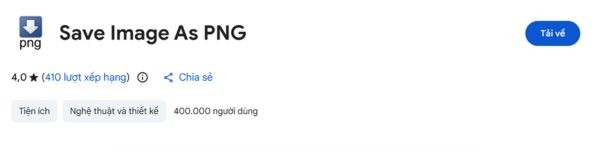
Although it has a smaller number of users, “Save Image As PNG” is a safe option and strictly complies with Chrome’s regulations, giving you peace of mind to use without worrying about being tracked.
Instructions for checking and removing malicious extensions from Chrome
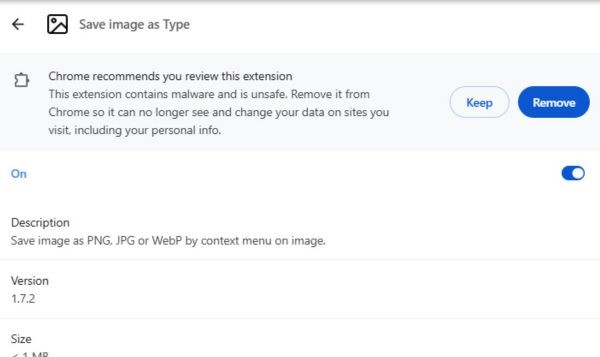
If you have “Save image as Type” installed, please remove it immediately with these steps:
Step 1: Open Chrome browser, enter chrome://extensions go to the address bar and press Enter.
Step 2: In the list of installed utilities, find “Save image as Type“.
Step 3: Click the button “Erase” and confirm to completely remove the extension from your browser.
This removal will prevent any future data collection.
Conclusion
Incident Save image as Type contains malicious code Once again shows that not all utilities with many downloads are safe. Users need to be very vigilant and carefully check access rights before installing any tools in their browser.
Frequently asked questions (Q&A)
1. Does this utility steal my password?
According to the report, the malware mainly focuses on inserting marketing links to steal commissions, with no evidence that it directly steals passwords or financial information.
2. I have already removed the extension, is there anything else I need to do?
Removing the extension stopped the malicious behavior. To be safer, you can clear your browser’s cache and cookies to remove any remaining tracking codes.
3. How to recognize a safe extension?
Check the developer is reputable, read recent reviews (not just the overall score), and pay special attention to the permissions the extension requests upon installation. A permissionless photo saving utility that “reads and changes all data on the websites you visit”.