Did you know that Microsoft Edge hides an interesting small game right in the browser? That is Edge Surfa mini-game inspired by the classic Skifree game in the 90s. In the game, you will transform into a talented surfing hand, conquer waves and avoid countless obstacles. Easy to play, interesting and no need to install, Edge Surf has just been updated by Microsoft with many attractive improvements.
| Join the channel Telegram belong to Anonyviet 👉 Link 👈 |
How to play Edge Surf – Microsoft Edge’s hidden surfing game
Edge Surf is a simple but addictive game, can be accessed directly from the browser Microsoft Edge Whether you are online or offline. To start, you just need to follow these steps:
Step 1: Open Microsoft Edge browser.
Step 2: Knock Edge: // surf Go to the URL address bar> press Enter To start the game immediately.
As soon as the game starts, you will find yourself driving a surfing hand on the sea. Use an arrow key on the keyboard, mouse, touch screen or even a handle to move.
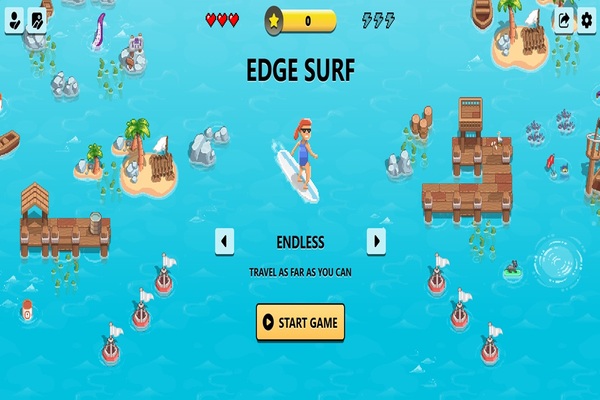
The goal is very simple: Farestly as possible, avoid obstacles such as jellyfish, swirling water or scary kraken monster.
Tip: If you lose the Internet connection, Microsoft Edge will display the “Start Game” button right on the error screen. Click it to play Edge Surf without network!
Microsoft Edge is not the only browser with hidden games. If you enjoy the mini-game on the browser, you can also try Chrome Dino-the famous dinosaur game of Google Chrome.
https://www.youtube.com/watch?v=9u2exqfp4hy
What’s new in the Edge Surf update on February 14, 2025?
On February 14, 2025, Microsoft launched a large update for Edge Surfbringing the game experience game Smooth and interesting than ever. Here are the prominent highlights in this new version:
The graphics are completely refreshed
Edge Surf now has a significant improved graphics. The details in the game become sharper, more vivid colors, but still retain the nostalgia from the original design. This change makes the game look modern without losing the soul of the old version.
Diverse options interface
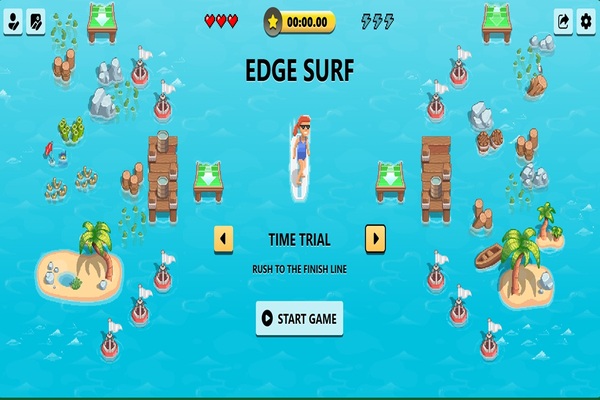
A new interface menu has been added, allowing you to customize the display style of the game. You can choose between classic design or testing the newly refreshed interface versions, bringing a fresh feeling every time you play.
Customize unique characters
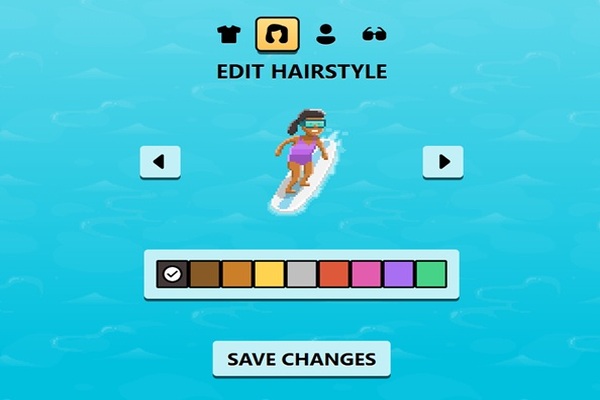
The most interesting highlight of this update is the character customization feature. Now, you can change the appearance of surfing with options such as costumes, hairstyles or accessories such as sunglasses, hats or diving masks.
New “Collector” mode
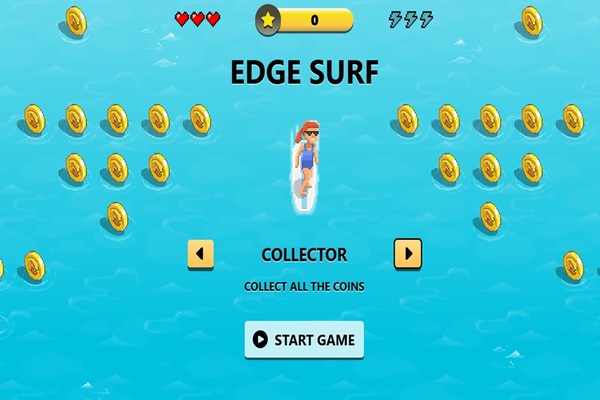
In addition to familiar play modes such as endless (endless), Time Trial and Zigzag (wavy), Edge Surf now has more “collector” mode. In this mode, your task is to collect as many coins as possible to break your personal record. A process bar will display your level of completion, making each game more dramatic than ever.
Monitor the improvement score
The update also brings a new process bar, making it easy to track your highest score. This is a great addition for those who love competition and want to overcome themselves after each play.
Easy mode switch
A small but very convenient improvement: you can switch between game modes right from the main screen of the game without escaping and restarting. This saves time and makes the gaming experience more seamless.
Edge Surf: Perfect entertainment game for lunch break
Edge Surf is not only a fun Easter Egg, but also a true entertainment game that Microsoft constantly improves. The great thing is that you can play it on every platform with Microsoft Edge installation – from PC, Android to iOS. You don’t even need to connect to the Internet to enjoy the game, making it an ideal choice when you are moving or having network problems.
Conclude
Edge Surf Not only is an interesting hidden game in Microsoft Edge, but also a testament to Microsoft’s creativity in providing a unique experience for users. With the update on February 14, 2025, the game has been upgraded in both image, features and game mode, promising to keep you in free moments!