Have you ever felt that the computer slowed down, the hard drive was full and unknown? Or worry about personal information exposed through browsing history? If the answer is yes, then Bleachbit It is the “savior” you need. This is an open source software, completely free, helping to clean the computer clean and protect privacy with just a few clicks.
| Join the channel Telegram belong to Anonyviet 👉 Link 👈 |
What is Bleachbit?
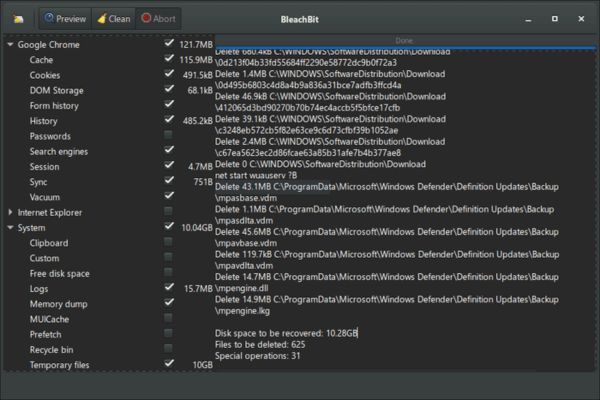
Bleachbit is a tool designed to clean up the garbage files on computers such as temporary files, cache, cookies or browser history. Not only helps release the hard drive capacity, Bleachbit also protects personal information by deleting data safety, making them unable to recover.
This software runs smoothly above all Windows and Linuxwith friendly interface and flexible customization ability. Whether you are a popular user or an unemployed IT, Bleachbit is the ideal choice to keep the computer clean and agile.
Why need to clean the computer often?
Every day, your computer “accumulates” a pile of excess data: temporary files from applications, browsing history, cookies, or system diaries. These things not only consume the capacity but also can run the machine. Not to mention, they still have the potential risk. For example, the history of the browser may reveal which websites you have visited, or the temporary file may contain sensitive information from the document you just opened.
Cleaning manually is both time -consuming and easy to miss. That is why you should let Bleachbit automatically do this when starting the computer. This approach not only saves time but also keeps the computer in a “clean as new” state. In particular, if you use public computers or share with others, automatically erasing the user traces is extremely necessary to protect personal information.
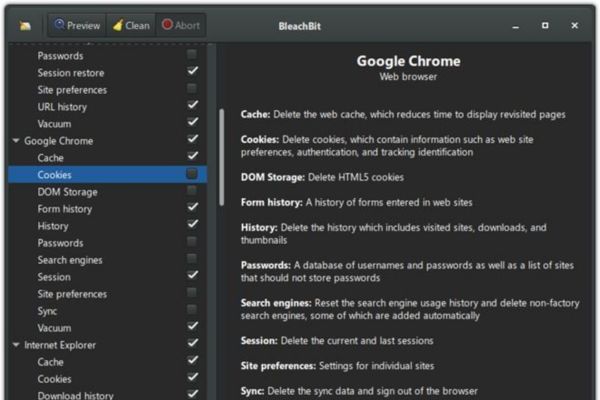
How to use Bleachbit to automatically clean the computer
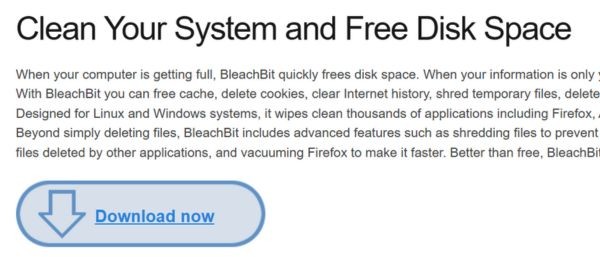
Step 1: First, please visit www.bleachbit.org To download and install Bleachbit. After installing, open the software and start choosing what you want to clean.
Bleachbit’s interface is very intuitive, you can easily mark items such as:
- Cache of the browser (Chrome, Firefox, Edge …).
- Temporary file of Windows.
- History of search and cookies.
- System diary.
Test once to see what Bleachbit delete, then save this configuration as the default (preset). This configuration will be used for automatic cleaning later.
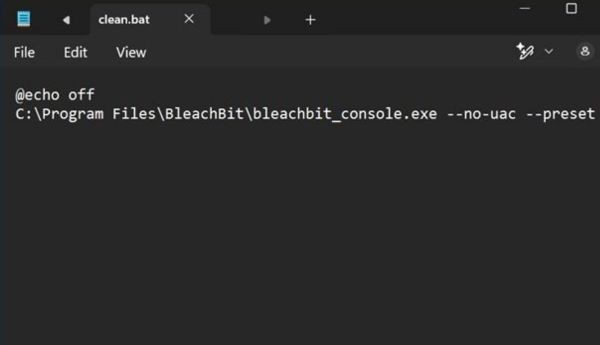
Step 2: In order for Bleachbit to run at Windows, you need to create a simple script. Open Notepad and enter the following code:
@echo off
C:\Program Files\BleachBit\bleachbit_console.exe --no-uac --preset
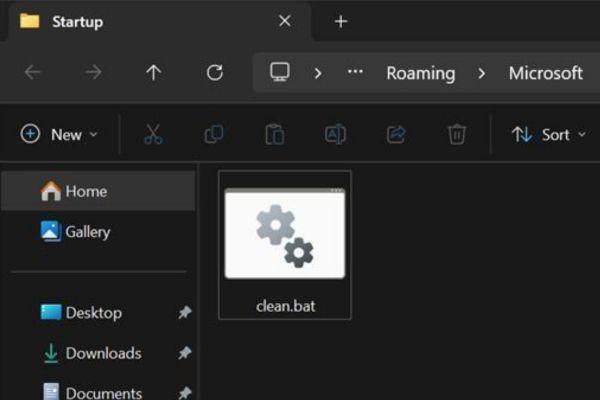
Step 3: Save this file with the tail .batFor example: Clean.bat. Guarantee the path to Bleachbit_console.exe True to the installation position on your computer.
Step 4: Press Win + R, knock Shell: startup and press Enter. A folder will appear – this is the place where the programs run when Windows starts. Pull the Clean.bat file just created here.
That’s it! From now on, every time the device is turned on, Bleachbit will automatically clean according to the selected configuration.
Benefits of automation with Bleachbit
Use Bleachbit to automatically clean to bring a series of benefits:
- No need to remember to clean up manually, your computer will “clean” yourself every day.
- Sensitive data is erased, leaving no chance for bad guys to recover.
- Remove garbage files that help reduce the hard drive load, increase the boot speed and run the application.
- If you manage your computer in an office or public place, this feature ensures no one can access the user’s data first.
Things to note when using
Although Bleachbit is easy to use, you should still be a little careful to avoid trouble:
- Check before automation: Run Bleachbit test in manual mode to make sure it does not delete anything important, such as saved passwords or system files.
- The right path: If you reinstall Bleachbit or change the folder, remember to update the link in the Batch file.
- Limitations of –NO-BAAC: This option gives Bleachbit running without administration, but it cannot delete higher demanding system files. If you need to clean deeper, use the GUI interface and run with admin rights.
- Data backup: Although rarely errors, you should back up important data before cleaning, in case of unexpected cases.
Conclude
Bleachbit Not only is a cleaning tool, but also a simple way to keep your computer fast, clean and safe. With the automatic running feature when booting Windows, you will not need to worry about the garbage file or the risk of personal information. Just a few minutes of setting, it will do all the hard work, so that you can focus on things more important.