IObit Uninstaller 14 for free With a 6 -month Pro copyright waiting for you to activate today. This is a golden opportunity to experience all high -end features without spending a penny, from uninstalling mass to intensive cleaning. Do not miss the detailed instructions right below!
| Join the channel Telegram belong to Anonyviet 👉 Link 👈 |
Why is IObit Uninstaller 14 an indispensable tool?
In the digital world, the installation and testing of new software is unavoidable. However, the default installation of Windows Often does not fulfill your tasks well. It often leaves countless redundant files, trash registry and empty folders, gradually accumulating and turning your computer into a “digital landfill”.
IObit Uninstaller 14 was born as a savior. This is not only a regular removal tool, but a smart application manager with the following benefits:
- Uninstall thoroughly: It not only deletes the application but also sweeps deep into the system to find and eliminate all the “remnants” left over, ensuring no trace of the software has been removed.
- Remove a series with just one click: Instead of having to remove each program manually, you can choose multiple applications and let Iobit Uninstaller handle it all in just once.
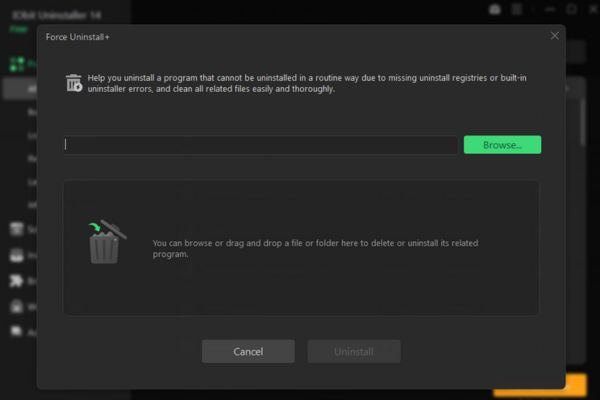
- Forcing to uninstall stubborn programs: For stubborn, faulty or not included software in the Add/Remove Programs list, the “Force Uninstall” feature will be the ultimate weapon.
With IObit Uninstaller 14, you are giving your computer a professional cleaning expert, working tirelessly to keep the system always in the best state.
Breakthrough upgrades on IObit Uninstaller 14
Version 14 is not only a small update, but also a great step in performance and features. IOBIT has listened to users and brought valuable improvements such as:
Scan deeply and cleaner 20%
The “strong scan” feature (Powerful Scan) is now upgraded to be able to search and eliminate more than 20% of spam files and private traces. This means that after each uninstall, your computer will be cleaner, freeing more storage space and better privacy protection.
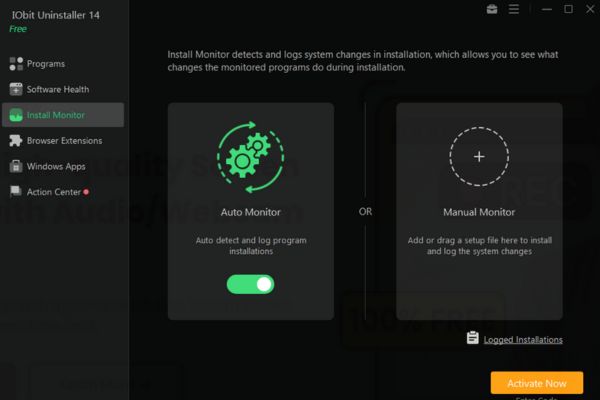
Settlement supervision is smarter
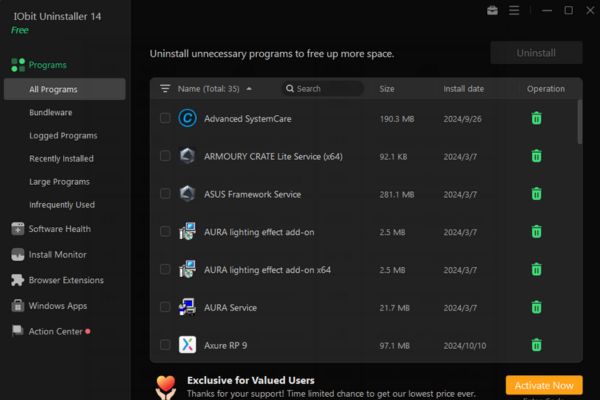
Module “Settings monitoring” (Install Monitor) is now more sophisticated, capable of recording all changes that a software created on your system during the installation process. As a result, when you decide to remove it, IObit Uninstaller 14 will know exactly what to delete to restore the system to its original state.
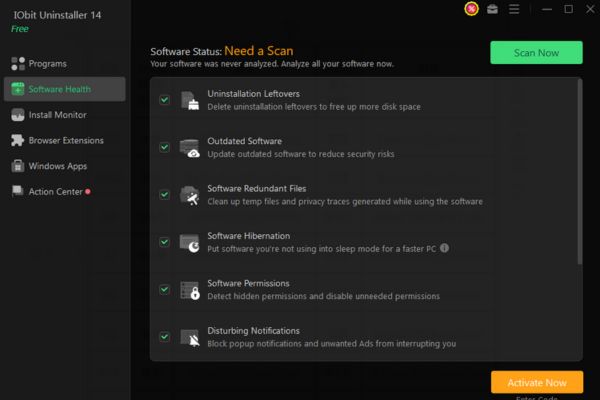
Software health is optimal
“Software health” function (Software Health) is strongly improved, helping to automatically detect and overcome more problems related to software, from annoying ads, toxic plugins to suspicious access rights, keeping your working environment safe.
The database removes the stubborn software to expand 40%
Do you have a “non -rule” software? Don’t worry! The database of IObit Uninstaller 14 has been expanded by 40%, allowing it to identify and process more than 3,000 stubborn software easily.
Modern and friendly interface
The user interface has been refined, intuitive and easier to use. In particular, versions 14 supports both brightness and darkness (Dark), allowing you to customize your preferences and better eye protection when working at night.
Instructions for receiving IOBIT Uninstaller 14 for free (Pro 6 months)
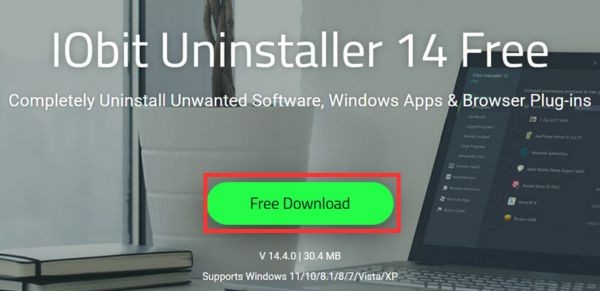
Step 1: Visit the download website of IObit Uninstaller
Click the button Free download To download the installation file to the device.
Open the newly loaded file and proceed to install as other normal software.
Step 2: After installation is complete, open the Uninstaller 14 IOBIT 14. On the main interface, you will see an option called Enter code (Enter the code). Click on it.
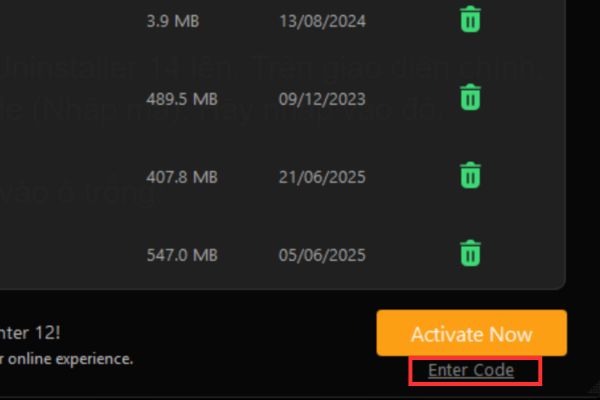
Step 3: Copy and paste the following code exactly into the blank box:
D92Be-EE857-EA4D8-333TD
Press the button Register Now (Register now).

If the code is valid and still activated, the software will immediately be upgraded to the Pro version with a shelf life of 6 months. You can check it again by going to the menu (icon 3 dashes)> select My Subscribe To view copyright information.
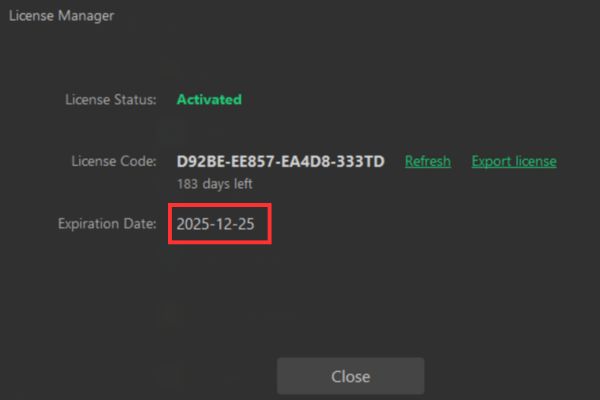
Note: This Giveaway code has a limit 200 active times and deadline 6 months. Hurry up and do not miss this wonderful opportunity!
Conclusion
IObit Uninstaller 14 is not just a tool, but a smart investment for computer performance. With the ability to erase thoroughly, strongly clean up and a series of advanced optimization features, it deserves a position in the toolkit of any user. Don’t hesitate! Please follow the instructions above to own IObit Uninstaller 14 for free Pro version today.