Compare Google Drive and OneDrive is a topic that many people are interested in, because both are popular and convenient cloud storage services. Google Drive and OneDrive have many things in common, but also have many differences, in terms of capacity, features, security, compatibility, etc. This article will help you compare Google Drive and OneDrive in detail and objectively. , so you can choose the service that suits your needs.
| Join the channel Telegram belong to AnonyViet ???? Link ???? |
Compare Google Drive and OneDrive
Support platform
Google Drive and OneDrive are available on Android, iOS, Windows, and Mac. You can also use the web version and access your files on a Linux computer or Chromebook, which also integrates well with both the Finder app on Mac and File Explorer on Windows.
User interface
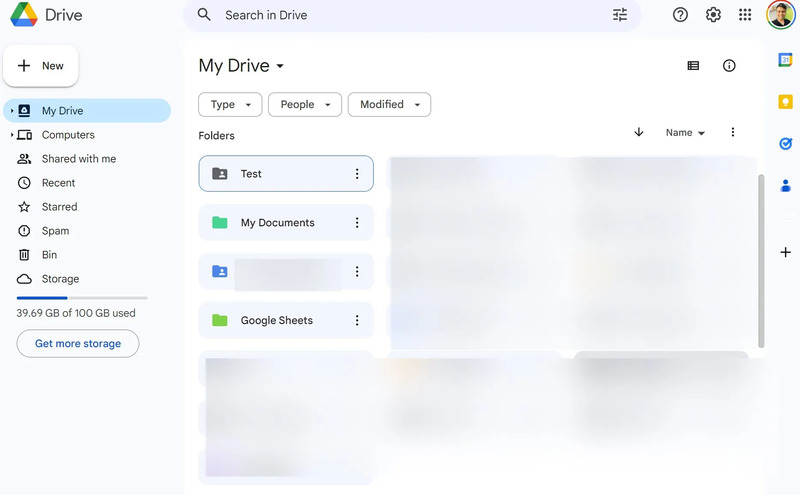
Google Drive’s interface generally looks more modern and user-friendly than the web version of OneDrive.
Microsoft has introduced a new OneDrive improvement, but it is currently still in the works and there is no estimated time yet.
Feature
Google Drive and OneDrive both have the basic features of a cloud storage service, such as:
- Allows uploading, downloading, sharing and synchronization of different file types.
- There is a web interface and app for computers and phones, allowing users to access and manage their files anytime, anywhere.
- Allows users to edit text files, spreadsheets and presentations online, through Google or Microsoft office applications.
- Supports data encryption to protect user safety.
Some outstanding features of Google Drive are:
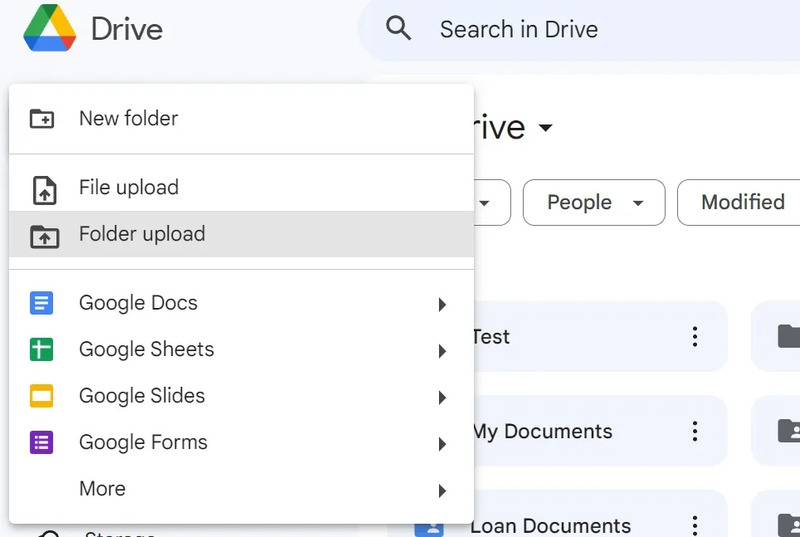
- Allows users to store file types that cannot be opened on Windows computers, such as Pages, Numbers, and Keynote.
- Ability to program own applications for use with Drive.
- Organize neatly with different colored folders so you can quickly find relevant files.
- Can mark files as favorites and check recently opened files in the top bar.
- Works well with applications such as Docs, Sheets, Slides, Drawings, Forms, JamBoard, Keep,…
- Supports backing up Android phone content, including contacts, messages, call history, WhatsApp chats, etc.
Some outstanding features of OneDrive are:
- Deep integration with Windows and Microsoft 365 operating systems, allowing for convenient file synchronization and collaboration.
- Features Files On-Demand, which allows users to view and access files in the cloud without downloading them to their computer.
- There is a File Restore feature, which allows users to restore previous versions of files within 30 days.
- Integrates well with the Windows 11 Start menu for quick access to files you use often.
- Show folder sizes (something not available on Google Drive).
- There is a Personal Vault feature, which allows users to store sensitive files with two-layer security.

Sharing rights
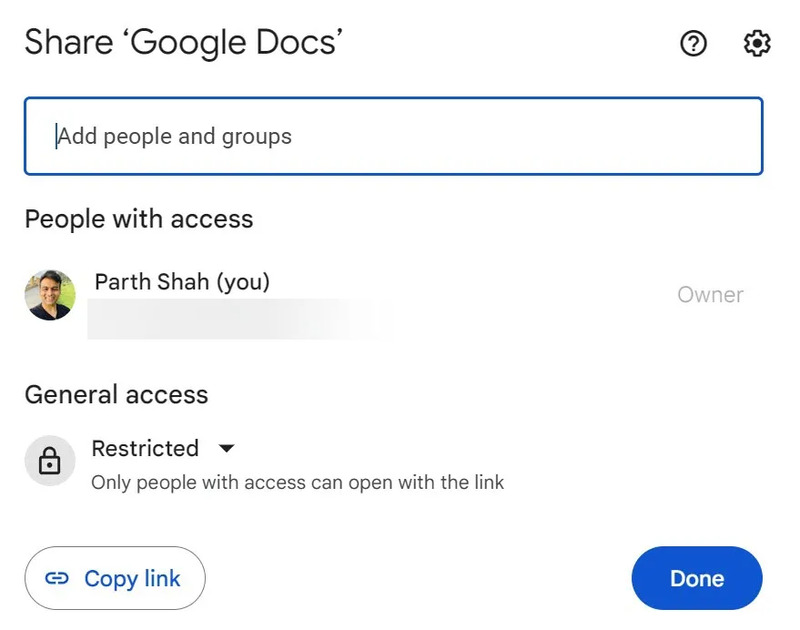
OneDrive supports sharing permissions better than Google Drive. When you share a confidential file or folder with someone on OneDrive, you can protect it with a password or create a time-limited link. This will prevent any unauthorized access to your private files and folders.
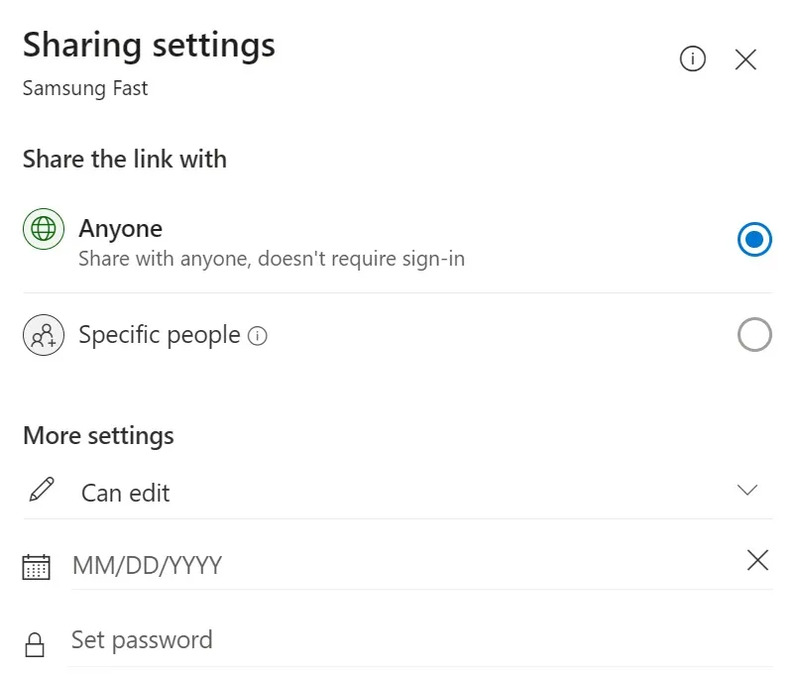
Sharing permissions on Google Drive are similar to Docs or Sheets applications. You can share a view-only file or add someone as a commenter or editor.
Capacity and price
Google Drive and OneDrive both provide users with free storage space when registering an account. Specifically Compare Google Drive and OneDrive as follows:
For Google Drive
Google Drive gives users 15GB of free storage, including Gmail space, Google Photos, phone backups, and file uploads. This 15GB should last you a few years, and if you run out of space, sign up for one of the Google One plans, which start at
100 GB ($1.99/month) to 2 TB ($9.99/month)
Plus, you can buy up to 30 TB of Drive storage with a Google One plan, share Drive storage with up to five users, get premium Google Photos editing features, remove ads from Gmail, and more. Get access to Google experts.
For OneDrive
OneDrive only offers 5 GB for free. If you want to upgrade capacity, users can choose packages from 100 GB (1.99 USD/month) to 6 TB (9.99 USD/month). However, OneDrive’s 6 TB plan only applies to 6 users, each person gets 1 TB.
In addition, this package also includes Microsoft 365 Personal, which allows the use of Microsoft office applications.
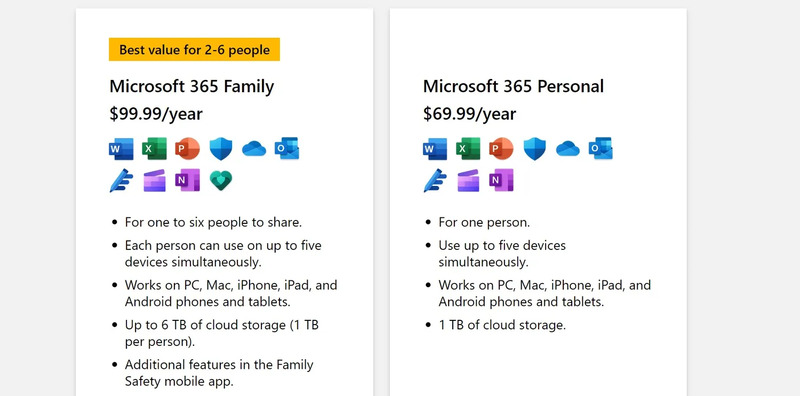
Overall, OneDrive is cheaper than Google Drive on the higher plans (1 TB and 2 TB) and has the advantage of including Microsoft 365 Personal in the 6 TB plan. Microsoft 365 Personal is an office suite that includes Word, Excel, PowerPoint, Outlook, and more.
Efficiency
When Compare Google Drive and OneDrive, they all have high performance when used on different devices. However, there are some differences between the two services in terms of speed and reliability.
According to several studies and tests, Google Drive has faster upload and download speeds than OneDrive, especially when using the web interface. Google Drive also crashes less often than OneDrive when syncing large files or multiple files at once.
However, OneDrive has the advantage of being integrated with Windows 10, allowing users to access and manage files more easily.
Works on phone
Google Drive and OneDrive mobile apps can scan and download documents and business cards quickly and easily. They also offer handy home screen widgets on Android and iOS.
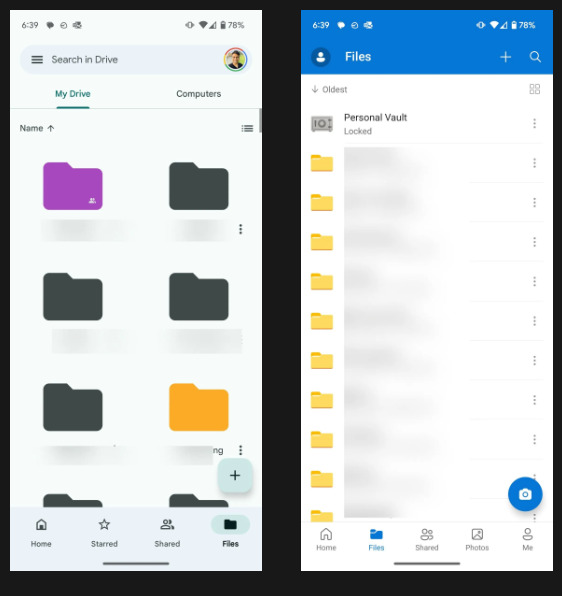
However, only Google Drive supports lock screen widgets on iPhone. OneDrive is integrated into the Gallery application of Android users. However, the OneDrive for Android app seems outdated.
Support
Google Drive and OneDrive both have support channels for users when they encounter problems or have questions. Both have official websites, providing information, instructions and FAQs about their services. Both have community forums, allowing users to socialize, share experiences, and solve problems with each other.
In addition, both have contact channels via email, phone or online chat, so users can receive professional support from Google or Microsoft employees.
Epilogue
Google Drive and OneDrive are two of the leading cloud storage services today, with billions of users worldwide. After Compare Google Drive and OneDrive, we can see that both provide users with online storage space, allowing uploading, downloading, sharing and synchronization of different file types with their own advantages and disadvantages, suitable for different needs and uses. Hopefully the above information can help you choose the most suitable cloud storage service for yourself. Good luck!