• Home
  • News
  • Software
  • Knowledge
  • MMO
  • Tips
  • Security
  • Network
  • Office
AnonyViet - English Version
  • Home
  • News
  • Software
  • Knowledge
  • MMO
  • Tips
  • Security
  • Network
  • Office
No Result
View All Result
  • Home
  • News
  • Software
  • Knowledge
  • MMO
  • Tips
  • Security
  • Network
  • Office
No Result
View All Result
AnonyViet - English Version
No Result
View All Result

How to turn a still photo into a super realistic 3D animation

AnonyViet by AnonyViet
June 29, 2023
in Tips
0

Have you ever wanted to know? how to turn a still image into a 3D animation from photos of loved ones, celebrities or favorite cartoon characters to make them come alive and closer? If so, then you’ve come to the right place. Let’s AnonyViet Discover how to “breathe” 2D photos more vividly through the following article!

Join the channel Telegram belong to AnonyViet ???? Link ????

What is MyHeritage’s Deep Nostalgia feature?

Deep Nostalgia is a unique feature licensed by MyHeritage from D-ID – a company specializing in video rendering using deep learning.

Deep learning is an area of ​​artificial intelligence that allows computers to learn from data and perform complex tasks. Using deep learning, Deep Nostalgia can analyze faces in still images and apply appropriate movements and expressions to create realistic and vivid short videos.

The Deep Nostalgia feature has gained a lot of attention on the internet and has been used for implementation how to turn a still image into a 3D animation, activate millions of user photos. Many people have felt moved when they see the face of a deceased loved one or deceased celebrity being animated.

Many others were happy to see their favorite cartoon characters in motion. This feature not only brings joy to users, but also helps them connect with the past and experience family history vividly.

How to turn a still image into a 3D animation

Step 1: You visit the page My Heritage

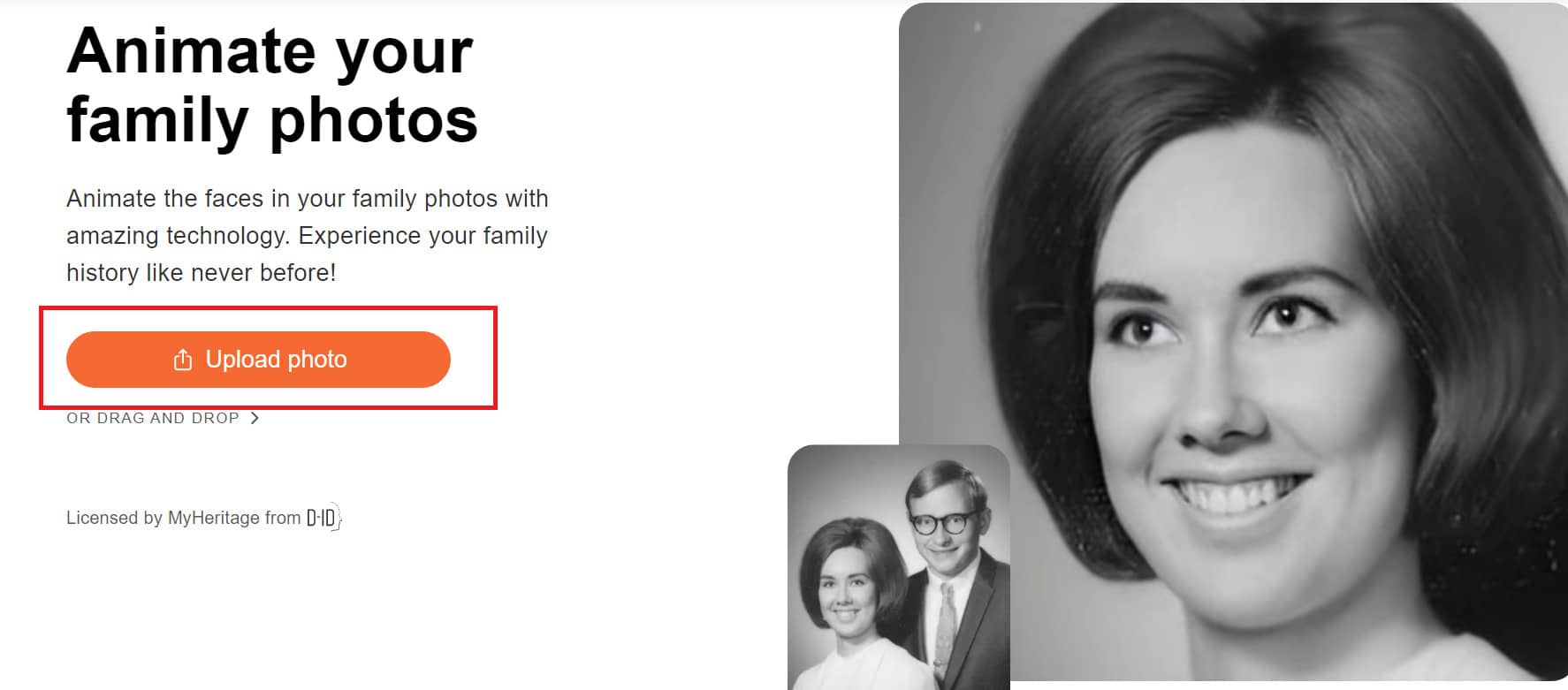
Step 2: Select “Upload photo” > Select image. Wait a few minutes for the website to load the image.
How to
Select “Upload photo” > Select image

Choose to be able to choose photos of relatives, friends, shirt characters, celebrities, etc. or even

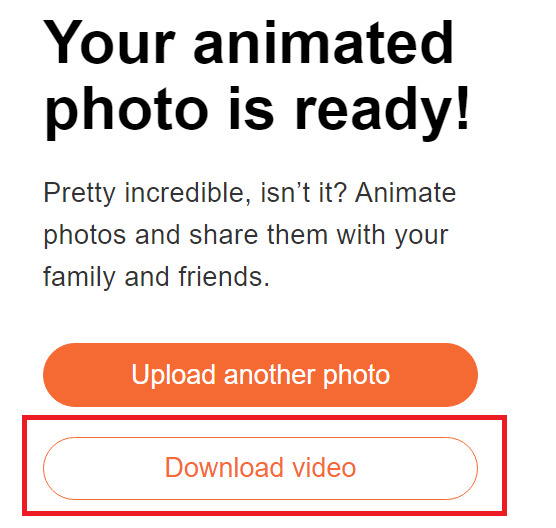
Step 3: Once done, you can click “Download video” to download it to your computer.
How to
Click “Download video” to download to your computer

Finished video you can refer to here:

Epilogue

So with just a few simple steps, with My Heritage, you can know how to turn a still image into a 3D animation more vivid, can move, roll the eyes like real. Wish you successful application and have many impressive photos!


Rate this post

Tags: animationphotorealisticsuperturn
Previous Post

Play games directly on Youtube with Playables

Next Post

How to buy Google One 100GB for 27K CZK

AnonyViet

AnonyViet

Related Posts

How to change the default font on Windows 10
Tips

How to change the default font on Windows 10

April 13, 2026
5 tips for using a Browser to replace an App (helps save RAM, time and money)
Tips

5 tips for using a Browser to replace an App (helps save RAM, time and money)

April 13, 2026
How to make funny MeMe photos without Photoshop within 10 seconds
Tips

How to make funny MeMe photos without Photoshop within 10 seconds

April 11, 2026
How to quickly design your own Logo without Photoshop
Tips

How to quickly design your own Logo without Photoshop

April 10, 2026
How to convert Website into App on Windows
Tips

How to convert Website into App on Windows

April 9, 2026
Instructions for getting 3 months of Adobe Express Pro for free
Tips

Instructions for getting 3 months of Adobe Express Pro for free

April 9, 2026
Next Post
How to buy Google One 100GB for 27K CZK

How to buy Google One 100GB for 27K CZK

0 0 votes
Article Rating
Subscribe
Login
Notify of
guest

guest

0 Comments
Oldest
Newest Most Voted
Inline Feedbacks
View all comments

Recent News

How to intercept traffic using Burp Suite to analyze HTTP/HTTPS

How to intercept traffic using Burp Suite to analyze HTTP/HTTPS

April 18, 2026
How to avoid Adblock detection on Youtube with 4 good tips

How to avoid Adblock detection on Youtube with 4 good tips

April 17, 2026
How to transfer ChatGPT data to Claude is extremely simple

How to transfer ChatGPT data to Claude is extremely simple

April 16, 2026
How to authenticate the owner’s SIM on VNeID from April 15

How to authenticate the owner’s SIM on VNeID from April 15

April 15, 2026
How to intercept traffic using Burp Suite to analyze HTTP/HTTPS

How to intercept traffic using Burp Suite to analyze HTTP/HTTPS

April 18, 2026
How to avoid Adblock detection on Youtube with 4 good tips

How to avoid Adblock detection on Youtube with 4 good tips

April 17, 2026
How to transfer ChatGPT data to Claude is extremely simple

How to transfer ChatGPT data to Claude is extremely simple

April 16, 2026
AnonyViet - English Version

AnonyViet

AnonyViet is a website share knowledge that you have never learned in school!

We are ready to welcome your comments, as well as your articles sent to AnonyViet.

Follow Us

Contact:

Email: anonyviet.com[@]gmail.com

Main Website: https://anonyviet.com

Recent News

How to intercept traffic using Burp Suite to analyze HTTP/HTTPS

How to intercept traffic using Burp Suite to analyze HTTP/HTTPS

April 18, 2026
How to avoid Adblock detection on Youtube with 4 good tips

How to avoid Adblock detection on Youtube with 4 good tips

April 17, 2026
No Result
View All Result
  • Home
  • News
  • Software
  • Knowledge
  • MMO
  • Tips
  • Security
  • Network
  • Office

wpDiscuz
0
0
Would love your thoughts, please comment.x
()
x
| Reply