• Home
  • News
  • Software
  • Knowledge
  • MMO
  • Tips
  • Security
  • Network
  • Office
AnonyViet - English Version
  • Home
  • News
  • Software
  • Knowledge
  • MMO
  • Tips
  • Security
  • Network
  • Office
No Result
View All Result
  • Home
  • News
  • Software
  • Knowledge
  • MMO
  • Tips
  • Security
  • Network
  • Office
No Result
View All Result
AnonyViet - English Version
No Result
View All Result

Link Windows 10 Product key with Microsoft account

AnonyViet by AnonyViet
February 19, 2023
in Tips
0

On the Windows 10 Anniversary Update version, Microsoft has changed some features, including how to activate. Also starting with Windows 10 Anniversary Update, the Product key will not only be attached to the hardware anymore, but you will also be able to link the Product key to your Microsoft account.

Join the channel Telegram belong to AnonyViet 👉 Link 👈
  • This new feature allows you to reactivate Windows 10 without having to contact Microsoft when you change the hardware on your computer, including replacing the motherboard, processor ( processor) or hard drive.
Link Windows 10 Product key with Microsoft account

How to link copyrighted Windows with Microsoft account?

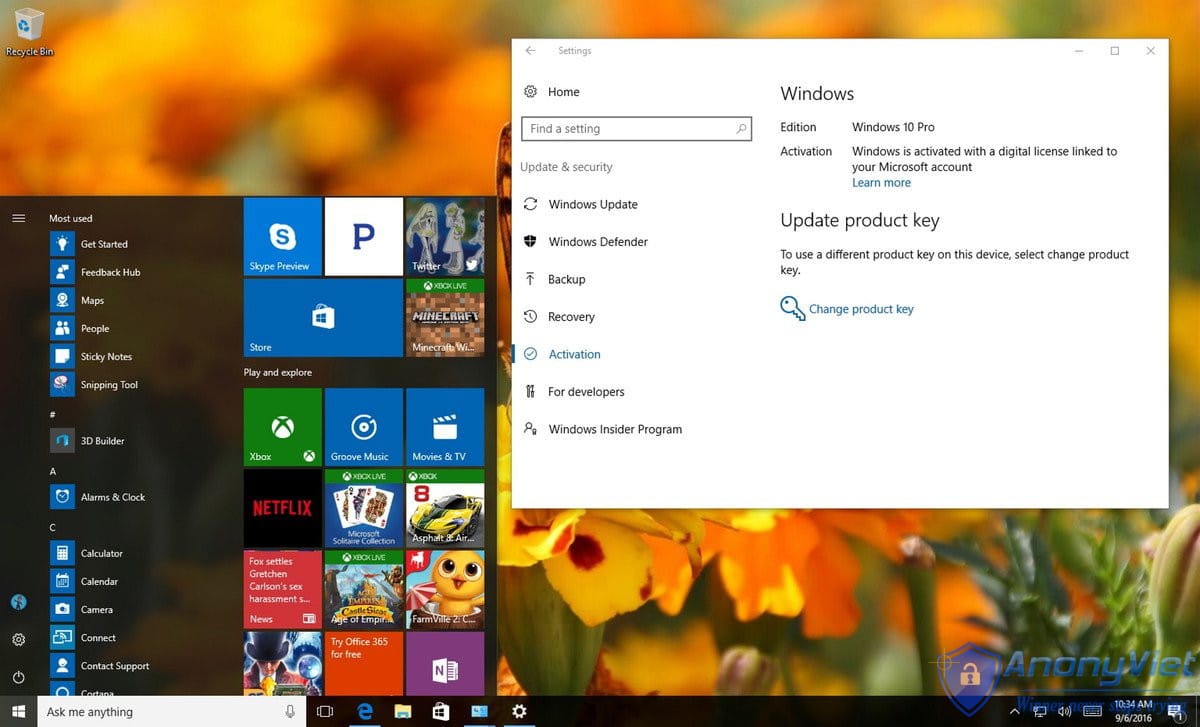
To make sure everything is working properly, you first need to make sure Windows 10 is activated properly. To do this, follow the steps below:

  1. Open Settings.
  2. On the Settings window, find and click Update & security.
  3. Next click select Activation.
  • On the Activation window, you will see the message “Windows is activated with a digital license” (or product key).
  • At this point you can be sure that your Windows 10 has been activated properly. The next step is to add the Microsoft account you want with the Product key. It should be noted that the process will change your account from a Local account to a Microsoft account.

1. Open window Settings.

2. On the Settings window, find and click Accounts.

3. Next click Your info.

4. Click on the link Sign in with your Microsoft account instead.
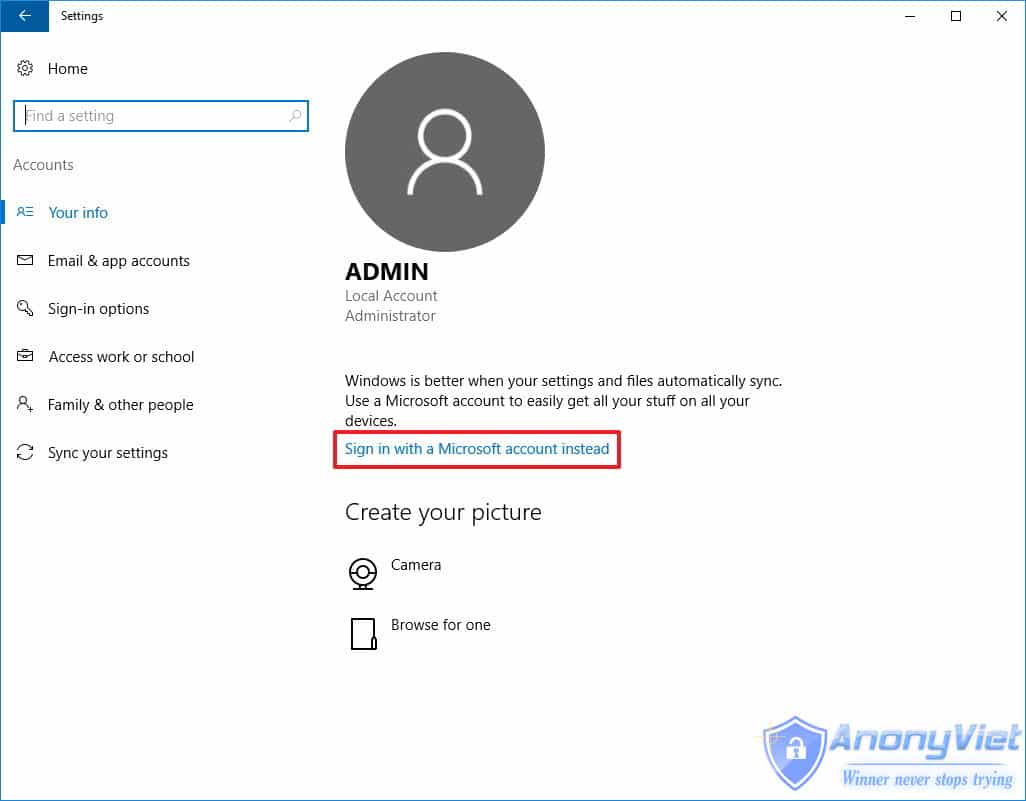
Click on the link Sign in with your Microsoft account instead

5. Fill in your login information.

6. Click select Sign in.
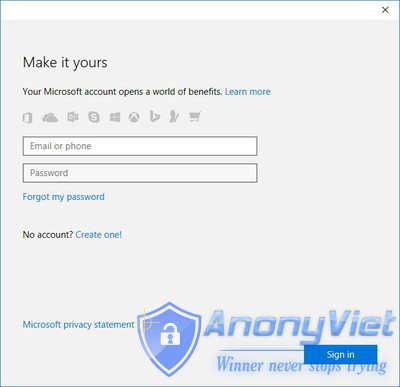
Click on Sign in

7. Enter your current password.

8. Click select next.
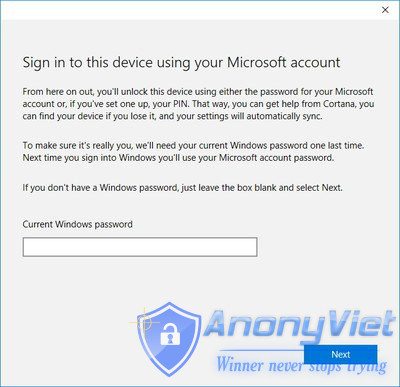
 Click on Next

9. Click select Set a PIN or click on the link Skip this step to complete the process.

Click Set a PIN or click the Skip this step link to complete the process

After completing the above steps, you can delete your Microsoft account.

  • Now you can check if the digital license – the new licensing system on Windows 10 has been linked to your Microsoft account by following the steps below:

1. Open Settings.

2. On the Settings window, click Update & security.

3. Click select Activation.
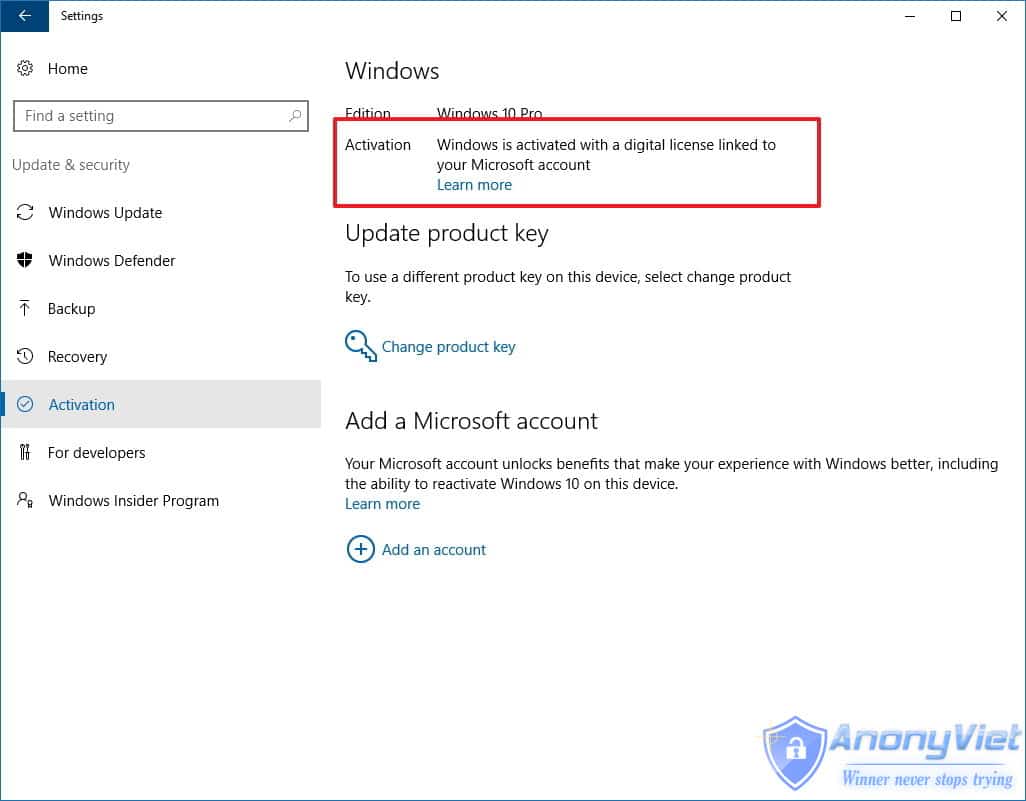
Click on Activation

  • On the Activation page you will see the message “Windows is activated with a digital license linked to your Microsoft account”.

Alternatively you can use a web browser to sign in to your Microsoft account and navigate to the Devices section. If you see your computer listed here, it means that your Microsoft account has been linked to a copyrighted Windows.
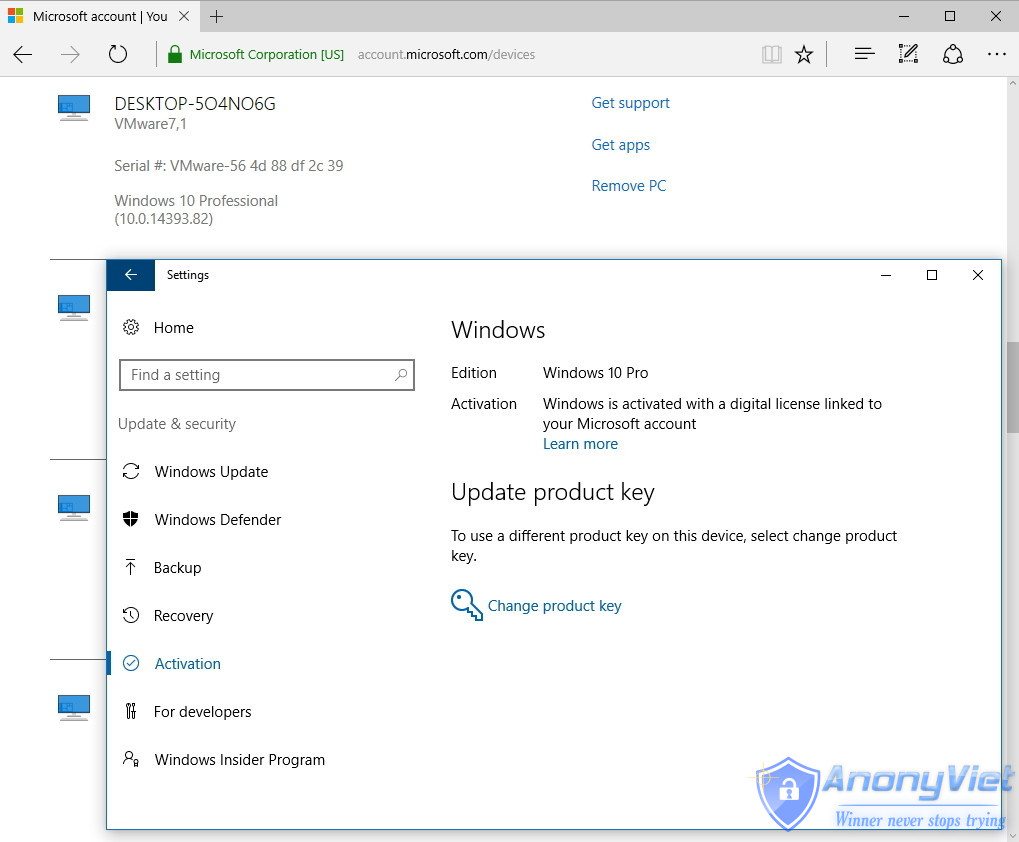
Review

Good luck!

Source: Quantrimang

The article achieved: 5/5 – (100 votes)

Previous Post

Create hacker-style GIFs + Source code

Next Post

Instructions to get 1TB of Google Drive space in 2 years

AnonyViet

AnonyViet

Related Posts

How to add sliders to Facebook Stories to easily rewind videos
Tips

How to add sliders to Facebook Stories to easily rewind videos

April 21, 2026
How to change the default font on Windows 10
Tips

How to change the default font on Windows 10

April 13, 2026
5 tips for using a Browser to replace an App (helps save RAM, time and money)
Tips

5 tips for using a Browser to replace an App (helps save RAM, time and money)

April 13, 2026
How to make funny MeMe photos without Photoshop within 10 seconds
Tips

How to make funny MeMe photos without Photoshop within 10 seconds

April 11, 2026
How to quickly design your own Logo without Photoshop
Tips

How to quickly design your own Logo without Photoshop

April 10, 2026
How to convert Website into App on Windows
Tips

How to convert Website into App on Windows

April 9, 2026
Next Post
Instructions to get 1TB of Google Drive space in 2 years

Instructions to get 1TB of Google Drive space in 2 years

0 0 votes
Article Rating
Subscribe
Login
Notify of
guest

guest

0 Comments
Oldest
Newest Most Voted
Inline Feedbacks
View all comments

Recent News

Decoding the problem of 4GB RAM and processing performance

Decoding the problem of 4GB RAM and processing performance

April 21, 2026
How to add sliders to Facebook Stories to easily rewind videos

How to add sliders to Facebook Stories to easily rewind videos

April 21, 2026
Reputable LG repair service in Hanoi & Ho Chi Minh City with LGservicecenter

Reputable LG repair service in Hanoi & Ho Chi Minh City with LGservicecenter

April 21, 2026
Japanese Watch Week: Choose the color that suits your destiny, start the new year well at Mobile World

Japanese Watch Week: Choose the color that suits your destiny, start the new year well at Mobile World

April 20, 2026
Decoding the problem of 4GB RAM and processing performance

Decoding the problem of 4GB RAM and processing performance

April 21, 2026
How to add sliders to Facebook Stories to easily rewind videos

How to add sliders to Facebook Stories to easily rewind videos

April 21, 2026
Reputable LG repair service in Hanoi & Ho Chi Minh City with LGservicecenter

Reputable LG repair service in Hanoi & Ho Chi Minh City with LGservicecenter

April 21, 2026
AnonyViet - English Version

AnonyViet

AnonyViet is a website share knowledge that you have never learned in school!

We are ready to welcome your comments, as well as your articles sent to AnonyViet.

Follow Us

Contact:

Email: anonyviet.com[@]gmail.com

Main Website: https://anonyviet.com

Recent News

Decoding the problem of 4GB RAM and processing performance

Decoding the problem of 4GB RAM and processing performance

April 21, 2026
How to add sliders to Facebook Stories to easily rewind videos

How to add sliders to Facebook Stories to easily rewind videos

April 21, 2026
No Result
View All Result
  • Home
  • News
  • Software
  • Knowledge
  • MMO
  • Tips
  • Security
  • Network
  • Office

wpDiscuz
0
0
Would love your thoughts, please comment.x
()
x
| Reply