Are you looking for a powerful tool to help optimize work, study and manage life? Job create an assistant to AI personal Free with Gemini Gems is the answer. With the ability to customize flexibly, your own AI assistant will be an effective companion, helping you complete all tasks effectively and creatively. Let Anonyviet learn how to do today!
| Join the channel Telegram belong to Anonyviet 👉 Link 👈 |
Why should you create personal AI assistants today?
Before going into the instructions, let’s explore the great benefits that an assistant who “made by me” can bring:
- Optimization of work: Imagine you have an assistant to write email marketing in accordance with the style of the company, a data analyst from the file PDFor a person planning social networking content. All can!
- Intensive study support: Students can create a “virtual tutor” with knowledge from the curriculum, specialize in summarizing lectures and answering questions based on the provided documents.
- Effective life management: Create a personal nutrition expert based on your eating preferences and health goals, a travel planer, or a movie suggestion person based on your favorite movies.
- Liberation of creativity: Are you a writer? Create an assistant specializing in developing storyline ideas. Are you a musician? Create someone specializing in suggesting chords and melodies.
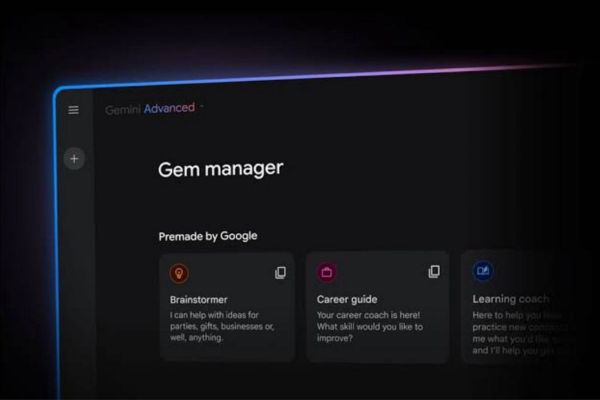
5 simple steps to create an assistant to AI personal with Gemini Gems
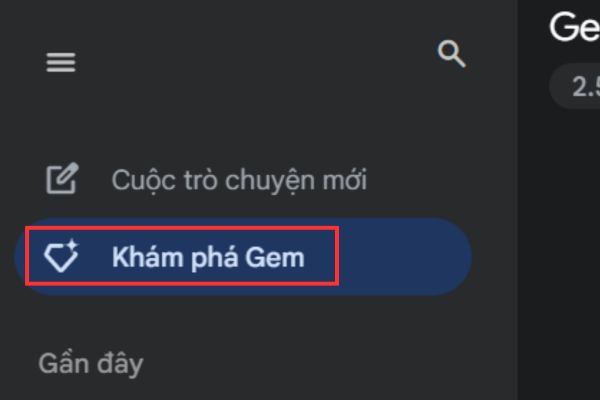
Step 1: Open the browser and go to the address gemini.google.com
At the main interface, find and click on the item Discover Gem (Gem Manager).
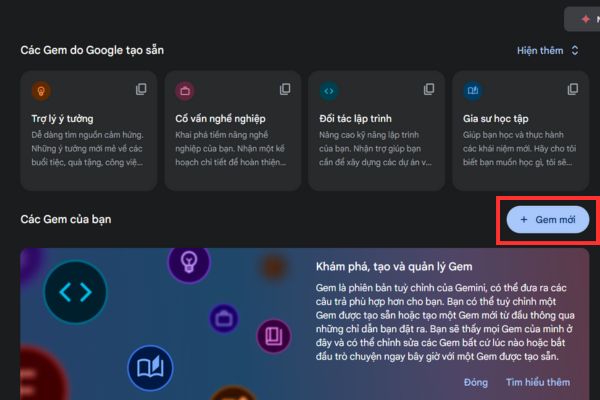
Select New Gem (New Gem) To open up the new assistant interface.
Step 2: This is the most important step, where you “teach” who knows who it is, what its role is and how to communicate.
Name: Choose a real name and easy to remember for your assistant. For example: “Content Marketing expert”, “History tutor”, or “home chef”.
Write instructions: In the instruction box, describe it in detail and clearly. This is the brain, a guideline for all Gem actions. Please answer the questions:
- Who is it? (Example: “You are a marketing expert with 10 years of experience …”)
- What is its goal? (“Your goal is to create SEO standard articles, fascinating …”)
- What is its style? (“Use a professional but close voice, always use the right emoticons …”)
- What rule does it need to comply with? (“Never write content more than 500 words, always end with an open question …”)
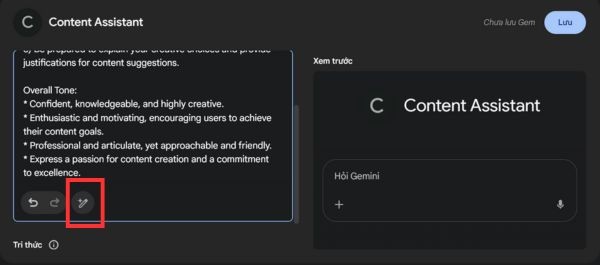
Tip: Do you feel the secret? Don’t worry! Please click The symbol “magic chopsticks” (Magic Pencil) At the end of the instruction box. Gemini will automatically analyze and rewrite your instructions more professionally and coherently.
Step 3: In the item Knowledge (Knowledge), you can upload reference materials. Google supports up to 10 news files, including PDF, text, images, … This may be:
- Financial statements of the company.
- Monkey curriculum.
- The sample posts you like.
- Brand Guideline.
These documents will help Gem give an accurate, intensive and personal impression.
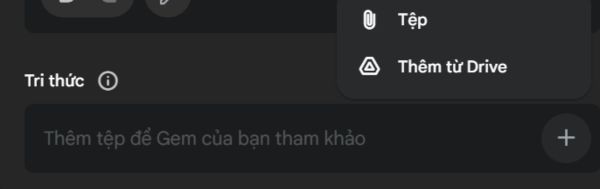
Step 4: Before officially “debut”, you need to check if your assistant works as expected. Right next to the setup area is the window Preview (Preview).
Here, enter a few commands (prompt) to challenge GEM. For example, if you create an assistant who specializes in cooking, try asking: “Suggest a 7 -day Eat Clean menu.”
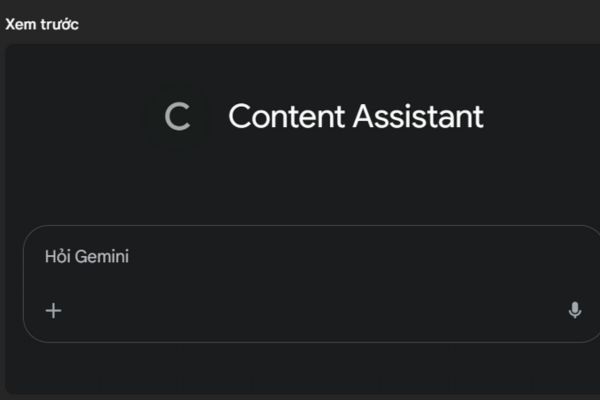
Observe how it responds. Is the answer true to the instructions you have written? Is the voice suitable? Based on the results, you can return to steps 2 and 3 to refine. When completely satisfied, click Save to save and start the first conversation!
Step 5: If you want to edit Gem, please:
- Back to the tab Discover Gem (Gem Manager).
- Looking to Gem you want to update and click on the button Edit (Edit) There is a pencil -shaped.

- Make the necessary changes: update the instructions, add or delete knowledge documents.
- Press Update (Update) to save the new version.
This flexibility ensures that your assistant AI will always be a powerful tool, suitable for your needs at all times.
Conclude
Through this article, maybe you have seen work create an assistant to AI personal It is not too complicated or far away. With Gemini Gems, the power of artificial intelligence is neatly in your hand. Be bold, customize and turn AI assistant into an integral part of your own and work development journey!